AI Clip Template Generator: Revolutionizing Short-Form Video Production
Discover how the AI clip template generator transforms video production by automating clip creation from text prompts or uploaded footage, saving time.


Estimated reading time: 6 minutes
Key Takeaways
- Automate short-form video creation from text prompts or long-form footage.
- Leverage AI-driven highlight detection, editing, and multi-platform resizing.
- Reduce manual editing time by up to 90% and boost productivity.
- Apply across marketing, content creation, and business campaigns.
- Choose from free trials, pro plans, or enterprise packages to scale.
Table of Contents
- Introduction
- Section 1: How the AI Clip Template Generator Works
- Section 2: Key Features and Benefits of AI Clip Template Generator
- Section 3: Use Cases for AI Clip Template Generator
- Section 4: Pricing, Packages, and Value Proposition
- Section 5: Customer Testimonials and Case Studies
- Section 6: Getting Started Guide
- Section 7: Call to Action
- FAQ
In today’s content craze, AI clip template generator tools are a game changer. Short-form video content on TikTok, Instagram Reels, and YouTube Shorts is growing exponentially. Yet manual editing eats hours, frustrating marketers, creators, and businesses.
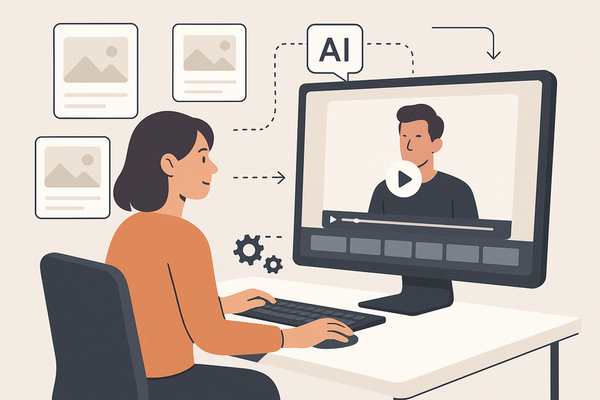
An AI clip template generator is an AI-powered tool that automates the creation of customizable short video clips from text prompts, uploaded footage, or prebuilt templates. It eliminates hours of manual timeline cutting by generating platform-ready clips in minutes. These subscription-based tools usually offer free trials and scale with your needs, accelerating professional output with cinematic quality. Tools like best AI video repurposing tools dive deep into how AI repurposes long-form content into short clips effortlessly.

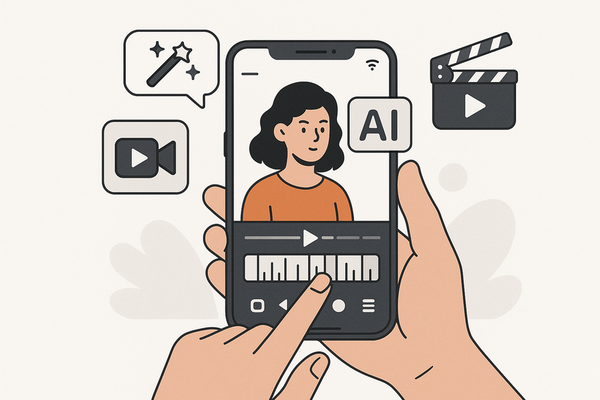
For creators looking to streamline clip workflows right from mobile, Vidulk offers an intuitive on-device AI studio that detects and clips the best moments automatically. Learn more about how it simplifies the process at Vidulk - AI Video Clipping App.
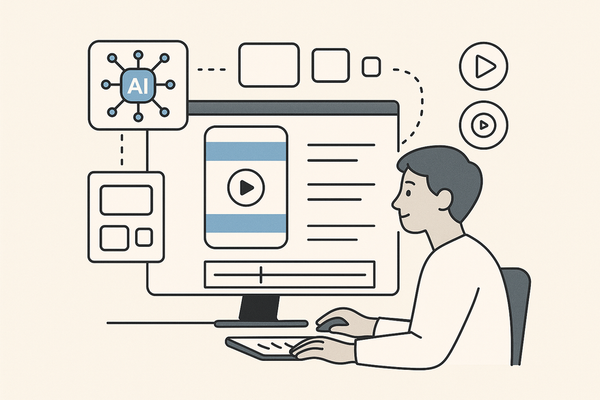
Whether you start with a text prompt like “create a 15-second webinar highlight” or upload a long-form video, these generators handle the heavy lifting—detecting key moments, adding captions, syncing music, and embedding your brand. With seamless automation, you can focus on ideas, not edits.
Experience the future of clip making now. Subscribe, test free, and unlock smarter, faster video production.
Section 1: How the AI Clip Template Generator Works
Step 1: Input
• Text Prompt: “15-sec highlight from webinar”.
• Video Upload: Drop in a long video (≥1 minute).
Real-world tip: A social media manager uploads a 45-minute demo to auto-clip highlights.
Step 2: AI Processing
• Generative AI Models parse content, spotting key frames and audio cues.
• Auto-Assembly of visuals, voiceovers, licensed music, captions, and brand assets via robotic process automation (see AI video clip maker workflows).
• Smart Editing tags high-engagement moments using metrics such as volume peaks or slide changes.
Step 3: Output
• Editable Clips sized for TikTok, YouTube Shorts, Instagram Reels.
• UI or Text Commands to tweak transitions, captions, or colors.
• Export Options to download or publish directly to social platforms.
By automating timeline slicing and syncing, an AI clip template generator removes manual bottlenecks and boosts productivity.
Section 2: Key Features and Benefits of AI Clip Template Generator
Standout Features
• Text-to-Video Generation: AI crafts animated scenes from prompts (see InVideo AI clip maker).
• Automatic Highlight Detection via motion, audio, and face recognition (see VEED Auto Video Editor).
• Multi-Platform Resizing for stories, posts, and reels (see Canva AI Video Generator).
• Auto-Captioning & Branding Integration with subtitles, logos, and lower thirds (see Spikes Studio).
• No-Skill-Required Editing with an intuitive UI.
Benefits
• Time Savings: Cut editing time by up to 90% (Lumen5 Video Clip Maker).
• Enhanced Creativity: AI suggests transitions, color palettes, and music tracks (Adobe Express AI Clips).
• Professional Quality: Outputs rival agency work with cinematic filters and motion graphics.
Section 3: Use Cases for AI Clip Template Generator
Use Case 1: Marketers
• Repurpose a 60-minute webinar into five 15-second TikTok/Reels clips.
• Result: 20% boost in lead gen; social impressions doubled.
• Source: VEED Auto Video Editor
Use Case 2: Content Creators
• Convert hour-long podcasts into weekly YouTube Shorts with captions and music.
• Result: Engagement tripled; watch time up 35%.
• Source: Descript Clips
Use Case 3: Businesses
• Generate product explainer clips from simple text prompts.
• Result: Production costs cut by 50%; campaign launch time halved.
• Source: InVideo AI clip maker
Section 4: Pricing, Packages, and Value Proposition
Pricing Tiers
• Basic (Free Trial): Limited exports, watermark on videos, basic templates.
• Pro Plan ($15–$30/mo): Unlimited clip exports, advanced branding controls, priority templates.
• Enterprise/Custom: Team collaboration, API access, SSO, dedicated support.
ROI Analysis
• Time Savings: Save 5–10 minutes per clip vs. manual editing.
• Cost Efficiency: Scale output 10× at under 50% of freelancer costs (Spikes Studio).
• Rapid Scale: Boost campaign launches by 2× using prebuilt AI templates (Adobe Express AI Clips).
Section 5: Customer Testimonials and Case Studies
Pictory Case Study
“Over 10 million videos created using Pictory templates led to a 35% rise in social impressions.” (Pictory AI Video Templates)
Adobe Express Testimonial
“We launched campaigns 2× faster after adopting Adobe Express AI clips.” – Media Agency Director (Adobe Express AI Clips)
Spikes Studio User Quote
“Saved 6 hours/week on branded clips. Our TikTok views are up 40%.” – E-commerce Manager (Spikes Studio)
VEED Results
“Our webinar-to-short pipeline yielded 4× more leads per month, thanks to AI clip generator workflows.” (VEED Auto Video Editor)
Section 6: Getting Started Guide
Step 1: Sign Up
• Visit InVideo AI, Adobe Express, or VEED.
• Register for a free trial or demo account.
Step 2: Provide Input
• Upload a long-form video (min 1 min) or enter a detailed text prompt (include style, length, platform). (Canva AI Video Generator)
Step 3: Generate & Edit
• Click “Generate” to let AI craft your initial clip.
• Use Magic Box or UI controls to adjust captions, music, colors. (reference: InVideo AI clip maker)
Step 4: Export & Publish
• Choose target platform format (9:16 for stories, 1:1 for feeds).
• Export or publish directly from the dashboard. (VEED Auto Video Editor)
Section 7: Call to Action
Ready to revolutionize your video workflow? Start your free trial of an AI clip template generator today and unlock professional-quality clips in minutes.
Don’t let manual editing slow you down. Transform your content, boost engagement, and scale your output with AI-powered clip making now!
FAQ
Q1: What is an AI clip template generator?
An AI clip template generator is a tool that uses artificial intelligence to create short-form video clips from text prompts or long-form videos automatically.
Q2: How much time can I save using an AI clip template generator?
Most users report cutting editing time by up to 90%, turning what used to be hours of manual work into minutes.
Q3: Do I need editing skills to use these tools?
No, the intuitive interfaces and automation workflows require no prior video editing expertise.
Q4: Which platforms can I publish to directly from the tool?
You can export or publish directly to TikTok, Instagram Reels, YouTube Shorts, and other social platforms from the dashboard.