What Is an AI Video Clip Tag Generator and How Does It Work?
Discover how an AI video clip tag generator boosts SEO by automating tag creation using AI technologies, improving video discoverability and search rankings.

Estimated reading time: 7 minutes
Key Takeaways
- Definition and purpose of AI video clip tag generators
- Core technologies: ML, computer vision, ASR, NLP, SEO analysis
- Four-step pipeline: ingestion to tag ranking
- Benefits: efficiency, accuracy, consistency, scalability
- Challenges: context misinterpretation, data bias, privacy, strategic oversight
- Future trends: real-time tagging, immersive content, personalized metadata
Table of Contents
- Introduction
- What Is an AI Video Clip Tag Generator?
- How Does an AI Video Clip Tag Generator Work?
- Core Technologies
- Four-Step Tag Generation Pipeline
- Key Benefits
- Real-World Applications and Use Cases
- Challenges and Considerations
- Future Trends
- Conclusion
- FAQ
Introduction
AI video clip tag generator tools automatically assign descriptive labels and hashtags to videos, making them easier to locate in today’s crowded digital landscape. Every minute, hundreds of hours of video content are uploaded to platforms like YouTube, TikTok, and Instagram, posing a massive discoverability challenge. Effective tagging helps recommendation engines, search algorithms, and viewers immediately understand your video’s topic.
Many content teams use tools like Vidulk - AI Video Clipping App to clip highlights and generate tags in one workflow.
What Is an AI Video Clip Tag Generator?
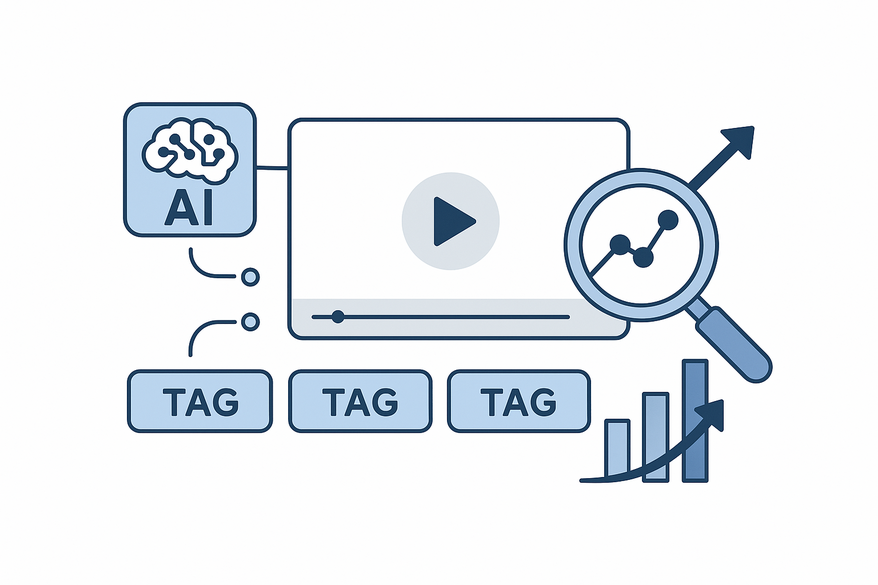
An AI video clip tag generator is a software tool that automatically analyzes a video and produces relevant keywords, tags, and hashtags to improve discoverability on platforms such as YouTube, TikTok, and Instagram. It combines machine intelligence and natural language techniques to suggest metadata that matches search behavior and platform trends. Tools such as Vidulk – AI Video Clipping App can detect key moments and propose tags instantly.
Manual tagging vs. AI-powered evolution:
- Manual Process
- Human watches the video
- Brainstorms topic ideas
- Researches keywords one by one
- Enters tags (time-consuming, inconsistent)
- AI-Powered Process
- Automated visual and audio analysis
- Pattern recognition via ML and NLP
- Instant, data-driven tag suggestions
This shift reduces errors, saves time, and scales tagging across large video libraries.
How Does an AI Video Clip Tag Generator Work?
An AI video clip tag generator uses machine learning, computer vision, speech-to-text, and natural language processing to convert raw video into optimized tags.
Core Technologies
- Machine Learning (ML)
- Trained on large sets of videos paired with high-performing tags
- Learns patterns between visuals, audio cues, and successful keywords
- Computer Vision & Image Recognition
- Detects objects, scenes, text overlays, and actions in frames
- Automatic Speech Recognition (ASR)
- Converts spoken words to text transcripts for analysis
- Natural Language Processing (NLP)
- Extracts entities, topics, sentiments, and user intent from text
- SEO & Trend Analysis
- Queries real-time search volumes and trending hashtags
- Prioritizes high-value tags based on popularity
Four-Step Tag Generation Pipeline
1. Input & Ingestion
   • User uploads video or enters URL with optional title/keywords
   • System splits video into audio track and individual frames
2. Feature Extraction
   • Visual: object and scene detection (e.g., “beach,” “unboxing”)
   • Audio/Text: ASR → transcript; NLP → key phrases, entities, sentiment
   • Classification: tutorial, demo, interview, etc.
3. Contextual Interpretation
   • Maps raw features to broader concepts (e.g., “bench press” → “fitness”)
   • Filters out noise (filler words, irrelevant terms)
4. Keyword & Tag Generation
   • Produces descriptive tags, SEO keywords, and platform-specific hashtags (#shorts, #fyp)
   • Ranks tags by relevance, search volume, and trend strength
For more on automatic keyword tagging with AI and hashtag optimization with AI.

Key Benefits of Using an AI Video Clip Tag Generator
An AI video clip tag generator delivers measurable advantages in speed, accuracy, and scalability:
- Increased Efficiency & Time Savings
- Tags generated in seconds instead of hours
- Ideal for frequent publishers or large back catalogs
- Improved Accuracy & SEO Relevance
- Data-driven suggestions align with actual user search behavior
- Boosts algorithmic recommendations and search rankings
- Reduced Manual Labor & Consistency
- Eliminates human bias and tagging inconsistencies
- Ensures uniform metadata across all videos
- Scalability for Large Libraries
- Bulk-tag or re-tag archives with minimal effort
- Supports internal search, analytics, and personalized recommendations
For insights on AI-generated descriptions to complement your tags.
Real-World Applications and Use Cases
AI video clip tag generators help diverse users scale content discovery:
Content Creators & Influencers
- YouTube: Faster, optimized tags improve search placement and suggested video rankings.
- Short-form: Tag TikTok, Reels, Shorts clips with relevant hashtags during repurposing.
Marketers & Brands
- Webinar repurposing: AI tags align with buyer-intent keywords.
- SEO for branded videos: Boost organic visibility on YouTube and Google search.
Media Companies & Broadcasters
- Archive monetization via auto-tagging historical footage.
- Multiplatform distribution with tailored metadata for each channel.
Challenges and Considerations
While powerful, AI tag generators require oversight and care:
- Context Misinterpretation: AI may misread satire or nuance, leading to misleading tags.
- Over-Reliance & Strategic Loss: Pattern-driven AI lacks strategic brand insight; human review is vital.
- Data Privacy & Security: Video uploads and account access raise concerns about storage, retention, and model training usage.
- Training Data Quality & Bias: Under-represented topics or languages may yield irrelevant tags.
Best Practices: Adopt a hybrid workflow—AI generates tags, humans review and refine; customize for your niche; monitor performance metrics to refine your tag strategy.
Future Trends in Video Tagging and AI
- Advanced Multimodal Understanding: Combine video, audio, text, and user interactions for predictive tagging.
- Real-Time & Live-Streaming Tagging: Live updates of tags during streams to enhance discovery and replay performance.
- VR/AR & Immersive Content Tagging: Tagging objects, spaces, and interactions in 3D and mixed-reality environments.
- Audience-Specific & Personalized Tagging: Generate metadata optimized for different demographic segments and interest groups.
Conclusion
An AI video clip tag generator uses machine learning, computer vision, and natural language processing to automate the creation of relevant, SEO-friendly tags and hashtags for video clips. By transforming manual tagging into a fast, scalable process, these tools improve efficiency, boost search rankings, ensure consistency, and support large content libraries.
The most effective approach pairs AI speed with human strategy: review AI-suggested tags, customize for your brand, and monitor performance metrics.
Next steps:
- Test an AI tag generator on existing videos and compare to manual tags.
- Embed AI tagging into your publishing workflow alongside clip creation tools.
- Explore end-to-end AI video platforms that cover creation, editing, tagging, and analytics for a fully integrated media pipeline.
FAQ
What platforms are supported by AI tag generators?
Most AI tag generators support major video platforms like YouTube, TikTok, Instagram, and Facebook. They often allow bulk uploads and API access for enterprise workflows.
Can AI tags replace human input entirely?
No. While AI accelerates tagging and improves consistency, human review ensures strategic alignment, brand voice, and contextual accuracy.
How secure is my video data when using these tools?
Security varies by vendor. Look for tools with strong encryption, clear data retention policies, and GDPR or CCPA compliance to protect your assets.
Do I need technical expertise to use an AI tag generator?
Most tools offer intuitive interfaces that require minimal technical skills. For advanced customization, some knowledge of SEO and video metadata best practices helps.