AI Noise Reduction for Video Clips: Achieve Pristine, Studio-Quality Footage in Minutes
Discover how AI noise reduction for video clips enhances video quality by removing grain and audio distractions, delivering studio-quality results quickly.

Estimated reading time: 7 minutes
Key Takeaways
- AI-driven denoising cleans visual and audio artifacts with minimal manual effort.
- One-click tools preserve detail, color fidelity, and reduce processing time drastically.
- Compatible with broadcast, filmmaking, podcasting, and social media content.
Table of Contents
- Section 1: What Is Noise in Video Clips?
- Section 2: How AI Noise Reduction Works
- Section 3: Benefits of AI Noise Reduction
- Section 4: Tools and Software
- Section 5: Implementation in Your Workflow
- Section 6: Future Trends
- Conclusion
Section 1: What Is Noise in Video Clips?
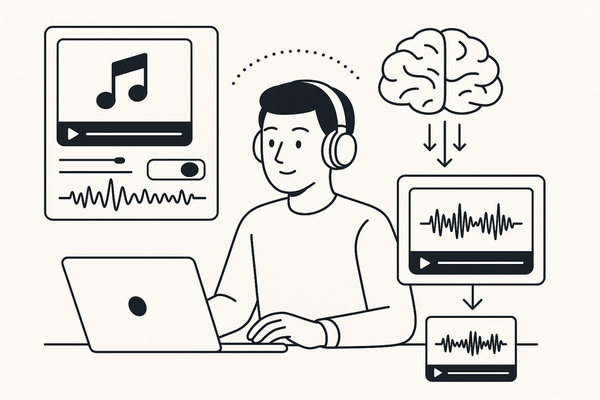
Video noise refers to unwanted distortions—grain, pixel irregularities, flicker—or audio interference like hiss, hum, wind, traffic, fan sounds, and static that degrade clarity and viewer immersion. High ISO settings in low light, camera sensor limitations, environmental factors, and compression artifacts all introduce noise.
Traditional noise reduction techniques:
- Spatial filters blur footage to average out grain, sacrificing edge sharpness.
- Manual denoising in NLEs uses trial-and-error filters and heavy compute time.
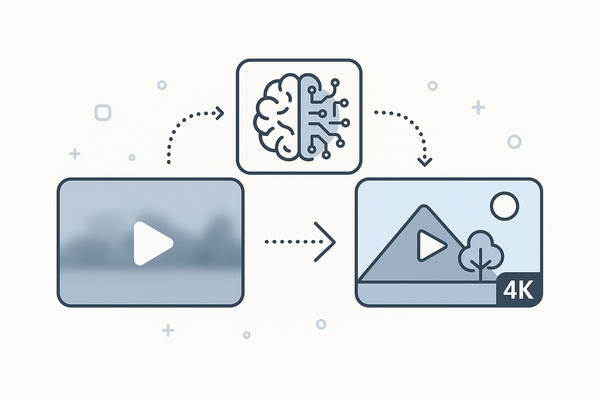
By contrast, AI-based noise reduction employs machine learning to detect noise patterns and suppress them while preserving edges, textures, and voices, distinguishing signal from noise by learning characteristics of clean footage.
Key terms: grain removal, flicker suppression, acoustic noise mitigation, denoising filters.
Section 2: How AI Noise Reduction Works
AI noise reduction tools leverage deep learning and noise profiling to reconstruct clean frames and audio. Core principles include:
- Deep Neural Networks: Trained on thousands of noisy/clean frame pairs to predict noise-free images.
- Noise Profiling: Algorithms identify noise fingerprints—grain structures, audio hiss spectrums—and build per-clip profiles.
- Temporal Analysis: Frame-by-frame processing with motion tracking reduces flicker while preserving smooth movement.
Typical workflow:
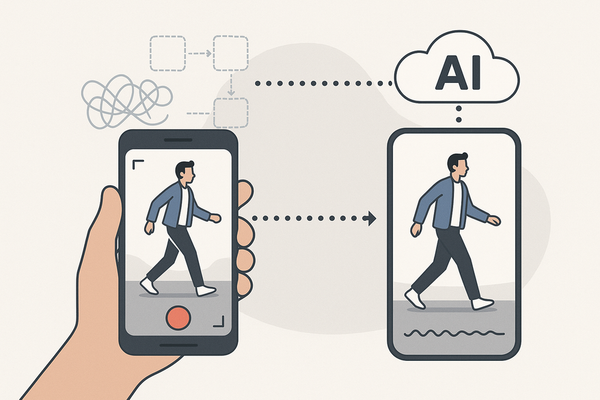
- Upload video clip (MP4, AVI, MOV).
- AI scans for visual grain, flicker, and audio hiss.
- Model isolates voices and visual details, suppresses noise.
- Export enhanced audio-video track with minimal blurring.
Advantages over traditional methods:
- Adapts to each clip’s unique noise profile.
- Preserves color fidelity and edge sharpness.
- Maintains temporal coherence to avoid artifacts.
Related terms: spectral audio analysis, edge-aware denoising, GPU-accelerated enhancement.
Here’s a quick demo of AI noise reduction in action:

Section 3: Benefits of AI Noise Reduction
AI noise reduction offers multiple advantages that boost production value and efficiency:
- Clarity and Detail Retention: Removes grain from phone or drone footage while maintaining texture and sharp edges.
- Color Fidelity: Preserves accurate hues and prevents color banding versus blur-based denoisers.
- Time Savings: One-click processing saves hours of manual tweaking and supports batch operations.
- Real-World Use Cases: Podcasters use Cleanvoice AI to remove background chaos; video editors employ Neat Video for grainy night scenes.
Section 4: Tools and Software
Choosing the right solution depends on your workflow and budget. Top tools include:
- Neat Video – Per-clip noise profiling and GPU-accelerated denoising for Premiere Pro, DaVinci Resolve, Final Cut Pro.
- Media.io AI Noise Reducer – Browser-based tool with one-click removal of hiss, wind, and hum. Free tier available.
- Cleanvoice AI – Advanced audio cleanup for reverb, mic clicks, and ambient noise.
- Wondershare UniConverter – AI Video Enhancer with denoiser and upscaling features.
- LALAL.AI Voice Cleaner – Stem-based noise and music removal with credit-based system.
Section 5: Implementation in Your Workflow
Integrate AI noise reduction with these steps:
- Select and Upload: Choose a tool like Media.io for browser speed or UniConverter for offline batch processing.
- Apply Denoise Mode: Pick a profile (low-light grain, audio hiss removal), preview settings, and adjust intensity.
- Process and Export: Analyze frames and audio concurrently, then export in the original resolution.
- Compare in NLE: Place original and cleaned clips on parallel tracks in Premiere Pro or Final Cut to assess improvements.
Best Practices:
- Shoot with proper lighting to minimize noise at the source.
- Test AI settings on short clips before full-scale use.
- Combine AI denoising with upscaling for maximum detail recovery.
- For audio-centric projects, clean audio in tools like Adobe Podcast before syncing to video.
Section 6: Future Trends
The future promises real-time denoising built directly into editors, multimodal AI models combining video frames and audio spectrograms, generative AI for filling noisy gaps, and on-device AI for live capture cleanup. These innovations will democratize studio-grade noise reduction for all creators.
Conclusion
AI noise reduction transforms your editing workflow by delivering superior clarity, color fidelity, and time savings compared to legacy methods. Tools like Neat Video, Media.io AI Noise Reducer, and Cleanvoice AI empower you to produce studio-quality footage in minutes. Try free trials and share your before-and-after results.
FAQ
- Can AI remove all types of noise? AI excels at reducing common visual grain and audio hiss but may struggle with extremely low-resolution or heavily compressed clips.
- Which formats are supported? Most tools handle MP4, AVI, MOV; check your chosen software for specific codec support.
- Does AI denoising affect footage resolution? No, AI tools process frames at native resolution and often improve perceived sharpness.
- How much processing time is saved? One-click AI denoising can cut hours of manual work down to minutes per clip, especially with GPU acceleration.
- Are there free options? Yes, browser-based services like Media.io offer limited free credits, and many paid tools provide trial versions.