AI Audio Enhancer for Video Clips: Improve Sound Quality Instantly
Discover how an AI audio enhancer for video clips can automate sound quality improvements, saving you time and delivering studio-quality audio.

8 min read
Key Takeaways
- Instant noise removal: One-click elimination of background hiss, wind, and traffic.
- Balanced volume: Automatic normalization and dynamic compression for consistent loudness.
- AI-powered clarity: Voice isolation, de-reverb, and sharpening for broadcast-quality speech.
- Time savings: Transform hours of manual EQ work into seconds in your browser.
- Accessible to all: No audio engineering skills or studio equipment required.
Table of Contents
- What Is an AI Audio Enhancer for Video Clips?
- How AI Improves Audio in Video Clips
- Core Features of Top AI Audio Enhancer Tools
- Benefits of an AI Audio Enhancer for Video Clips
- Traditional Methods vs. AI-Driven Approaches
- How to Choose an AI Audio Enhancer for Video Clips
- Case Studies: AI Audio Enhancement in Action
- Challenges and Workarounds
- Conclusion
What Is an AI Audio Enhancer for Video Clips?
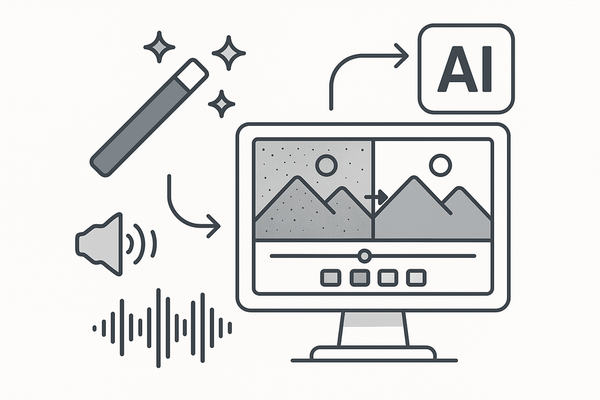
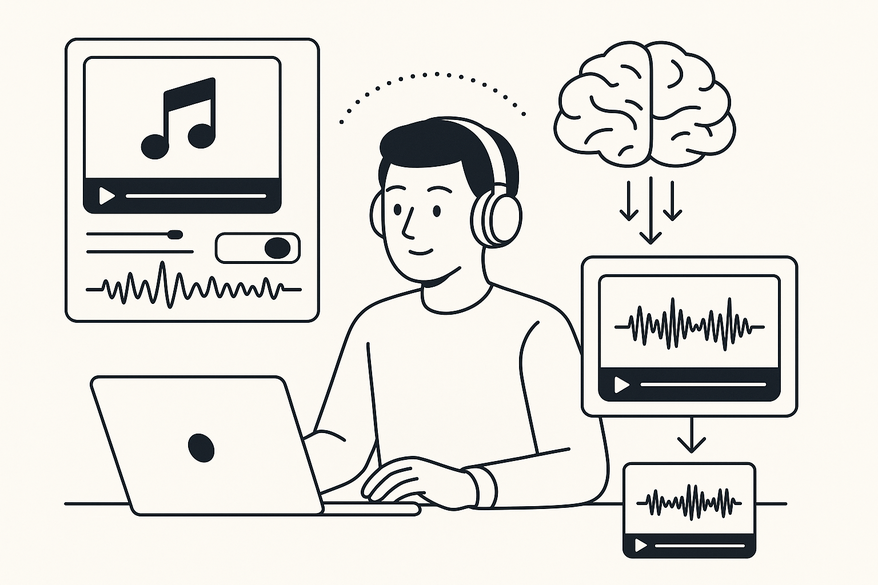
An AI audio enhancer for video clips is an online tool powered by machine learning that automatically improves your sound quality. It removes background noise, balances volume, and boosts speech clarity—no manual EQ or compression needed.
Creators often record on smartphone mics or basic recorders yet need studio-quality sound for YouTube, podcasts, or social channels. An AI audio enhancer bridges that gap instantly, delivering professional-grade audio with minimal effort.
How AI Improves Audio in Video Clips
AI audio enhancers leverage advanced signal processing and deep learning to perform:
- Waveform analysis: Detects noise floors and isolates hiss, hum, or pops.
- Voice isolation: Models trained on diverse datasets separate dialogue from ambiance.
- Volume normalization: Applies loudness standards (e.g., -16 LUFS) for consistent playback.
- Dynamic range compression: Smooths peaks, raises quiet passages, preserving natural tone.
- De-reverb and sharpening: Reduces echo and enhances articulation for crisper speech.
Upload an MP4 or MOV and watch AI automate hours of manual gating, EQ, and compression in seconds. For related steps, see our AI Audio Transcription and Clipping guide.
Core Features of Top AI Audio Enhancer Tools
- Noise reduction: One-click removal of static hiss, wind noise, and traffic rumble. Source: Flixier
- Equalization & normalization: Auto-balances bass, mids, and trebles; targets -16 LUFS. Source: YouTube Tutorial
- Voice enhancement presets: Podcast, interview, and voice-over modes optimized for speech clarity. Source: Canva
- Silence removal & reverb reduction: Trims pauses and lowers room echo. Source: Kapwing
- Fade in/out & crossfades: Smooth transitions between clips. Source: Cleanvoice
- Browser-based support: Handles MP4, MOV, MP3 on any OS via Chrome, Firefox, or Safari. Source: VEED
Benefits of an AI Audio Enhancer for Video Clips
- Time savings: Drag-and-drop workflows that cut edit time from hours to seconds. Sources: Flixier, YouTube
- Consistent audio quality: Uniform sound across episodes without pricey mics or treated rooms. Source: Clipchamp
- Enhanced viewer experience: Clearer audio boosts engagement and accessibility. Source: AudioEnhancer.ai
- Studio-quality sound for non-experts: Ideal for high-volume social media content pipelines. Source: Canva
Traditional Methods vs. AI-Driven Approaches
- Process: Traditional—manual EQ, noise gating, compression in DAWs (Audacity, Pro Tools). AI—one-click ML fixes with no technical skills. Sources: YouTube, Flixier
- Efficiency: Traditional—hours per clip; setup time required. AI—seconds to minutes in-browser; no hardware. Source: Cleanvoice
- Effectiveness: Traditional—depends on user skill. AI—consistent, studio-level clarity via neural models. Source: Adobe Enhance
- Accessibility: Traditional—steep learning curve; software installs. AI—free trials and browser platforms for all levels. Sources: VEED, Clipchamp
How to Choose an AI Audio Enhancer for Video Clips
- Compatibility: Browser support vs. plugins for Premiere or Final Cut; MP4, AVI, MOV, MP3 imports. Source: VEED
- Ease of use: One-click presets, A/B toggle previews. Source: Flixier
- Cost considerations: Free tier limits vs. pro plans for batch processing and advanced presets. Sources: VEED, YouTube
- Testing workflow: Use sample clips (vlogs, interviews) and check mobile compatibility. Sources: Clipchamp, Canva
Case Studies: AI Audio Enhancement in Action
- Flixier: YouTube creator removes room echo and background hum in minutes with Flixier.
- VEED & Kapwing: Outdoor interview cleaned up; dialogue isolated and normalized for a crisp MP4 export. Sources: VEED, Kapwing
- Auphonic in Final Cut Pro: Editor hits -16 LUFS across vlogs, cutting mastering time from two hours to five minutes. Source: YouTube
- Adobe Enhance Speech: Podcast producers apply AI-driven de-noise and de-reverb for studio-like remote interviews. Source: Adobe Enhance
Challenges and Workarounds
- Heavy distortion or overlapping voices: AI may over-process voices. Workaround: Manual EQ or spectral repair in a DAW.
- Free-tier restrictions: Clip length or credit limits. Workaround: Split recordings or upgrade for extended usage.
- Internet dependency: Large uploads slow on low bandwidth. Workaround: Compress video locally or use desktop-based AI tools.
- Preset limitations: Some platforms lack custom EQ controls. Workaround: Chain outputs between different enhancers (e.g., VEED then Kapwing).

For creators looking to automate clipping and audio enhancement in one tool, Vidulk – AI Video Clipping App offers an intuitive mobile experience that detects key moments and ensures clear sound with AI-driven workflows.
Conclusion
An AI audio enhancer redefines audio post-production by automating noise removal, volume leveling, and vocal sharpening in seconds. You’ve learned:
- What AI audio enhancers are and where they fit in your workflow.
- How machine learning boosts clarity via noise reduction, dynamic compression, and isolation.
- Key features like one-click presets, browser support, and fade controls.
- Benefits: massive time savings, consistent studio-quality sound, and enhanced engagement.
- Traditional vs. AI-driven workflows and how to select the right tool.
- Real-world case studies demonstrating accelerated results.
- Common challenges—distortion, free-tier limits, internet dependency—and practical workarounds.
Transform your next video with crystal-clear audio. Try Flixier or VEED today and experience the power of an AI audio enhancer for video clips yourself.
FAQ
- What formats do AI audio enhancers support? Most tools handle MP4, MOV, AVI, MP3—and some even accept WAV or AAC.
- Do I need audio engineering skills? No—AI-driven platforms require zero technical expertise.
- Are free tiers enough for short clips? Yes, but expect limitations on duration or processing credits.
- Can AI fully replace manual editing? AI handles most cleanup, but severe distortion may still need DAW-level tweaks.