AI Video Sharpening AI App: Turn Blurry Clips Crystal-Clear
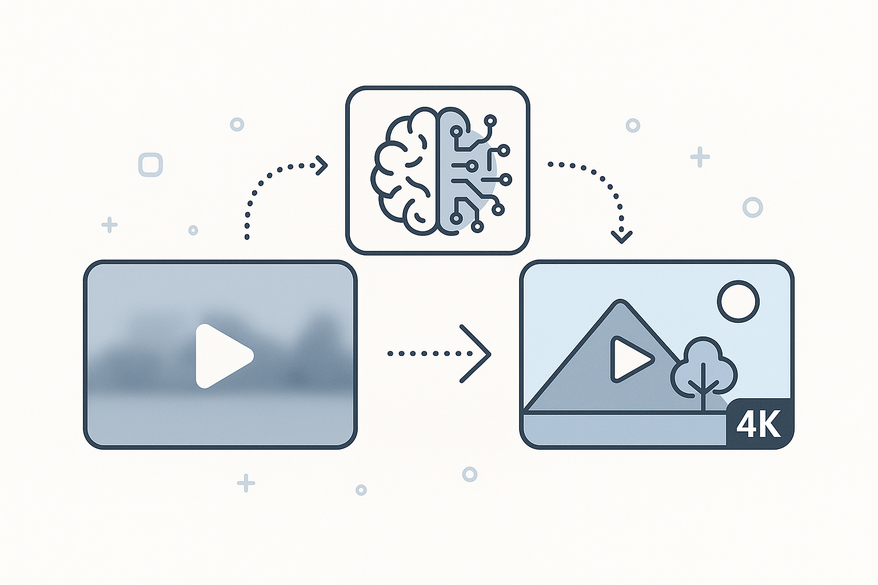
Discover how an AI video sharpening AI app transforms blurry videos into crystal-clear footage using machine learning for effortless 4K upscaling.

Estimated reading time: 7 minutes
Key Takeaways
- AI-driven sharpening restores edge clarity and fine details without artifacts.
- Super resolution upscaling lets you convert low-res footage to 4K/8K in one click.
- Integrated workflows combine denoising, stabilization, and frame interpolation.
- Choosing the right tool means balancing model quality, platform support, and pricing.
Table of Contents
- Understanding Video Sharpening
- The Role of AI in Video Sharpening
- Exploring the AI Video Sharpening AI App
- Benefits and Advantages
- How to Choose the Right AI Video Sharpening AI App
- Future Trends and Innovations
- Conclusion
- FAQ
Understanding Video Sharpening
Video sharpening is a filter that increases contrast around edges to boost detail visibility. It’s crucial for restoring clarity in old camcorder recordings, highly compressed clips, or shaky smartphone footage.
Traditional vs. AI Approaches
- Traditional filters amplify edges but often exaggerate noise or create halos.
- AI-driven approaches use neural networks to reconstruct lost data, reducing artifacts.
Common Challenges AI Addresses
- Motion blur from fast-moving subjects
- Low resolution in legacy footage
- Digital noise in low-light recordings
- Compression artifacts in streamed clips
The Role of AI in Video Sharpening
AI video sharpening uses deep learning models trained on paired high- and low-quality frames to predict and restore missing details.
Core Algorithms
- Super Resolution Upscaling: learned mapping to add realistic pixels.
- Gen Detail v3: neural detail reconstruction for natural textures.
- Frame Interpolation: motion smoothing by generating intermediate frames.
- Noise Reduction: denoising autoencoders that remove grain without blurring.
Case Studies
- Topaz Labs Model on VHS Footage – Recovers fine detail without halos using Gen Detail v3.
- VideoProc Converter AI Super Resolution – One-click upscale to 4K, fixes blur and compression artifacts.
Exploring the AI Video Sharpening AI App
An AI video sharpening AI app bundles sharpening, upscaling, denoising, and stabilization in a user-friendly desktop, mobile, or web interface.
Key Features
- AI Super Resolution for auto-upscale to 4K/8K.
- Noise reduction and stabilization for cleaner, steady footage.
- Frame interpolation for smoother motion and slow-mo effects.
- Portrait enhancers and background removal for cleaner subject focus.
- Batch processing and one-tap edits for high throughput.
Example Apps
- Winkit AI Video Enhancer (iOS, 4K upscaling, portrait mode).
- VideoProc Converter (Windows/Mac, all-in-one with Super Resolution).
- Topaz Video Sharpener (desktop/browser, pro customization).
Benefits and Advantages
AI video sharpening delivers speed, clarity, and ease unattainable with manual filters.
- Faster one-click processing and batch jobs.
- Superior clarity with artifact-free results.
- Upscaling to 4K/8K without quality loss.
- Integrated color correction, stabilization, and denoising.
Comparative Bullets:
- Speed: manual filters require hours vs. AI batch jobs in minutes.
- Quality: halos and noise vs. natural detail reconstruction.
- Resolution: limited upscaling vs. up to 8K AI reconstruction.
- Ease of Use: complex presets vs. intuitive one-tap UI.
“Users report transforming shaky phone clips into HD with one tap.”
How to Choose the Right AI Video Sharpening AI App
Selecting the best tool depends on AI model quality, platform support, output fidelity, price, and limits. If you're looking to maximize your content output after sharpening your videos, check out the ultimate repurposing guide for posting more content and growing your audience.
- Proven AI Models: Gen Detail, Super Resolution.
- Platform Compatibility: iOS, Android, Windows, web.
- Output Quality: natural sharpening without halos—test clips.
- Pricing: free tiers vs. paid plans.
- File Limits and Formats: max file size, supported codecs.
Quick Reviews
- VideoProc Converter: fast all-in-one desktop tool.
- Topaz Video Sharpener: professional templates and fine-tuning.
- Winkit/Utool: mobile ease with 4K output.
Future Trends and Innovations
AI video sharpening will evolve with real-time cloud processing, AR/VR integration, and smarter pipelines.
- Real-time cloud upscaling via models like Topaz Astra for 8K+ on any device.
- AR/VR editing workflows that blend sharpening with immersive previews.
- Automated detail recovery in professional editing suites.
Industry Impacts
- Film Production: faster post-processing for dailies and VFX.
- Professional Editing: AI-assisted detail recovery in offline editors.
- Streaming Services: auto-enhancing user uploads to 4K for premium delivery.
Conclusion
AI video sharpening AI apps revolutionize clarity, speed, and ease in video post-production. They outperform manual filters, recover lost details, and upscale footage to 4K/8K in minutes. Download and trial Topaz Video Sharpener or VideoProc Converter today to transform your blurry clips into stunning videos.
Beyond sharpening, you can also leverage Vidulk - AI Video Clipping App for AI-powered highlight detection and clipping, turning your enhanced footage into social-ready clips instantly. If you want to streamline your workflow even further, learn how to turn long videos into short clips with a complete AI workflow for maximum efficiency.
FAQ
- What is the best free AI video sharpening app? Canva and Wink online offer free AI sharpening and upscaling via Canva Video Upscaler.
- Can AI sharpen old videos to 4K? Yes—VideoProc and Topaz upscale and sharpen legacy footage effectively.
- How does AI differ from manual sharpening? AI reconstructs lost details intelligently, avoiding halos and noise common in manual filters (learn more).
- Are mobile apps as good as desktop? Mobile tools like Winkit and Utool rival desktop apps for everyday tasks, offering 4K outputs on iOS/Android.