How WCAG Compliant AI Video Captions Transform Web Accessibility
Discover how WCAG compliant AI video captions enhance web accessibility, meet legal standards, and boost audience reach by making content more inclusive.

Estimated reading time: 10 minutes
Key Takeaways
- WCAG 2.1 ensures all users can perceive, operate, understand, and interact with web media.
- AI-powered captions accelerate compliance, reduce costs, and boost SEO through indexed transcripts.
- Accuracy, timing, and readability are critical for meeting WCAG Success Criteria 1.2.2 and 1.2.4.
- A hybrid AI + human review workflow achieves ≥99% accuracy and sustained compliance.
- Regular QA, user feedback loops, and tool selection are essential strategies for accessible captions.
Table of Contents
- Section 1: Understanding WCAG for Web Accessibility
- Section 2: Overview of AI Video Captions and Speech-to-Text Technology
- Section 3: Achieving WCAG Compliance with AI Video Captions
- Section 4: Practical Tips and Implementation Strategies
- Section 5: Case Studies and Examples of AI Video Captions
- Section 6: Conclusion
- Section 7: Additional Resources for WCAG Compliant AI Video Captions
Section 1: Understanding WCAG for Web Accessibility
Keywords: WCAG; WCAG compliant AI video captions; web accessibility; time-based media
WCAG 2.1 builds on four core principles, often remembered as POUR:
- Perceivable – Content must be available to the senses (text, audio, video).
- Operable – Interfaces work via keyboard, touch, voice, or assistive switches.
- Understandable – Information and controls are clear, predictable, and consistent.
- Robust – Compatible with current and future assistive technologies.
Time-based media criteria include:
- 1.2.2 Captions (Prerecorded) – Level A: Synchronized captions for all prerecorded audio.
- 1.2.4 Captions (Live) – Level AA: Real-time captions for live audio.
- 1.2.5 Audio Description (Prerecorded) – Level AA: Narration tracks describing visual details.
From a legal and ethical standpoint, adherence to these standards avoids litigation under the ADA, Section 508, and the EU Accessibility Act. Plus, captions help search engines index your videos, boosting discoverability and brand trust.
Source: W3C WCAG Overview, Time-based Media
Section 2: Overview of AI Video Captions and Speech-to-Text Technology
Keywords: AI video captions; speech-to-text; SRT; VTT
AI captions harness Automatic Speech Recognition (ASR) platforms—such as Google Cloud Speech-to-Text, AWS Transcribe, or Otter.ai—to generate timestamped transcripts. The typical workflow:
- Upload your video file to the AI service.
- ASR processes audio into a timed transcript.
- Export the output as
.srtor.vttfiles. - Embed captions via the HTML5
<video>and<track>tags.
Benefits:
- Speed: Captions in minutes rather than hours.
- Scalability: Batch-process hundreds of videos.
- Cost efficiency: Up to 70% savings over manual transcription.
Limitations:
- Initial accuracy of 85–95%—challenges with accents, noise, or overlapping speech.
- Error-prone speaker labels and homonyms.
- Timecode drift requiring manual adjustment to meet WCAG timing rules.
For multilingual audiences, AI tools streamline translation—see AI Video Caption Translation. Human post-editing is crucial to achieving ≥99% accuracy for full WCAG compliance.
Section 3: Achieving WCAG Compliance with AI Video Captions
Keywords: caption timing; readability; HTML5 <track>
Focus on WCAG Success Criteria 1.2.2 (Prerecorded) and 1.2.4 (Live). Follow this checklist:
- Accuracy
- Aim for ≥99% post-edit accuracy.
- Edit homonyms, proper nouns, and technical terms.
- Timing and Synchronization
- Captions appear within 3 seconds of speech.
- Timestamps align within ±0.1s of audio.
- Readability
- Sans-serif fonts (Arial, Helvetica).
- Max 32 characters per line, line spacing ≥7% font size.
- Text/background contrast ≥4.5:1 per WCAG 1.4.12.
- Formatting
- Non-speech cues in brackets (e.g., [music], [laughter]).
- Include speaker labels when multiple voices are present.
- Open vs. Closed Captions
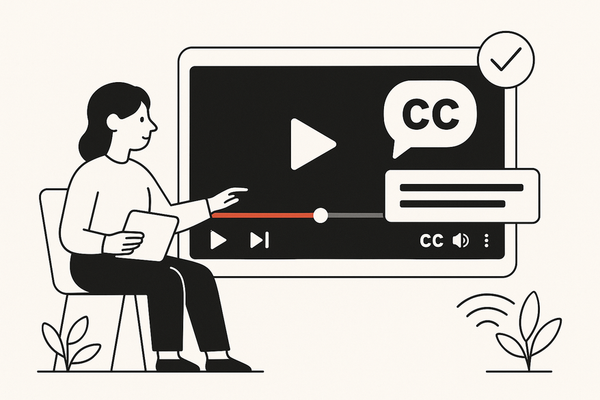
- Use closed captions so users can toggle them on or off.
Example integration:
<video controls width="600">
  <source src="video.mp4" type="video/mp4">
  <track kind="captions" src="captions.vtt" srclang="en" label="English">
</video>
Always validate with tools like WAVE, axe DevTools, or Google Lighthouse.
Source: WCAG Time-based Media

Section 4: Practical Tips and Implementation Strategies
Keywords: WCAG compliant AI video captions; quality checks; user feedback
Tool Selection Criteria:
- Built-in WCAG checks – 3Play Media, AI-Media, CaptionSync.
- Support for styled VTT (positioning, colors, fonts).
- Live captioning options for webinars and streams.
Audit & Quality Assurance:
- Automated audits – Google Lighthouse Accessibility report.
- Manual tests – Screen readers (NVDA, JAWS).
- Error tracking – Quarterly reviews to maintain <1% caption error rate.
User Feedback Loop:
- Caption rating buttons (“Was this helpful?”).
- Engagement heatmaps via Hotjar or FullStory.
- A/B test caption styles and placements; refine rules based on data.
Best practice: combine automated AI workflows with human-in-the-loop editing for sustained compliance and user satisfaction.
Section 5: Case Studies and Examples of AI Video Captions
Keywords: case study; AI video captions; WCAG compliant AI video captions
- AI-Media (Media Outlets)
- Full WCAG 2.1 AA compliance for live and prerecorded media.
- 30% rise in video engagement after adding closed captions and audio descriptions.
- Source: AI-Media Insights
- BBC iPlayer (Broadcast Video)
- Deployed AI-generated captions; human QA improved accuracy to 99%.
- Deaf and hard-of-hearing user satisfaction reached 99%, avoiding fines.
- Netflix (Streaming Platform)
- AI auto-captions for global catalogs; editors refine terms and timing.
- Expanded viewership among hearing-impaired subscribers by 20 million.
Lessons Learned:
- Hybrid AI + human models deliver the best ROI.
- Early AI adoption cuts long-term costs by up to 70%.
- Regular QA cycles prevent compliance drift.
Section 6: Conclusion
WCAG compliant AI video captions make video content perceivable, operable, understandable, and robust. They ensure legal compliance, grow audience reach, and boost SEO by making multimedia discoverable. By combining AI-driven speech-to-text with human review, you can meet WCAG 2.1 AA standards efficiently.
Call to action: Audit your video library today. Integrate AI captioning tools, enforce the checklist above, and schedule regular quality checks. Start making your videos accessible now for a wider, more engaged audience.
Looking for a quick way to create and clip accessible video content? Vidulk – AI Video Clipping App helps creators extract and caption the best moments from long-form videos with ease.
Section 7: Additional Resources for WCAG Compliant AI Video Captions
- WCAG 2.1 Guidelines (W3C)
- W3C Easy Checks – time-based media
- YouTube Auto-Caption Editor
- Aegisub subtitle editor
- Axe DevTools Accessibility Testing
- Google Lighthouse Audit Guide
FAQ
- What accuracy do WCAG compliant captions require?
The target is 99% accuracy after human review to satisfy WCAG 2.1 AA standards. - Which tools help automate accessibility audits?
Use Google Lighthouse, WAVE, or axe DevTools to identify caption and media issues. - Can live events use AI captions?
Yes. For live streams, aim for WCAG 1.2.4 compliance with real-time closed captions. - How often should captions be reviewed?
Schedule quarterly QA cycles and monitor user feedback to maintain <1% error rates. - Are open captions acceptable?
Open captions are always visible but lack user control. Closed captions are recommended for greater flexibility.