
How AI Auto-Caption Accessibility Video Clips Are Revolutionizing Inclusive Content
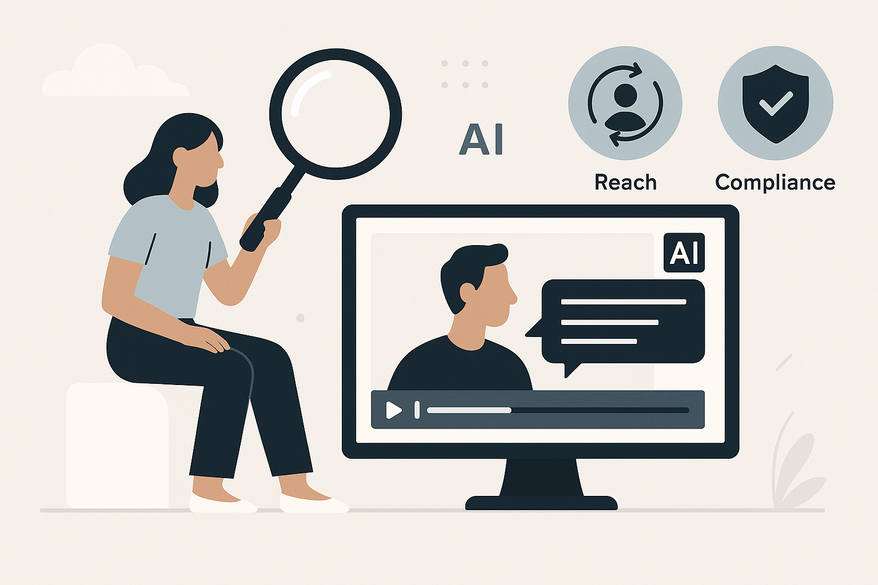
Discover how AI auto-caption accessibility video clips are transforming inclusive content by improving access, extending reach, and ensuring compliance.

Estimated reading time: 8 minutes
Key Takeaways
- AI auto-captioning uses ASR, machine learning, and NLP to generate precise, synchronized captions.
- Automatically generated captions improve accessibility for Deaf or Hard of Hearing viewers, non-native speakers, and users in challenging audio environments.
- Major platforms like Otter.ai, Microsoft CoPilot, Kaltura, Panopto, and Zoom offer varying features and integration options.
- Captions can boost SEO, enhance viewer engagement, and ensure compliance with ADA and WCAG guidelines.
Table of Contents
- Understanding AI Auto-Caption Technology
- Leading AI Auto-Caption Platforms
- Accessibility and Inclusivity
- Industry Standards and Compliance
- Benefits of AI Auto-Caption Accessibility Video Clips
- Best Practices
- Challenges and Future Trends
- Vidulk Integration
- Conclusion
- FAQ
Understanding AI Auto-Caption Technology
At its core, AI auto-captioning relies on three pillars:

Automatic Speech Recognition (ASR)
ASR systems listen to audio tracks and convert speech into text, handling diverse accents and noise. This becomes the foundation for synchronized captions. (Source: Continual Engine blog)
Machine Learning Role
- Models train on extensive voice datasets
- Algorithms refine transcription accuracy over time
- Captions sync precisely with video timelines
Continuous training increases reliability in multi-speaker or noisy environments. (Source: Continual Engine blog)
Natural Language Processing (NLP)
NLP interprets context, tags different speakers, marks ambient sound effects, and exports into .SRT files for precise timing. (Source: Continual Engine blog)
Leading AI Auto-Caption Platforms
Popular options include:
Compare cost, accuracy, and integrations to fit your workflow.
Accessibility and Inclusivity
Applying Universal Design for Learning (UDL) principles ensures video content is accessible for all:
- Deaf and Hard of Hearing viewers receive text alternatives for audio cues
- Non-native speakers improve comprehension with on-screen text
- Learners with reading challenges benefit from synchronized captions
Learn more about closed captions in chat videos.
Industry Standards and Compliance
- Americans with Disabilities Act (ADA) requires accessible media formats
- Web Content Accessibility Guidelines (WCAG) 2.1 mandate accurate, synchronized captions
Meeting these standards protects against legal risks and extends audience reach.
Benefits of AI Auto-Caption Accessibility Video Clips
Broader Audience & Multilingual Reach
Auto-generated captions can be translated into multiple languages, while AI-driven caption translation localizes content further.
SEO Improvements
Search engines index caption text, helping videos rank higher in results. (Source: Project Aeon)
Enhanced Engagement
- Viewers in noisy settings follow via text
- Users can pause and search captions for clarity
- Wordly AI reports increased watch time and interaction when captions are present
Best Practices for AI Auto-Caption Accessibility in Video Clips
- Choose platforms supporting .SRT export/import and real-time transcription
- Use clear prompts: “Create a caption file with speaker labels and sound-effect tags.”
- Verify speaker labels, correct homonyms, and aim for 99% accuracy via human review
- Integrate captions immediately after recording and test across devices
For a step-by-step tutorial on adding captions.
Challenges and Future Trends for AI Auto-Caption Video Clips Accessibility
Despite advances, AI captioning still faces challenges with accents, overlapping speech, and background noise. Idioms or sarcasm may be misinterpreted, so human oversight remains vital. Emerging trends include real-time multilingual captioning and customizable displays.
Vidulk Integration
For streamlined clipping of auto-captioned segments, explore Vidulk - AI Video Clipping App. It integrates AI caption detection with on-device processing, making it easy to extract and share key moments.
Conclusion
AI auto-caption accessibility video clips leverage ASR, NLP, and machine learning to make content inclusive. They expand audience reach, improve SEO, boost engagement, and ensure ADA and WCAG compliance. To get started:
- Trial tools like Otter.ai for quick wins
- Establish a review and edit protocol for accuracy
- Consult experts at Level Access and Continual Engine for deeper guidance
Embrace AI auto-captioning today to future-proof your video content and make your message accessible to everyone.
FAQ
- What is AI auto-captioning?
AI auto-captioning uses ASR, machine learning, and NLP to convert speech into synchronized on-screen text. - How accurate are AI-generated captions?
Accuracy varies by platform and audio quality, but many providers achieve over 90% with proper training and review. - Can I edit AI-generated captions?
Yes, best practice includes a human review to correct speaker labels, punctuation, and homonyms. - Do captions improve SEO?
Absolutely. Search engines index caption text, which can boost your video’s visibility. - Which platform should I choose?
Evaluate based on cost, integration, real-time needs, and .SRT support to find the best fit for your workflow.



