
AI Audio Transcription and Clipping: The Ultimate Guide
Discover how AI audio transcription and clipping transform content creation, enhancing productivity and accessibility for podcasters and content creators.

Estimated reading time: 8 minutes
Key Takeaways
- AI audio transcription converts speech to editable text using machine learning and NLP.
- AI clipping automatically extracts highlights based on keywords, emotional peaks, and pauses.
- Key benefits include speed, scalability, accuracy, and cost savings.
- Top tools like Exemplary AI, VoiceToNotes, Snapsight, and DictaAI streamline podcast and content workflows.
- Best practices: record high-quality audio, perform a quick human review, and refine clips for maximum engagement.
Table of Contents
- What is AI Audio Transcription and Clipping?
- The Technology Behind AI Audio Transcription and Clipping
- Use Cases and Applications
- Tools and Techniques: Audio to Clip AI Tool
- Best Practices for Effective Implementation
- Future Trends in AI Audio Transcription and Clipping
- Conclusion
- FAQ
What is AI Audio Transcription and Clipping?
Keyword: What is AI Audio Transcription and Clipping?
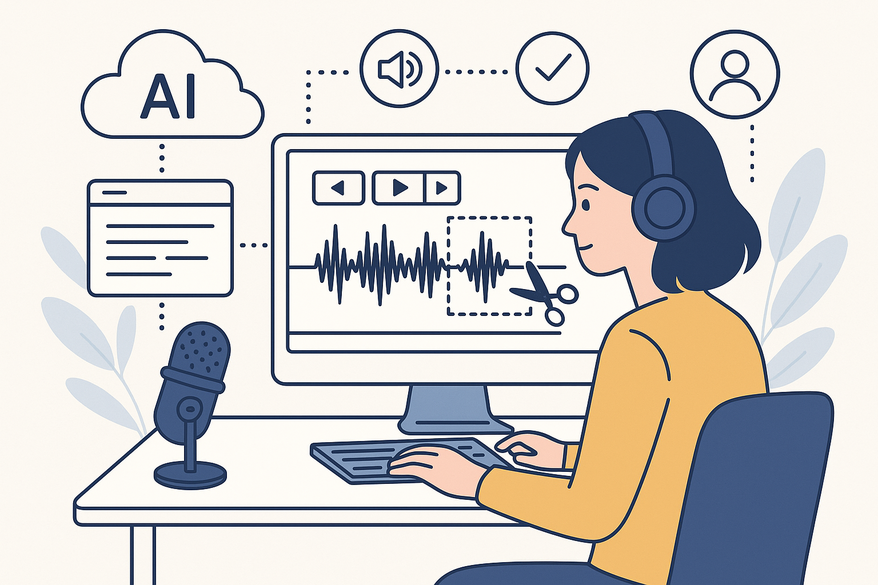
At its core, AI audio transcription uses advanced machine learning models and natural language processing (NLP) to convert spoken words into text. Meanwhile, AI clipping analyzes that text and the audio waveform to identify key moments—whether emotional peaks, question cues, or specific keywords—and automatically extracts them as concise, shareable clips.
Core Benefits:
- Speed: Transcribe hours of audio in minutes.
- Efficiency: Scale up without human fatigue.
- Accuracy: Rival human transcription on clear recordings.
- Cost Savings: Pay lower per-minute rates than manual services.
The Technology Behind AI Audio Transcription and Clipping
Keyword: The Technology Behind AI Audio Transcription and Clipping
- Machine Learning Models
- Trained on massive speech datasets to detect phonemes.
- Continuously learn new accents and dialects.
- Speech Recognition Engines
- Convert audio waveforms into text using acoustic and language models.
- Support both real-time and batch processing.
- NLP Modules
- Add punctuation, capitalization, and speaker labels.
- Analyze context to improve accuracy and meaning.
Advanced Features:
- Noise Reduction: Filters background hiss for cleaner transcripts.
- Speaker Identification: Labels voices automatically in multi-speaker files.
- Multilingual Support: Transcribe and translate in real time.
- Semantic Analysis: Detects sentiment and keywords for smarter clip selection.
Use Cases and Applications
Keyword: Use Cases and Applications – transcribe and clip podcast AI
- Podcasting
- Full-episode transcripts to improve SEO and accessibility.
- Automatic highlights for social media teasers.
- Repurpose transcripts into blog posts or tweets.
- Interviews and Journalism
- Searchable sound-bites to speed up research.
- Broadcast-ready clips for TV and web segments.
- Education and Corporate
- ADA-compliant lecture notes and study guides.
- Webinar captioning and highlight reels.
Tools and Techniques: Audio to Clip AI Tool
Keyword: Audio to Clip AI Tool
Modern audio-to-clip platforms combine transcription engines with clipping modules to deliver a seamless end-to-end experience.
- Exemplary AI – Upload-and-go interface, custom clip lengths, fade options.
- VoiceToNotes – Multi-speaker detection, summaries, and note-taking integration.
- Snapsight – 90%+ accuracy, noise reduction presets, developer API.
- DictaAI – Semantic clipping, SEO keyword insertion, team cloud storage.
For an in-depth look at AI podcast clip generation, check out AI Podcast Clip Generator. For a broader tool roundup, see Best AI Video Repurposing Tools.
For an all-in-one solution, consider Vidulk’s AI-powered platform, which auto-detects and generates clips from your podcasts or interviews, reducing editing time and boosting engagement.
Best Practices for Effective Implementation
Keyword: Best Practices – AI Audio Transcription and Clipping
Pre-Processing Tips:
- Record at 44.1 kHz or higher.
- Use directional mics to minimize background noise.
- Choose quiet rooms or acoustic treatment.
Post-Processing Checklist:
- Human review to correct jargon, names, and timestamps.
- Trim silent gaps and ensure clip flow.
Recommended Workflow:
- AI transcription on raw audio.
- Quick human pass for accuracy.
- Automated AI highlight clipping based on the edited transcript.
Quality Metrics: Transcript word-error rate < 5% on clear files. Track clip engagement (clicks, plays, shares) to refine selection.
Future Trends in AI Audio Transcription and Clipping
Keyword: Future Trends – audio to clip AI tool
- Enhanced Contextual Understanding
AI that detects sarcasm, humor, and anger for smarter clips. - Real-Time Transcription and Clipping
Live streams and events with instant captions and highlight reels. - Federated Learning Models
Accent adaptation and on-device privacy preservation. - Deep IoT Integration
Smart devices that auto-clip and share key moments.
Predicted Impact:
Instant global content repurposing, automated episode highlights, and improved accessibility compliance.
Conclusion
AI audio transcription and clipping revolutionize how creators convert and manage audio. From “transcribe and clip podcast AI” workflows to “audio to clip AI tool” platforms, these solutions deliver speed, accuracy, scalability, and cost savings. Adopt best practices, explore leading tools, and measure your gains to elevate your audio content workflow to new heights.
FAQ
- Q: What’s the difference between transcription and clipping?
A: Transcription turns speech into text, while clipping extracts key audio segments based on content and context. - Q: How much does AI transcription cost?
A: Rates vary by provider but typically range from $0.01 to $0.10 per audio minute—often lower than manual services. - Q: Which tool is best for podcast highlights?
A: Tools like Exemplary AI and VoiceToNotes excel at automatic highlight extraction and social-ready clip generation.



