AI Podcast Clip Generator: Transform Long-Form Audio into Viral Clips
Learn how an AI podcast clip generator automates the creation of viral clips from long-form audio, saving time and boosting audience engagement.

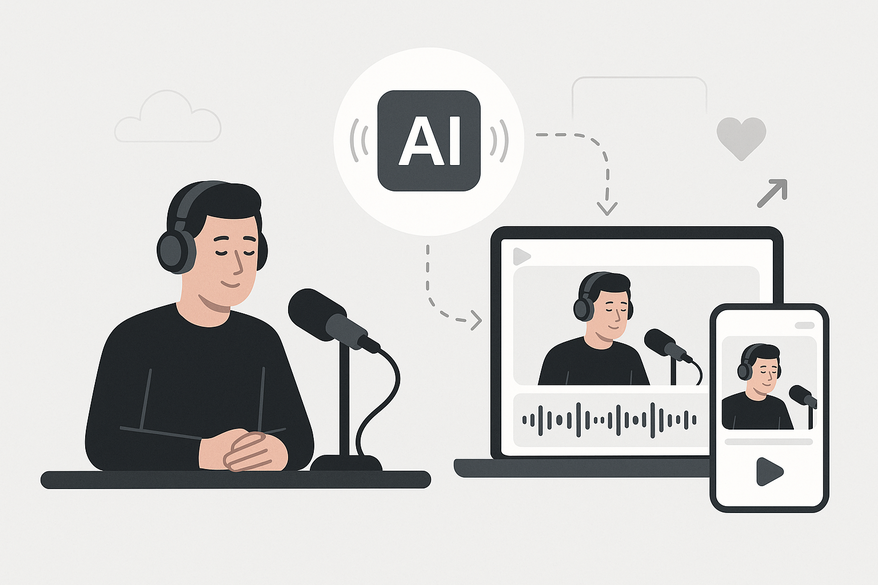
Estimated reading time: 8 minutes
Key Takeaways
- AI podcast clip generators automatically turn long episodes into snackable, shareable clips in minutes.
- They transcribe audio, identify high-engagement moments, and add captions for social platforms.
- Major benefits include massive time savings, increased audience engagement, and accessibility for all skill levels.
- Top solutions include Zencastr, Choppity, Joyspace AI, Opus Pro, and Taja.
Table of Contents
- I. Introduction: AI Podcast Clip Generator Overview
- II. What is an AI Podcast Clip Generator?
- III. Exploring the Tool: Features and Benefits
- IV. Comparison with Other Solutions
- V. How to Use an AI Podcast Clip Generator
- VI. Case Studies and Real-World Examples
- VII. Conclusion and Call-to-Action
- FAQ
I. Introduction: AI Podcast Clip Generator Overview
An AI podcast clip generator automates the process of turning hour-long shows into snackable, viral snippets. It analyzes long-form audio to extract and edit engaging highlights optimized for platforms like TikTok, Instagram Reels, and YouTube Shorts.
- "An AI podcast clip generator automatically analyzes long-form podcast episodes to extract and edit short, engaging clips." — Zencastr, Joyspace, Choppity
- "These tools address the need to convert hours of audio into viral snippets, boosting discoverability and audience growth." — Swell AI, Murf
II. What is an AI Podcast Clip Generator?
An AI podcast clip generator uses artificial intelligence to transcribe audio, identify high-engagement moments, and produce ready-to-share clips with captions, timestamps, and formatting. It’s also called an audio snippet generator or clip repurposing tool.
- Transcribes audio via speech-to-text engines. (Zencastr)
- Uses speaker diarization to distinguish voices. (PodcastVideos)
- Applies Natural Language Processing (NLP) for relevance scoring. (Opus Pro)
- Runs sentiment analysis to detect emotional peaks. (Joyspace)
- Employs engagement scoring based on humor, inflections, and pacing. (Choppity, Swell AI)
Manual editing often takes 2–4+ hours per episode, while an AI-powered approach completes analysis and clip generation in under 10 minutes.
III. Exploring the Tool: Features and Benefits
A. Key Features
- Automated clip selection & editing
• Scans full transcript for quotes, insights, jokes, and hooks.
• Generates 10–30+ preview clips with editable timestamps and auto-captions. (Zencastr, Choppity, Murf) - Easy sharing & customization
• Reframe for 9:16 vertical aspect ratios, add branding overlays, adjust fonts and colors.
• Export directly to TikTok, Instagram Reels, and YouTube Shorts. (Joyspace, Taja)
B. Core Benefits
- Massive time savings
• Processes hour-long episodes in 3–8 minutes vs. hours manually. (Joyspace, Choppity, Murf) - Increased audience engagement
• Short, shareable clips drive traffic to full episodes and boost follower growth. (Joyspace, Choppity, Murf) - Accessibility for all skill levels
• Supports 99+ languages, no editing expertise required.
• Podcast-specific AI training yields more accurate highlight selection. (Joyspace, Opus Pro)
IV. Comparison with Other Solutions
- AI Podcast Clip Generator (Zencastr, OpusClip, Joyspace AI) — advanced AI, multiple captioned clips in minutes.
- Podcast Clip Generator (Choppity, Async) — basic AI/manual edits, platform-ready exports.
- AI Podcast Clip Maker (Swell AI, Taja) — video reframing, thumbnail generation, virality scoring.
V. How to Use an AI Podcast Clip Generator
For a mobile-first, AI-powered alternative, check out Vidulk, which also offers automatic highlight detection and clip generation for long-form audio and video. If you're interested in a comprehensive approach to repurposing content, see our guide on how to turn long videos into short clips using a complete AI workflow. If you want to understand the underlying technology, read how AI video clipping works for a complete guide to automating short-form content. If you want to create short videos from long content for social media, check out our guide on how to use an AI Reel Clip Generator. If you're interested in leveraging templates for short-form video production, explore our insights on AI clip template generators revolutionizing short-form video production. For those looking to transform long videos into viral shorts, our AI Clip Generator guide provides step-by-step instructions and best practices. If you want to convert your podcast audio into YouTube Shorts for broader reach, discover how to utilize Podcast to YouTube Shorts AI for effective audio conversion in our detailed tutorial. You can also harness the power of an AI webinar clip generator to turn webinars into short clips automatically for even more content repurposing opportunities. If you want to turn your lectures into engaging short clips, follow our step-by-step tutorial on using the Vidulk Lecture Clip Generator. For a complete AI-powered workflow, see our guide to turning podcasts into clips for actionable steps and best practices. If you're seeking inspiration for your next project, our ultimate guide to short form video content ideas is packed with creative strategies for creators. If you want to maximize your output and grow your audience, don't miss our ultimate repurposing guide on how to post more content and grow. If you're looking for a tool that can automatically transform long videos to short clips, check out our AI Video Clip Maker guide for more details.
- Upload Your Episode
• Import via YouTube link, direct audio/video upload, or RSS feed.
• Platforms auto-transcribe for you. (Choppity, Murf, Taja) - Let AI Analyze
• Processing time: 5–15 minutes.
• AI identifies highlights, generates timestamped clip suggestions with captions and engagement scores. (Zencastr, Murf) - Edit & Customize
• Use the transcript editor to refine start/end points, tweak captions, and insert branding overlays. (Zencastr, Choppity) - Export & Share
• Download vertical, captioned clips (15–60 seconds) optimized for TikTok, Instagram Reels, and YouTube Shorts. (Joyspace, Opus Pro)
Best Practices & Optimization Tips
- Select segments with complete thoughts, humor, or insights flagged by AI cues. (Swell AI, Murf)
- Keep clips between 15–60 seconds and start with a hook in the first 3 seconds.
- Use dynamic captions, trending audio, and clear branding. (Joyspace, Choppity)
VI. Case Studies and Real-World Examples
- Choppity: 80%+ editing time reduction and 30+ clips per episode; trusted by 90,000+ creators. (Choppity)
- Zencastr: Editable transcript-based suggestions help producers spot quotes and themes quickly. (Zencastr)
- Joyspace AI: Generates viral clips in 3–8 minutes; praised for recognizing insights and jokes. (Joyspace)
- OpusClip: Transforms lengthy episodes into concise, shareable content without editing skills. (Opus Pro)
- Taja: Produces captioned vertical clips from soundbites, ideal for TikTok and Reels. (Taja)
VII. Conclusion and Call-to-Action
AI podcast clip generators streamline workflows, save hours, and amplify reach by turning long-form content into viral shorts with minimal effort. To further enhance your workflow, you might also want to unlock effortless navigation with an AI podcast chapter generator for your episodes. For a broader look at the best AI video tools for creators, check out our ultimate guide to AI video tools for creators covering clipping, captions, and more.
Ready to transform your podcast? Try a free demo of leading AI podcast clip generators:
Start repurposing your episodes today and watch your clips go viral.
FAQ
- What is an AI podcast clip generator?
- An AI podcast clip generator uses machine learning to transcribe audio, detect highlights, and create ready-to-share clips with captions and timestamps.
- How long does clip generation take?
- Most tools process hour-long episodes in 3–10 minutes, compared to 2–4+ hours of manual editing.
- Which platforms are supported?
- You can export vertical, captioned clips optimized for TikTok, Instagram Reels, and YouTube Shorts directly from the generator. For those looking to maximize reach and efficiency on TikTok, learn how to integrate Vidulk with TikTok for seamless content distribution. If you want to turn your podcast highlights into viral memes, check out our AI Video Meme Generator guide for easy conversion. For a step-by-step walkthrough on turning long-form content into viral TikTok clips, see our Ultimate Guide to Vidulk TikTok Integration. If you want to instantly turn long videos into viral clips, our AI Clip Maker guide covers the process from start to finish. If you're looking for a solution to automatically turn long videos into short, shareable clips, our Video Clip Maker guide is a great resource.
- Do I need editing skills to use these tools?
- No—AI-powered editors handle selection, captioning, and formatting, making it accessible for all skill levels.