How to Use Vidulk API: A Complete Developer’s Guide
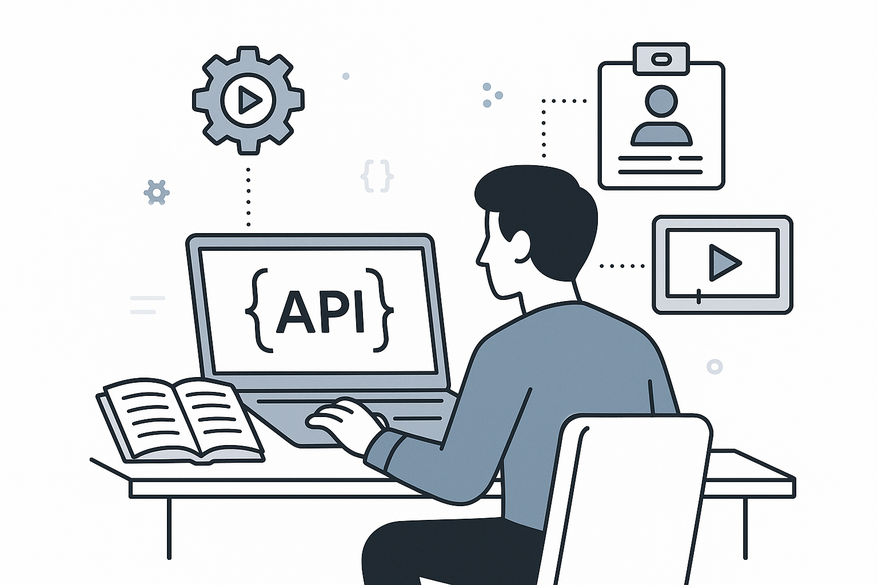
Learn how to use Vidulk API for automating text-to-video workflows with this complete developer guide. Covering setup, authentication, and integration.

8 min read
Key Takeaways
- Understand setup, authentication, and environment prerequisites for Vidulk API
- Learn how to submit scripts and generate videos via /v1/create and /v1/convert endpoints
- Discover customization options for themes, bubble colors, backgrounds, and voiceovers
- Retrieve output efficiently using polling or webhooks and embed resulting videos
- Troubleshoot common errors and apply best practices for API keys, rate limits, and security
Table of Contents
- Overview of Vidulk API
- Getting Started
- Authentication and Authorization
- Detailed Walkthrough
- Common Use Cases and Practical Examples
- Troubleshooting and Best Practices
- Conclusion and Additional Resources
- FAQ
Overview of Vidulk API
Vidulk API lets you turn plain text into shareable chat videos. It offers:
- Fake chat video generation from text scripts
- Customization of themes (iOS/Android), bubble colors, backgrounds, and voiceovers
- AI-powered script drafting with OpenAI, voice synthesis via ElevenLabs
- Core endpoints:
POST /v1/createfor script ingestionPOST /v1/convertfor rendering and FXGET /v1/jobs/{job_id}for status and result retrieval
Typical use cases:
- Social media faceless chat stories (TikTok, Instagram Reels)
- Marketing campaigns (viral chat teasers)
- In-app or CMS-based auto-video features (WordPress, headless CMS)
Why integrate?
- Saves hours vs. manual editing with After Effects or Premiere
- Scalable, on-demand video creation for hundreds of scripts per hour
- Consistent branding via programmatic templates and themes
For a complete list of endpoints, parameters, and schemas, see our developer reference.
Getting Started
Prerequisites
- Vidulk account (free tier: 5 projects/month; paid: unlimited)
- Vidulk API key from Settings > API
- Optional: OpenAI API key for script generation, ElevenLabs key for voiceovers
Environment setup
- HTTP client (curl or Postman) or code libraries (Node.js, Python)
- Ensure HTTPS support—no special hardware needed
- Store API keys in environment variables for safety
- Sign up at Vidulk.com and log in.
- Go to Settings > API. Generate or copy your Vidulk API key.
- (Optional) Connect OpenAI and ElevenLabs keys in the same settings panel.
- Install your HTTP client or SDK:
npm install vidulk-sdk(Node.js)pip install vidulk-client(Python)
- Set environment variables in your terminal:
export VIDULK_API_KEY="your_key_here"
Authentication and Authorization
Vidulk API uses OAuth2 Bearer tokens. Every request needs:
Authorization: Bearer <API_KEY>- Store keys in environment variables or a secrets manager (e.g., AWS Secrets Manager)
- Never hard-code keys in source code or commit them to Git
- Always use HTTPS to prevent token leakage
- Rotate keys periodically (every 90 days)
- Scope keys if supported (e.g., read-only for status checks)
- Use webhooks for async jobs instead of polling to limit exposure of job IDs
Example header in curl:
curl -H "Authorization: Bearer $VIDULK_API_KEY" …Detailed Walkthrough
Below is a step-by-step guide on how to use Vidulk API for core workflows.
Step 1: Submit Script (POST /v1/create)
Purpose: Ingest your chat script and participant info.
{
  "script": "Alice: Hello, Bob! Bob: Hey, Alice. Ready to chat?",
  "participants": [
    {"id":"alice","name":"Alice","image_url":"https://example.com/alice.jpg"},
    {"id":"bob","name":"Bob","image_url":"https://example.com/bob.jpg"}
  ],
  "timestamps": true
}
curl -X POST "https://api.vidulk.com/v1/create" \
-H "Content-Type: application/json" \
-H "Authorization: Bearer $VIDULK_API_KEY" \
-d '@script.json'Expected response:
{
  "job_id": "job_abc123",
  "status": "created"
}
Step 2: Customize and Generate Video (POST /v1/convert)
Purpose: Apply themes, colors, and voiceovers; start rendering.
{
  "job_id": "job_abc123",
  "theme": "iOS",
  "bubble_colors": ["#FF0000","#0000FF"],
  "background": "#F0F0F0",
  "voiceover": "en-US-Neural2",
  "async": true
}
curl -X POST "https://api.vidulk.com/v1/convert" \
-H "Content-Type: application/json" \
-H "Authorization: Bearer $VIDULK_API_KEY" \
-d '@convert.json'Async response example:
{
  "job_id": "job_abc123",
  "webhook_status": "registered"
}
For code samples on how to integrate calls in Node.js or Python, check out our integration guide.
Step 3: Retrieve and Use Output
You can poll or use webhooks:
- Poll
GET /v1/jobs/{job_id}– Returns status: “processing”, “completed”, “failed” - Webhook callback posts JSON when video is ready
Final payload example:
{
  "job_id": "job_abc123",
  "status": "completed",
  "video_url": ,
  "tags": ["#chatstory","#viral"]
}
Common Use Cases and Practical Examples
- Marketing Chat Stories: Viral breakup or mystery scenarios on Instagram Reels.
- Web CMS Integration: Auto-generate videos on WordPress publish.
- Mobile App Feature: React Native app with async job tracking.
- Batch Clipping for Podcasts: Loop through transcripts and clip highlights.
Troubleshooting and Best Practices
- 401 Unauthorized: Check Bearer token format.
- 429 Rate Limit: Use exponential backoff and monitor quotas.
- Generation failures: Validate script syntax; ensure correct media formats.
- Slow jobs: Switch to async mode; preview locally with GPU.
- Prefer webhooks over polling.
- Batch multiple scripts in one request when supported.
- Rotate and scope API keys every quarter.
- Test thoroughly on free tier before production rollout.
Conclusion and Additional Resources
You’ve learned how to use Vidulk API from authentication to video retrieval. Key steps:
- Secure your API key.
- Submit scripts with
/v1/create. - Render with
/v1/convert(sync or async). - Poll or use webhooks to get your video.
Experiment with themes, templates, and custom voices to match your brand. For more background on how Vidulk powers your workflow, see How Does Vidulk Work?.
If you need an all-in-one app for on-device AI video clipping and repurposing, check out Vidulk - AI Video Clipping App. It turns long recordings and podcasts into shareable clips in minutes.
FAQ
- What is Vidulk API? Vidulk API is a RESTful service that automates text-to-video workflows, enabling dynamic fake chat stories and AI-generated clips.
- How do I submit a script? Use
POST /v1/createwith your JSON script payload. You’ll receive ajob_idto track processing. - How can I customize the video? Call
POST /v1/convertwith options liketheme,bubble_colors,background, andvoiceover. - How do I retrieve the final video? Poll
GET /v1/jobs/{job_id}or set up a webhook to get notified when your video is ready. - How do I handle errors? Check HTTP status codes (401, 429) and inspect JSON error messages. Apply backoff strategies and validate payloads.