Harnessing AI Background Music for Video Clips: A Complete Guide
Explore how AI background music for video clips transforms video production with custom soundtracks, saving time and enhancing creativity.

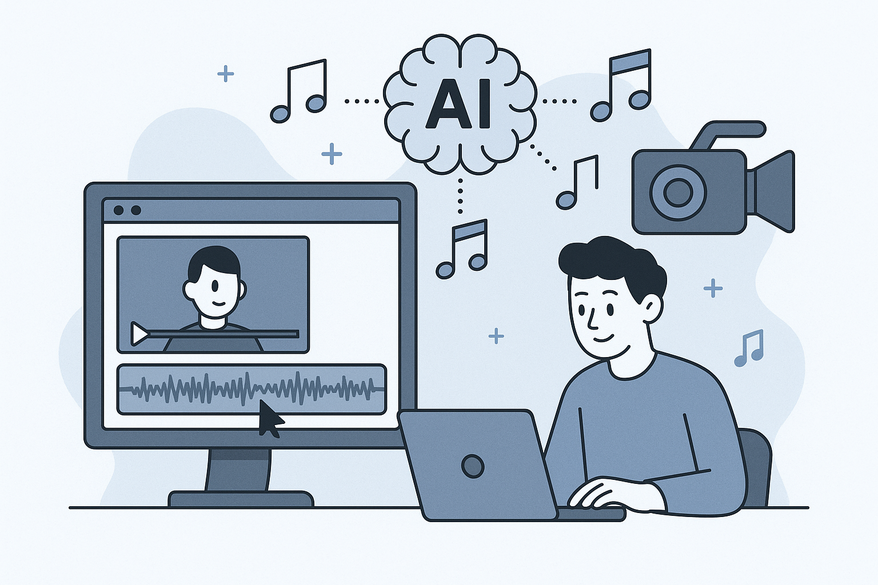
Estimated reading time: 8 minutes
Key Takeaways
- AI-driven tools instantly compose and sync custom music to video footage.
- Workflows shrink from hours to seconds without licensing hassles.
- Platforms like ACE Studio, ElevenLabs, Beatoven.ai, and Mubert lead the field.
- Future trends include real-time soundtracks and multimodal AI integration.
Table of Contents
- Understanding AI in Video Production
- Deep Dive into AI Background Music for Video Clips
- How to Add Background Music to Video Clips Using AI
- Auto Music Overlay on Video Clips with AI
- Comparison and Benefits of Using AI for Music Overlays
- Future Trends in AI-Driven Video Editing
- Conclusion
Introduction. AI background music for video clips is transforming how creators enhance their video content. By leveraging machine learning algorithms trained on vast datasets of audio and visuals, modern platforms can compose bespoke, royalty-free soundtracks that align perfectly with your footage—no music theory needed.

1. Understanding AI in Video Production
Understanding how AI transforms video work is key to leveraging AI background music for video clips. AI acts like a virtual composer and sound designer all in one.
How AI assists video creators
- AI analyzes pacing, scene cuts, mood, motion, color, and scene structure.
- Advanced visual-analysis models spot changes in emotion, lighting, and camera movement.
- Audio-generation engines use this data to craft matching instrumentation, tempo, and dynamics.
- The end result is an algorithmic soundtrack synced to every beat and cut.
Typical workflow for adding music
- Upload video clip (MP4, MOV up to 100MB)
- AI analyzes visual and audio features
- User selects a music style (cinematic, chill, electronic)
- AI generates and perfectly syncs the track
- Download editable audio (44.1 kHz stereo)
2. Deep Dive into AI Background Music for Video Clips
AI background music for video clips goes beyond selecting tracks from a library. It composes custom soundscapes based on video input, ensuring every chord, beat, and ambient texture matches your footage.
Defining the concept
AI background music for video clips refers to systems that create custom soundtracks based on video input rather than using pre-recorded libraries.
Technology behind it
- Visual-analysis models detect scene changes, emotional tone, and motion intensity.
- Audio-generation models compose instrumentation, tempo, key, and mood to match visual cues.
- Composition engines use deep learning for generative audio at high fidelity (44.1 kHz, stereo).
- Full track outputs often appear within seconds of upload.
3. How to Add Background Music to Video Clips Using AI
Follow this step-by-step guide to add background music to your clips with AI-driven platforms quickly and easily.
- Upload your video clip
Supported formats: MP4, MOV up to 100MB.
Recommended platforms: ACE Studio, ElevenLabs.
Real-world tip: Use clear, stable footage for more accurate mood detection. - AI analysis and style selection
AI reviews pacing, mood, and visual elements.
Choose style presets: cinematic, electronic, chill, pop, orchestral.
Or customize parameters: tempo range, instrumentation, key signature. - Review and edit generated tracks
Preview multiple auto-generated versions.
Use timeline editor to adjust volume levels, fade-ins, and fade-outs.
Add scene-specific ambient effects: nature sounds, crowd noise, foley. - Download and integrate
Export a royalty-free WAV or MP3 file (44.1 kHz stereo).
Import into your NLE: Adobe Premiere Pro, Final Cut Pro, DaVinci Resolve.
Align audio track with video timeline, fine-tune cuts and transitions.
Recommended tools
- ACE Studio – video-to-music with an editable timeline and export options.
- ElevenLabs – instant mood-matched AI tracks with batch processing.
- Beatoven.ai – text-prompted audio generation and user-friendly waveform editor.
- Mubert – live parameter-based audio rendering for real-time applications.
Tips & tricks
- Match music energy to clip pacing—faster beats for action, slower for storytelling.
- Layer subtle sound effects for a realistic soundscape; combine with AI Audio Enhancer for Video Clips and ensure consistent loudness with Automatic Audio Leveling for Video Clips.
- Regenerate multiple versions to find the best musical fit.
- Lock volume automation keyframes to manage loudness spikes.
4. Auto Music Overlay on Video Clips with AI
Auto music overlay video clips AI refers to a fully automated process in which AI handles music selection, placement, and syncing in real time.
- Real-time video analysis detects cuts, motion events, and scene context.
- Composition engine selects matching musical cues and ambient sounds.
- Tracks and effects are inserted, synced, and sequenced per scene.
- The platform provides an editable timeline for fine-tuning track placement.
5. Comparison and Benefits of Using AI for Music Overlays
| Aspect | Traditional | AI-Assisted |
|---|---|---|
| Process | Search stock libraries, negotiate licensing, manually sync. | Upload video, auto-generate custom music, instant sync. |
| Time Investment | Hours to find, license, and sync tracks. | Seconds to minutes for full composition and sync. |
| Cost | Licensing fees or composer hire rates ($50–$500 per track). | Royalty-free use, free tiers available, subscription plans. |
| Customization | Limited to existing library tags and presets. | Tailored to visual mood, tempo, scene structure, instrumentation. |
- Time savings: workflows reversed so video footage drives music creation.
- Creative flexibility: endless style, mood, and arrangement possibilities.
- Cost-effectiveness: no licensing hassles or composer fees.
- Consistent quality: high-fidelity output at 44.1 kHz stereo.
- Scalable for large projects and social media campaigns.
Industry insight: The ACE Studio team reports 70% faster editing workflows after adopting AI-driven music generation. Early adopters credit reduced production costs and higher viewer retention rates.
6. Future Trends in AI-Driven Video Editing
The intersection of AI background music for video clips and video editing is accelerating toward more integrated, multimodal workflows.
- Full multimodal composition: AI syncs music to specific lyrics or visual objects in scenes.
- Real-time live-stream audio generation: adaptive soundtracks for gaming and events.
- AI assistants in non-linear editors (NLEs): real-time suggestions for cuts, music cues, and effects.
Forward-looking example: MusicAI is developing an API that integrates lyrical sentiment analysis with scene detection to auto-compose vocal hooks matched to video content. Meanwhile, FreeBeat.ai offers real-time audio streams for live broadcasts, dynamically shifting tracks based on chat sentiment and viewer engagement.
Conclusion
AI background music for video clips, add background music to video clips AI, and auto music overlay video clips AI are reshaping video production. By leveraging machine learning and generative audio engines, creators save time, cut costs, and unlock creative possibilities never before accessible without musical training.
- AI tools generate custom soundtracks matched to visual cues.
- Workflows drop from hours to seconds.
- Royalty-free, high-quality audio at 44.1 kHz stereo.
- Platforms like ACE Studio, ElevenLabs, Beatoven.ai, and Mubert lead the way.
Some creators combine AI background music workflows with automated video clipping; for example, apps like Vidulk - AI Video Clipping App help streamline clip generation from longer footage. Integrating these tools can accelerate production and ensure consistent audio-video synchronization.
Ready to elevate your content? Explore AI platforms like ACE Studio and ElevenLabs today and transform your videos with professional, tailored soundtracks.
FAQ
Q: Which video formats can AI music tools handle?
A: Most platforms support MP4 and MOV up to 100MB, with export options like WAV or MP3.
Q: Is the generated music royalty-free?
A: Yes, AI-generated tracks are typically royalty-free and ready for commercial use.
La elección de una camiseta deportiva suele depender del ajuste, el tejido y las preferencias personales de cada aficionado. Para comparar detalles generales, camiseta para aficionados de Argentina puede revisarse junto con información de talla, tejido y uso habitual. También conviene revisar las condiciones descritas para evitar confundir estilo, talla y comodidad.
Q: Can I tweak the AI’s composition?
A: Absolutely. You can select styles, adjust tempo, instrumentation, and fine-tune sync.
Q: Do I need prior music knowledge?
A: No music theory background is required; the AI handles composition and synchronization for you.