
AI Clip Editor App: Revolutionizing Video Editing Automation
Discover how AI clip editor apps are transforming video production with automated features like clip selection, captioning, and aspect-ratio adjustments.

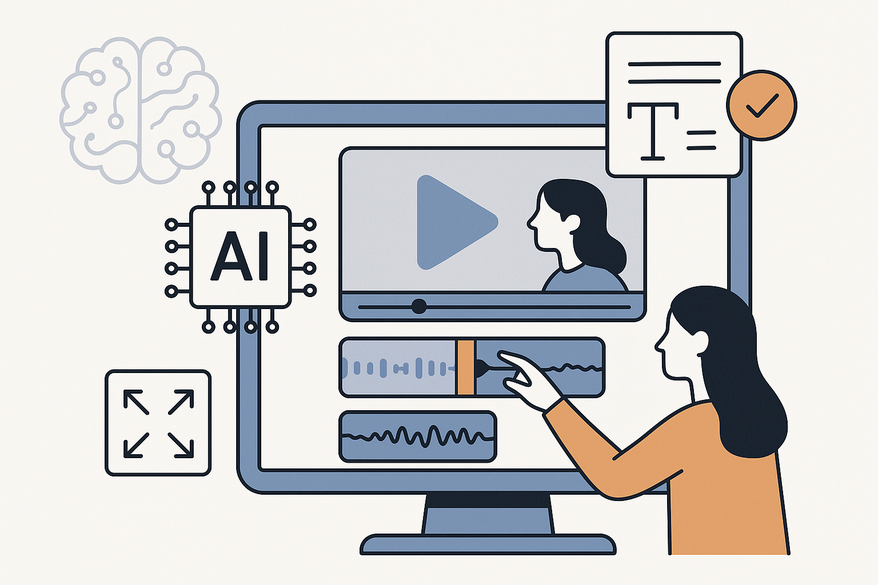
Estimated reading time: 8 minutes
Key Takeaways
- Automation boosts productivity: AI clip editor apps dramatically reduce editing time by auto-selecting highlights, trimming silences, and adding captions.
- Professional quality: Tools like Riverside and Adobe Premiere Pro deliver studio-grade outputs with minimal manual work.
- Versatile features: From multilingual subtitles to one-click aspect-ratio adjustments, these apps cater to social, podcast, and pro editing needs.
- Cost-effective solutions: Free tiers and credit-based pricing allow creators to experiment before committing.
Table of Contents
- Introduction
- Understanding AI Clip Editor Apps
- Key Features Users Should Look For
- Market Trends and User Expectations
- In-Depth Comparison and Reviews
- User Case Studies
- Final Thoughts
- FAQ
Introduction
AI clip editor app software leverages machine learning to automate clip selection and editing. These smart tools—often called clip editor apps or AI video clipping apps—speed up video production by detecting highlights, trimming silences, and generating captions within minutes, far outpacing manual workflows. The market is evolving quickly as creators demand efficient solutions for short-form content.
Understanding AI Clip Editor Apps
AI clip editor app vs. traditional clip editor app:
- AI clip editor app: Scans transcripts, audio peaks, and visuals to auto-curate and polish clips.
- Traditional clip editor app: Relies on manual timelines and drag-and-drop cuts.
Core functionalities include:
- Automatic clip selection: AI spots viral hooks and highlights. Example: Riverside’s Magic Clips generate Reels/Shorts instantly.
- Captions & subtitles: Auto-generated, multilingual captions synced to speech. See how to add captions.
- Trimming & refinements: Transcript-based removal of silences and filler words. Explore Descript’s text-based editing.
- Aspect-ratio adjustments: One-click resizing and auto-reframing for vertical/horizontal formats. Learn more on aspect ratio choices.
Key Features Users Should Look For in an AI Clip Editor App
- Automatic clip selection: Transforms hours of raw footage into seconds-long highlight reels without manual scrubbing.
- Captioning capabilities: Compare Submagic by Opus Clip and Detail AI for styling options.
- Trimming tools: Descript’s transcript editing versus Adobe Premiere Pro’s filler-word detection (Premiere Pro features).
- Aspect-ratio customization: Canva’s stock integration versus Opus Clip’s auto-reframing (Canva one-click video).
- Pricing model: Map your needs—podcasting, social shorts, pro editing—to each app’s strengths.
Market Trends and User Expectations for Clip Editor Apps
Industry trends:
- Short-form video dominance: Essentials in 2026 reviews like Opus Clip and VEED.
- Transcript-driven edits and generative extensions (e.g., Adobe Firefly).
- Viral-moment prediction algorithms under development (TechCrunch report).
User expectations:
- Basics: One-click trimming, auto-captions, and platform presets.
- Innovations: AI director teleprompter (Detail AI), noise removal (Riverside features).
- Future: Real-time collaboration (Canva Teams), Pixel-like video enhancement, and style re-generation (Meta AI).
In-Depth Comparison and Reviews of AI Video Clipping Apps
Below is a side-by-side look at leading clip editor apps by usability, efficiency, cost, and target user.
- Riverside (AI clip editor app): Full AI edits via commands; 4K exports; $20+/mo. Trusted by studios. (Pricing)
- Opus Clip (clip editor app): Minimalist UI; credit-based pricing; ideal for viral shorts. (Pricing)
- Canva AI Video Editor: Drag-and-drop with AI cuts, real-time collaboration; free tier available. (Pricing)
- Adobe Premiere Pro: Generative Extend and filler-word detection; steep learning curve; subscription-based. (Details)
- Detail AI: iOS-focused with Auto-Edit and AI Director teleprompter; great for TikTok/Reels. (App Store)
- Descript: Transcript magic for rapid edits; 10× faster than traditional editing. (Pricing)
A handy alternative to desktop-first models, Vidulk brings AI clip generation to your fingertips. Vidulk - Fake Text Message Story App lets you upload long videos and instantly produce share-ready clips.

User Case Studies with AI Clip Editor Apps
Podcaster scenario: A 1-hour interview → 10 captioned shorts via Riverside Magic Segments, achieving a 5× view boost. (Case study)
Influencer example: An Instagram creator uses Detail AI to auto-edit Reels with multi-cam reactions and transitions. Workflow: real-time trimming, aspect-ratio flip, direct publish. (Detail AI case study)
Marketing team testimonial: Marketers use Opus Clip to produce B-roll-enhanced hooks from webinars—80% productivity gain. (Testimonials)
Final Thoughts on AI Clip Editor Apps
Summary: AI clip editor apps offer unmatched speed, professional quality, and scalability. Opus Clip and Detail AI shine for social shorts; Riverside excels for podcasts; Adobe Premiere Pro suits power users.
Actionable advice:
- Try free tiers to test auto-clipping on your footage.
- Match required features (multilingual captions, collaboration) to each tool’s strengths.
Call-to-Action: Explore and trial these AI clip editor app and AI video clipping app tools today to elevate your video content.
Una comparación ordenada puede empezar por el corte, la transpiración del tejido y las instrucciones de cuidado. Al evaluar distintas posibilidades, equipaciones del Real Madrid permite centrar la revisión en información práctica de la prenda. La decisión final resulta más clara cuando se comparan datos concretos y no solo la apariencia general.
FAQ
- How do I choose the right AI clip editor app?
Define your primary content type—social shorts, podcasts, or pro films—then match features like auto-captions and aspect-ratio presets to your workflow. - Do these apps support multiple languages?
Yes. Many, such as Detail AI, offer auto-generated captions in 100+ languages. - Can I collaborate in real time?
Tools like Canva AI Video Editor and Riverside support team collaboration, allowing simultaneous edits and reviews. - Are there free options?
Yes. Canva and Descript offer free tiers, while others provide trial credits or demo versions.



