
AI Live Stream Clip Maker: Transform Broadcasts into Clips Instantly
Discover how AI live stream clip makers automate converting live streams to clips, enhancing creator efficiency and engagement effortlessly.

Estimated reading time: 6 minutes
Key Takeaways
- Automated AI clipping converts full streams into short, engaging videos.
- Real-time analysis uses audio, visual, and chat data for highlight detection.
- Batch exports to TikTok, Reels, and Shorts in vertical format.
- Saves up to 75% of editing time and boosts engagement by 300%.
- Supports solo creators and large teams with seamless platform integrations.
Table of Contents
- Introduction
- Overview of AI in Live Streaming
- How AI Live Stream Clip Makers Work
- Key Features and Benefits
- Best Practices and Tips
- Future Trends and Considerations
- Vidulk Mention & Demo
- Conclusion
Introduction
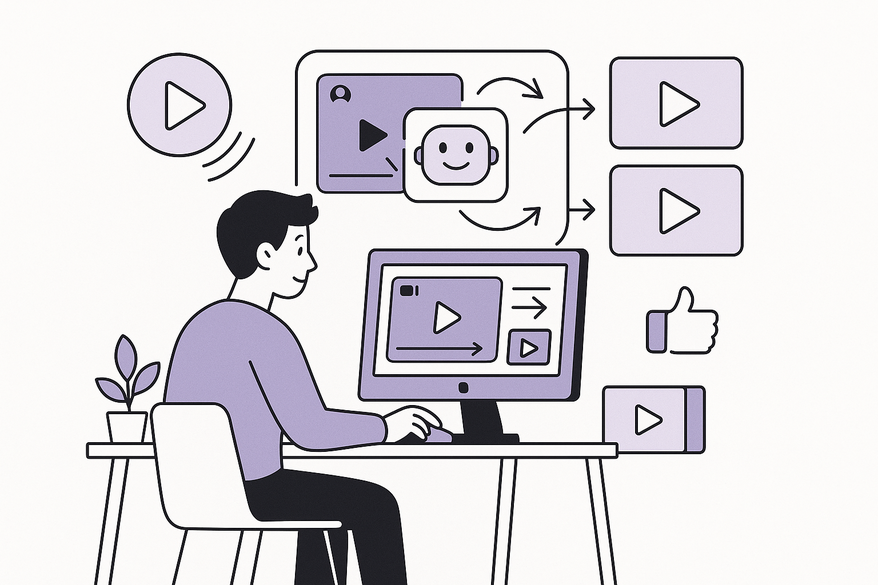
An AI live stream clip maker automatically converts hours of livestream footage into bite-sized, social-ready videos without manual editing (learn how AI video clip makers work). This tool empowers creators to focus on broadcasting while AI handles clip creation, captioning, and formatting.
"Live stream to clips" is the automated process of extracting highlight moments from full-length broadcasts and converting them into standalone short videos. These clips boost visibility on social platforms and draw viewers back to the main channel.
"Auto clip live videos" refers to real-time or post-broadcast AI tools that identify and extract engaging moments without creator intervention. No more pausing streams or marking timestamps manually—AI does it all.
Creators need this workflow for repurposing content on TikTok, Instagram Reels, and YouTube Shorts. By transforming long streams into vertical shorts, they expand reach and maintain consistent posting.
Overview of AI in Live Streaming
The shift from manual clipping to automated AI workflows has changed content creation:
- Manual Process
- Creators review full livestream recordings.
- They trim footage, add captions, and resize for each platform.
- This can take 8–10 hours per stream.
- Benefits of Auto Clipping
- Saves up to 75% of editing time.
- Delivers clips faster for daily posting.
- Drives engagement up to 300%.
- Democratization of Clip Creation
- Solo streamers achieve team-level output.
- No need for dedicated editors.
- Small channels can scale content like big studios.
How AI Live Stream Clip Makers Work
Real-Time Analysis and Highlight Detection
AI tools scan streams live or VODs to pinpoint the best moments:
- Audio Analysis
- Detect volume spikes and excited commentary.
- Visual Analysis
- Identify high-action scenes and strong facial expressions.
- Contextual Understanding
- Use speech-to-text to flag key statements or tutorials.
- Chat Sentiment Analysis
- Gauge viewer reactions to mark highlights.
Automated Conversion Process
Once highlights are marked, AI streamlines the workflow:
- Moment Extraction
- Select 30s–2min segments around flagged moments.
- Vertical Formatting
- Resize footage to 9:16 aspect ratio for mobile viewing.
- Caption Generation
- Auto-generate speech-to-text captions that are editable.
- Branding Application
- Overlay logos, watermarks, and brand colors.
- Multi-Format Output
- Export TikTok, Instagram Reels, and YouTube Shorts in one batch (see ultimate short-clip comparison).
Technological Hurdles Overcome
- Context Loss
- Clipped moments without narrative meaning—now solved by merging transcript, audio, and visual cues.
- Variable Stream Lengths
- Handling 1–6 hour sessions without quality loss.
- Batch Processing
- Scaling up for creators needing dozens of clips per stream (learn about AI clip detection).
Key Features and Benefits
Innovative Features
- Seamless Integration – Connects with Kick, Twitch, and StreamYard.
- Multi-Clip Generation – Produces dozens of vertical shorts and compilations.
- Voice Command Clipping – Simply say “clip it!” to mark highlights live.
- Cross-Platform Distribution – Auto-publish to TikTok, Reels, and Shorts.
- Team Collaboration – Role-based access, shared libraries, and approval flows.
Tangible Benefits for Creators
- Time Savings – Reduce 8–10 editing hours to minutes.
- Consistent Content Calendars – Publish daily or weekly without extra work.
- Audience Growth – Short clips funnel viewers back to full streams.
- Monetization Amplification – More sponsorships, brand deals, and platform revenue.
- Enhanced Accessibility – Auto captions for hearing-impaired or muted viewers.
Real-World Impact Examples
- Indie Streamers – Maintain daily posting without hiring editors.
- Gaming Organizations – Highlight player achievements for recruitment and PR.
- Educators – Break three-hour lectures into 20+ bite-sized lessons.
- Agencies – Batch-process Kick creators at scale with shared workflows.
Best Practices and Tips for Maximizing the Tool
Optimizing Clip Selection
- Adjust detection sensitivity based on stream type.
- Quick review: spend 10 minutes removing false positives.
- Use consistent branding templates for logos, fonts, and colors.
Timing and Frequency Strategies
- Batch process VODs overnight for a full week’s schedule.
- Match clip length to platform:
- TikTok: 15–30s high-energy.
- YouTube Shorts: 45–60s for more context.
- Post 6–9 PM on weekdays for gaming audiences.
Tailoring to Stream Type
- Gaming – Focus on killstreaks, glitches, and reactions.
- Educational – Weight transcript analysis heavier.
- Talk/Interview – Capture quotes via sentiment analysis.
- Creative – Emphasize reveal moments and process steps.
Future Trends and Considerations
- Enhanced Personalization – AI learns creator and audience preferences over time.
- Context & Narrative Understanding – Detect multi-session story arcs for series clips.
- Real-Time Viewer Personalization – Generate clip variants for new fans vs loyal followers.
- Expanded Platform Integration – Direct monetization hooks and new short-form channels.
- Improved Accessibility – Auto translations, varied caption styles, and audio descriptions.
Vidulk Mention & Demo
For on-the-go clipping, Vidulk’s mobile app uses AI to detect and extract highlight moments from live streams or recordings, turning them into social-ready clips in seconds. Explore its suite of AI-powered repurposing tools Vidulk - Fake Text Message Story App.
Conclusion
An AI live stream clip maker transforms long broadcasts into high-impact short clips with no extra editing work. By automating the live stream to clips and auto clip live videos processes, creators save hours, grow audiences, boost revenue, and improve accessibility.
Embrace these tools now to stay competitive. Automated clip creation is no longer optional—it’s essential for content creators seeking sustainable growth and consistent engagement.
Start exploring AI live stream clip makers today and unlock your content’s full potential.
FAQ
What makes AI clip makers faster than manual editing?
AI leverages automated detection of highlights, auto-captioning, and batch formatting to reduce editing time by up to 75%, compared to the hours spent on manual trimming and resizing.
Can I customize the clip length and captions?
Yes, most tools allow you to set clip duration, adjust detection sensitivity, and edit autogenerated captions before export.
Are these tools suitable for all types of streams?
Absolutely. Whether you’re streaming games, tutorials, interviews, or creative sessions, AI can adapt its analysis parameters to fit your content style.
How do I integrate with my streaming platform?
Simply connect your account (e.g., Kick, Twitch, StreamYard) through the tool’s dashboard or API, and clips will flow directly from your live or recorded streams into the AI pipeline.



