
Best Way to Clip Interviews for LinkedIn
Discover the best way to clip interviews for LinkedIn with AI-powered tips on choosing moments, cropping, captioning, and posting clips that engage.

Estimated reading time: 12 min
Key Takeaways
- Identify clip-worthy moments like personal stories and clear advice.
- Use transcripts with timestamps to segment interviews efficiently.
- Choose LinkedIn-optimized clip lengths for tactical, story, or framework content.
- Decide if interviewer questions stay to keep clips standalone.
- Export vertical or square videos with captions and branding for LinkedIn.
Clipping interviews for LinkedIn is a powerful way to repurpose long-form video content into engaging, bite-sized clips that grow your audience and boost engagement. Whether you’re working with podcasts, YouTube videos, or live streams, the best way to clip interviews for LinkedIn involves a strategic approach—from selecting the best moments and cropping to vertical formats, to adding captions and crafting compelling post copy. Leveraging AI tools like Vidulk simplifies and accelerates this workflow, helping creators transform hours of footage into viral-ready clips.
1. Find the Best Moments to Clip
Start by identifying the most engaging parts of your interview that will resonate on LinkedIn. Great clip-worthy moments include contrarian takes, clear explanations, personal stories, surprising metrics, and direct advice. These moments grab attention and encourage sharing.
Use these criteria to pick clips:
- Contrarian Takes: Opinions that challenge conventional wisdom spark debate.
- Clear Explanations: Simplified insights that add value.
- Personal Stories: Relatable anecdotes humanize the interview.
- Surprising Metrics: Data points that wow viewers.
- Direct Advice: Actionable tips viewers can apply immediately.
Vidulk’s AI video clipping automatically detects these moments, saving hours of manual review.
2. Use Transcripts and Timestamps for Efficient Segmentation
Transcripts are essential for segmenting interviews accurately. They allow you to mark timestamps for each important moment, making the editing process faster and more organized.
With Vidulk, you can paste your podcast, interview, or long video and get an AI-generated transcript that highlights key moments with timestamps. This method ensures you don’t miss valuable content and can create clips with clean start and end points.
3. Choose LinkedIn-Optimized Clip Lengths
Understanding the ideal clip length for LinkedIn maximizes engagement. Different types of clips serve different purposes:
- Short Tactical Clips (15-30 seconds): Quick tips and advice that viewers can consume immediately.
- Medium Story Clips (30-60 seconds): Personal stories or examples that build connection.
- Longer Framework Clips (1-3 minutes): In-depth explanations or step-by-step frameworks.
Vidulk allows you to customize clip lengths and formats easily so you can tailor content to your audience’s preferences.
4. Decide Whether to Keep Interviewer Questions
When clipping interviews, decide if the interviewer’s question should be included. Including the question provides context but can make clips longer. Cutting straight to the answer makes clips punchier and more standalone.
For LinkedIn, where viewers scroll quickly, clips that jump directly to the expert’s answer often perform better. However, if the question is brief and adds clarity, keep it.
5. Export Clips in Native LinkedIn-Friendly Formats
LinkedIn favors vertical (9:16) and square (1:1) video formats for native uploads. These formats use screen real estate effectively and play well on mobile devices.
Vidulk exports videos with clean framing and even speaker tracking, ensuring the focus stays on the interviewee. Native uploads also boost reach and autoplay performance on LinkedIn.
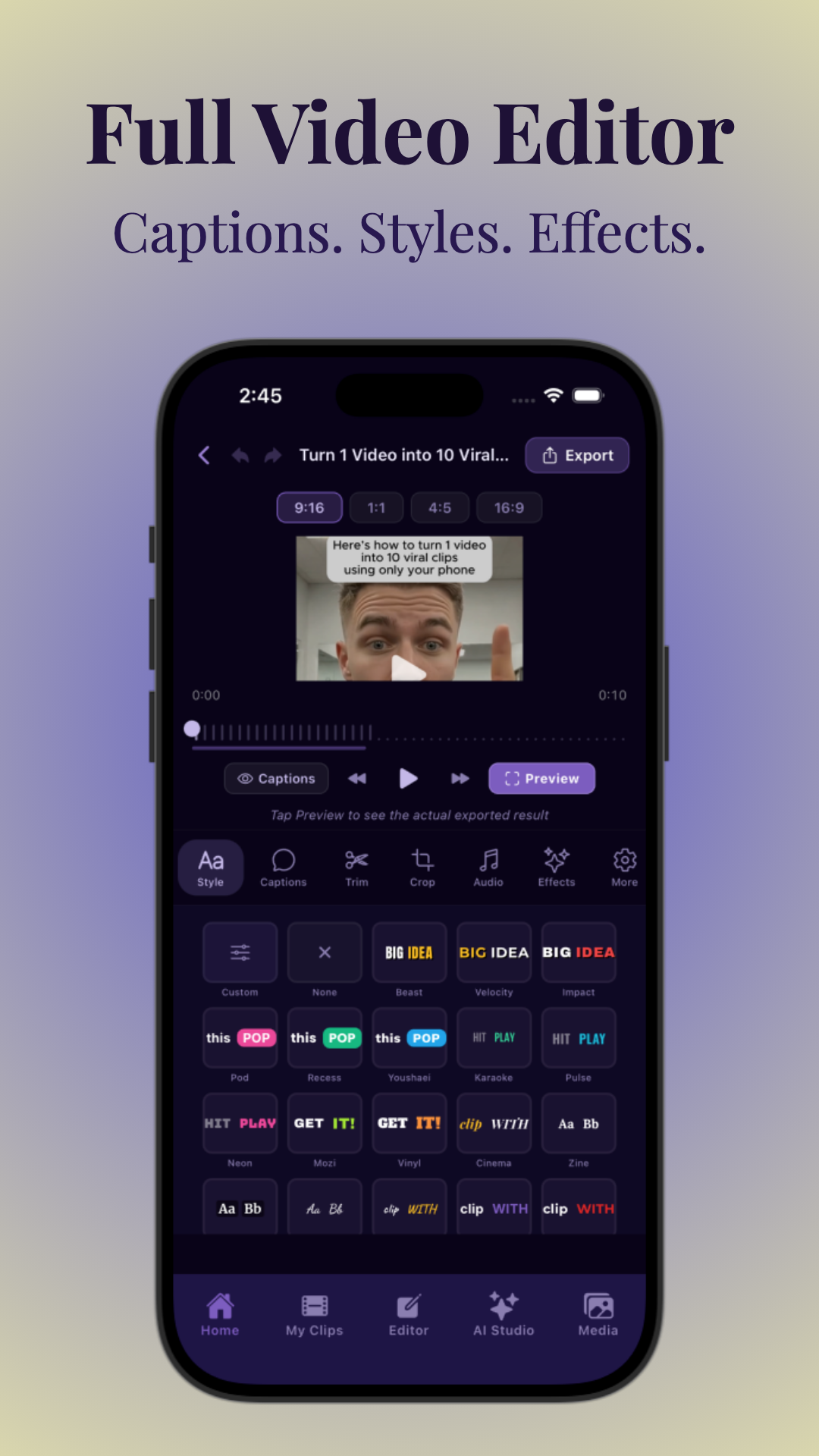
6. Add Burned-In Captions and Professional Branding
Captions are essential since many LinkedIn users watch videos on mute. Adding burned-in captions ensures your message is accessible and engaging without sound.
Also include a simple, professional title or branding treatment to enhance recognition and build your personal or company brand. Vidulk lets you customize captions and add branding directly within the app.
7. Write Engaging LinkedIn Post Copy
Post copy is your chance to hook viewers and provide context. Follow this structure for effective posts:
- Hook: Grab attention with a question or bold statement.
- Context: Briefly explain what the clip is about.
- Key Takeaway: Summarize the main point.
- Call to Action (CTA): Encourage comments, shares, or visiting your profile.
For inspiration, try Vidulk’s Free Hook Generator to craft compelling hooks quickly.
8. Plan Clips Before Recording with Modular Questions
When preparing for your interview, plan your questions to elicit modular, self-contained answers. This makes clipping easier and reduces the need for heavy editing later.
Ask clear, focused questions that encourage guests to share concise insights, stories, or advice that stand alone without needing extensive context.
9. Repurpose One Interview into Multiple Clip Types
Maximize your content’s value by creating a variety of assets from one interview:
- Short tactical clips for quick tips.
- Quote posts with text overlays.
- Carousels that summarize key points.
- Topic clips focused on specific themes.
This multi-format approach diversifies your content and reaches different audience segments effectively.
10. Prioritize Distribution and Engagement on LinkedIn
Uploading clips natively to LinkedIn boosts organic reach. Use a strong opening frame to hook viewers immediately and respond to early comments to encourage engagement.
Vidulk’s vertical and square exports are optimized for LinkedIn’s interface, making distribution seamless. Engaging with your audience early on increases the chance your clips will be shared widely.
11. How to Clip Podcasts and Repurpose YouTube Videos into Shorts
The best way to clip interviews for LinkedIn applies equally to podcasts and YouTube videos. For podcasts, upload audio or video files to Vidulk to convert long episodes into viral clips.
For YouTube, you can paste video links directly into Vidulk to repurpose content into vertical shorts formatted for LinkedIn and other platforms like Instagram Reels and TikTok.
This method also works to turn streaming content into clips, allowing creators to extract highlight reels from long broadcasts.
12. Automate Your Workflow with AI Video Clipping
Manual clipping can be tedious and time-consuming. AI video clipping tools like Vidulk automate the entire process—from detecting the best moments to adding captions and exporting in LinkedIn-friendly formats.
Using AI allows content creators to focus more on strategy and engagement while the technology handles the heavy lifting of editing and formatting.
Learn more about the AI clip generation process in this detailed AI Clip Generator guide.
Conclusion
Mastering the best way to clip interviews for LinkedIn involves selecting compelling moments, using transcripts for precision, optimizing clip length, and exporting in formats ideal for LinkedIn’s mobile audience. Including captions and strong post copy enhances accessibility and engagement. Planning your interviews with modular questions makes clipping easier, while repurposing content across formats maximizes reach.
Tools like Vidulk bring AI-powered automation to this entire workflow, letting you turn podcasts, YouTube videos, and streams into viral LinkedIn clips faster than ever. Start clipping smarter and growing your LinkedIn presence today with Vidulk.
FAQ
Q: What is the best length for a LinkedIn interview clip?
A: The best length depends on your goal. Short tactical clips perform well around 15-30 seconds, medium story clips work at 30-60 seconds, and longer framework clips can be up to 3 minutes. Tailor length to your content and audience engagement.
Q: Should you keep the interviewer’s question in a LinkedIn clip?
A: It depends. Keeping the question adds context but can lengthen the clip. For LinkedIn, clips that jump straight to the answer often perform better, but include short questions if they clarify the response.
Q: What types of moments make the best LinkedIn video clips?
A: Contrarian takes, clear explanations, personal stories, surprising metrics, and direct advice make the best moments to clip. These elements engage viewers and encourage sharing.
Q: How do you make interview clips look professional on LinkedIn?
A: Use vertical or square video formats, add burned-in captions, include a clean title or branding, and export using tools like Vidulk that offer speaker tracking and framing for a polished look.
Q: What should the LinkedIn post copy say when sharing a clip?
A: Include a hook to grab attention, brief context, a key takeaway, and a call to action encouraging comments or shares. This structure increases engagement.
Q: How many clips can you get from one interview?
A: You can typically create 7-12 clips from a single interview by focusing on different moments, advice, and stories, as well as repurposing formats like quotes and carousels.
Free to start
Try the Vidulk app
Everything in this guide, in your pocket.
Get it on iPhoneGet it on Android


