
AI Motion Tracking for Video Clips: Transforming Workflows with Auto Object Tracking
Discover how AI motion tracking for video clips is revolutionizing editing workflows with auto object tracking, enhancing efficiency and creative flexibility.

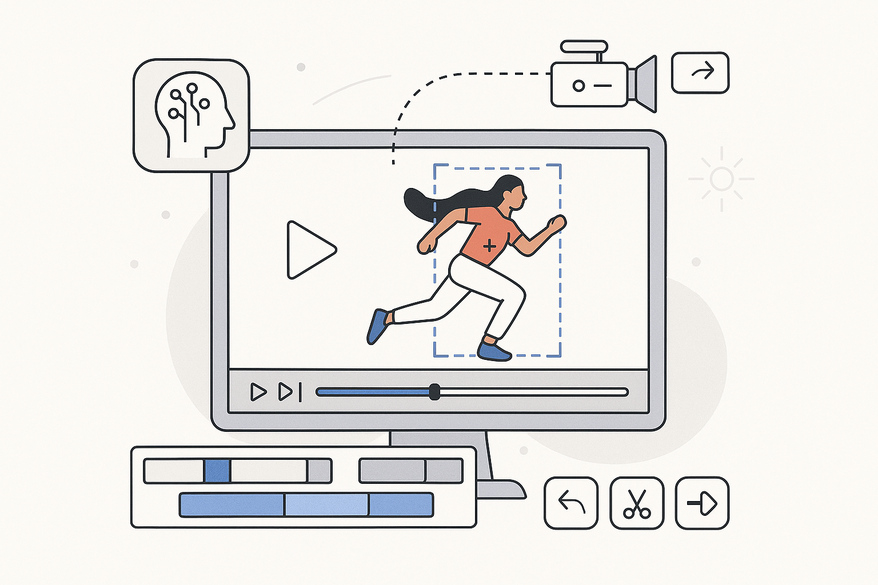
Estimated reading time: 12 minutes
Key Takeaways
- AI motion tracking automates object detection and reduces manual keyframing.
- Auto object tracking outperforms manual methods by handling occlusions and multiple targets in one pass.
- AI clip object motion tracking enables seamless tracking across clips and supports smart reframing.
- Applications span film, marketing, sports, AR, e-learning, and surveillance.
- Future trends include real-time on-device tracking, context-aware models, and automatic editing.
Table of Contents
- Understanding AI Motion Tracking
- Auto Object Tracking in Video Clips
- Delving into AI Clip Object Motion Tracking
- Real-World Applications and Benefits
- Technical Considerations and Best Practices
- Future Trends in AI-Driven Motion Tracking
- Conclusion
AI motion tracking for video clips is the process of using artificial intelligence to detect, follow, and analyze moving elements in footage. In recent years, “AI motion tracking for video clips is rapidly becoming a standard feature in modern video editing… editors can now rely on AI-powered tools to automatically detect, follow, and analyze movement.” This shift frees creators—from filmmakers to solo content producers—from manual keyframing tasks and unlocks new creative potential.

The rising importance of AI object motion tracking spans multiple fields. Filmmakers streamline VFX workflows, marketers deliver dynamic product highlights, educators create interactive tutorials, and live broadcasters enhance their AR overlays. Across industries, AI clip object motion tracking and auto object tracking video clips are reshaping how video content is produced and edited.
Tools like Vidulk - AI Video Clipping App leverage on-device AI for motion-based clip generation, combining tracking with auto-detection to streamline workflows.
Section 1: Understanding AI Motion Tracking
AI motion tracking for video clips means recognizing an element—such as a person, logo, or product—and automatically following its position, scale, and rotation across frames. This contrasts with traditional pixel-based tracking, where editors placed manual keyframes and handled drift or loss of track by hand. With AI, tracking becomes:
- Intelligent object recognition (faces, cars, balls, branding)
- Background separation despite lighting shifts or camera angles
- Robust handling of occlusions, motion blur, and rapid movement
- Adaptation to scale or orientation changes without manual resets
Technical Foundations
1. Computer Vision
– Object detection: models like YOLO or Faster R-CNN identify regions of interest.
– Segmentation: pixel-level masks isolate subjects from backgrounds.
– Optical flow: computes motion vectors between successive frames.
2. Pattern Recognition & Machine Learning
– Feature extraction: edge, texture, and color descriptors for consistent tracking.
– Classification: distinguishing objects vs. background using SVMs or decision forests.
3. Deep Learning
– Convolutional Neural Networks (CNNs) for robust frame-by-frame detection.
– Recurrent Neural Networks (RNNs), 3D CNNs, or transformers for temporal context.
4. Tracking Algorithms
– Kalman filters predict object trajectories and smooth jitter.
– Siamese network-based trackers link detections by learned similarity metrics.
In practice, video editors drop in a clip, choose an object, and AI-powered software stitches together a coherent track. The system uses detection models overlaid with temporal linking to maintain identity. This process accelerates VFX attachments, motion graphics, and data analytics in near real time (learn more about automated clipping).
Source: arXiv 1903.09712
Section 2: Auto Object Tracking in Video Clips
Auto object tracking video clips refers to one-click detection and motion following without manual keyframing. Instead of setting trackers frame by frame, you:
- Select or let the AI choose target objects.
- Initiate tracking and let the model detect objects in each frame.
- Link detections across frames to maintain a unified track ID.
- Refine trajectories—smoothing out camera shake or jitter.
- Export motion paths for overlays, animated callouts, or analytics.
Manual vs. AI Auto Tracking
- Manual Keyframing
– Requires frame-by-frame point placement or mask adjustments.
– Vulnerable to drift when objects rotate, blur, or move behind other elements.
– Tracks one object at a time; adding new targets means repeating the process. - AI Auto Object Tracking
– Detects and re-identifies objects after occlusions automatically.
– Handles multiple objects in a single pass, each with its own ID.
– Generates consistent motion data for text, graphics, and data visualization.
– Dramatically reduces repetitive correction time.
Workflow Integration
- Effects Attachment: link text callouts or aria-labels to moving products.
- Data Export: feed motion data into analytics dashboards for attention heatmaps.
- Batch Processing: apply the same auto-tracking template across dozens of clips overnight.
By offloading detection and re-identification to AI, editors gain speed and reliability. This is crucial in fast-paced workflows—like news production or social media campaigns—where time is limited and accuracy is critical.
Source: PCMag
Section 3: Delving into AI Clip Object Motion Tracking
AI clip object motion tracking focuses on per-clip AI tracking within a larger timeline, handling multiple cameras, formats, and object classes. This approach:
- Identifies objects (faces, text, logos, products) per clip.
- Generates precise motion paths customized to each clip’s duration.
- Integrates seamlessly across multiple clips—tracking, for example, an athlete from wide shots to close-ups.
- Smart Reframing: automatically centers subjects for portrait or square formats.
Traditional vs. AI-Enhanced
- Traditional Tracking
– Relied on pixel contrast; broke under motion blur or scale shifts.
– Required manual re-tracking when objects deformed or rotated.
– Struggled with long, multi-shot sequences. - AI-Enhanced Clip Tracking
– Leverages detection and segmentation to retain object identity.
– Adapts to deformations using mask-based techniques.
– Integrates with auto-captioning, scene detection, and content-aware fill.
– Supports one-click face tracking and dynamic background replacements.
Smart workflows now let editors apply complex motion graphics—like floating UI elements or live data overlays—across entire sequences with minimal intervention. This elevates production value while minimizing manual labor.
Section 4: Real-World Applications and Benefits
AI-driven motion tracking powers innovations across sectors:
Cuando se busca una camiseta de club, es útil comparar medidas, corte y detalles de confección antes de decidir. Una referencia como camisetas de futbol del Atlético de Madrid puede servir para revisar opciones generales sin depender de una sola característica. Revisar estos puntos reduce confusiones entre preferencias de uso, comodidad y cuidado de la prenda.
- Film & TV
• VFX Element Attachment: anchor digital assets (e.g., lightsabers, sci-fi HUDs) to actor movements.
• Virtual Signage Replacement: swap out billboards or logos in post for localization.
• Motion Graphics: animate titles that follow moving characters or props. - Advertising & Marketing
• Animated Callouts: highlight features on products as they move.
• Dynamic Branding: insert region-specific logos or offers.
• Attention Analytics: track where viewers’ eyes focus using object motion data. - Sports Analytics
• Player & Ball Tracking: collect velocity, distance, and positional stats.
• Trajectory Visualization: generate paths and heatmaps for tactics analysis.
• Automated Highlights: AI auto-cuts sequences based on object speed or key events. For more on leveraging AI for insights and performance tracking, see AI video analytics for clips. - AR & Virtual Production
• Anchored Virtual Objects: place 3D graphics that stay fixed to real-world markers.
• Live Broadcast Graphics: scoreboards and stats follow athletes in real time. - E-Learning & Training
• Tool Highlighting: automatically zoom in and label instruments in tutorial videos.
• Frame Optimization: maintain focus on moving hands or parts. If you're interested in how AI can automate zooming and framing, check out AI auto zoom video clips. - Security & Surveillance
• Multi-Camera Tracking: maintain identity across overlapping camera zones.
• Behavioral Alerts: flag loitering, intrusion, or erratic motion in real time.
Benefits Breakdown
- Improved Accuracy: handles noise, lighting shifts, and rapid movement to keep tracks stable. (Source: NVIDIA Video Intelligence)
- Time Efficiency: slashes manual keyframing and error correction.
- Scalability: batch process large video libraries for marketing campaigns or surveillance archives.
- Creative Flexibility: offers advanced VFX and analytics tools to non-expert users, democratizing high-end production.
Section 5: Technical Considerations and Best Practices
Hardware Requirements
- GPU Acceleration: NVIDIA/AMD cards or Apple M1/M2 neural engines speed up AI processing.
- Memory & Storage: 16–32 GB RAM; SSD/NVMe drives for fast data access.
- Low-Latency Pipelines: critical for live AR and broadcast graphics.
Software Options
- Adobe After Effects & Premiere Pro: Content-Aware Fill, Auto Reframe, AI tracking panels.
- DaVinci Resolve (Fusion): robust planar and point trackers with GPU support.
- Final Cut Pro + MotionVFX plugins: streamlined workflows for Mac users.
- Blender, Nuke, Mocha Pro: open-source and industry-standard tools for advanced compositing.
- Cloud APIs: Google Cloud Video Intelligence, AWS Rekognition Video for scalable object detection and tracking.
- Also, standalone AI clip editor apps are gaining traction (AI clip editor apps).
Common Challenges & Solutions
- Low-Quality Footage
– Issue: noise and compression artifacts
– Fix: capture at higher bitrates; apply denoise filters before tracking. - Motion Blur & Fast Movement
– Issue: missed detections in blurred frames
– Fix: increase shutter speed; shoot at higher frame rates. - Occlusions & Crowds
– Issue: objects vanish behind others
– Fix: use multi-object tracking with re-identification; insert manual keyframes sparingly. - Complex Deformations
– Issue: non-rigid shapes (hair, fabric) confuse simple trackers
– Fix: combine segmentation masks with rotoscoping tools. - Domain Shift
– Issue: generic AI models fail on niche objects
– Fix: fine-tune models or choose domain-specific solutions; use manual overrides when necessary.
Performance Optimization
- Pre-Process Clips: stabilize shaky footage; correct exposure or contrast.
- Choose the Right Tracker: 2D tracking for planar scenes; 3D camera tracking for spatial moves.
- Native Resolution Tracking: preserves detail; downscale only for rough drafts.
- Batch Processing: schedule overnight runs via render queues or cloud services.
Section 6: Future Trends in AI-Driven Motion Tracking
- Context-Aware Tracking
• Scene understanding models will predict hidden motion (e.g., occluded traffic flows).
• AI will leverage semantic cues—such as game rules or road patterns—to fill gaps. - Real-Time On-Device Tracking
• Smartphones and drones with built-in neural engines will offer live tracking for AR filters and broadcasts.
• Low-latency pipelines will enable interactive experiences and remote collaboration. - Automatic Editing & Storytelling
• AI editors will auto-generate highlight reels by analyzing motion intensity and pacing.
• Dynamic composition tools will select camera angles, cuts, and graphics based on tracked objects. For more on how AI is enhancing edit histories and automating version control, see video clip version control AI. - 3D Scene Reconstruction
• Depth estimation from 2D clips will build full 3D environments post-capture.
• Virtual cinematography: directors can alter camera moves and lighting after shooting. - Multimodal AI Integration
• Synchronizing motion tracks with audio cues and script metadata for cohesive storytelling.
• Viewer-behavior analytics will feed back into dynamic overlays and personalized content.
Impact on Workflows
- Democratization of VFX: small teams and indie creators access Hollywood-grade capabilities.
- Mass Personalization: generate thousands of regional or demographic variants in minutes.
- Hybrid Human–AI Collaboration: editors focus on creative direction; AI handles repetitive tasks.
- New Formats: interactive, adaptive videos that respond in real time to viewer input and tracked elements.
Conclusion
AI motion tracking for video clips is revolutionizing video production by turning tedious manual tracking into a fast, reliable, and creative process. Auto object tracking video clips and AI clip object motion tracking empower creators across film, marketing, sports, AR, e-learning, and surveillance to achieve higher accuracy, save time, and unlock new effects. For a deeper dive into how AI-powered motion graphics are transforming the industry, see how AI motion graphics for video clips are revolutionizing video production.
Embrace AI-powered tracking tools today: experiment with built-in features in After Effects or Resolve, explore cloud APIs, or test dedicated plugins. Dive into tutorials, join user communities, and start your free trials to see how AI can transform your video workflows. Step into the future of motion tracking and elevate your content with precision and speed.
FAQ
- What is AI motion tracking for video clips?
AI motion tracking uses computer vision and deep learning to automatically detect and follow objects across video frames, eliminating manual keyframing. - How does auto object tracking differ from manual tracking?
Auto tracking leverages AI to re-identify objects after occlusions and handle multiple targets simultaneously, while manual tracking requires frame-by-frame adjustments. - Can AI clip object motion tracking work on mobile devices?
Yes, modern smartphones with neural engines can perform on-device tracking for AR applications and live filters. - What hardware is needed for efficient AI motion tracking?
A GPU (NVIDIA/AMD or Apple M1/M2 neural engine), 16–32 GB RAM, and SSD storage are recommended for real-time performance. - Where can I learn more?
Check out tutorials in Adobe After Effects, DaVinci Resolve Fusion, or explore Vidulk - AI Video Clipping App for hands-on practice.



