
AI Reaction Clip Generator: Create Reaction Videos Instantly
Learn how the AI reaction clip generator speeds up editing by producing reaction clips instantly. Perfect for creators and brands to stay ahead in video content.

Estimated reading time: 8 minutes
Key Takeaways
- AI reaction clip generators automate the creation of engaging reaction videos.
- The workflow spans video analysis, emotion detection, NLP processing, and automated editing.
- Major benefits include significant time savings, cost efficiency, scalability, and creative flexibility.
- A step-by-step guide helps you generate, customize, and distribute reaction clips seamlessly.
- Future trends point to generative avatars, real-time clipping, and hyper-personalized content pipelines.
Table of Contents
- What Is an AI Reaction Clip Generator?
- How Does Auto Reaction Video Maker AI Work?
- Benefits of Using AI to Generate Reaction Clips
- Step-by-Step Guide: Generate Reaction Clips from Video Using AI
- Practical Examples and Use Cases
- Future Trends in AI-Driven Video Editing
- Conclusion
Reaction clips are short videos where someone shows their real-time response or comments on another video. They blend original footage with personal emotion and remarks.
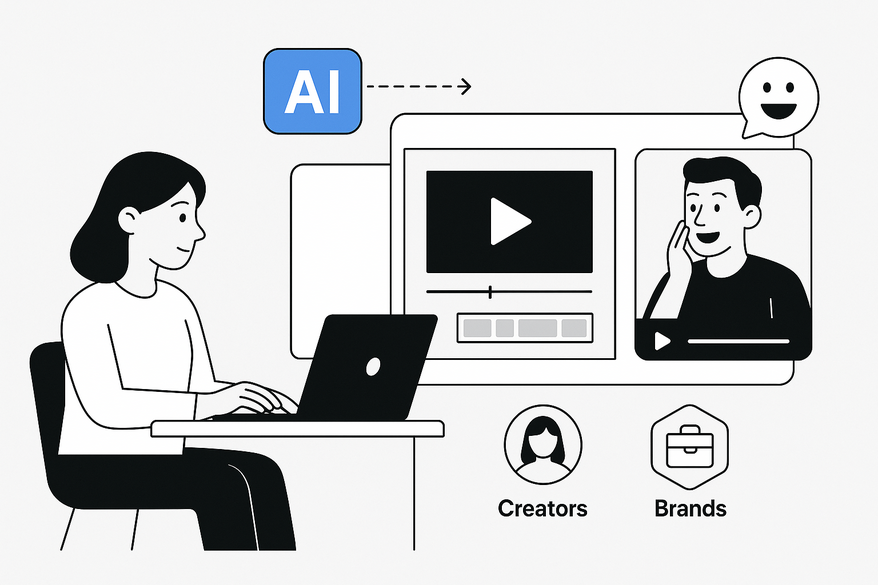
An AI reaction clip generator uses machine learning to automate this process. It speeds up editing, scales to many clips, and gives creators more creative flexibility. This tool, also called an auto reaction video maker AI, helps you generate reaction clips from video in minutes instead of hours. Learn more about automated long-to-short workflows.

Section 1: What Is an AI Reaction Clip Generator?
An AI reaction clip generator is a video editing system powered by AI. It:
- Analyzes your input video with computer vision and audio cues
- Extracts the most impactful moments as short clips
- Adds optional reaction layers like facecam, avatar, or voiceover
Core components:
- Input video analysis – Finds scene changes, motion, and audio spikes.
- Clip extraction – Cuts segments based on key moments (see AI clip detection deep dive).
- Reaction overlay – Syncs a creator’s camera feed or AI avatar beside the clips.
The term auto reaction video maker AI highlights full automation of this workflow. These tools can also:
- Auto-generate split-screen layouts
- Add captions or overlays
- Suggest scripts via NLP-based text models
They belong to the broader category of AI video creation platforms that turn scripts or articles into videos.
Section 2: How Does Auto Reaction Video Maker AI Work?
Auto reaction video maker AI uses several steps to generate reaction clips from video:
- Video analysis & segmentation
The AI uses computer vision to spot scene cuts, faces, and motion. It flags sections with strong visual or audio cues. - Emotion & context detection
Facial expression recognition and sentiment analysis read emotions from the footage. This finds high-impact moments. - NLP & transcript processing
Speech-to-text turns dialogue into transcripts. NLP models spot keywords or turning points for clip focus. - Clip ranking & selection
Engagement models rank each segment by likely viewer response. The top clips move to the next step. - Reaction layer generation
Options include syncing your facecam, creating an AI avatar, generating voiceovers, and adding text overlays. - Automated editing & finishing
The system adds transitions, color correction, and noise reduction. It outputs ready-to-post reaction videos.
Each step uses machine learning models to replace manual, frame-by-frame editing with automated detection and assembly. For more on how AI video clipping works, check the in-depth guide.
Section 3: Benefits of Using AI to Generate Reaction Clips
- Time efficiency • Saves hours on cutting, syncing, and trimming. • Users report regaining 10+ editing hours per week.
- Cost savings • No need to hire professional video editors. • Small teams can produce high-quality clips at a fraction of the cost.
- Scalability • Generate multiple lengths and formats from one source video. • Supports omnichannel publishing (YouTube, TikTok, Instagram).
- Creative flexibility • Auto-suggestions for cuts, captions, and layouts. • Repurpose long content (webinars, livestreams) into short reactions.
- Accessibility & ease of use • Drag-and-drop interfaces let non-experts create polished clips. • Auto-captioning improves accessibility and SEO.
- Personalization & targeting • Produce audience-specific clips using keyword and data-based filters. • Tailor intros, overlays, and calls-to-action to viewer segments.
Section 4: Step-by-Step Guide: Generate Reaction Clips from Video Using AI
- Prepare source content • Pick a video you have rights to use. • Check copyright and fair use rules.
- Choose an AI reaction clip generator • Look for highlight detection, PIP support, and auto-caption features. • Test free trials to compare ease of use.
- Upload & analyze • Drop your video and any pre-recorded reaction footage. • Let the AI scan visuals, audio, and transcripts to mark key segments.
- Configure reaction mode • Live reaction: record your facecam as you watch inside the tool. • Pre-recorded: upload existing facecam footage for AI to sync. • Avatar/voiceover: let the AI generate an animated presenter or synthetic voice.
- Run auto-highlight feature • Choose clip count, length, and platform presets. • Click “Auto Highlight” or “Smart Clips” to create draft reactions.
- Customize & refine • Trim start/end points to sharpen punchlines. • Swap split-screen layouts, crop, and zoom to focus on faces. • Add or edit captions, emojis, and branded overlays.
- Export & distribute • Export in 9:16 for Reels/TikTok or 16:9 for YouTube. • Batch-export multiple clips for your posting schedule. • Use analytics to test which reactions drive the most engagement.
Section 5: Practical Examples and Use Cases
- Social media/creator content Trend reactions and game highlight reels can be auto-clipped. Creators boost posting frequency while staying on-trend.
- News & commentary Journalists react to press briefings or interviews. AI delivers multiple reactions for different platforms within minutes.
- Entertainment & pop culture Trailer or music video reactions auto-generate around dramatic or musical peaks. Brands and influencers drive more buzz.
- Education & thought leadership Instructors break down lectures or case studies. Short reaction clips serve as teaser content for longer courses.
- Marketing & brand content Brands react to customer UGC or campaign footage. They scale these assets for targeted ads and social posts.
Section 6: Future Trends in AI-Driven Video Editing
- Enhanced emotion/context understanding
- Fully generative reaction avatars
- End-to-end automated content pipelines
- Hyper-personalized reaction content at scale
- Real-time live reaction clipping
- Ethics & authenticity standards
Conclusion
An AI reaction clip generator transforms manual editing into a fast, scalable workflow. It saves time, cuts cost, and expands creative freedom. With auto reaction video maker AI, you can generate reaction clips from video in minutes, tune them for your audience, and publish across platforms. Start experimenting with these tools today to boost engagement, streamline production, and stay ahead in the fast-moving world of video content.
For an on-device solution that automates every step—from analysis to clip generation—check out Vidulk - AI Video Clipping App.
FAQ
What is an AI reaction clip generator?
An AI reaction clip generator is an automated video editing tool that identifies key moments in a source video and overlays reaction elements like facecam, avatars, or voiceovers to produce engaging short clips.
How long does it take to generate reaction clips?
Most AI tools can analyze, extract, and edit clips within minutes, depending on video length and your chosen settings.
Can I customize the look and feel of my reaction videos?
Yes. You can adjust split-screen layouts, trim clip intervals, add captions, branded overlays, and even choose between live facecam, pre-recorded footage, or AI-generated avatars.
Do I need editing experience to use these platforms?
No. Drag-and-drop interfaces and automated suggestions make these tools accessible to non-experts, simplifying what used to be a manual, frame-by-frame process.
Are there any limitations or costs?
Costs vary by provider and feature set. Some platforms offer free tiers with basic functionality and paid plans for higher clip counts, premium effects, or enterprise integrations.



