AI Sound Effects for Video Clips: The Ultimate Guide
Discover how AI sound effects for video clips revolutionize multimedia production with efficiency, cost-effectiveness, and creative innovation.

Estimated reading time: 8 minutes
Key Takeaways
- Speed & Efficiency: AI tools generate professional-grade sound effects in seconds, eliminating hours of manual library searches.
- Seamless Sync: Machine learning analyzes each video frame for perfect audio-visual alignment.
- Cost Savings: Say goodbye to expensive stock libraries or hiring audio engineers.
- Creative Freedom: Custom, on-the-fly effects tailored to mood, environment, and action.
- Easy Integration: Plugins and standalone generators fit smoothly into existing workflows.
Table of Contents
- Section 1: Understanding AI Sound Effects for Video Clips
- Section 2: Exploring the Auto Sound Effect Generator for Video
- Section 3: Deep Dive into AI Clip Audio Effects Maker
- Section 4: Practical Applications and Use Cases
- Section 5: Future Trends and Innovations
- Conclusion
Section 1: Understanding AI Sound Effects for Video Clips
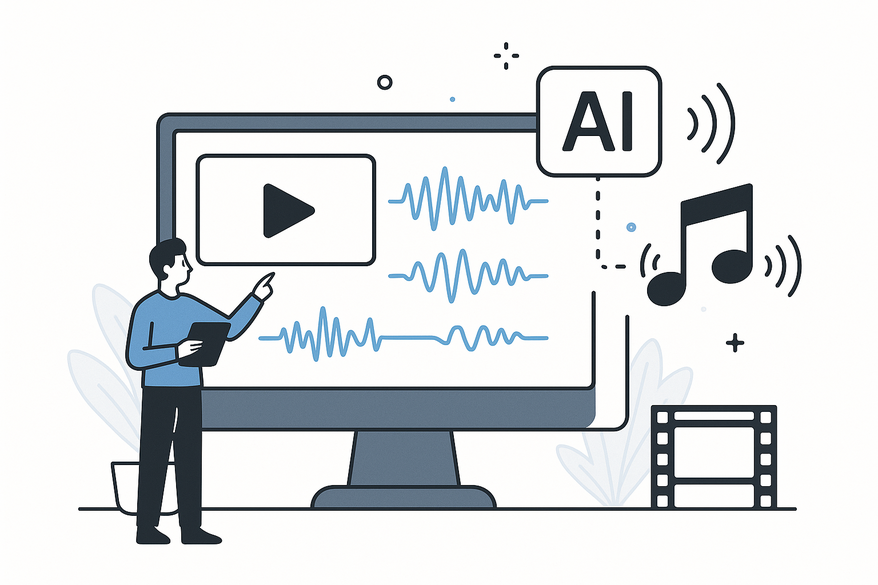
AI sound effects marry machine learning with audio design, producing sounds that match visuals frame by frame. Rather than digging through stock libraries, these systems analyze motion, environment, and emotion to synthesize the perfect cue.
Definition and Technology
- AI sound effects are audio cues synthesized via ML algorithms that analyze video frames.6
- Frame-by-frame analysis detects motion, scene changes, environment, and mood.7
- Two core approaches:
- Text-to-audio synthesis: Converts descriptions into sound.
- Direct video analysis: Generates effects based on visual cues.
Key Benefits
- Efficiency: Seconds instead of hours to generate SFX.8
- Cost-Effectiveness: No expensive libraries or engineers.9
- Creativity: Unique effects shaped by your visuals.10
- Accessibility: No audio-engineering skills needed.11
- Perfect Sync: Automatic alignment with pacing.12
Section 2: Exploring the Auto Sound Effect Generator for Video
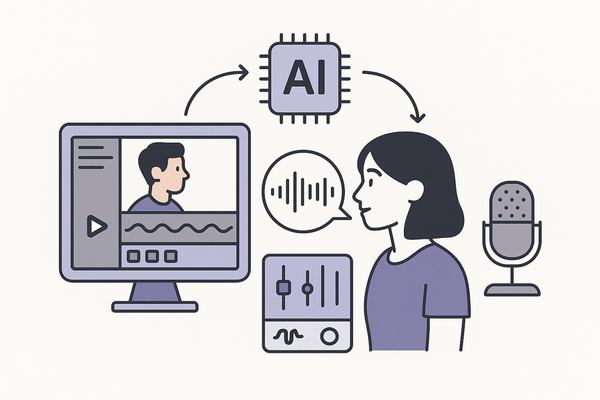
An auto sound effect generator video tool analyzes uploaded footage and delivers fully mixed soundtracks without manual prompts. The result? Instant audio ready for your edit.

Defining Auto Sound Effect Generator Video
- A platform that auto-analyzes footage and outputs synchronized SFX in real time.13
Three-Step Workflow
- Upload your video file to the AI platform.14
- AI analyzes visual cues—motion, transitions, environment.15
- Download the fully mixed soundtrack and drop into your timeline.
Section 3: Deep Dive into AI Clip Audio Effects Maker
Integrated directly into editing suites, an AI clip audio effects maker produces context-aware audio on the fly, giving creators unprecedented control.
Defining AI Clip Audio Effects Maker
- An editing-suite feature that generates and inserts audio effects based on timeline context.21
Integration Process
- Import your clip into the platform.22
- Frame-by-frame analysis detects motion, tone, pacing, and emotion.23
- Auto-generate layered SFX with sliders for pitch, speed, and intensity.24
Section 4: Practical Applications and Use Cases
From film to social media, AI-generated SFX and auto generators are reshaping industries. Below are top use cases and pro tips.
- Film & Cinematography: Create ambient beds, impact hits, and foley replacements without massive libraries.27
- YouTube & Social Creators: Quick sound design for vlogs, tutorials, and explainer videos. Boost engagement with chat notification audio cues.28
- Gaming Clips & Trailers: Custom ambient and action SFX for gameplay highlights.29
- Marketing & Advertising: On-brand audio cues reduce outsourcing costs. Try our guide on creative text-based alerts.30
- AI-Generated Video Enhancement: Add SFX to AI-created clips via ElevenLabs integration.31
Section 5: Future Trends and Innovations
The next wave of AI sound effects will be smarter, more customizable, and deeply integrated.
- Unified platforms for voice cloning, music generation, and SFX synthesis.33
- Voice-to-sound conversion: speak your desired effect and let AI handle the rest.34
- Advanced customization of emotional tone, intensity, and pitch.35
- Native plugins for Premiere Pro, Final Cut Pro, and DaVinci Resolve.36
- Ethical & legal safeguards for royalty-free, commercial-safe audio.37
Conclusion
AI sound effects for video clips have revolutionized audio design—offering unprecedented speed, affordability, and creative freedom. Whether you use standalone generators or integrated clip-makers, you’ll save time and deliver polished audio every time.
Ready to transform your workflow? Explore tools like FineVoice, Saifs, Kapwing, and CapCut today and unlock the power of AI-driven sound design.
FAQ
- What is an auto sound effect generator?
- It’s an AI-powered platform that analyzes video footage and automatically produces synchronized sound effects without manual input.
- How do AI clip audio effects makers integrate into editing suites?
- They appear as plugins or built-in features in tools like Premiere Pro, analyzing timeline context frame by frame to insert SFX directly.
- Are AI-generated sound effects royalty-free?
- Most platforms ensure commercial-safe, royalty-free usage, but always review terms to avoid copyright issues.
- Can I customize AI-generated sound effects?
- Yes—many tools offer sliders for pitch, speed, intensity, and emotional tone for fine-tuning.