
Unlock Pro Audio Quality with an AI Voice Changer for Video Clips
Discover how an AI voice changer for video clips can transform audio quality, offering studio-grade voiceovers and dubbing with ease and efficiency.

Estimated reading time: 8 minutes
Key Takeaways
- Studio-grade voiceovers become accessible to solo creators without a recording studio.
- One-click workflows enable instant voice style swaps, noise removal, and dubbing.
- Seamless integration with popular editors like CapCut, Murf, and ElevenLabs.
- Cost and time savings: affordable, fast, and user-friendly for multi-language projects.
- Future innovations: real-time processing, personal voice avatars, and multimodal editing.
Table of Contents
- Introduction
- Background & Fundamentals of AI Voice Changer for Video Clips
- Technological Foundations of Auto Voice Modulation
- Defining Video Clip Voice Filter AI
- Features & Capabilities
- Comparing AI Modulation vs. Traditional Methods
- Benefits of Video Clip Voice Filter AI
- Use Cases & Applications
- How It Works: Step-by-Step Workflow
- Challenges & Limitations
- Potential Improvements
- Best Practices & Tips
- Future Trends & Innovations
- Conclusion
- FAQ
Introduction
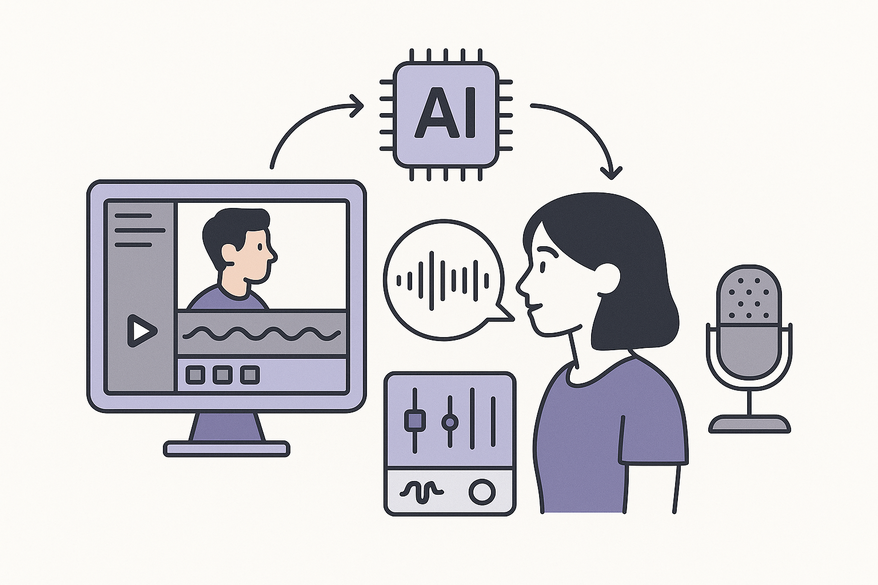
An AI voice changer for video clips leverages machine learning to analyze, modify, and replace voices while maintaining perfect audio–visual sync. Creators gain instant access to studio-grade voiceovers, advanced noise filtering, and seamless dubbing—all without hiring a sound engineer. Tools like Murf.ai voice changer and Vidulk - AI Video Clipping App democratize professional audio for marketers, educators, and filmmakers.
Background & Fundamentals of AI Voice Changer for Video Clips
An AI voice changer works by:
- Extracting the audio track from formats like
.mp4or.mov. - Feeding it into deep learning models for voice conversion or text-to-speech.
- Reintegrating the transformed track with original timing and lip-sync preserved.
Major platforms—Murf, ElevenLabs, CapCut, and Kapwing—offer end-to-end interfaces for speech conversion, voice cloning, and AI-driven voiceover generation.
Technological Foundations of Auto Voice Modulation
- Deep learning models trained on massive speech corpora.
- Voice conversion maps source prosody (pitch, rhythm, emotion) onto target voices.
- Text-to-speech (TTS) workflows generate natural speech from scripts.
- Real-time or near-real-time processing via cloud APIs or desktop apps.
- Signal processing for pitch/formant shifting, timbre adjustment, and noise separation.
Explore more on audio enhancements at AI audio enhancer for video clips.
Defining Video Clip Voice Filter AI
- Removes background noise, balances levels, and sharpens speech clarity.
- Applies creative effects (robotic, cinematic, cartoon voices).
- Available in mobile apps and desktop editors for on-the-fly cleanup.
Features & Capabilities
Core features include:
- Hundreds of AI voices spanning genders, ages, and accents.
- Controls for pitch, speed, tone, and emotional expression; “retain prosody” toggles.
- Direct integration into video editors (CapCut’s voice changer panel, ElevenLabs Studio import).
- One-click workflows: upload → select voice/filter → export.
Comparing AI Modulation vs. Traditional Methods
- AI voice modulation: identity replacement with realistic emotion.
- Traditional modulation: basic pitch shift via DAW and plugins.
- Cloud-based simplicity vs. complex manual setups.
Benefits of Video Clip Voice Filter AI
- Broadcast-quality clarity through background noise removal.
- Character voice alteration for animation, VTubing, and gaming personas.
- Consistent voice profiles across multi-part series.
- Improved intelligibility boosts engagement and retention.
Use Cases & Applications
Entertainment & Social Media
- YouTube/TikTok skits: create comedic dialogues with AI TTS narration.
- Gamers/streamers: live or recorded voice swapping for anonymity and role-play.
- VTubers and animators: design unique voices without multiple actors.
Professional Media Production
- E-learning & corporate training: branded, multi-language voiceovers from scripts.
- Ad agencies: rapid A/B testing of voice styles in promos.
- Audiobooks & long-form narration: consistent pacing and character differentiation.
Live & Post-Production Scenarios
- Post pipelines: upload → transform → export with Murf, CapCut, ElevenLabs.
- Near-real-time processing: mobile/web tools offer instant previews.
Accessibility & Engagement
- Automatic captioning plus AI voiceover broadens reach for hearing-impaired audiences.
- Language localization: native-language AI voices for global viewership.
How It Works: Step-by-Step Workflow
- Import video (
.mp4,.mov) into the AI tool. - Extract and isolate the voice track.
- Analyze speech features (pitch, phonemes, emotion).
- Select a target transformation: AI voice or TTS script.
- Apply conversion: map prosody or generate speech from text.
- Run enhancements: noise removal, equalization, leveling.
- Preview sync, tweak parameters, and export the final video.
Challenges & Limitations
- Lip-sync drift and timing mismatches under extreme conversions.
- Artifacts when input audio is low quality or effects are over-applied.
- Accent and pronunciation errors for specialized terms.
- Ethical/legal concerns around unauthorized voice cloning.
Potential Improvements
- Tighter audio-visual alignment for flawless lip-sync.
- Advanced multilingual models with regional accents.
- More robust noise separation and speech isolation.
Best Practices & Tips
Selecting the Right Tool
- Use integrated editors (CapCut, Kapwing) for quick effects.
- Choose dedicated narration tools (Murf, ElevenLabs) for high fidelity.
- Evaluate voice libraries, demo samples, and licensing terms.
Achieving Natural Results
- Start with clean recordings to ensure quality transformations.
- Enable “retain prosody” to preserve original emotion.
- Avoid stacking heavy effects that cause artifacts.
- Test outputs on multiple devices for clarity.
Avoiding Pitfalls
- Verify audio-video sync and adjust timing if needed.
- Save and reuse consistent voice profiles for continuity.
- Disclose synthetic voice usage in sensitive contexts for transparency.
Future Trends & Innovations
- Expressive controls: energy, empathy, and emphasis sliders.
- Real-time, low-latency AI voice changing for live streaming.
- End-to-end multimodal editing of video, voice, music, and subtitles.
- Personal voice avatars that learn your style and preferences.
- Smart accessibility: auto-adjusted clarity and built-in descriptions.
Conclusion
An AI voice changer for video clips streamlines professional-quality audio by combining voice conversion, TTS, and enhancements. These tools deliver cost savings, consistent character voices, and expanded creative freedom—no studio or complex software required. Ready to elevate your video audio? Explore Murf, CapCut, ElevenLabs, or Kapwing today.
FAQ
- What is an AI voice changer for video clips?
It’s software that analyzes and transforms voices in videos using machine learning, preserving lip-sync and timing. - Do I need a professional studio to use these tools?
No—a modern AI voice changer offers one-click workflows in desktop and mobile apps, eliminating studio requirements. - Can I dub multiple languages quickly?
Yes—AI voice changers support multi-language TTS, enabling rapid dubbing for global audiences. - Are there licensing or ethical concerns?
Always verify voice usage rights and disclose synthetic voices in journalism or sensitive contexts to maintain transparency. - Which tool should I choose?
For quick in-editor effects, try CapCut or Kapwing. For high-fidelity voiceovers, use Murf or ElevenLabs.



