
The Ultimate Guide to AI Video to Blog Post Generators: How They Work, Benefits, and Future Trends
Learn how an AI video to blog post generator turns video content into SEO-friendly articles, expanding reach and accessibility in minutes.

Estimated reading time: 8 minutes
Key Takeaways
- AI tools swiftly transform video content into structured, SEO-ready articles.
- Creators save hours on transcription, drafting, and SEO optimization.
- Applications range from webinars and tutorials to podcasts and marketing campaigns.
- Best practices include fact-checking, tone adjustment, and privacy compliance.
- Emerging trends promise deeper context detection and multi-format content repurposing.
Table of Contents
- Understanding the Technology
- Benefits for Content Creators
- Practical Applications
- Step-by-Step Guide
- Best Practices & Considerations
- Future Trends & Innovations
- Conclusion
Section 1: Understanding the Technology of an AI video to blog post generator
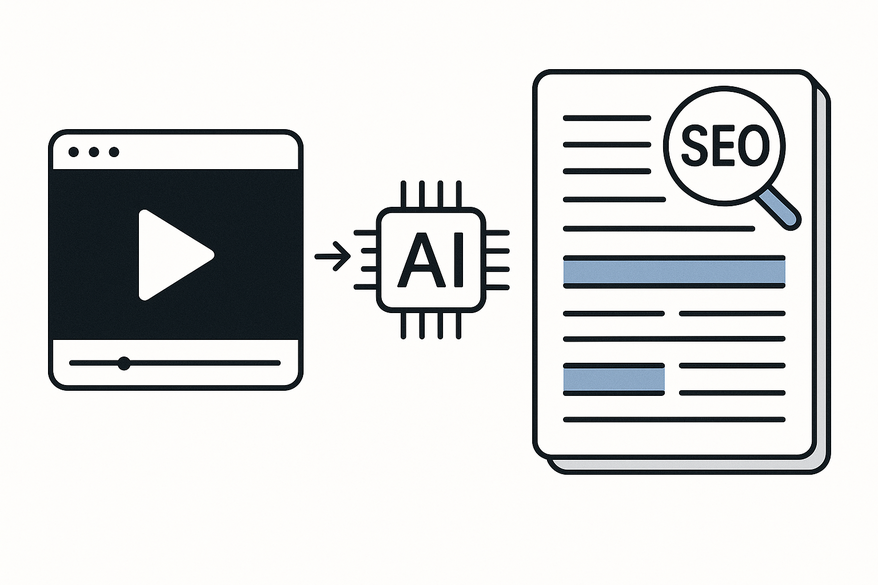
At its core, an AI video to blog post generator marries speech recognition, natural language processing (NLP), and large-language models to automate content transformation. The typical pipeline includes:
- Input & Ingestion: Paste a video URL or upload an MP4 file. The system extracts metadata and audio to set the stage.
- Automatic Transcription: Advanced ASR models handle multiple speakers, accents, and noise to deliver a raw transcript.
- NLP & Understanding: Engines identify key topics, structure, and entities—detecting introductions, main points, and conclusions.
- Summarization & Structuring: Algorithms group ideas, remove filler words, and suggest subheadings. For a deeper dive, check out Video Summary Generator AI and Auto-Summarize Long Videos Tool.
- Draft Generation: Generative models rewrite the transcript into coherent prose, adjusting tone and adding lists and transitions.
- SEO & Formatting: The tool can insert keywords, propose meta descriptions, and format for popular CMS platforms.
- Export & Editing: Obtain an editable draft in DOCX, Markdown, or via direct CMS integration.
Tools like Vidulk - AI Video Clipping App exemplify how you can streamline repurposing long-form videos into concise highlights and written posts.

Section 2: Benefits for Content Creators with AI video to blog post generator
Content creators enjoy a host of advantages:
- Time Savings: First drafts emerge in minutes, shrinking a 4-hour task to under 30 minutes.
- Quality & Consistency: Uniform structure, filtered filler, and brand-guideline enforcement.
- SEO Optimization: Automatic keyword placement, optimized headings, and meta suggestions.
Section 3: Practical Applications of AI video to blog post generator
Use cases span diverse formats:
- Webinars: Turn long sessions into blog series or key takeaway posts.
- Tutorials & How-Tos: Create step-by-step written guides from video demos.
- Interviews & Podcasts: Generate engaging Q&A articles or case studies.
- Educational Content: Convert lectures into notes, study guides, and FAQs.
- Content Marketing: Produce social snippets, email copy, and whitepaper drafts.
Section 4: Step-by-Step Guide to Using an AI video to blog post generator
- Choose Your Video: Prefer clear audio and a focused topic. Set a target keyword if desired.
- Upload or Link: Provide a YouTube/Vimeo URL or MP4 file, ensuring compatibility.
- Configure Settings: Select tone, length, keywords, and output format.
- Generate Draft: Click Generate to start transcription, NLP, summarization, and drafting.
- Edit & Customize: Fact-check, refine tone, add visuals, and optimize SEO.
- Integrate with CMS: Export to platforms like WordPress, HubSpot, or Webflow, embedding the original video and CTAs.
Section 5: Best Practices & Considerations for AI video to blog post generator
- Always Edit & Fact-Check: Verify names, numbers, and facts to prevent AI errors.
- Mind Context & Nuance: Add descriptions for sarcasm, jokes, or slide content.
- Adjust Tone & Voice: Infuse brand personality and unique insights.
- Respect Privacy & Permissions: Secure consent for featured guests and avoid sensitive info.
- Use AI as Co-Pilot: Rely on AI for drafts, but apply human expertise for strategy and quality.
Section 6: Future Trends & Innovations in AI video to blog post generator
- Smarter Contextual Understanding: Enhanced detection of tone, emotion, and intent.
- Multi-Format Repurposing: One workflow yields posts, captions, slides, and FAQs.
- Deeper SEO & Analytics: Performance-driven keyword refinement and A/B headline testing.
- Personalization & Interactivity: Tailored articles and embedded interactive transcripts.
Conclusion
An AI video to blog post generator leverages speech recognition, NLP, and generative models to transform your videos into structured, SEO-friendly articles. The benefits—from time savings to consistent quality—are compelling for any content team. By following best practices and viewing AI as a co-pilot, you can unlock the full potential of existing video assets and stay ahead in the evolving content landscape.
FAQ
- What is an AI video to blog post generator? A tool that converts video or audio content into written articles using speech-to-text, NLP, and generative AI.
- How accurate are AI-generated transcripts? Accuracy varies, but advanced systems handle accents and noise well; always review and correct mistakes.
- Can I customize the tone and style? Yes, most tools let you set tone preferences and preload brand guidelines for consistent voice.
- Which formats can I export? Common options include DOCX, Markdown, and direct CMS integrations for platforms like WordPress.
- Are there privacy concerns? Ensure you have permission to transcribe and publish content, and avoid sharing confidential information.



