
AI Video Chapter Generator: Auto Generate Video Chapters with Cutting-Edge AI Tools
Discover how an AI video chapter generator auto generates video chapters, enhancing navigation and engagement with cutting-edge chaptering tools.

Estimated reading time: 8 minutes
Key Takeaways
- Automated Segmentation: AI analyzes audio and visuals to create time-stamped chapters.
- Time Savings: Generates chapters in seconds rather than hours of manual editing.
- Enhanced Navigation: Viewers can jump to relevant sections, boosting engagement and retention.
- SEO Benefits: SEO-optimized titles improve discoverability across platforms.
- Scalability: Batch processing allows creators to chapter entire libraries effortlessly.
Table of Contents
- Introduction
- What is an AI Video Chapter Generator?
- How AI Drives Auto-Generation
- Benefits of Auto Generating Video Chapters
- Understanding Video Chaptering AI Tools
- Comparison: Manual vs. AI-Driven
- Key Features and Benefits
- How Auto Generate Video Chapters Work
- Step-by-Step Process
- Practical Example: Gaming Video Segmentation
- Advantages and Benefits of an AI Video Chapter Generator
- Implementation and Best Practices for Video Chaptering AI Tools
- Common Challenges & Solutions
- Future Trends for AI Video Chapter Generators
- Conclusion
An AI video chapter generator is an automated system that uses artificial intelligence to segment videos into labeled, time-stamped chapters. Video chaptering enhances navigation, boosts engagement, and improves content discoverability. This technology transforms long-form videos into easily digestible segments, making it simple for viewers to skip to relevant topics or revisit key points.
Historically, creators used manual methods to add chapters. They watched entire footage, paused at topic shifts, and inserted timestamps—a process that often took hours and diverted creative energy. Today, a video chaptering AI tool can auto generate video chapters in seconds rather than hours, letting creators focus on storytelling instead of tedious editing.
What is an AI Video Chapter Generator?
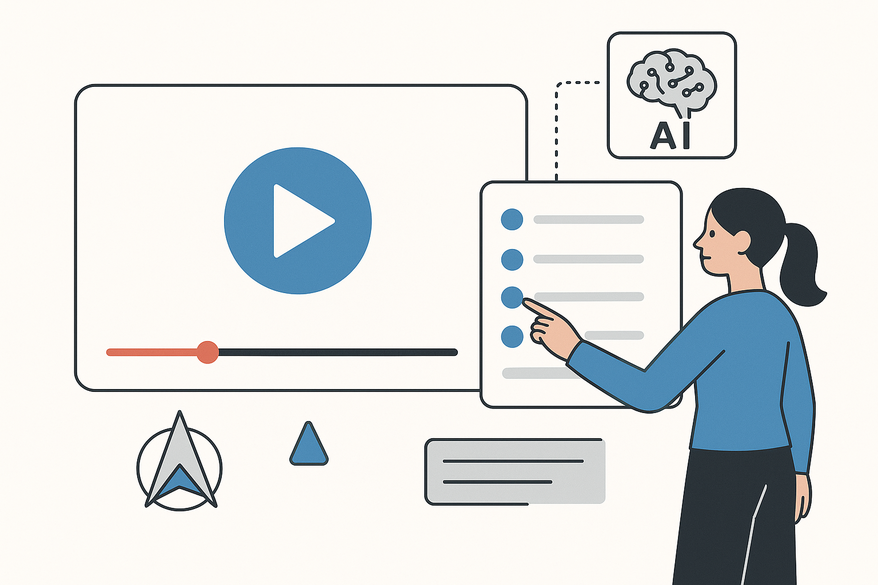
An AI video chapter generator analyzes audio and video content to detect topic shifts and automatically assign meaningful chapter titles with precise timestamps. This automated chaptering system solves the challenge of making long videos accessible without manual editing expertise.
How AI Drives Auto-Generation
- Pattern Detection: AI models scan transcripts and visual frames to find logical breakpoints.
- Speech and Visual Analysis: NLP algorithms identify transition phrases while scene detection flags camera angle or screen changes.
- Title Assignment: Machine learning suggests concise chapter titles based on content context, optimizing for clarity and search relevance.
Benefits of Auto Generating Video Chapters
- Accessibility: Ensures viewers quickly locate desired segments without manual timestamp searching.
- Efficiency: Replaces hours of manual work with seconds of automated processing.
- Consistency: Delivers uniform chapter structures across videos and creators.
For creators looking to repurpose these chapters into bite-sized clips, tools like Vidulk - AI Video Clipping App offer AI-powered clip generation to extract key segments effortlessly. Integrating this solution into your workflow can further streamline creating promotional snippets or highlights.
Understanding Video Chaptering AI Tools
A video chaptering AI tool combines transcription, audio processing, and visual scene analysis to create chapters automatically. It sits at the intersection of natural language processing, audio waveform analysis, and content indexing.
Comparison: Manual vs. AI-Driven
- Time Required
- Manual: Hours of footage review and timestamp insertion.
- AI: Seconds to minutes for full chapter sets.
- Skill Level
- Manual: Video editing knowledge and software expertise.
- AI: Minimal user training; intuitive interfaces handle the rest.
- Consistency
- Manual: Varies by individual judgment and fatigue.
- AI: Algorithm-driven precision ensures uniform chapters every time.
- Scalability
- Manual: Limited by human capacity and time.
- AI: Batch processing entire libraries in one go.
- Cost
- Manual: High labor costs or expensive editing software.
- AI: Free or low-cost subscription plans.
Key Features and Benefits
- Transcript-Based Topic Detection: Reads dialogue and flags shifts in subject matter.
- Dual-Engine Analysis: Combines visual scene detection with audio pause recognition.
- SEO-Optimized Titles: Generates keyword-rich chapter names to boost search visibility.
- Multilingual Support: Works in over 30 languages, aiding global audiences.
- Real-Time Customization: Allows manual tweaks to AI suggestions before finalizing chapters.
How Auto Generate Video Chapters Work
AI-driven video segmentation relies on three core technologies:
- Natural Language Processing (NLP)
- Scans transcripts for transition cues like “next,” “moving on,” or pauses.
- Detects speech pattern changes indicating new topics.
- Machine Learning
- Learns from previous videos to improve chapter placement accuracy.
- Refines title suggestions based on popular viewer interactions.
- Pattern Recognition
- Analyzes audio waveforms to spot significant pauses.
- Compares consecutive frames to detect cuts, fades, and scene changes.
Step-by-Step Process
- Upload video or paste URL.
- System generates or imports a transcript.
- NLP model identifies topic shifts.
- Visual analysis engine detects scene transitions.
- Timestamps paired with AI-generated chapter titles.
- Chapters delivered in seconds via parallel processing.
Practical Example: Gaming Video Segmentation
- Menu Navigation: AI flags game menus as separate chapters.
- Level Transitions: Identifies start/end of each level.
- Boss Fights and Cutscenes: Marks high-action segments for easy access.
Advantages and Benefits of an AI Video Chapter Generator
- Efficiency & Time Savings – Under a minute for a 45-minute video.
- Improved User Experience – Enhanced navigation increases watch time and retention.
- Content Accessibility – Professional-quality chapters without editing expertise.
- Cost Benefits – Free or low-cost tools remove need for editors.
Implementation and Best Practices for Video Chaptering AI Tools
- Choose a tool (e.g., Descript, Thumblytics, LenosTube).
- Paste video URL or upload file.
- Select language and content category if prompted.
- Review and export AI-generated chapters.
Common Challenges & Solutions
- Missed subtle transitions → manually merge or adjust.
- Language nuances → ensure tool supports your language (30+ languages).
- Short videos → assess if chaptering adds value; adjust chapter density accordingly.
Future Trends for AI Video Chapter Generators
- Enhanced Contextual Understanding – Gaming-specific recognition distinguishing menus from gameplay.
- Real-Time, Adaptive Chaptering – Chapters auto-update as videos are edited or revised.
- Multimodal Analysis Improvements – Deeper integration of visual, audio, and text data for precise chaptering.
- Platform Integrations – Built-in chaptering features in hosting and editing suites, streamlining creator workflows.
Conclusion
An AI video chapter generator automates a labor-intensive manual task, freeing creators to focus on content quality while delivering structured, SEO-friendly video segments. This video chaptering AI tool streamlines workflows, enhances viewer engagement, and reduces costs. Armed with knowledge of how to auto generate video chapters, you can choose platforms like Descript, Thumblytics, LenosTube, or Gling AI to integrate cutting-edge chaptering into your content strategy today.
FAQ
What is an AI video chapter generator?
An AI video chapter generator uses machine learning and NLP to automatically detect topic shifts, generate timestamps, and assign descriptive titles to video segments.
How long does it take to generate chapters?
Most tools process a standard-length video in seconds to minutes, a dramatic improvement over manual methods.
Are AI-generated chapter titles accurate?
Accuracy depends on the tool’s training data, but real-time customization allows you to tweak titles before publishing.
Which tools support multiple languages?
Top platforms offer support for over 30 languages, enabling creators to serve global audiences.
Can I edit the generated chapters manually?
Yes. After auto-generation, you can review, merge, split, or rename chapters to suit your needs precisely.



