
AI Video Clip Format Converter: What It Is and Why It Matters
Discover how an AI video clip format converter optimizes quality and efficiency in video transformations across platforms. Learn its benefits and industry use cases.

6 min read
Key Takeaways
- AI converters use machine learning and computer vision to automate video format conversions.
- Smart features like scene analysis, upscaling, and dynamic bitrate selection boost quality and speed.
- Supports a wide array of formats (MP4, MOV, AVI, MKV, AV1, ProRes) and platform presets.
- Delivers time efficiency, reduced errors, and enhanced compatibility across devices.
- Offers real-time or near-real-time GPU-accelerated workflows with batch processing.
- Challenges include higher costs, processing demands, and potential vendor lock-in.
- Future trends point to sub-second latency, cloud-native processing, and advanced content-aware optimizations.
Table of Contents
- Introduction to AI Video Clip Format Converter
- What Is an AI Video Clip Format Converter?
- How AI Improves the Conversion Process
- Common Video Formats Handled
- Typical AI-Driven Conversion Workflow
- Practical Applications by Industry
- Key Features of AI Video Clip Format Converters
- Benefits of AI-Powered Conversion
- Smart Functionalities Beyond Basic Conversion
- Comparing Traditional vs. AI-Based Converters
- Potential Challenges & Considerations
- Future Trends and Innovations
- Conclusion
Introduction to AI Video Clip Format Converter
In today’s media landscape, video must adapt to numerous devices and platforms. An AI video clip format converter harnesses machine learning and computer vision to automate and accelerate this process, minimizing manual tuning and maintaining exceptional quality.
What Is an AI Video Clip Format Converter?
A video format converter transforms clips by changing file containers, codecs, resolutions, aspect ratios, or frame rates. By incorporating AI, these tools invoke deep-learning models and intelligent analysis to optimize each step, delivering superior results with minimal intervention.
Types of conversions handled include:
- File container conversion (e.g., MP4 ⇄ MOV ⇄ MKV ⇄ AVI)
- Codec conversion (e.g., H.264, H.265/HEVC, AV1, ProRes)
- Resolution scaling (e.g., 4K → 1080p)
- Aspect ratio adjustment (e.g., 16:9 → 9:16)
- Frame-rate conversion (e.g., 24 fps → 30 fps)
How AI Improves the Conversion Process
Traditional converters rely on fixed presets, often requiring manual adjustments. An AI-driven converter introduces smart capabilities:
- Automating parameter selection by analyzing scene complexity, motion intensity, brightness, and audio levels.
- Preserving visual details using deep-learning upscaling and noise-reduction models.
- Reducing artifacts and compression loss via predictive compression optimization.
- Optimizing for target platform (social, broadcast, mobile) by detecting content type and adjusting bitrate and resolution.
- Detecting faces, text overlays, and motion patterns to allocate more encoding resources where needed.
For more on how AI-driven clipping is revolutionizing workflows, explore our in-depth guide.
Common Video Formats Handled
An AI video clip format converter supports an extensive range of formats:
- MP4
- MOV
- AVI
- MKV
- WMV
- WebM
- MPEG
- FLV
- ProRes
- HEVC/H.265
- AV1
It also manages platform-specific variants like vertical smartphone orientations (9:16) and high-bitrate mezzanine files for editing systems.
Typical AI-Driven Conversion Workflow
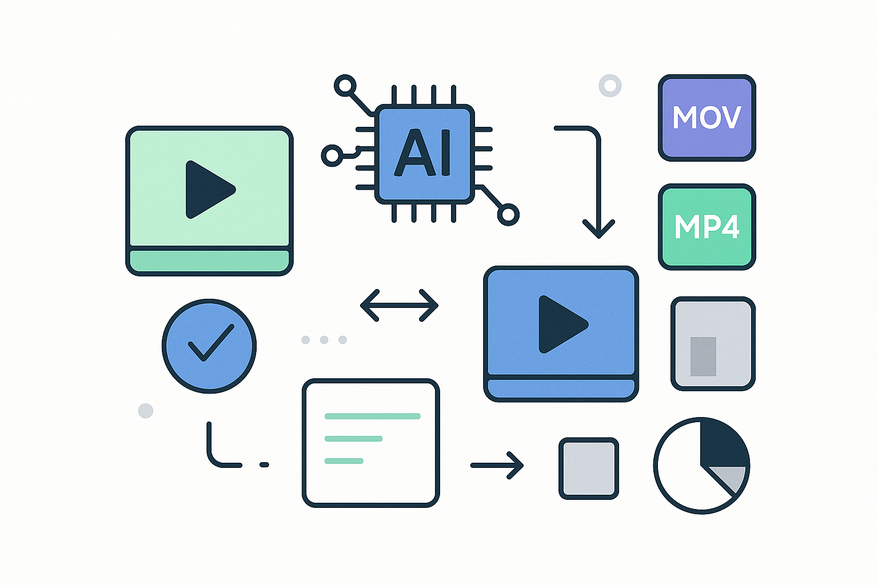
An AI video clip format converter generally follows these steps:
- Input Analysis – Scan source clip properties (codec, resolution, bitrate, frame rate, audio channels).
- Content Recognition – Apply computer vision and deep learning to detect scenes, objects, faces, text, and motion zones.
- Target Optimization – Choose export presets or dynamically adjust settings for YouTube, Instagram, mobile, broadcast, or archival needs.
- Conversion & Enhancement – Transcode with intelligent codec selection, upscale resolution, denoise, and sharpen details.
- Quality Checks – Perform automated playback tests, frame-by-frame fidelity analysis, and compatibility validation.

Some solutions, including Vidulk - AI Video Clipping App, streamline workflows with batch processing, platform presets, and on-device enhancement features.
Practical Applications by Industry
- Media Production – Bulk-export multiple formats for clients and platforms with minimal manual effort.
- Entertainment Post-Production – Prepare masters, trailers, promotional assets, and streaming versions.
- Online Streaming – Generate adaptive bitrate renditions and platform-optimized files for seamless playback.
- Marketing & Social Media – Auto-crop and convert long-form videos into TikTok, Reels, and YouTube Shorts.
- Education & Corporate – Create mobile-friendly, low-bandwidth training and briefing videos.
Key Features of AI Video Clip Format Converters
- Real-time or near-real-time conversion with GPU acceleration
- Automatic format detection and platform presets
- Scene-aware processing, smart bitrate selection, and quality-preserving transcoding
- Batch processing with subtitle and multi-audio track support
- Integrated noise reduction, upscaling, and artifact removal
Benefits of AI-Powered Conversion
- Time Efficiency – Eliminate repetitive manual configuration and speed up batch jobs.
- Reduced Errors – AI-driven presets minimize incompatible export settings.
- Enhanced Compatibility – Optimize outputs for diverse devices and network conditions.
- Quality Preservation – Maintain clarity, smooth motion, and detail during resizing or recompression.
- Workflow Automation – Seamlessly integrate into ingest, editing, and publishing pipelines.
Smart Functionalities Beyond Basic Conversion
- Automatic resolution enhancement and upscaling
- Frame interpolation for smoother slow-motion sequences
- Content-aware cropping and centering
- Audio normalization and speech enhancement
- Adaptive output based on audience device and network conditions
Comparing Traditional vs. AI-Based Converters
When comparing a basic transcoder with an AI-powered converter, key differences emerge:
- Speed: Rule-based vs. AI-accelerated automation
- Quality Control: Manual tuning vs. intelligent optimization
- Ease of Use: Technical presets vs. intuitive AI interfaces
- Automation: Limited vs. end-to-end workflow integration
- Enhancement: Basic vs. built-in upscaling, denoising, and scene-aware processing
- Error Reduction: User-dependent vs. reliable AI analysis
Potential Challenges & Considerations
- Higher cost compared to basic converters
- Increased processing demands (GPU/CPU cycles, memory)
- Potential inaccuracies on heavily compressed or damaged sources
- Vendor lock-in risks with proprietary AI pipelines
- Privacy and compliance concerns when processing sensitive media
Future Trends and Innovations
- Sub-second real-time conversion with minimal latency
- Advanced content-aware optimization using cutting-edge computer vision
- Higher-quality upscaling for ultra-HD and HDR content
- Smarter codec selection driven by device and network profiling
- Cloud-native, scalable processing integrated with AI editors, captioning, and metadata tools
- New standards for low-latency streaming, immersive media, and automated delivery
Conclusion
An AI video clip format converter is more than a simple file converter—it’s an intelligent system that transforms video efficiently while preserving quality. We’ve explored what it is, how AI enhances conversion, common workflows, key features, benefits, comparisons, challenges, and future trends. With faster turnaround, smarter automation, and multi-platform readiness, AI-powered video format converters deliver real value. Ready to revolutionize your video workflow? Explore AI conversion solutions or request a free demo today.
For more insights on AI-powered video tools, including clipping, repurposing, and automation, be sure to check out Best AI Video Repurposing Tools: Vidulk vs Veed vs Descript Compared and dive deeper into how AI video clipping is changing the game.
FAQ
- What is an AI video clip format converter?
- An AI video clip format converter is a tool that uses machine learning and computer vision to automate and optimize the process of transforming video clips across various formats, resolutions, and aspect ratios.
- How does AI improve video conversion?
- AI enhances conversion by analyzing scene complexity, applying deep-learning upscaling and noise reduction, optimizing bitrate, and allocating encoding resources based on content like faces and motion.
- Which formats are supported by AI converters?
- They support a wide range of formats including MP4, MOV, AVI, MKV, WebM, ProRes, HEVC/H.265, AV1, and platform-specific variants such as vertical smartphone formats.
- What are the main benefits of using an AI-powered converter?
- Main benefits include faster batch processing, reduced manual errors, enhanced compatibility across devices, and quality preservation during transcoding and scaling.
- Are there any challenges when adopting AI converters?
- Challenges can include higher costs, increased GPU/CPU demands, potential vendor lock-in, and concerns about processing sensitive media securely.



