
AI Video Clip Stitching: A Complete Guide to Automatic Clip Stitching AI
Discover the power of AI video clip stitching to automate and enhance your video editing process, turning raw footage into seamless, polished content quickly.

Estimated reading time: 8 minutes
Key Takeaways
- AI video clip stitching automates the merging of separate video clips into a seamless sequence.
- Automatic clip stitching AI leverages scene detection, smart trimming, and transitions.
- Real-world applications span social media, marketing, e-learning, and more.
- Top tools include Vidio.ai, Segmind Video Stitch API, and Adobe Firefly.
- Best practices focus on aspect ratio consistency, professional transitions, and manual polishing.
Table of Contents
- 1. Understanding AI Video Clip Stitching
- 2. How Automatic Clip Stitching AI Works
- 3. Use Cases and Applications
- 4. Top Tools for Automatic Clip Stitching AI
- 5. Best Practices and Tips for Effective Video Stitching
- 6. Future Trends and Innovations
- 7. Conclusion
- 8. Call to Action
1. Understanding AI Video Clip Stitching
Keyword: AI video clip stitching
Definition and Scope
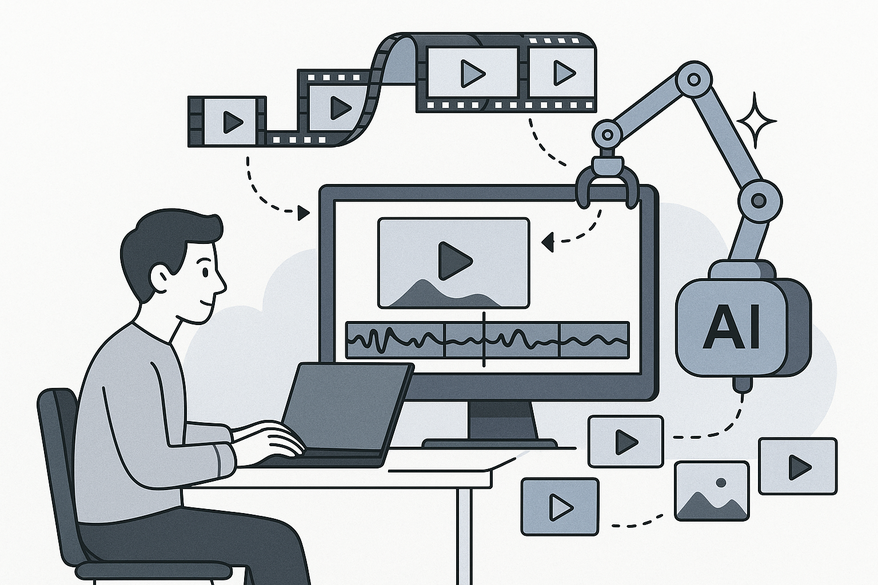
AI video clip stitching is the process of merging multiple clips into one continuous video using automation that orders clips, trims footage, adds transitions, and can include audio or captions. This end-to-end merge feels fluid and professional with minimal human intervention.
- Automation tasks: scene detection, smart trimming, transition insertion, caption alignment
- Outputs: social posts, marketing ads, training videos, vlogs
Traditional vs. AI-Driven Editing
- Traditional editing: manual timeline work, frame-by-frame trimming, manual transitions, and color adjustments
- AI approach: automated sequencing, smart scene assembly, auto-cropping, and consistent pacing
- Benefits: less guesswork, faster turnaround, more consistent branding
Related Terms Defined
- Automatic clip stitching AI: advanced workflows that minimize awkward cuts by predicting ideal cut points and transitions
- Stitch video clips together AI: end-to-end merging solutions optimized for seamless assembly
2. How Automatic Clip Stitching AI Works
Keyword: automatic clip stitching AI
Workflow Overview
- Upload: User imports video clips or raw footage into the platform.
- Analysis: AI evaluates visuals, audio tracks, metadata, and transcripts to identify scenes.
- Sequencing: Clips are ordered based on content relevance, timestamps, or user prompts.
- Trimming & Transitions: AI applies cuts, fades, wipes, and effects automatically.
- Export: Final video is rendered in the chosen format, ready for distribution.
Underlying Technologies
- Transcript generation & text-based editing (Descript)
- Prompt-based clip generation & timeline assembly (Adobe Firefly)
- Auto-generation and auto-editing (Canva Magic Design for Video)
- Intelligent aspect-ratio matching and automated composition logic (Segmind Video Stitch API)
Key Step Details
- Scene Detection: AI analysis detects scene boundaries by evaluating frame changes and audio cues.
- Transcript-Driven Edits: Spoken words map to video segments for precise clip selection.
- Composition Logic: Secondary media auto-crops or pads to match primary aspect ratio.
Automation Benefits
- Speed: Edit projects 5–10× faster than manual methods
- Accessibility: Non-experts can achieve polished results
- Consistency: Uniform transitions, pacing, and style
- Quality: Reduced jump cuts and better scene flow

3. Use Cases and Applications
Keyword: stitch video clips together AI
Common Scenarios
- Social media content (Reels, TikToks, YouTube Shorts)
- Travel montages and vlogs
- Instructional and explainer videos
- Marketing campaign assets and promotional spots
- Podcast highlight reels and snippets
- Presentation-style training segments
Mini Case Example
A marketing team uses AI video clip stitching to rapidly produce A/B test ad variants by uploading raw footage, selecting tone prompts, and exporting three distinct 15-second spots in under 10 minutes.
Industries Benefiting Most
- Creator Economy & Social Media (short-form content)
- Marketing & Advertising (campaign optimization)
- Education & E-learning (module assembly)
- Media & Podcast Production (episode highlights)
- Professional Video Production Teams (streamlined collaboration)
4. Top Tools for Automatic Clip Stitching AI
Keyword: automatic clip stitching AI
- Vidio.ai: three-step online stitch (upload → order → export); very easy; best for quick merges with minimal editing. Source: Vidio.ai
- Segmind Video Stitch API: intelligent stitching, audio support, auto-crop; moderate; developer-centric integrations. Source: Segmind Video Stitch API
- Descript: transcript-based editing, timeline control, merge up to 200 clips; easy to moderate; podcasters and talking-head content. Source: Descript
- Adobe Firefly: prompt-based clip editing, pro controls; moderate; professional editors seeking AI assistance. Source: Adobe Firefly
- Canva Magic Design for Video: auto assembly from assets/prompts; very easy; social-ready marketing videos. Source: Canva Magic Design for Video
For a broader overview of AI-powered clip tools and how AI video clipping works under the hood, check out Ultimate AI Short Clip Maker and How AI Video Clipping Works.
5. Best Practices and Tips for Effective Video Stitching
Keyword: AI video clip stitching
- Maintain Aspect Ratio Consistency: Crop or pad secondary clips to match your primary format. Source: Segmind Video Stitch API
- Use Professional Transitions: Crossfades, wipes, and slide-ins minimize jump cuts. Sources: Descript, Adobe Firefly
- Align Tool to Content Purpose: Social snippets: Choppity, OpusClip; Polished narratives: Descript, Adobe Firefly. Sources: Choppity, Opus.pro
- Enhance Engagement with Audio and Text: Add background music, voiceovers, captions, and on-screen text. Sources: Canva Magic Design for Video, Descript
- Manual Review and Refinement: Check pacing, scene transitions, and brand consistency; avoid overreliance on AI—apply human polish.
6. Future Trends and Innovations
Keyword: stitch video clips together AI
- Integrated AI Editing Pipelines: End-to-end workflows: clipping, stitching, captioning, reframing, publishing. Source: Reap.Video
- Prompt-Based Clip Generation: Natural language prompts to create and extend clips mid-timeline. Sources: Adobe Firefly, Canva Magic Design for Video
- Advanced Scene Understanding: Transcript-driven assembly for ultra-fast repurposing across platforms. Sources: Descript, Choppity, Opus.pro
- Adaptive Platform Formatting: AI auto-formats videos per platform aspect ratios and engagement data.
7. Conclusion
Keyword: AI video clip stitching
AI video clip stitching transforms the editing process by automating sequence assembly, transitions, and exports. From simple three-step merges on Vidio.ai to developer-centric stitching via Segmind Video Stitch API, these tools deliver rapid, consistent, and creative video outputs. Embrace automatic clip stitching AI to accelerate social media campaigns, enhance marketing assets, streamline e-learning modules, and repurpose long-form content into viral highlights. With best practices, careful tool selection, and manual refinement, you can achieve professional results with far less effort.
For creators looking to quickly turn long-form footage into polished short clips on-device, Vidulk - AI Video Clipping App provides an intuitive mobile workflow that’s perfect for on-the-go editing.
8. Call to Action
We want to hear from you! Share your experiences or questions about AI video clip stitching in the comments below.
Subscribe for future tutorials and updates on automatic clip stitching AI, video editing automation, and creative AI workflows.
Happy stitching!
FAQ
- Q: What is AI video clip stitching?
A: It’s the use of artificial intelligence to automatically merge, trim, and transition multiple video clips into a professional, continuous sequence. - Q: Which tools support automatic clip stitching AI?
A: Popular options include Vidio.ai, Segmind Video Stitch API, Descript, Adobe Firefly, and Canva Magic Design for Video. - Q: How much time can I save using AI stitching?
A: AI-driven workflows can be 5–10× faster than manual editing, drastically reducing turnarounds for social media and marketing videos. - Q: Can I use AI stitching on my mobile device?
A: Yes. Apps like Vidulk - AI Video Clipping App offer on-device clipping and stitching for creators on the go.



