
AI Video Heatmap Tool: Transforming Video Analytics with Attention Insights
Discover how AI video heatmap tools transform video analytics by highlighting viewer attention insights, optimizing engagement, and improving creative strategies.

Estimated reading time: 7 minutes
Key Takeaways
- AI video heatmap tools visualize where viewers focus within each frame with color-coded overlays.
- They combine **predictive models** and **behavioral data** for rich spatial-temporal insights.
- Common applications include marketing optimization, UX research, and e-learning analysis.
- Best practices involve clear goal-setting, metric pairing, rapid iteration, and device-specific segmentation.
- Future innovations point to real-time feedback, multimodal integration, and personalized attention predictions.
Table of Contents
- Understanding Viewer Attention Heatmap AI
- How Viewer Attention Heatmap AI Works
- Deep Dive into Video Clip Attention Analysis AI
- Use Cases and Applications of AI Video Heatmap Tool
- Best Practices for Implementing Viewer Attention Heatmap AI
- Future Trends and Innovations in AI Video Heatmap Tool
- Conclusion: Embracing AI Video Heatmap Tool
- FAQ
Understanding Viewer Attention Heatmap AI
What Is an AI Video Heatmap Tool?
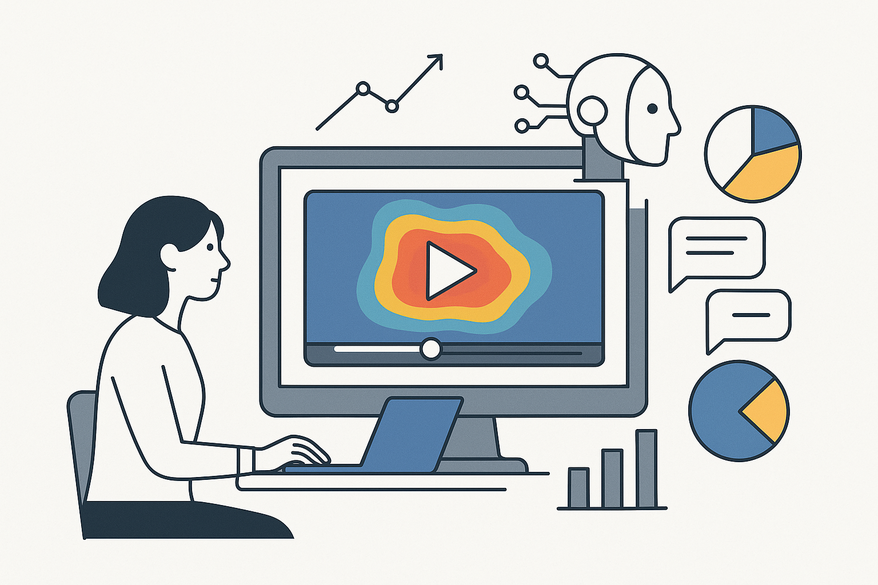
An AI video heatmap tool merges *computer vision* and *data analytics* to predict or capture where viewers look within a video. It relies on two key inputs:
- Predictive Models
- Trained on extensive eye-tracking datasets.
- Detect saliency cues such as faces, text, motion, and contrast.
- Behavioral Data
- Logs interactions like clicks, hovers, pauses, skips, and replays.
- Aggregates timeline positions to map true user engagement.
The result is a combination of:
- Spatial heatmaps with color overlays on each frame.
- Temporal charts highlighting engagement spikes and drop-offs.
How It Differs from Traditional Heatmaps
While traditional heatmaps focus on static pages or physical layouts, AI video heatmap tools:
- Operate on every frame, tracking attention over time.
- Leverage neural attention models and computer vision backbones.
- Allow pre-launch testing without waiting for real viewer data.
How Viewer Attention Heatmap AI Works
Capturing and Mapping Viewer Attention
- Predictive Attention Modeling
- Analyzes millions of gaze fixations from lab studies.
- Extracts visual features—faces, text, motion, edges.
- Applies saliency algorithms to estimate fixation probability per pixel.
- Behavior-Based Mapping
- Tracks play, pause, skip, and replay events in video players.
- Logs timestamps and interaction data.
- Aggregates inputs into timeline and spatial heatmaps.
Many platforms combine both methods: *predictive maps* to guide creative before release, and *behavioral data* to validate performance post-launch.
Algorithms & Machine Learning Models
- Computer Vision Backbones: CNNs and vision transformers extract frame features.
- Saliency Prediction Models: Trained on eye-tracking labs to output attention likelihood.
- Temporal Models: LSTM, 3D CNNs, or video transformers capture motion and sequence patterns.
- Object Detection & Tracking: MobileNet-SSD or YOLO detect and follow faces, logos, and UI elements.
- Aggregation & Color Normalization: Scores are normalized into a blue-to-red scale.
Deep Dive into Video Clip Attention Analysis AI
Step-by-step workflows and case studies of AI-driven clip ingest, frame sampling, attention scoring, and actionable recommendations are detailed in our guide on How AI video clipping works, and you can see performance insights in AI Video Analytics for Clips.
Use Cases and Applications of AI Video Heatmap Tool
Marketing & Advertising
- Pre-Launch Ad Testing: Ensure key messages and branding land in early hot zones.
- Thumbnail & Hero Frame Optimization: Select frames where faces and titles align with predicted attention.
- CTA Placement: Position “Shop Now” buttons and price tags in high-attention zones, especially in final seconds.
UX Research & Product Teams
- UI Motion Walkthroughs: Overlay heatmaps on onboarding videos to verify focus on intended buttons and flows.
- E-Learning & Training: Spot replay and skip segments to refine pacing, clarity, and visual importance.
Best Practices for Implementing Viewer Attention Heatmap AI
- Define Goals: Are you aiming for brand recall, click-through rates, or UI comprehension?
- Combine AI Heatmaps with Standard Metrics: Pair predictive maps with view counts, drop-off charts, and qualitative feedback.
- Establish a Review Loop: Include heatmaps in storyboards, pre-launch critiques, and post-campaign retrospectives.
- Segment by Platform/Device: Generate versions for 16:9, 9:16, and 1:1 formats.
- Iterate Quickly: Test multiple variants of intros, overlays, and CTAs based on heatmap insights.
Future Trends and Innovations in AI Video Heatmap Tool
- Real-Time Attention Feedback directly inside editing suites.
- Multimodal Models integrating audio, transcripts, and visuals.
- Personalized Attention Predictions tailored to viewer segments.
- Native plugins for Premiere, Final Cut, and DaVinci with live heatmap overlays.
Conclusion: Embracing AI Video Heatmap Tool
AI video heatmap tools revolutionize analytics by moving beyond simple metrics like views and watch time. They reveal exactly where and when attention lands, enabling teams to:
- Optimize framing, pacing, and CTAs before launch with predictive attention mapping.
- Validate and refine creatives post-launch using video clip attention analysis.
- Make evidence-based decisions that boost engagement, recall, and conversion.
By adopting these tools, marketers, UX researchers, and content creators transition from guesswork to data-driven strategy—unlocking higher ROI and more compelling video experiences.
To quickly clip and share your high-attention moments, try Vidulk - AI Video Clipping App.
FAQ
- What is an AI video heatmap tool? It’s software that uses AI to predict or record where viewers look in a video, overlaying color-coded heatmaps on each frame.
- How accurate are predictive attention models? Accuracy depends on training data quality and model sophistication; top solutions reach over 80–90% correlation with real gaze data.
- Can I use the tool before launch? Yes—predictive heatmaps allow *pre-launch creative testing* without waiting for live viewer metrics.
- Which industries benefit most? Marketing, advertising, UX research, e-learning, product demos, and anywhere visual engagement drives outcomes.
- How do I integrate with existing analytics? Combine heatmap outputs with view rates, drop-off charts, and user surveys for a holistic performance dashboard.



