
AI Voice Effects for Video Clips: The Complete Beginner-Friendly Guide
Learn how AI voice effects for video clips can enhance creativity and efficiency with voice transformations, trending technologies, and practical tips.

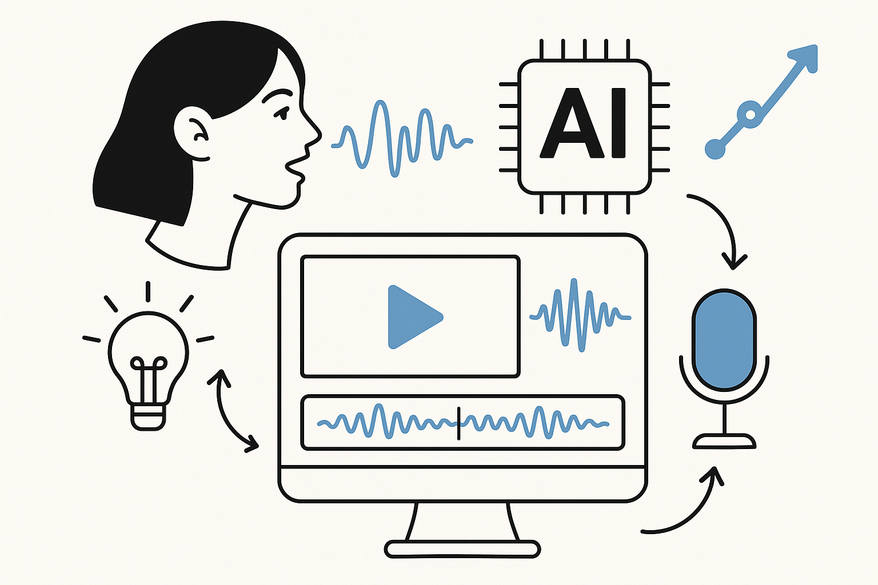
8 min read
Key Takeaways
- AI voice effects use machine learning to transform speech traits like timbre, emotion, and style.
- Core technologies include neural Text-to-Speech, voice conversion/cloning, and prosody control.
- Common modifications cover pitch shifting, accents, emotion layers, age filters, and noise reduction.
- Step-by-step implementation spans planning, tool selection, generation, editing, and syncing with video.
- Future trends point to real-time personalization, live interactive content, and evolving ethical frameworks.
Table of Contents
- Section 1: What Are AI Voice Effects for Video Clips?
- Section 2: Core Technologies Behind AI Voice Effects
- Section 3: Common AI Voice Modifications in Video Clips
- Section 4: How AI Voice Effects Enhance Video Clips
- Section 5: Tools and Software for AI Voice Effects
- Section 6: Step-by-Step Guide to Implementing AI Voice Effects
- Section 7: Future Trends and Developments
- Conclusion
Introduction
AI voice effects for video clips are advanced audio transformations powered by artificial intelligence. They go beyond basic filters—allowing creators to reshape timbre, inject emotion, and even clone voices. Whether you’re in marketing, e-learning, or social media, these tools help you move faster, cut costs, and craft more engaging videos.

Section 1: What Are AI Voice Effects for Video Clips?
At their core, AI voice effects use deep learning models instead of traditional EQ, compression, or pitch plugins. This means you can manipulate high-level characteristics like speaker identity, mood, and speaking style.
Key differences from traditional tools:
- Traditional audio relies on fixed algorithms: equalizer, compression, simple pitch shift.
- AI voice modulation uses neural networks trained on thousands of hours of speech.
- AI can alter tone, add emotion, or mimic specific voices with remarkable realism.
These effects typically fall into three categories: transform an existing recording, generate synthetic speech from text (see AI voiceover generator), or clone a voice from a brief sample.
Section 2: Core Technologies Behind AI Voice Effects
2.1 Text-to-Speech (TTS)
Neural TTS models convert text into natural-sounding audio by learning speech patterns, intonation, and rhythm.
- Pros: highly realistic voices, support for many languages, clear articulation.
- Cons: may require fine-tuning for slang, proper nouns, or stylized speech.
(Read about the underlying research here.)
2.2 Voice Conversion & Cloning
Voice conversion transforms a source voice into a target voice, preserving the spoken content but changing who “speaks.”
- Use cases: multiple characters from one actor, brand-consistent narration.
- Legal note: always obtain consent before cloning any real person’s voice.
Top systems now achieve over 90% similarity in blind tests (see this article).
2.3 Speech-to-Speech & Prosody Control
These models convert one spoken input to another voice, with controls for pace, emphasis, and emotional tone. Systems like Google’s Tacotron 2 demonstrate how fluid and expressive these transformations can be (details).
Section 3: Common AI Voice Modifications in Video Clips
Here are the most popular AI-driven voice effects in modern video production:
- Pitch Modification & Gender Shifting
Raise or lower pitch to simulate different ages or genders. - Synthetic Accents & Language Conversion
Re-voice scripts in various accents or translate to other languages. - Emotion & Style Changes
Add “happy,” “sad,” or “mysterious” layers via control vectors. - Age and Character Filters
Morph voices into kids, elders, robots, monsters, or aliens. - Clean-up & Enhancement
AI noise reduction (learn more at AI noise reduction) and de-reverb for studio-like clarity.
Section 4: How AI Voice Effects Enhance Video Clips
Storytelling & Emotional Impact
Craft voices that match characters and maintain consistency across series.
Creative Sound Design
Leverage timbre control for alien, robotic, or fantasy tones (see AI sound effects).
Time & Cost Efficiency
Generate voiceovers from text, make instant revisions, and localize rapidly—no studio needed.
Real-World Use Cases
From explainer videos and indie animations to social media reels and automated news, AI voice tools offer speed and affordability.
Section 5: Tools and Software for AI Voice Effects
Dedicated AI Voice Platforms
• ElevenLabs
• Descript Overdub
• Murf.ai, WellSaid Labs, Play.ht
Video Editors with Built-In AI Voice Features
• Adobe Premiere Pro + Adobe Podcast
• CapCut, VN (mobile)
• Canva, Wistia, Visla
Specialized Conversion & Enhancement Tools
• Voice.ai, Voicemod
• iZotope RX for AI-powered noise reduction and de-reverb
Section 6: Step-by-Step Guide to Implementing AI Voice Effects
- Plan the Audio Role: narration, dialogue, or character style.
- Prepare Your Script: label speakers, include emphasis notes.
- Select & Configure a Tool: test platforms and tweak parameters.
- Generate or Record Base Voice: use TTS or voice conversion.
- Apply AI Effects: adjust emotion, reduce noise, and normalize levels.
- Sync with Video: align speech in your editor and balance background audio.
- Review & Iterate: refine lines, tweak pacing, and finalize.
Section 7: Future Trends and Developments
- Hyper-personalized voices tailored to individual viewers.
- Real-time AI voice for live streaming and interactive content.
- Seamless integration of AI video with synchronized lip motion and audio.
- Enhanced ethical guidelines and consent-driven workflows.
Conclusion
AI voice effects for video clips are reshaping how creators design and deliver audio. By harnessing neural TTS, voice conversion, and prosody control, you can tell richer stories, streamline production, and unlock new creative possibilities. Ready to experiment? Try Vidulk - AI Video Clipping App for on-device voice transformations and automated clip creation.
FAQ
- What makes AI voice effects different from traditional audio plugins?
AI effects use data-driven models to modify high-level vocal traits like emotion and identity, not just frequency or volume. - Are AI voice clones legal to use?
You must have explicit consent before cloning or mimicking any real person’s voice to avoid legal and ethical issues. - Which tool is best for beginners?
Platforms like ElevenLabs and Descript Overdub offer intuitive interfaces with pre-trained models, making them ideal for newcomers. - Can I apply these effects in real time?
Emerging tools support real-time processing, especially for live streaming and interactive applications.



