AI Voiceover Generator for Video Clips: A Comprehensive Guide
Discover how AI voiceover generators for video clips transform video production with text to speech technology, offering cost-effective, scalable solutions for creators.

Estimated reading time: 8 minutes
Key Takeaways
- AI voiceover generators transform scripts into natural-sounding narration in minutes.
- Auto voiceover features automate syncing audio precisely with video frames.
- Customizable voices and multilingual support enhance creative control.
- Text to speech outperforms traditional workflows in cost and speed.
- Ideal for education, marketing, corporate training, and accessibility.
Table of Contents
- Section 1: Understanding AI Voiceover Technologies
- Section 2: Evolution from Traditional Voiceover Methods
- Section 3: Key Features of AI Voiceover Tools
- Section 4: How It Works: The Technology Behind AI Voiceovers
- Section 5: Practical Applications and Real-Life Use Cases
- Conclusion
- FAQ
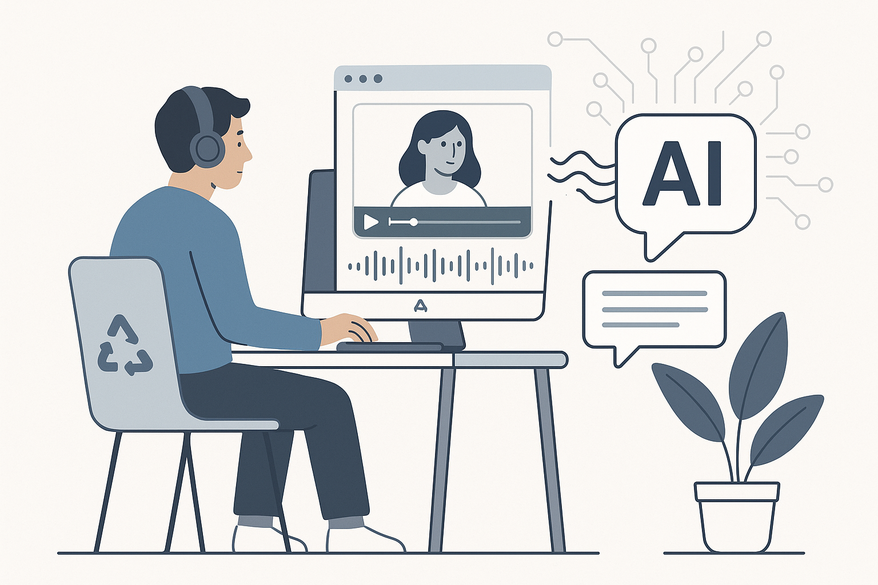
Welcome to your go-to guide on AI voiceover generators for video clips. These powerful tools let you transform text into lifelike speech—with one click, one voice, and zero studio time.

For creators looking to repurpose long-form content and highlight key moments with narration, tools like Vidulk – AI Video Clipping App streamline the process of turning lectures, podcasts, and interviews into engaging clips.
Section 1: Understanding AI Voiceover Technologies
At their core, an AI voiceover generator for video clips, text to speech for video clips, and the auto voiceover AI clip maker layer work together seamlessly to replace manual recording and editing.
What Is an AI Voiceover Generator for Video Clips?
- Input your script into a browser or desktop interface.
- Choose from a library of AI voices—male, female, and various tones.
- Download audio files perfectly timed for video timelines.
- No recording studio, no external software required.
Evolution of Text to Speech for Video Clips
- Early TTS engines sounded robotic and lacked emotion.
- Modern editors integrate TTS directly, cutting setup time.
- Neural networks deliver natural cadence, pacing, and emotion.
The Auto Voiceover AI Clip Maker Layer
- One-click narration insertion into your video project.
- Automatic sync aligns speech precisely with each frame.
- Eliminates manual timing adjustments and repetitive edits.
Section 2: Evolution from Traditional Voiceover Methods
Traditional Voiceover Workflow
- Hire professional voice talent and schedule recording sessions.
- Reserve studio time and capture raw audio.
- Perform multi-stage editing: noise removal, mastering, and mixing.
- Manually sync audio with video—often a weeks-long process.
Text to Speech for Video Clips Advantages
- Instant narration without voice actors or studios.
- Generate, revise, and update scripts in seconds.
- Perfect for tight deadlines and agile workflows.
Benefits of Auto Voiceover AI Clip Maker
- Rapid iteration with auto-sync features.
- Batch processing for multiple videos in one session.
- Collaborate in-browser without cumbersome file transfers.
Section 3: Key Features of AI Voiceover Tools
3.1 Customizable Voices and Control
Modern generators offer extensive control over tone, emotion, and pacing.
- 400+ to 1,000+ AI voice options by gender, tone, and style.
- Support for 60–80+ languages, accents, and dialects.
- Adjustable pitch, pace, emotion, and pronunciation.
- Playback speed from 0.5× to 2× for slow or fast narration.
For chat video–specific solutions, see The 7 Best AI Voice Generators for Chat Videos in 2024 and The Ultimate Guide to Realistic Chat Story Voiceover Tools.
3.2 Integration and Accessibility
- Direct in-editor integration—no downloads or uploads.
- Auto-generated captions for accessibility compliance.
- Export transcripts and MP3s for repurposing content.
- Real-time voice previews streamline edits.
3.3 Benefits for Creators and Businesses
- Cost savings with no actor fees or studio charges.
- Time efficiency—seconds instead of weeks.
- Scalability for hundreds of training or marketing videos.
- Global reach with multilingual support.
- Commercial licenses for YouTube, ads, and social media.
- Enhanced engagement through professional narration.
Section 4: How It Works: The Technology Behind AI Voiceovers
Machine Learning & Neural Networks
- Deep neural networks train on vast human voice datasets.
- Models learn phonemes, linguistic patterns, and prosody.
Pipeline Stages
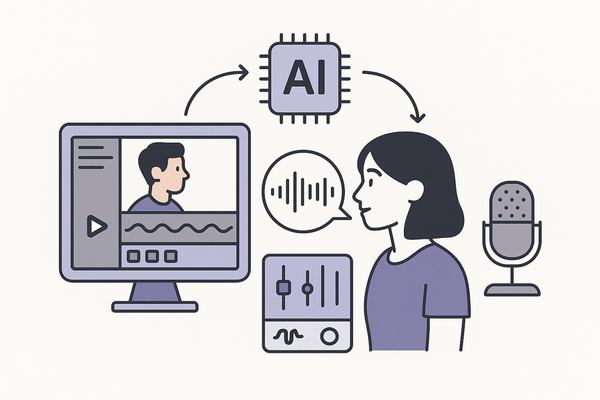
- Text processing: Tokenization and phoneme conversion.
- Prosody modeling: Natural stress, rhythm, and intonation.
- Neural vocoder: Spectrogram-to-waveform synthesis.
- Sync engine: Aligns audio duration with video frames.
These stages leverage NLP and advanced speech synthesis for clarity and emotion.
Section 5: Practical Applications and Real-Life Use Cases
5.1 Educational Content
- E-learning modules narrated in seconds.
- YouTube tutorials with AI-generated voiceovers.
- OpusClip demonstration: 30-second voiceovers for quick demos.
5.2 Marketing & Social Media
- Instagram Reels and TikTok promos with instant voiceovers.
- Brands produce daily ads at scale using AI narration.
- VEED and Voicebooking integrate TTS for rapid campaigns.
5.3 Corporate Training & Presentations
- Bulk voiceovers for internal training modules.
- Speechify customizes tone to match corporate branding.
5.4 Accessibility Enhancement
- Combined AI voiceovers and captions support deaf or hard-of-hearing viewers.
- Silent-viewer modes on social platforms benefit from both text and audio.
Conclusion
AI voiceover generators powered by advanced text to speech and auto-sync technologies democratize professional narration. Creators save time and money, scale globally, and boost accessibility across education, marketing, and corporate training. Embrace this technology to elevate your video content and stay ahead in a fast-paced digital landscape.
FAQ
How accurate are AI-generated voiceovers?
Modern AI models leverage neural networks to produce natural prosody, tone, and emotion, often rivalling human voice actors for clear and engaging narration.
Can I use AI voiceovers for commercial projects?
Yes. Most platforms offer commercial licensing options that allow usage in YouTube videos, advertisements, and social media campaigns.
Which languages and accents are supported?
Leading tools support 60–80+ languages, including regional accents and dialects, enabling you to reach diverse global audiences.