
How to Automate TikTok Video Posts with Vidulk: A Step-by-Step Guide
Discover how to automate TikTok video posts with Vidulk to save time, maintain consistency, and boost engagement with a streamlined publishing workflow.

Estimated reading time: 8 minutes
Key Takeaways
- Save time and gain consistency: Automating TikTok posts with Vidulk frees you from manual uploads and keeps your content schedule on track.
- All-in-one platform: Vidulk’s calendar view, bulk upload, automated queue, and analytics dashboard streamline every step of your workflow.
- Seven critical steps: Connect your account, organize media, add metadata, schedule posts, configure automation, review content, and monitor performance.
- Optimization tactics: Use audience-centered copy, trending elements, native style, and A/B testing to boost reach.
- Troubleshoot effectively: Check OAuth status, approval workflows, and hashtag strategies to resolve common posting issues.
Table of Contents
- I. Overview of Vidulk
- II. Benefits of Automating TikTok Video Posts
- III. Step-by-Step Guide to Automate TikTok Video Posts with Vidulk
- IV. Optimization Tips for Better Reach
- V. Common Challenges & Troubleshooting
- VI. Conclusion & Next Steps
I. Overview of Vidulk
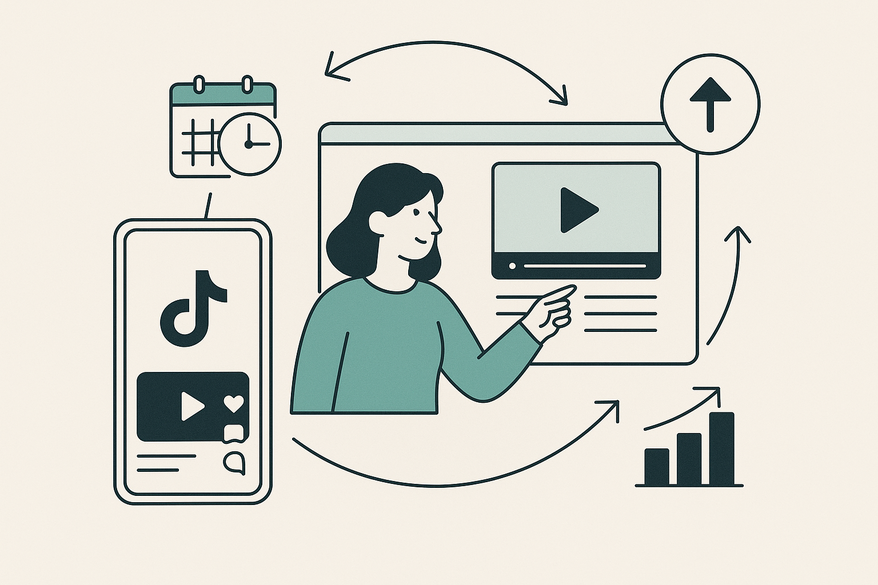
Vidulk is a social media automation tool designed to centralize scheduling and streamline repetitive TikTok posting tasks. It functions as your content calendar, auto-publisher, and analytics hub—all in one dashboard. With Vidulk you can automate TikTok video posts without switching between apps or spreadsheets.
Why automation matters in modern social media strategy:
- Plan content in advance, maintain posting consistency, and monitor performance over time.
- TikTok’s recommendation engine rewards steady activity and data-driven adjustments.
Key features of Vidulk:
- Centralized calendar view for TikTok posts
- Bulk video upload and organization by campaign or topic
- Automated posting queue with customizable intervals
- In-platform analytics dashboard or integration hooks
II. Benefits of Automating TikTok Video Posts
- Time Efficiency
Batch-schedule videos to focus on creative strategy instead of constant uploads. TikTok Marketing Guide - Consistency
Maintain a steady posting cadence so TikTok’s algorithm favors your profile. Source: AgoraPulse on TikTok Algorithm - Audience Engagement
Regular posts build viewing habits and loyalty among followers. Source: TikTok Marketing Guide - Reach & Analytics
Combine automation with analytics to iterate quickly on top-performing formats. Source: TikTok Marketing Guide
III. Step-by-Step Guide to Automate TikTok Video Posts with Vidulk
1. Connect Your TikTok Account
- Log into Vidulk and navigate to Integrations > Add Account > Select TikTok > Authorize your business or creator profile.
- Tip: Double-check you’ve selected the correct profile before authorizing.
- Vidulk uses OAuth for secure token-based authentication—no password sharing required.
2. Upload and Organize Video Content
- Go to the Media Library and click “Upload Media.” Import MP4 or MOV files up to 1 GB.
- Tag each video by campaign, topic, or planned publish date for easy filtering.
3. Add Titles, Descriptions & Metadata
- Write clear, concise titles that include your main keyword.
- Create descriptions that tease the video hook, and add relevant LSI keywords like “short-form marketing” or “video scheduling.”
- Include 5–7 targeted hashtags; avoid generic tags like #fyp.
4. Schedule Your Posts
- In the calendar view, click your desired date and time slot, select your video, then click “Schedule.”
- Tip: Use TikTok Insights to identify peak activity windows—typically afternoons, evenings, and weekends.
Watch the demo tutorial: YouTube Video Guide
5. Configure Automation Settings
- Navigate to Settings > Automation:
- Queue order: chronological or priority-based
- Recurring posts: enable evergreen content re-runs
- Approval workflow: invite team members to review posts before launch
6. Review Hashtags & Captions Before Launch
- Limit to 5–7 targeted hashtags and ensure captions match the video topic.
7. Publish and Monitor
- At the scheduled time, Vidulk auto-publishes to TikTok.
- Monitor metrics like views, shares, and completion rate in Vidulk’s analytics dashboard or TikTok Insights.
IV. Optimization Tips for Better Reach
- Use Audience-Centered Copy
Align captions with your audience’s language so TikTok categorizes your content correctly. - Incorporate Trending Elements Naturally
Adapt relevant hashtags, sounds, and effects that fit your brand voice. - Keep Content Native and Authentic
Shoot vertical, add on-screen text, and embrace authentic, in-platform style. - A/B Test Formats
Queue variant batches of video lengths and styles, then iterate based on engagement metrics.
V. Common Challenges & Troubleshooting
Best Practices Checklist
- Engaging visuals and clear messaging
- Strong call to action to drive comments and shares
- Consistent brand voice and style
- Regular performance reviews using TikTok Analytics
Common Challenges
- Underperforming posts: ensure captions, hashtags, and on-screen text match your topic.
- Scheduling failures: verify account connection and approval settings.
- Engagement drops: reassess content quality and posting frequency.
Troubleshooting Tips
- If posts fail to publish, check the OAuth token status under Integrations.
- For approval workflow delays, confirm team access and notification settings.
- Export performance reports from Vidulk and cross-reference with TikTok’s data.
VI. Conclusion & Next Steps
Automating TikTok video posts with Vidulk unlocks time savings, consistency, and data-driven insights. By centralizing scheduling, bulk uploading, and analytics in one platform, you can focus more on creative strategy and less on manual tasks.
Ready to get started? Sign up for a free trial of Vidulk, implement this workflow, and watch your engagement grow. Share your questions or success stories in the comments below!
FAQ
- Q: Do I need a business account to automate with Vidulk?
A: You can connect either a business or creator profile via OAuth. Ensure you authorize the correct account. - Q: Can I reschedule posts after publishing?
A: Yes. Vidulk allows you to edit scheduled posts and adjust metadata or timing before they go live. - Q: How many posts can I queue at once?
A: Vidulk supports unlimited queue entries. Use bulk upload and tagging to organize large batches efficiently. - Q: What analytics does Vidulk provide?
A: Vidulk’s dashboard tracks views, engagement rate, completion percentage, and hashtag performance.



