
How Automatic Audio Equalization AI Delivers Studio-Quality Sound in One Click
Learn how automatic audio equalization AI offers studio-quality sound with just one click, revolutionizing audio post-production for creators and professionals.

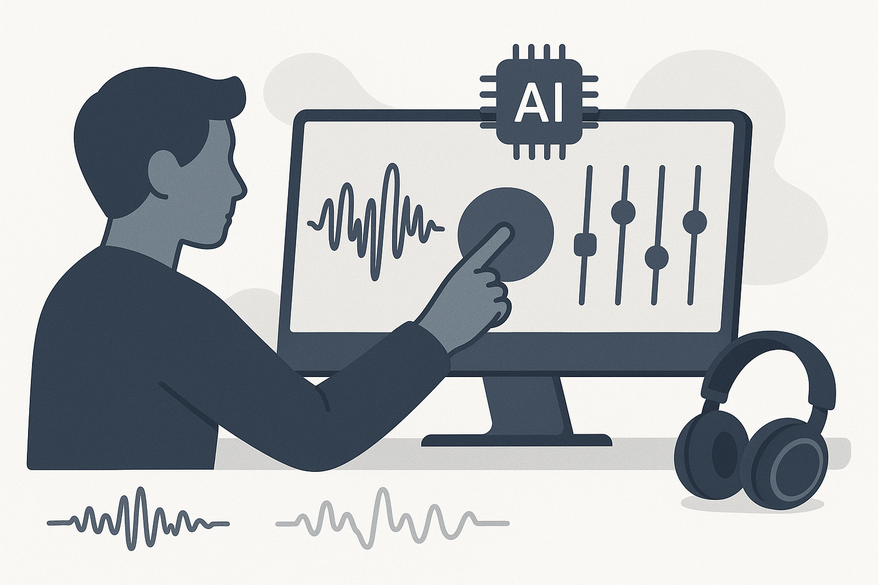
Estimated reading time: 7 minutes
Key Takeaways
- One-click professional audio: AI analyzes and applies EQ automatically without manual tuning.
- Faster workflows: Batch and real-time processing reduce editing time by up to 80%.
- Consistent quality: Automatic normalization, noise reduction, and de-reverb ensure uniform sound across clips.
- Accessible to all: Non-experts can achieve studio-grade results without deep technical knowledge.
- Consider limitations: AI may struggle with complex soundscapes, bias toward trained genres, and artistic nuance.
Table of Contents
- Section 1: Defining Automatic Audio Equalization AI
- Section 2: How Automatic Audio Equalization AI Works
- Section 3: Benefits of Using Automatic Audio Equalization AI
- Section 4: Comparing with Traditional Audio Equalization
- Section 5: Challenges and Limitations
- Section 6: Industry Applications and Future Trends
- Conclusion
- FAQ
Section 1: Defining Automatic Audio Equalization AI
Keyword: automatic audio equalization AI
Automatic audio equalization AI combines three pillars:
- Automatic
– No manual parameter tuning needed.
– User clicks “enhance” and the system selects optimal settings. - Audio equalization
– Boosts or attenuates frequency bands (e.g., 100 Hz for bass, 2 kHz for clarity).
– Uses parametric or graphic filters to fix muddiness or harshness. - AI (Artificial Intelligence)
– Machine learning models trained on vast speech, music, and ambient datasets.
– Predicts ideal spectral profiles and generates EQ curves.
Brief History
- Manual EQ: Engineers adjusted filters by ear through iterative listening.
- Data-driven profiles: Early software used preset target curves from studio masters.
- Automated engines: Modern AI learns from thousands of recordings to apply EQ, noise reduction, and leveling in one pass.
Section 2: How Automatic Audio Equalization AI Works
Keyword: real-time audio EQ AI
Subsection A: Core Technologies
- Machine Learning & Neural Networks
– Models map STFT or mel-spectrogram inputs to spectral features.
– Compute inverse filters (EQ curves) to correct audio.
Source: Aalto research - Signal Processing Pre-Processing
– Audio is windowed (e.g., 1024-sample STFT) and transformed into spectral representations. - Decision Logic & Adaptive Filtering
– AI classifies content (speech vs. music) and selects EQ, compression, gating, and de-reverb.
Sources: Auphonic, Flixier AI audio enhancer
Subsection B: Typical Processing Pipeline
- Intake
– Upload files or stream audio into a web app or DAW plugin (Kapwing, Riverside). - Analysis/Profiling
– Measure frequency distribution, dynamic range, noise floor, speech/music ratio.
Source: Riverside Magic Audio - AI-Driven Decisions
– Generate EQ boost/cut values (e.g., +3 dB at 3 kHz, –5 dB below 100 Hz).
– Apply loudness normalization (LUFS targets). - Application
– Implement filters via biquad or FIR designs.
– Add noise reduction and de-reverb modules.
Source: Clipchamp audio enhancer - Output
– Deliver processed file or real-time stream with <50 ms latency.
Sources: Auphonic, Riverside Magic Audio
Section 3: Benefits of Using Automatic Audio Equalization AI
Keyword: AI audio enhancer
- Improved Audio Quality & Consistency
– Clean, balanced frequency response across clips.
Source: Vidulk blog on AI audio enhancer
– Noise reduction and de-reverb deliver studio-grade clarity.
Source: Vidulk blog on noise reduction - Time & Resource Efficiency
– One-click workflows reduce editing time by up to 80%.
– Batch processing scales for dozens of episodes.
Source: Vidulk blog on automatic leveling - Accessibility for Non-Experts
– No need to learn complex EQ curves or compressor settings.
– Democratizes studio sound for educators, small businesses, and independent creators.
Section 4: Comparing with Traditional Audio Equalization
Keyword: AI vs manual EQ
| Aspect | Manual EQ | AI-Driven EQ |
|---|---|---|
| Control | Engineer adjusts parameters by ear | AI derives EQ and processing automatically |
| Speed | Iterative and time-consuming | One-click, real-time, or batch |
| Expertise Required | High audio engineering skill | Low; designed for non-experts but useful for pros |
| Consistency | Varies by session and engineer | Automatic normalization and standardization |
| Scope of Processing | Primarily EQ | Integrated EQ + noise reduction + de-reverb + leveling |
Advantages of AI-Driven EQ: Speed, Integration, Standardization, Onboarding
Potential Pitfalls: Loss of artistic nuance, over-processing artifacts, reliance on presets
Section 5: Challenges and Limitations
Keyword: AI limitations in audio
- Handling Complex Soundscapes
Struggles with overlapping voices, music, and effects.
Source: Aalto research - Degraded Inputs
Extreme noise or distortion may exceed model training bounds. - Model & Profile Biases
Trained on specific languages/genres; may mis-EQ underrepresented accents or experimental music. - Opaque Decision-Making
Users may not know why particular filters were chosen.
Section 6: Industry Applications and Future Trends
Keyword: future of audio AI
Subsection A: Real-World Applications
- Music Production & AI Mastering
Voice auto EQ and loudness leveling in DAWs. - Podcasting & Spoken Word
Pipelines like Auphonic and Flixier AI audio enhancer for EQ, noise reduction, and leveling. - Film/Video & Broadcasting
Live dialogue cleanup with tools like Riverside Magic Audio and Kapwing. - Social Media & Streaming
One-click audio enhancers for short-form content, e.g., Clipchamp.
Subsection B: Future Trends
- Context-Aware EQ: Per-source processing for dialogue, SFX, and music.
- Personalized Listening Profiles: EQ tailored to listener hearing or device.
- Deeper DAW & Web App Integration: End-to-end cleanup with transcription and video editing.
- Transparency & Control: Visual EQ curves, confidence scores, editable AI recommendations.
- Multichannel & Immersive Audio: AI handling object-based formats.
Conclusion
Automatic audio equalization AI bridges the gap between expert engineering and everyday creation. It delivers studio-quality sound through data-driven EQ, noise reduction, and leveling—all in one click. Key benefits include improved audio quality, faster workflows, and accessibility for non-experts, balanced with challenges around bias, control, and artistic nuance. Explore tools like Kapwing, Riverside, Flixier, and Auphonic, and watch for advances in semantic embeddings, context-aware EQ, and personalized listening profiles.
FAQ
- What is automatic audio equalization AI?
A system that uses machine learning to analyze audio and automatically apply EQ and related processing for professional sound. - How do I use AI audio EQ tools?
Simply upload or stream your audio into a supported app or plugin, click “enhance,” and download the processed file. - Can AI EQ replace a human engineer?
AI excels at speed and consistency but may lack the artistic nuance of a skilled engineer in complex scenarios. - Which tools offer one-click AI EQ?
Popular options include Kapwing, Riverside Magic Audio, Flixier AI audio enhancer, Auphonic, and Clipchamp. - What are common limitations?
Challenges include handling overlapping soundscapes, bias from training data, and opaque decision-making processes.



