
The Best Format for Twitter Video Clips: Maximize Quality with MP4 and H.264
Discover why MP4 with H.264 and AAC is the best format for Twitter video clips. Learn conversion tips to optimize size and maintain quality.

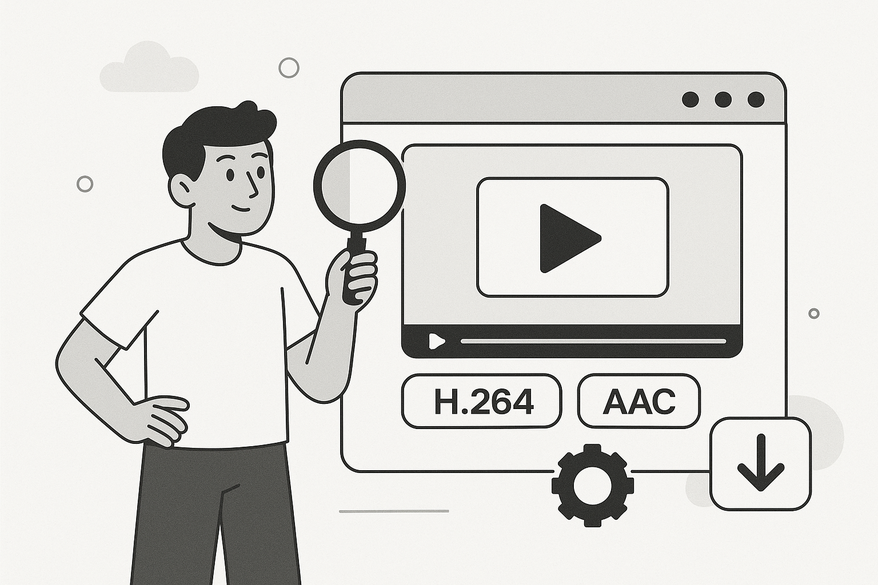
Estimated reading time: 5 min read
Key Takeaways
- MP4 + H.264 + AAC is Twitter’s optimal trio, ensuring maximum compatibility and quality retention.
- Adhere to Twitter’s limits—512 MB, 2 min 20 sec, up to 1080p—to avoid upload failures.
- Use a constant frame rate and appropriate bitrates; choose 720p or 1080p for the best balance of file size and clarity.
- Optimize clips with a strong opening, correct aspect ratio, and streamlined edits for higher engagement.
Table of Contents
- Understanding Video Requirements for Twitter
- Why Choosing the Right Format Matters
- Exploring the Best Format
- Technical Breakdown of MP4/H.264/AAC
- Practical Tips for Converting & Encoding
- Optimization Best Practices
- Real-World Examples & Case Studies
- Conclusion
Understanding Video Requirements for Twitter
Before choosing your format, you must know Twitter’s upload rules and limits. These specs set the stage for selecting a format that survives recompression with minimal quality loss.
Supported Containers
- MP4 (most recommended; see Optimal Format for Chat Story Videos)
- MOV (accepted but secondary)
Maximum Limits
- File size: 512 MB
- Duration: 2 minutes 20 seconds
- Practical resolution: up to 1080p (1920×1080)
Why Specs Matter
- Well-encoded sources withstand Twitter’s server-side transcode with fewer artifacts.
- Correct container and codec reduce upload failures and playback stutters.
- Accurate bitrates and frame rates lead to sharper end results.
Why Choosing the Right Format Matters
Twitter’s recompression is a server-side transcode process that converts your upload into several streaming renditions. If your source uses an inefficient codec or variable frame rate, Twitter’s compression can magnify artifacts, add noise, or cause playback errors.
- Compression artifacts: blockiness, banding, or blurring.
- Slow uploads: larger or unsupported formats take longer to process.
- Playback failures: stutters, freezes, or black frames on some devices.
Starting with a format aligned with Twitter’s workflow minimizes these risks and preserves detail, contrast, and smooth motion.
Exploring the Best Format
Industry consensus points to one recommendation:
- Container: MP4
- Video codec: H.264 (AVC)
- Audio codec: AAC
Advantages:
- Broad compatibility across phones, tablets, browsers, and editors.
- Fast, reliable uploads—MP4 is Twitter’s native choice.
- Efficient compression: H.264 balances detail and bitrate, retaining sharpness post-recompression.
Technical Breakdown of MP4/H.264/AAC
MP4 Container
- Holds video, audio, subtitles, and metadata in one file.
- Offers broad web and mobile support.
H.264 Video Codec
- Also known as AVC (Advanced Video Coding).
- Provides strong detail at moderate bitrates.
- Widely compatible with hardware decoders.
AAC Audio Codec
- High-efficiency audio compression.
- Delivers clear sound at low bitrates.
- Standard for web video.

Practical Tips for Converting & Encoding
- Open your source file in a video editor or converter.
- Select MP4 as the output container.
- Choose H.264 for video and AAC for audio.
- Set a constant frame rate (CFR), not variable.
- Pick resolution: 1280×720 (720p) or 1920×1080 (1080p).
- Ensure the final file stays under 512 MB.
Popular Tools:
- Filmora (GUI editor with presets)
- HandBrake (open-source transcoder)
- FFmpeg (command-line powerhouse)
- Online-Convert and other web services
Optimization Best Practices
Beyond format, these tweaks boost engagement and quality retention:
- Video Length & Engagement – Deliver your core message in the first 3 seconds; aim for under 15 seconds to maximize views.
- Aspect Ratio – Use 16:9 for landscape or 1:1 for square; adjust to 9:16 or other ratios per campaign (see Best Aspect Ratio for Social Media Video Clips).
- Resolution Ceiling – Maximize clarity at 1080p; drop to 720p when file size is a concern.
- Bitrate & File Size – Lower video bitrate slightly before reducing resolution; keep audio at a sensible AAC bitrate (e.g., 128 kbps).
- Synergy Tips – Avoid heavy stabilization or effects that increase bitrate; export with a constant frame rate for smoother playback.
Real-World Examples & Case Studies
Example 1: Branded Promo Clip
Setup: 16:9, 720p MP4/H.264 @ 2,500 kbps video, AAC @ 128 kbps audio.
Result: Upload in 10 seconds, smooth playback, crisp logos.
Example 2: Before vs. After Optimization
Before: 1080p MOV @ 8,000 kbps. Upload stalled, recompressed to 360p.
After: 1080p MP4/H.264 @ 5,000 kbps. Fast upload, retained full HD clarity.
Conclusion
MP4 with H.264 video and AAC audio is the best format for Twitter clips due to its broad compatibility, upload reliability, and strong quality retention through recompression. Apply these settings in your next export, share your results, and let us know how it worked!
For creators looking to repurpose longer videos into short clips optimized for social media, Vidulk - AI Video Clipping App can automatically detect and generate perfectly sized MP4/H.264 clips ready for Twitter and beyond.
FAQ
Q1: Is MP4 really the best format for Twitter?
A1: Yes. MP4 with H.264/AAC is universally recommended for compatibility and compression efficiency.
Q2: Does Twitter support MOV?
A2: Yes, but MOV files are larger and less optimized for web sharing. MP4 is preferred.
Q3: What resolution should I use?
A3: Stick between 720p and 1080p. 1080p is the practical ceiling for most clips.
Q4: Why does my video look worse after upload?
A4: Twitter recompresses videos. Starting with a well-encoded MP4/H.264/AAC helps retain detail.



