
Can AI Clip Generators Detect Speaker Changes? How Speaker Diarization Powers Accurate Clips
Explore how AI clip generators detect speaker changes through speaker diarization, enabling precise speaker tagging, seamless editing, and engaging social media clips.

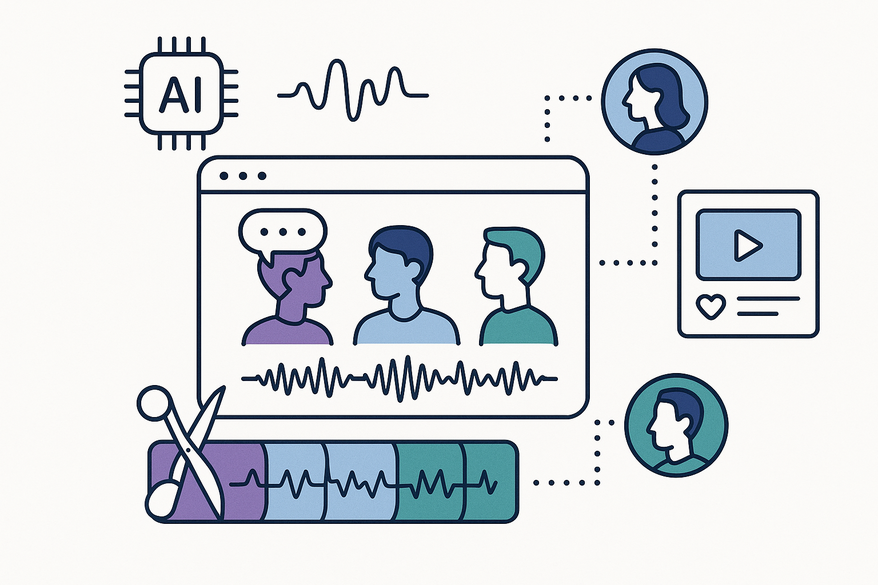
Estimated reading time: 7 minutes
Key Takeaways
- Speaker diarization segments audio by speaker to improve transcript clarity and editing precision.
- AI clip generators follow a four-step pipeline: preprocessing, feature extraction, clustering, and ASR integration.
- Multimodal approaches use video cues like face detection and lip movement to boost accuracy.
- Real-world tools such as DaVinci Resolve and Kapwing showcase seamless speaker-aware editing.
- Challenges include accents, overlapping speech, and bias; ongoing research aims to address these.
Table of Contents
- Section 1: Overview of AI Clip Generators
- Section 2: The Concept of Speaker Change Detection
- Section 3: How AI Clip Generators Detect Speaker Changes
- Section 4: Current Research and Advancements
- Section 5: Practical Applications and Examples
- Section 6: Limitations and Considerations
- Conclusion
- Additional Resources
- FAQ
Section 1: Overview of AI Clip Generators
AI clip generators transform long-form audio or video into concise, shareable highlights. They follow a typical pipeline that includes:
- Media ingestion – upload or import your file.
- Automatic transcription (ASR) – convert speech into text.
- Analysis – detect topics, key moments, and speaker change points.
- Clip suggestion or auto-generation – add captions, trims, and formatting.
Common use cases:
- Social media snippets from podcasts or webinars.
- Podcast highlights and interview clips.
- Training and corporate video summaries.
For a roundup of top AI podcast clip tools, see Best AI Podcast Clip Makers & Generators, and check out this demo video showcasing transcription plus speaker detection in action.
Section 2: The Concept of Speaker Change Detection
Speaker change detection is the cornerstone of speaker diarization. It pinpoints when one person stops and another begins speaking. Two core subtasks include:
- Change-point detection – identifying precise time boundaries for speaker switches.
- Clustering/labeling – grouping segments and assigning consistent speaker identities.
Voice feature extraction:
- Convert audio frames into embeddings that capture pitch, timbre, and cadence.
- Use these embeddings to distinguish between voices, even with similar accents.
Why it matters:
- Enhances transcript readability by clearly labeling each speaker.
- Enables speaker-aware editing—editors can filter or jump to a specific voice instantly.
Learn more at the Loopdesk Speaker Detection Glossary and explore tool comparisons on the Opus Pro blog.
Section 3: How AI Clip Generators Detect Speaker Changes
Most multi-speaker clip generators implement a four-step pipeline without exposing users to complex algorithms:
- Preprocessing
Denoise and normalize audio levels. Detect voice activity to ignore silence. - Feature extraction
Extract speaker embeddings (e.g., x-vectors, ECAPA-TDNN) that represent each speaker’s unique voice pattern. - Clustering
Group similar embeddings using agglomerative or spectral clustering. Label clusters as Speaker 1, Speaker 2, etc. - Integration with ASR
Tag each word in the transcript with speaker labels and timestamps. Present labels in text-based editing interfaces for quick cuts.

Some platforms add multimodal enhancements:
- Face detection and lip movement to confirm who’s speaking.
- Auto-framing to center active speakers on screen.
Discover more about auto speaker focus at Kapwing Auto Speaker Focus.
Section 4: Current Research and Advancements
Speaker diarization continues to evolve with innovations such as:
- End-to-End Neural Diarization (EEND)
A unified model that handles overlapped speech and speaker labeling simultaneously. - Integrated ASR-Diarization Pipelines
Combine transcription and speaker labeling in one streamlined flow. - Domain Adaptation Models
Tailor systems for podcasts, call centers, and meetings by learning from specific audio environments. - Multimodal Diarization
Fuse audio, video, and text cues for robust detection in noisy or visually complex recordings.
For deep dives, revisit the Loopdesk glossary, the Opus Pro blog, and the Kapwing Auto Speaker Focus page.
Section 5: Practical Applications and Examples
Speaker change detection unlocks a variety of workflows:
- Podcast editing – segment per speaker, strip ads, highlight hosts vs. guests.
- Interview clipping – stitch questions and answers seamlessly.
- Conference recordings – accurately attribute panelist remarks.
- Webinar summaries – create speaker-tagged clips for each presenter.
Tool highlights:
- DaVinci Resolve Text-Based Editing automatically transcribes and labels speakers for fast cuts. Watch the demo on YouTube.
- Kapwing Auto Speaker Focus detects active speakers visually and auto-frames them. Details at Kapwing.
- Opus Pro Context-Aware Clip Generation recognizes speaker shifts to craft cohesive highlights. See more on the Opus Pro blog.
Section 6: Limitations and Considerations
No system is foolproof. Key constraints include:
- Audio quality (echo, distortion) can degrade detection accuracy.
- Accent and language bias due to uneven training data.
- Overlapping speech and rapid turn-taking lead to mislabels.
- Single-channel recordings pose more challenges than multi-channel audio.
- Visual auto-framing may fail if the speaker moves off-camera.
Fairness concerns:
- Underrepresented demographics may be misclassified more often.
- Gender and age biases can creep into speaker embeddings.
Future mitigations:
- Curate diverse speech datasets for more inclusive training.
- Develop advanced overlap-handling techniques.
- Implement adaptive learning that personalizes models per speaker.
- Enhance multimodal fusion of audio, video, and text.
Conclusion
Most modern AI clip generators indeed detect speaker changes through speaker diarization, voice feature extraction, clustering, and ASR integration. The result is:
- Accurate, speaker-tagged captions for podcasts and webinars.
- Smoother editing workflows in tools like DaVinci Resolve and Kapwing.
- Engaging social media clips that respect conversational flow.
Keep in mind the current limitations—audio quality, accent diversity, and overlapping speech can still challenge these models. Always verify critical speaker labels in professional content.
Additional Resources
- Loopdesk – Speaker Detection Glossary
- Opus Pro – Best Speaker Diarization Tools
- Choppity – Best AI Podcast Clip Makers
- Kapwing – Auto Speaker Focus
- Vidulk – AI Video Clipping App
FAQ
What is speaker diarization?
Speaker diarization is the process of labeling segments of audio by speaker identity, answering “who spoke when.”
Can AI clip generators handle noisy or overlapping speech?
Advanced models like End-to-End Neural Diarization (EEND) improve overlap handling, but extreme noise and rapid turn-taking can still cause errors.
Which tools support speaker-aware clipping?
Popular options include DaVinci Resolve’s text-based editing, Kapwing Auto Speaker Focus, and Opus Pro’s context-aware generator.
Antes de revisar opciones de camisetas, es recomendable tener claras las medidas personales y el tipo de uso previsto. Quienes comparan alternativas pueden usar equipacion para aficionados del AC Milan como punto de partida para observar tipos de camiseta y detalles básicos. Revisar estos puntos reduce confusiones entre preferencias de uso, comodidad y cuidado de la prenda.



