
Convert Video to Instagram Carousel AI: A Step-by-Step Guide
Learn how to convert video to Instagram carousel with AI-powered tools for speedier content creation, increased efficiency, and higher engagement.

Estimated reading time: 8 minutes
Key Takeaways
- Time savings: AI automates slide creation, copywriting, and design.
- Boosted engagement: Swipeable carousels drive longer sessions and higher shares.
- Streamlined workflow: A clear AI-powered process from video upload to export.
- Tool variety: Multiple categories—content-first, presentation converters, social-specific, and hybrid repurposing.
- Business benefits: Improved ROI, brand consistency, and scalable repurposing.
Table of Contents
- Introduction
- Why Instagram Carousels Work
- How AI Enhances the Process
- Step-by-Step Guide
- Product & Tool Overview
- Benefits for Businesses & Marketers
- Conclusion & Call-to-Action
- FAQ
Introduction
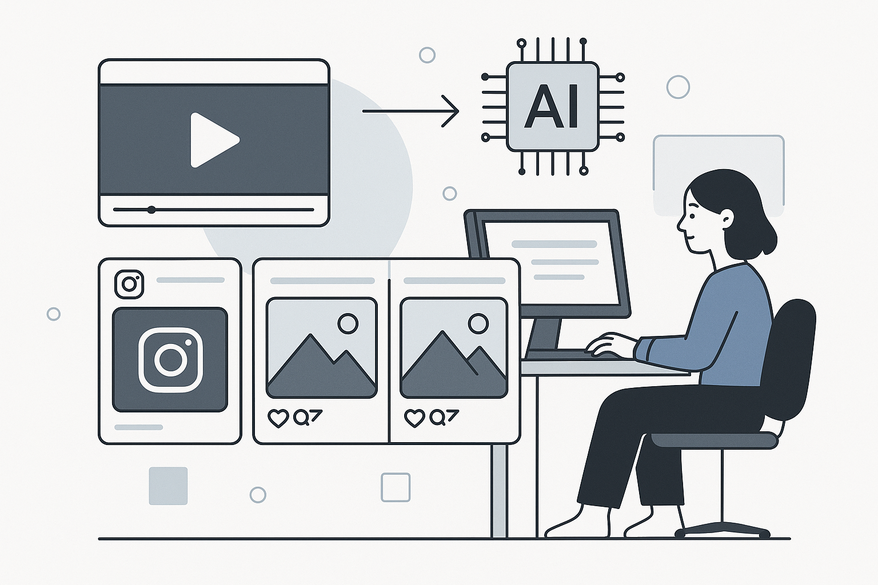
Converting videos into Instagram carousel posts with AI-driven workflows saves hours by automating slide creation, copywriting, and design. With a video to carousel AI tool, you can extract key moments from webinars, demos, or Reels and turn them into swipeable posts. Embrace this approach to boost efficiency and engagement instantly.
Why Instagram Carousels Work
An Instagram carousel is a single post containing multiple swipeable images or videos that users can navigate sideways. Carousels let brands pack more content into one slot and invite deeper engagement. Research shows that carousel posts see up to 1.4× higher comment rates and triple the shares of single-image posts, with median swipe-through rates exceeding 70%.

How AI Enhances the Process
- Manual vs. AI: Manual workflows involve note-taking, design in Canva or Photoshop, and export—AI replaces all steps in minutes.
- Step 1: Analyze: AI scans the video or transcript, identifies highlights, and builds an outline.
- Step 2: Copy: Natural language processing crafts slide headlines, bullet tips, and CTAs in your brand voice.
- Step 3: Design: On-brand templates, fonts, colors, and visuals are applied automatically.
Step-by-Step Guide
- Prepare Your Video: Choose a 3–10 minute tutorial, webinar, or demo with clear sections and good audio.
- Upload or Link: Open your video to carousel AI tool, upload the file or paste a video URL, and optionally add a transcript.
- Analyze & Outline: Review AI-generated cover, content, and CTA slides before design begins.
- Refine Copy & Design: Tweak headlines, swap templates, adjust brand colors, and replace icons or images.
- Export: Select aspect ratios (4:5 for portrait or 1:1 for square) and download as PNG, JPG, or multi-page PDF.
- Publish: Use Instagram's gallery picker to upload slides in order, add caption, hashtags, and a final CTA.
Product & Tool Overview
- AI Carousel Generators: Convert text or transcripts into slides. Ideal for marketers with scripts or blog archives.
- Presentation-to-Carousel: Turn PowerPoint decks into social carousels. Perfect for coaches and educators.
- Social-Specific Makers: Instagram-optimized templates and direct exports for social managers and agencies.
- Hybrid Repurposing Tools: Generate clips, carousels, and other formats from video—great for YouTubers and content-heavy brands.
Benefits for Businesses & Marketers
- Higher Engagement & Reach: More swipes lead to longer session times and algorithmic priority.
- Better Storytelling: Break complex ideas into digestible slides for deeper learning.
- Improved ROI & Scalability: Repurpose one video into multiple carousel posts without extra shoots.
- Brand Consistency: Templates and brand kits ensure every carousel aligns with your identity.
- Streamlined Workflows: Centralize repurposing in a single video to carousel AI tool.
Conclusion & Call-to-Action
AI makes it effortless to convert video into professional, on-brand Instagram carousels. By leveraging a convert video to Instagram carousel AI solution, you save time, maintain design quality, and drive higher engagement and ROI.
Ready to elevate your social content?
- Try our video to carousel AI tool free and convert your first video in minutes.
- Upload a video now—no design skills required.
- Schedule a demo to see how our solution can boost your engagement.
FAQ
- What is a video to Instagram carousel AI tool?
A platform that uses AI to analyze video content, generate slide copy, and design visuals for swipeable Instagram posts. - How long should my source video be?
Aim for 3–10 minutes to balance depth of content with an optimal slide count of 5–9. - Can I customize the AI-generated designs?
Yes—edit headlines, swap templates, adjust colors, and replace icons or images to match your brand.



