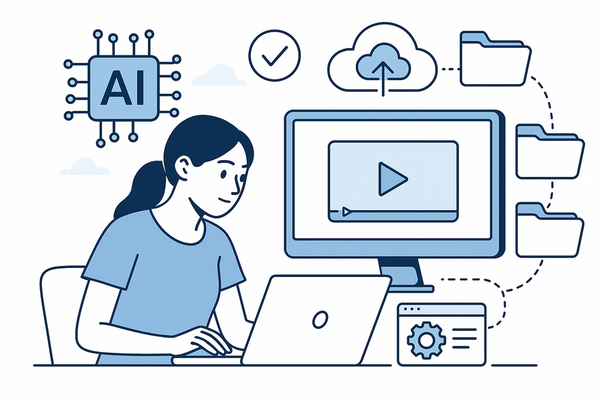
How to Embed Video Chat in Website: A Complete Guide
Learn how to embed video chat in website easily. Step-by-step, practical instructions for seamless video chat integration and enhanced content engagement.

Estimated reading time: 7 min
Key Takeaways
- Embedding video chat in a website enhances engagement and interactivity.
- Choose the right video chat solution based on your site’s needs and audience.
- Integration can be done with APIs, SDKs, or third-party widgets—no advanced coding required.
- Vidulk supports content creators by simplifying video workflows, including video chat highlights.
Table of Contents
- Section 1: Why Embed Video Chat in Your Website?
- Section 2: Choosing the Right Video Chat Solution
- Section 3: Step-by-Step Guide to Embedding Video Chat
- Section 4: Enhancing Video Chat with AI-Powered Tools
- Conclusion
- FAQ
Section 1: Why Embed Video Chat in Your Website?
Boost Engagement and Retention
To embed video chat in website environments is to unlock a new level of user interaction. Video chat enables real-time communication, making your site more dynamic and sticky.
- Increases time on site as users interact live
- Facilitates personalized support, webinars, or community discussions
- Drives conversions for e-commerce, education, and content platforms
Popular Use Cases
From live customer support to collaborative interviews, video chat is now essential for:
- Online events and virtual conferences
- Telehealth and consultations
- Remote learning and online classes
- Content creation—podcasts, interviews, or panel discussions
Section 2: Choosing the Right Video Chat Solution
API, SDK, or Widget?
There are three main ways to embed video chat in website projects:
- APIs: Offer granular control for custom integrations. Ideal for developers.
- SDKs: Provide pre-built modules for quicker setup. Some coding required.
- Widgets: Plug-and-play solutions. Embed a snippet of code for instant video chat.
If you want a hands-on guide to integrating APIs or SDKs, consider reading How to Integrate Video Chat API for Seamless Content Creation or How to Integrate Video Chat SDK: A Step-by-Step Guide.
Key Factors to Consider
- Compatibility with your tech stack (WordPress, React, etc.)
- Scalability for handling many users simultaneously
- Security: end-to-end encryption and compliance
- Ease of setup and customer support
- Recording and highlight clipping features—for repurposing content
Section 3: Step-by-Step Guide to Embedding Video Chat
1. Select Your Provider
Popular providers include Twilio, Agora, Jitsi Meet, and Daily.co. Each offers API access and embeddable widgets with documentation.
2. Get Your Embed Code or SDK
- Sign up with your chosen provider
- Access the dashboard and generate the embed code (or download the SDK)
- Configure parameters—room name, permissions, UI options
3. Add to Your Website
For most widgets:
- Paste the code snippet into your site’s HTML where you want the video chat to appear
- Save and refresh your page
- Test by joining the chat as a guest and as a registered user
For SDKs or APIs, follow documentation to initialize components, set up authentication, and handle events.
4. Customize and Secure
- Style the chat window to match your branding
- Enable moderation features (mute, kick, record)
- Ensure the connection uses HTTPS for security
5. Test Across Devices
Make sure the video chat works on mobile and desktop browsers. Responsive design is crucial for user experience.
Section 4: Enhancing Video Chat with AI-Powered Tools
Why Use AI with Video Chat?
Once you embed video chat in website pages, consider how AI can supercharge your content strategy. Tools like Vidulk let you automatically capture, clip, and repurpose the best moments from video chats, interviews, and webinars.
How Vidulk Helps Content Creators
- AI detects key moments in lengthy discussions or live streams
- Instantly generates short, captioned, vertical clips ready for social media
- Enhance images and visuals with on-device AI Studio
- Streamlines the workflow from live conversation to viral shareable content
If you’re looking to transform your long-form video chats into engaging shorts, explore how an AI clip generator can save you time and elevate your reach.
Conclusion
Learning to embed video chat in website projects is a practical way to boost engagement, interaction, and content opportunities. Whether you’re running live events, offering consultations, or building a creator community, the right video chat integration—combined with AI-powered tools like Vidulk—can help you unlock richer, more dynamic experiences for your audience. Start experimenting with embedding video chat and consider leveraging AI to maximize the value of your conversations.
FAQ
Q: What is the easiest way to embed video chat in a website?
A: The simplest way is to use a third-party widget that provides a code snippet. Copy and paste it into your site’s HTML, and you’re live.
Q: Can I record video chat sessions for later use?
A: Many platforms offer recording features. With tools like Vidulk, you can further process, clip, and repurpose these recordings for content marketing.
Q: Do I need to know how to code to add video chat?
A: For basic widgets, no coding is required. For deeper customization or API/SDK integration, some programming knowledge is helpful.
Q: How can I make video chat content more shareable?
A: Use AI-powered apps like Vidulk to automatically generate short, shareable video clips from your chats.