Videochat API: The Essential Guide for Modern Content Creators
Discover how videochat API solutions empower creators with seamless video, AI clipping, and content workflows. Learn integration tips and best practices.


Estimated reading time: 7 min
Key Takeaways
- Videochat API enables seamless live video and interactive features for content creators.
- APIs streamline video workflow, making integration with AI tools and apps like Vidulk easier.
- Combining videochat APIs with AI-powered clipping boosts audience engagement and content reach.
- Choosing the right API impacts scalability, user experience, and future growth.
Table of Contents
- Section 1: What is a Videochat API?
- Section 2: Why Content Creators Need Videochat APIs
- Section 3: Key Features and Benefits
- Section 4: Integrating Videochat APIs with AI Clipping Tools
- Section 5: Choosing the Best Videochat API for Your Workflow
- Conclusion
- FAQ
Section 1: What is a Videochat API?
Definition and Core Purpose
A videochat API is a set of tools and protocols that enable developers to add real-time video communication features to websites, apps, and platforms. Instead of building a video call system from scratch, creators can leverage APIs from providers like Twilio, Agora, or Daily to power reliable, scalable video chat experiences.
How Videochat APIs Work
- APIs handle low-level video/audio data transfer, security, and device compatibility.
- Developers access endpoints to start calls, manage participants, record sessions, and more.
- Videochat APIs often include SDKs for mobile and web integration.
Popular Use Cases
- Live podcasts and interviews with audience participation
- Virtual events, webinars, and workshops
- Remote collaboration for creators and teams
Section 2: Why Content Creators Need Videochat APIs
Unlocking Interactive Content
For creators, a videochat API isn’t just for live calls—it’s a gateway to interactive content experiences. Hosting a live podcast or Q&A? APIs let you bring guests and fans on screen seamlessly, while maintaining broadcast quality.
Streamlined Production Workflow
- Integrate live video directly into your content pipeline
- Enable real-time guest participation for interviews or panel shows
- Facilitate remote collaboration between editors, hosts, and producers
Enhanced Audience Engagement
Videochat features—like live polls, chat, and screen sharing—make streams and recorded content more dynamic, keeping audiences engaged and coming back for more.
Section 3: Key Features and Benefits
What a Good Videochat API Should Offer
- HD Video & Audio: Crisp streams for professional content
- Recording & Playback: Capture sessions for later editing or sharing
- Multi-Participant Support: Bring in co-hosts, guests, or audience members
- Scalability: Handle small calls or large webinars without hassle
- Security: End-to-end encryption and compliance for privacy
Benefits for Creators
Combining these features with AI-powered apps like Vidulk unlocks rapid content repurposing and distribution. For example, using the Vidulk app, you can upload recorded videochat sessions and let AI clip the best moments into shareable shorts—saving hours of manual editing.
Section 4: Integrating Videochat APIs with AI Clipping Tools
Simplifying Content Creation
After hosting a live session with your chosen videochat API, you’ll have a recording ready for editing. But going from a full-length discussion to viral clips is time-consuming. This is where AI-powered tools like Vidulk shine.
How the Workflow Looks
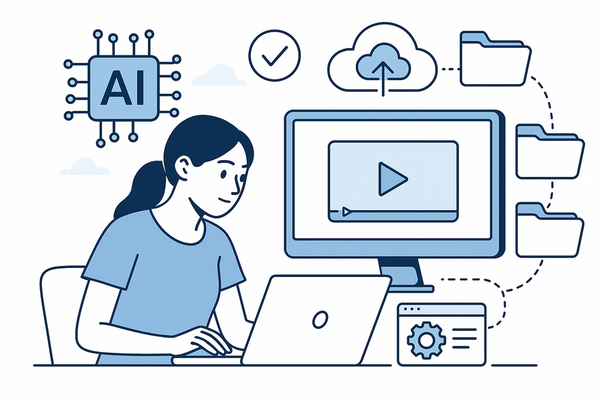
- Host and record your podcast, interview, or webinar via a videochat API
- Export the recording (often as MP4 or similar formats)
- Upload to Vidulk for automatic AI clipping, captioning, and formatting
- Review, adjust, and post your new vertical videos to social platforms
Scaling Your Reach
This integration workflow lets you multiply the value of every live session. To see how other creators are using AI clipping, check out our post on AI Clip Generator: Transform Long Videos Into Viral Shorts.
Section 5: Choosing the Best Videochat API for Your Workflow
Key Considerations
- Ease of Integration: Look for robust documentation and SDK support.
- Recording Options: Essential for creators who want to repurpose live streams.
- Pricing & Scalability: Ensure the API can grow with your audience and budget.
- Support for AI Tools: Seamless export options make it easier to use apps like Vidulk.
Getting Started
For a technical walkthrough on API integration, see our guide: How to Integrate Video Chat API for Seamless Content Creation.
Conclusion
Videochat APIs are the backbone of modern, interactive content creation. When combined with AI-powered clipping tools like Vidulk, they enable creators to capture, repurpose, and share engaging content across platforms—faster than ever. Explore the right API for your workflow, and let AI handle the heavy lifting so you can focus on what matters: creating and connecting with your audience.
FAQ
Q: What’s the difference between a videochat API and SDK?
A: An API defines the endpoints and protocols for integrating videochat features, while an SDK (software development kit) provides libraries and tools to simplify implementation on specific platforms.
Q: Can I use a videochat API to record interviews for later editing?
A: Yes, most modern videochat APIs offer built-in recording features, making it easy to capture high-quality audio and video for later use with AI clipping apps like Vidulk.
Q: Are videochat APIs secure for sensitive content?
A: Leading APIs offer end-to-end encryption and compliance with privacy standards. Always review provider documentation for specifics.
Q: How do I choose the right videochat API for my project?
A: Consider ease of integration, recording capabilities, scalability, pricing, and compatibility with your content creation workflow. Refer to our step-by-step guide on integrating video chat SDKs for detailed advice.