On-Device AI Image Generator: Transforming Mobile AI Graphic Creation
Discover the power of on-device AI image generators for mobile AI graphic creation, ensuring privacy, speed, and offline capabilities for content creators.

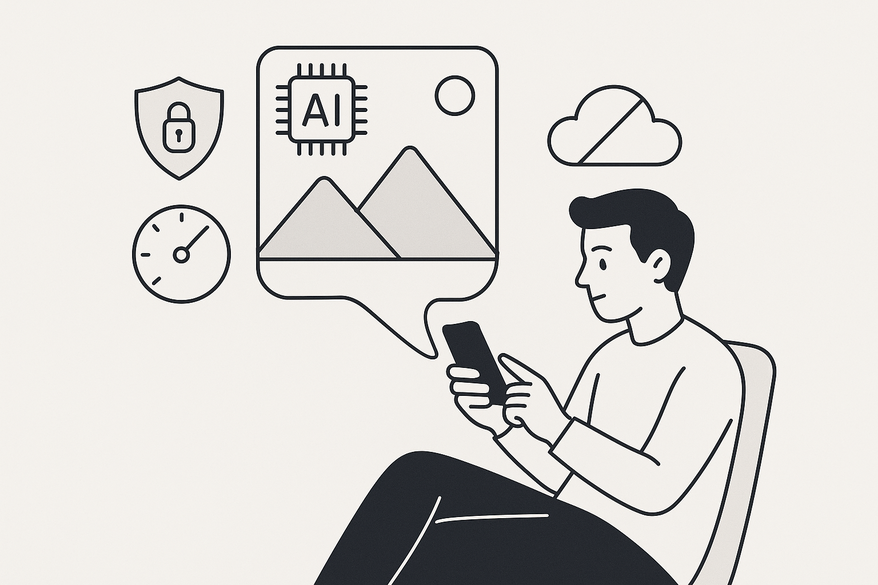
Estimated reading time: 7 minutes
Key Takeaways
- On-device processing enables sub-second image generation with zero network dependency.
- Privacy-first design keeps your prompts and images fully local.
- Offline functionality empowers creators anywhere, anytime.
- Model optimizations like quantization and pruning make mobile inference feasible.
- Trade-offs exist between model size, battery use, and output quality.
Table of Contents
- Section 1: What Is an On-Device AI Image Generator?
- Section 1.1: Technical Architecture of On-Device AI
- Section 2: Cloud-Based vs. On-Device AI Image Generation
- Section 3: Exploring Mobile AI Graphic Creation
- Section 4: The Role of AI Image Maker Apps
- Section 5: Advantages and Limitations
- Section 6: Step-by-Step Guide / How It Works
- Section 7: Future Trends and Innovations
- Conclusion
- FAQ
Section 1: What Is an On-Device AI Image Generator?
On-device AI image generators run neural-network inference natively on smartphone or tablet hardware—no cloud required. This approach delivers:
- Encoder, decoder, and diffusion layers mapping text or image seeds to stylized outputs
- Local neural-network inference on CPU/GPU/NPU
- Zero prompt uploads or external processing
Core Benefits:
• Speed: Sub-second generation
• Privacy: Data never leaves your device
• Offline: Full functionality without connectivity
Section 1.1: Technical Architecture of On-Device AI
Building a smooth on-device pipeline requires balancing model size, memory, and performance.
Model Size & Memory
• On-device: ~50–200 MB
• Cloud: multiple gigabytes
Inference Pipeline
1. Text-to-latent mapping
2. Diffusion refinements
3. Image decoding
4. Post-processing (e.g., color grading)
Optimization Techniques
• Weight quantization (32-bit → 8-bit)
• Layer fusion to reduce memory loads
• Hardware-specific kernels for NPUs/GPUs
Section 2: Cloud-Based vs. On-Device AI Image Generation
An on-device approach contrasts sharply with popular cloud services.
Leading Cloud Generators (source: Zapier)
• ChatGPT – ease of use
• Midjourney – artistic depth
• Adobe Firefly – Adobe integration
• Google Nano Banana/Gemini – 20 free images/day
| Metric | Cloud-Based | On-Device |
|---|---|---|
| Latency | 1–5 s (network) | < 500 ms (local) |
| Privacy | Server logs | Fully local |
| Offline | No | Yes |
| Compute | Cloud GPUs | Mobile SoC |
Section 3: Exploring Mobile AI Graphic Creation
Mobile AI graphic creation covers the full journey from prompt input to stylized output—entirely on your device.
Process Breakdown:
1. Prompt entry (text or image seed)
2. Preprocessing (tokenization, embedding)
3. Model inference (diffusion or GAN)
4. Post-processing (upscaling, filters)
Typical Features:
• Style presets (watercolor, cyberpunk)
• Real-time filters and live camera overlays
• Export to PNG/JPEG for instant thumbnails (AI Video Thumbnail Enhancer guide)
Developer SDKs:
• Google ML Kit
• Apple Core ML
Section 4: The Role of AI Image Maker Apps
An AI image maker app leverages on-device models to generate or enhance images in a consumer-friendly interface.
Case Study: Nano Banana 2 in Google Gemini
Built into Android, offers 20 free images/day (source via Expert.com).
Popular Apps:
• Prisma AI Offline – style transfer
• Runway Mobile – hybrid pipeline
• Lensa – portrait enhancements
UX/UI Best Practices:
• Clear prompt field with placeholder
• Live preview during rendering
• Style thumbnails for quick selection
• Prominent save/share buttons
Section 5: Advantages and Limitations
Advantages:
• Instant feedback (< 500 ms)
• Full data sovereignty
• Zero network hurdles
• Lower long-term costs
Limitations:
• Battery and thermal constraints
• Smaller models may lose detail
• Storage footprint (100+ MB per style)
• Fragmented hardware across platforms
Section 6: Step-by-Step Guide / How It Works
Pre-installation
• Ensure 4 GB RAM and NPU/APU support
Installation
1. Install your chosen app
2. Grant storage permissions
Generation Walkthrough
1. Launch and allow camera/storage access
2. Enter a concise prompt or choose a preset
3. Adjust:
– Resolution (512×512 vs. 1024×1024)
– Diffusion steps (25–50)
– Style strength (0.0–1.0)
4. Tap “Generate” and wait 0.5–2 s
5. Preview, apply filters, save/export
Tips for Best Results:
• Use vivid nouns and adjectives (e.g., “vibrant watercolor forest”)
• Start at lower resolution for quick drafts
• Apply local filters post-generation
Section 7: Future Trends and Innovations
Edge-Computing
• Federated learning for personalized on-device models
Hardware Advances
• Next-gen NPUs with on-chip memory for billion-parameter models
Software Innovations
• Adaptive models that scale quality based on battery or heat
AR/VR Integration
• Real-time style transfer in immersive applications
Conclusion
We’ve defined the on-device AI image generator, compared it with cloud solutions, and walked through the mobile graphic creation workflow. From SDKs and apps to pros, cons, and future trends, this guide equips you to harness the power of AI right on your device. Download an AI image maker app today and experience _true_ offline image generation.
FAQ
- Q: What devices support on-device AI image generation?
A: Modern smartphones with NPUs or high-end GPUs—typically devices released in the last 2–3 years. - Q: How large are on-device AI models?
A: They range from 50 MB to 200 MB, depending on complexity and style. - Q: Can I train my own model for on-device use?
A: Yes—export your model to TensorFlow Lite or Core ML and optimize via quantization. - Q: How do I minimize battery drain?
A: Reduce inference steps, lower resolution, and use hardware acceleration when available.