Tips for Posting More Clips on Social Media Successfully
Master tips for posting more clips on social media: batching, repurposing, viral hooks, and consistent growth with Vidulk's AI tools.

Estimated reading time: 8 min
Key Takeaways
- Batch content creation to post clips consistently without burnout.
- Use AI tools like Vidulk to repurpose long videos into multiple platform-specific clips.
- Create strong hooks in the first 1–3 seconds to boost clip virality.
- Optimize clips with captions, titles, and hashtags tailored to each platform.
- Track performance metrics to refine your clip selection and posting schedule.
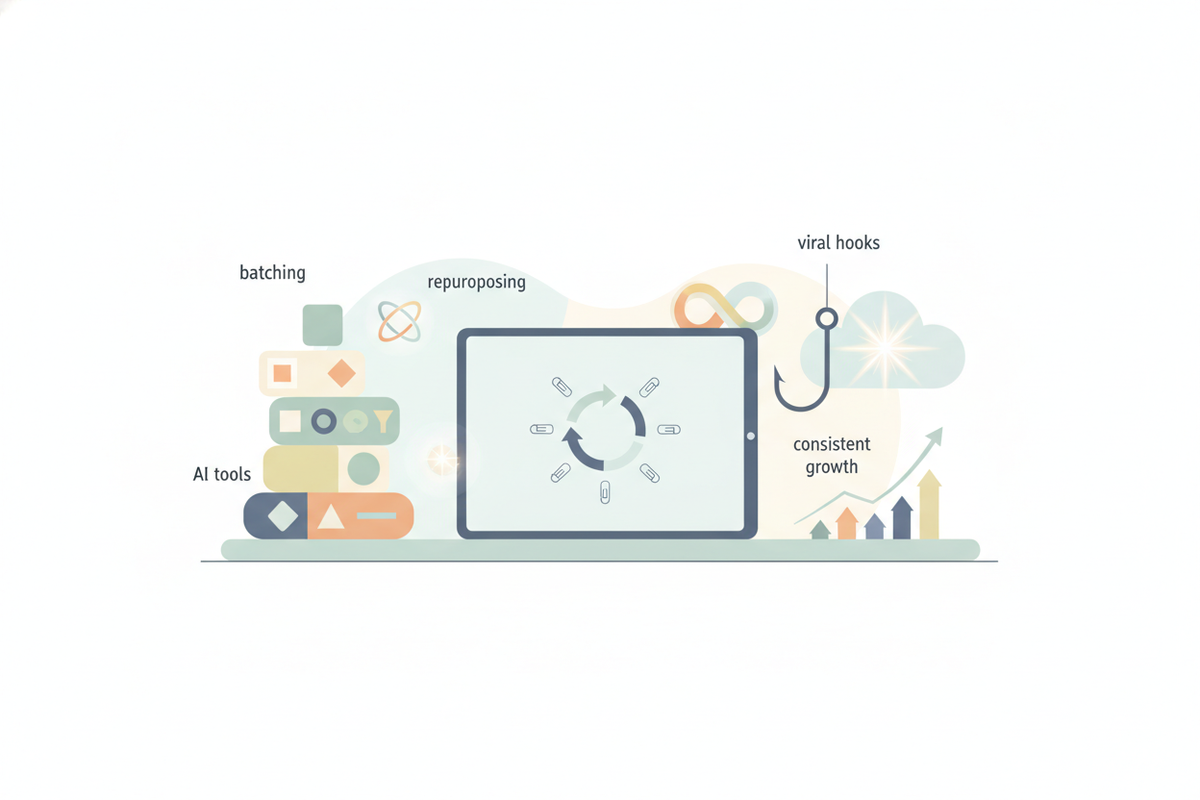
Posting more clips on social media is a proven strategy to grow your audience and engagement. But how do you keep up a steady flow of quality content without feeling overwhelmed? In this guide, we’ll share essential tips for posting more clips on social media — from batching your content creation workflow to leveraging AI-powered apps like Vidulk that help you turn long videos into viral-ready clips quickly and easily.
1. Batch Content Creation for Consistency
One of the biggest challenges in posting clips consistently is time management. Batching your content creation means setting aside dedicated blocks of time to produce multiple clips at once instead of scrambling daily.
For example, if you have a podcast episode or interview, spend a couple of hours extracting 5–10 clips in one session using a tool like Vidulk. This way, you’ll have a backlog of ready-to-post clips to schedule across your social channels.
- Schedule batching sessions weekly or biweekly to maintain a steady clip pipeline.
- Use spreadsheets or content calendars to plan clip posting dates in advance.
- Batching reduces creative fatigue and allows you to focus on quality.
2. Repurpose One Video into Multiple Clips
Maximize your content’s reach by repurposing a single long-form video into several short clips tailored to different platforms. Vidulk’s AI automatically detects the best moments from podcasts, interviews, or lectures and generates captioned, vertical clips perfect for TikTok, Instagram Reels, or YouTube Shorts.
For instance, a 30-minute interview can become 8–12 snackable clips highlighting key insights or funny moments. Each clip can then be customized with platform-specific lengths and formats.
- Identify natural breakpoints or moments with strong hooks to clip.
- Adjust clip duration: 15–30 seconds for TikTok and Reels, up to 60 seconds for Shorts.
- Use Vidulk’s AI Studio to add text overlays and captions that boost engagement.
3. Use Strong Hooks in the First 1–3 Seconds
The first few seconds determine whether viewers keep watching your clip or scroll past. Clips with compelling hooks perform better and have greater viral potential.
Hooks can be a surprising statement, a question, or an intriguing visual. Vidulk’s AI helps identify these moments, but you can also add your own hooks during editing.
- Start with a bold fact or emotional trigger.
- Ask a question that sparks curiosity.
- Use eye-catching visuals or captions immediately.
4. Tailor Clips by Platform: Length, Format, and Captions
Each social platform has unique preferences for video clips. Optimizing your clips helps increase reach and engagement.
For example, TikTok and Instagram Reels favor vertical videos between 15–30 seconds with captions burned in. YouTube Shorts supports up to 60 seconds but also benefits from vertical framing and attention-grabbing titles.
- Use vertical 9:16 aspect ratio to maximize screen space.
- Add burned-in captions and text overlays for viewers watching without sound.
- Customize titles and hashtags targeting each platform’s audience.
5. Post Consistently with a Clear Schedule
Consistency is key to growing on social media. Aim to post clips regularly—whether daily or several times a week—based on your capacity and audience response.
Batching your clips in advance lets you maintain this cadence without scrambling for content. Use scheduling tools to automate posting and free up time for engagement.
- Start with 3–5 clips per week and adjust frequency based on analytics.
- Experiment with posting times to find when your audience is most active.
- Maintain a consistent style and tone across clips for brand recognition.
6. Use Native Uploads and Custom Thumbnails
Uploading clips natively to each platform rather than sharing links improves reach due to platform algorithms favoring native content. Custom thumbnails also help clips stand out in feeds.
Vidulk supports generating thumbnails and video formatting optimized for platforms like TikTok, Instagram, and YouTube, making native posting easier.
- Create eye-catching thumbnails with faces or text overlays.
- Use native upload features to boost organic distribution.
- Maintain vertical aspect ratio to optimize mobile viewing.
7. Include Clear Calls to Action and Encourage Engagement
Encourage viewers to engage with your clips by including calls to action (CTAs) such as "Follow for more," "Comment your thoughts," or "Share this clip." Engagement signals boost visibility and help clips go viral.
Vidulk makes it easy to add CTAs as text overlays or at the end of clips, increasing viewer interaction.
- Keep CTAs short and relevant to the clip content.
- Prompt viewers to like, comment, or share to expand reach.
- Respond to comments to build community and loyalty.
8. Track Performance and Refine Your Strategy
Use platform analytics to monitor which clips perform best and why. Track metrics like views, watch time, shares, and comments to understand what resonates with your audience.
This data helps you refine future clip selection, posting times, and content themes—making your posting efforts more efficient and impactful over time.
- Review weekly or monthly performance reports.
- Identify top-performing clips and replicate their style or topics.
- Adjust posting frequency and times based on engagement trends.
Conclusion
Posting more clips on social media is one of the best ways to grow your audience, increase engagement, and maximize content ROI. The secret is combining consistent batching, smart repurposing, and platform-specific optimization—all made easier with AI-powered apps like Vidulk. By following these tips for posting more clips on social media, you’ll develop a sustainable content creation workflow that fuels steady growth and viral potential. Ready to transform your long videos into viral clips? Try Vidulk today and streamline your social media success.
FAQ
Q: How long should social media clips be?
A: Optimal clip length varies by platform—typically 15–30 seconds for TikTok and Instagram Reels, up to 60 seconds for YouTube Shorts. Keeping clips short and engaging helps maintain viewer attention.
Q: What makes a clip go viral on TikTok, Reels, or Shorts?
A: Viral clips usually have strong hooks in the first few seconds, relatable or surprising content, captions for silent viewing, and clear calls to action encouraging engagement.
Q: How do I turn one video into multiple clips?
A: Use AI clipping tools like Vidulk to automatically identify the best moments in your long-form video and create several shorter clips tailored to each platform’s format and audience.
Q: Should I add captions to social media clips?
A: Yes. Adding burned-in captions improves accessibility and engagement, especially since many users watch videos without sound.
Q: What are the best times to post clips on social media?
A: Best times vary by your audience but generally include early mornings, lunch hours, and evenings on weekdays. Testing and analytics help identify your optimal posting windows.
Q: How many clips should I post per week?
A: Posting 3–5 clips per week is a good starting point for consistent growth. Increase frequency as you streamline your workflow and audience engagement grows.