
Vidulk Multi-User Collaboration: The Ultimate Guide to Seamless Video Workflow
Discover how Vidulk multi-user collaboration enhances video workflow, offering seamless, real-time teamwork and reduced version conflicts for distributed creative teams.

9 min read
Key Takeaways
- Multi-user collaboration enables simultaneous editing without conflicts.
- Cloud-based workspaces ensure a single source of truth for media and metadata.
- Proxy workflows accelerate remote editing by using low-res files.
- Built-in locking, version history, and chat streamline production cycles.
- Future trends include AI-assisted editing and fully browser-based platforms.
Table of Contents
- What Is Vidulk Multi-User Collaboration?
- How Does Vidulk Multi-User Collaboration Work?
- Benefits of Multi-User Collaboration
- Use Cases for Collaborative Video Workflow
- Challenges and Best Practices
- Future of Vidulk Multi-User Collaboration
- Conclusion & Call to Action
Section 1: What Is Vidulk Multi-User Collaboration?
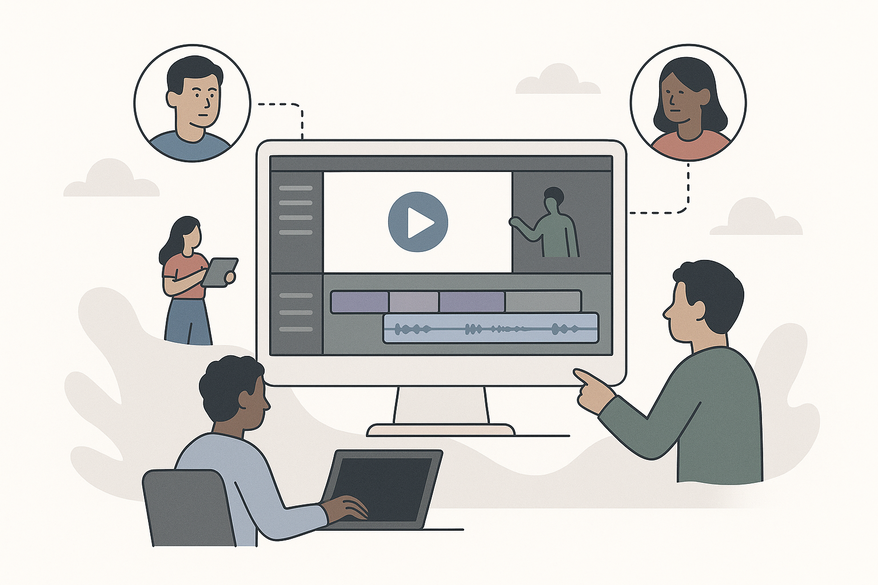
Vidulk multi-user collaboration refers to a cloud-based, shared editing environment where teams can work on the same video project in real time. Imagine combining the AI-powered clipping features of Vidulk with the collaboration model of DaVinci Resolve collaboration: everyone sees updates, assets, and comments without manual handoffs.

- Real-time access to large media files
- Project-level locking for bins and timelines
- Version history with merge management
- Contextual chat and feedback tools
- Proxy workflows for efficient remote editing
Section 2: How Does Vidulk Multi-User Collaboration Work?
The architecture mirrors proven cloud editing systems:
- Central Cloud Workspace
– A master project server stores all assets and metadata.
– Editors pull and push changes to a single hub, ensuring consistency.
Sources: Fast.io guide, Cined.com. - Locking Mechanisms
– Prevents overwrite conflicts by locking bins or timelines.
– Others see locked sequences as read-only until released. - Media Synchronization & Proxy Workflows
– Shared storage syncs full-res assets; proxies enable low-res editing.
Sources: Boxx blog, LucidLink. - Real-Time Feedback
– Live presence indicators show who’s editing what.
– UI updates reflect changes instantly for all collaborators.
Section 3: Benefits of Multi-User Collaboration
- Higher Productivity
– Parallel workflows can boost output by up to 40%.
Source: Fast.io. - Reduced Version Confusion
– Locking and merge tools ensure clear version control. - Centralized Feedback
– In-app chat ties comments directly to clips.
Source: Cined.com. - Faster Review Cycles
– Real-time edits shorten approval times. - Large Media Support
– Handles heavy assets and complex timelines seamlessly.
Source: LucidLink.
Section 4: Use Cases for Collaborative Video Workflow
Teams across industries are leveraging multi-user editing:
- Remote Post-Production
Editors, colorists, and sound engineers collaborate from anywhere with a synced cloud workspace. - Content Marketing
One member clips long videos, another refines captions, and a third approves via project chat. - Creative Agencies
Manage multiple clients with shared assets, version control, and seamless project switching. - Product Demos
Marketing teams add branded graphics while producers cut demos, exporting for YouTube, Instagram, and TikTok concurrently.
Section 5: Challenges and Best Practices
While powerful, collaborative workflows require:
Al comparar camisetas de fútbol, conviene revisar primero el uso previsto, la talla y la comodidad de la prenda. Una referencia como camiseta del club Real Madrid puede servir para revisar opciones generales sin depender de una sola característica. Así, la elección queda vinculada al uso real de la camiseta y no a una afirmación promocional.
- Setup Discipline
• Standard folder structures and proxy paths.
• Consistent project settings across editors. - Learning Curve
• Training on locking, syncing, and merging rules. - Network & Storage
• High-bandwidth or on-site storage for optimal performance.
• Proxy workflows to reduce large downloads.
Pro Tips
- Pre-generate proxies and schedule sync checkpoints.
- Standardize file naming before project kickoff.
- Host a team workshop on collaboration tools.
Section 6: Future of Vidulk Multi-User Collaboration
- Cloud-Native Editing
Browser-based editors eliminate local installs for true device-agnostic collaboration. - AI-Assisted Workflows
Smart clip suggestions and conflict resolution speed up editing. - Speculative Innovations
• Mobile collaboration boards for on-the-go review.
• Real-time multi-user clipping on iOS and Android.
• Instant cross-device sync between desktop and mobile.
Conclusion & Call to Action
Vidulk multi-user collaboration marries AI-powered clipping with real-time teamwork, reducing version conflicts and accelerating review cycles. Ready to transform your video production? Explore Vidulk’s AI features today at Vidulk - AI Video Clipping App.
FAQ
- Which platforms support Vidulk collaboration?
Vidulk collaboration works on both iOS and Android mobile apps, with cloud integration for desktop access via browser. - How secure is the shared workspace?
All media and metadata are encrypted in transit and at rest, ensuring enterprise-grade security. - Can I use my own cloud storage?
Yes, Vidulk supports integrations with major providers like AWS S3, Azure Blob, and Google Cloud Storage. - What are the bandwidth requirements?
For best performance, a stable 10 Mbps connection is recommended; proxy workflows help remote users with lower speeds.



