Unlock Seamless Video Creation with Vidulk Team Collaboration Features
Explore how Vidulk team collaboration features enhance AI video production by aligning team roles, expediting review cycles, and ensuring consistent output.

Estimated reading time: 8 minutes
Key Takeaways
- Vidulk’s collaboration tools integrate with AI features for streamlined video production.
- Pro plan offers team invites and role assignments; Enterprise adds shared libraries and white-label branding.
- Shared libraries, version control, and in-platform commenting reduce review cycles and improve efficiency.
- White-label portals reinforce brand consistency in client-facing workflows.
- Best practices include clear role hierarchies, naming conventions, and regular library audits.
Table of Contents
- Overview of Collaboration Features
- Detailed Breakdown of Key Features
- Benefits of Using Vidulk for Team Collaboration
- Applications and Use Cases
- Best Practices for Maximizing Collaboration
- Conclusion
Overview of Vidulk Collaboration Features
Vidulk’s Pro and Enterprise plans unite creative teams in a single workspace. The Pro plan delivers email-based team invites and granular role assignments (Owner, Admin, Editor, Viewer), while the Enterprise plan adds a centralized shared library for all assets and full white-label branding for a polished, on-brand experience. By building collaboration on top of Vidulk’s AI toolkit — including Fake Chat Video Maker, AI Clip Maker, and AI Studio — teams can co-author scripts, tag versioned files, comment on drafts, and manage permissions seamlessly.

Detailed Breakdown of Key Features
Team Invites & Role Assignments (Pro Plan)
- Team Invites: Send email invitations directly from the dashboard.
- Role Assignments: Define permissions (Owner, Admin, Editor, Viewer) to control access.
Onboarding is simple: navigate to Team Settings, click “Invite Team Member,” enter an email, choose a role, and send — ensuring everyone has the right permissions from day one.
Shared Libraries (Enterprise Plan)
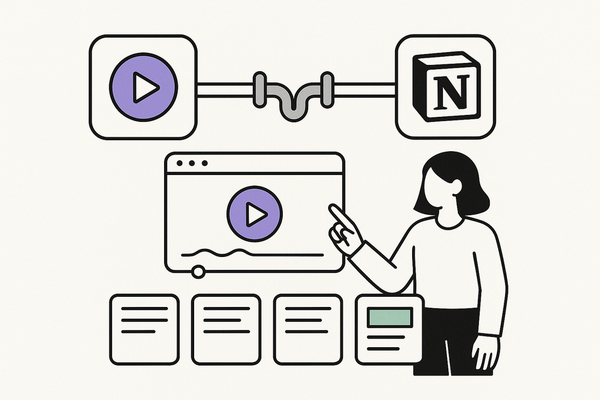
- Shared Libraries: A single source of truth for videos, templates, music, and graphics.
- Version Control: Tag and track updates to avoid confusion.
- Search & Filter: Quickly locate assets by tags, names, or descriptions.
Create a new library, upload assets with metadata, and set permissions by team, department, or external collaborators to keep brand assets organized and accessible.
White-Label Branding (Enterprise Plan)
- Custom Interface: Upload your logo, define brand colors, and configure a custom domain.
- Professional Portals: Deliver client-facing review pages that match your corporate identity.
White-label settings let you reinforce brand trust while sharing videos externally via on-brand portals or embedded codes.
Integration with Vidulk’s AI Tools
- Fake Chat Video Maker: Teams co-author and review AI-generated scripts in real time.
- AI Clip Maker: Store raw clips in shared libraries; editors and reviewers collaborate under role-based controls.
- AI Studio: Comment directly on auto-edited drafts without downloading files.
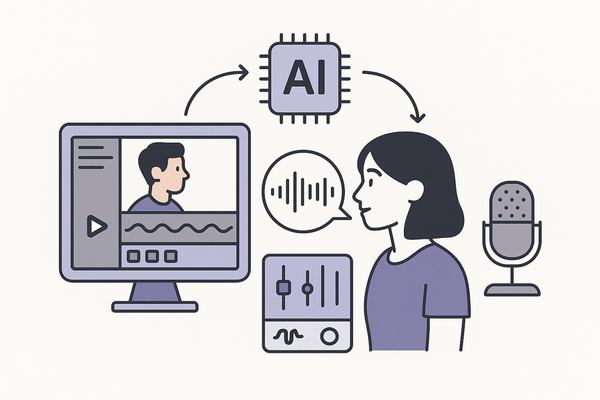
This fusion of AI editing and collaboration accelerates production cycles and ensures teams focus on the latest version.
Benefits of Using Vidulk for Team Collaboration
- Increased Efficiency: Central libraries and clear roles eliminate bottlenecks.
- Streamlined Communication: In-platform comments replace confusing email chains.
- Enhanced Version Control: Tags and shared libraries keep everyone synced.
- Brand Consistency: White-label portals maintain a unified look.
- Scalability: Fast onboarding with invites and preset roles.
Before: Teams email large video files back and forth, losing track of versions.
After: Invite members, share libraries, and comment on drafts — cutting review time by up to 50%.
Applications and Use Cases
Marketing Agency
- Shared libraries hold brand templates and stock clips.
- Role assignments prevent accidental edits by reviewers.
Educational Institution
- AI Clip Maker auto-generates chapter segments.
- White-label portals let students access on-brand lecture pages.
Corporate Training Teams
- Invite global offices as Viewers for real-time feedback.
- Use Fake Chat Video Maker to script and refine FAQs collaboratively.
Best Practices for Maximizing Collaboration with Vidulk
- Establish Role Hierarchies: Define Owners, Admins, Editors, Viewers before kickoff.
- Standardize Naming & Tagging: Clear asset names and consistent tags boost searchability.
- Leverage In-Platform Comments: Set deadlines for feedback resolution.
- Audit Shared Libraries: Archive old assets quarterly to keep libraries lean.
- Use White-Label Branding: Share branded portals to reinforce trust with clients.
Conclusion
Vidulk team collaboration features—team invites, role assignments, shared libraries, white-label branding, and AI integration—form a complete toolkit for organized, scalable, and branded video production. By using Vidulk’s collaboration features, teams can cut review times, maintain version control, and deliver consistent, high-quality videos faster.
In crafting seamless AI-powered workflows, Vidulk empowers teams with intuitive collaboration features, enabling project alignment and accelerated output. Explore more at Vidulk - AI Video Clipping App.
FAQ
- Can I control who edits vs comments? Yes. Role assignments let you define Editor or Viewer permissions.
- How do I track asset versions? Shared libraries use tags and metadata to manage version control.
- Is white-label branding customizable? Fully — upload your logo, set colors, and configure a custom domain.
- Do I need a specific plan for AI tools? All plans include AI features; Pro adds invites/roles and Enterprise adds libraries/branding.
- How secure are shared assets? Vidulk offers role-based access and permission settings to protect your media.