Vidulk vs Kapwing AI Clipper: Comprehensive Comparison with Top AI Clip Tools
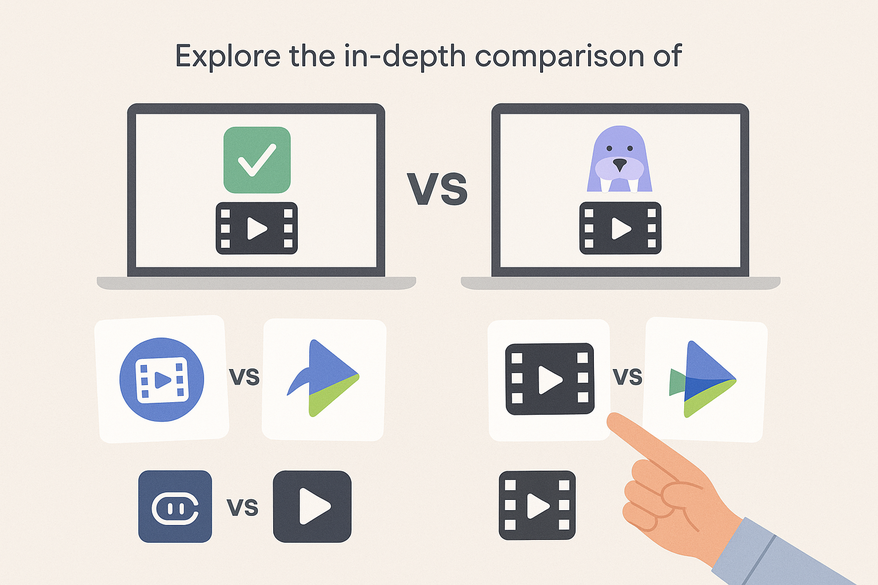
Explore the in-depth comparison of Vidulk vs Kapwing AI Clipper and how they stack up against Clipchamp and InVideo AI clip tools for your editing needs.

Estimated reading time: 7 minutes
Key Takeaways
- AI clip tools automate highlight extraction, reframing, captions, and transitions for rapid, platform-ready videos.
- Vidulk excels in speed and simplicity for solo creators, while Kapwing offers robust collaboration and social optimization.
- Clipchamp integrates smoothly with Microsoft workflows; InVideo provides generative content templates and voiceover features.
- Performance, pricing, and integrations vary—choose based on team size, budget, and desired features to maximize ROI.
Table of Contents
- Introduction to Vidulk vs Kapwing AI clipper
- Overview of the Tools: Vidulk vs Clipchamp AI clipping
- Detailed Comparison Points: Vidulk vs InVideo AI clip tool
- Commercial Investigation Considerations: Vidulk vs Kapwing AI clipper
- Conclusion: Vidulk vs Clipchamp AI clipping
- FAQ
Introduction to Vidulk vs Kapwing AI clipper
In this post, we conduct a commercial investigation to help you choose between Vidulk, Kapwing AI clipper, Clipchamp AI clipping, and InVideo AI clip tool for your video-editing workflows. You will learn how each AI clip tool works, what features they offer, and which tool best fits your needs.
AI clip tools are software that automatically identifies highlights in long-form videos, reframes for vertical formats, adds transitions and captions, and exports platform-ready clips in seconds. These tools use machine learning and deep learning to speed up editing and boost engagement.
Businesses and marketers need AI clip tools to scale content creation and increase audience reach. Research shows AI clip tools can 10x viewership with minimal effort. For more on automating clip creation, see the resource.
Sources: Vizard, Top 5 AI Clipping Tools 2025
Overview of the Tools: Vidulk vs Clipchamp AI clipping
We review four top AI clip solutions. Each summary highlights core use cases, strengths, and target users.
Vidulk
- Definition: An AI-powered clip tool focused on rapid extraction of engaging video moments and platform-ready exports.
- Key point: Emphasizes speed and simplicity.
- Limitation: Specific AI model details are limited in current sources.
- Use case: Solo creators who need quick highlight reels.
- Contrast: Compared to Kapwing, Vidulk vs Kapwing AI clipper focuses more on raw speed than collaboration.
Source: Vizard
Kapwing AI Clipper
- Definition: An AI clipper that auto-generates short-form content with captions, transitions, and social optimization via a collaborative dashboard.
- Key point: Supports multi-format exports and team workflows.
- Use case: Marketing teams that need shared editing and approval.
- Collaboration: Editors can comment and revise in real time.
Source: Top 5 AI Clipping Tools 2025
Clipchamp AI Clipping
- Definition: Offers auto-edits like silence removal, reframing, and noise suppression within the Microsoft ecosystem.
- Key point: Drag-and-drop templates tailored for Reels and Shorts.
- Use case: Enterprises using Microsoft Teams and OneDrive.
- Sync: Clips save to OneDrive and share in Teams.
Source: Top 5 AI Clipping Tools 2025
InVideo AI Clip Tool
- Definition: Features Magic Cut one-click clipping, text-to-video generation, customizable templates, and voiceover capabilities.
- Key point: Ideal for promotional ads and explainers at scale.
- Use case: Ad agencies that churn out branded spots.
- Creativity: Supports GIF insertion and AI-generated voiceovers.
Source: Top 5 AI Clipping Tools 2025
We also tested Vidulk – AI Video Clipping App alongside these tools. Vidulk’s streamlined interface delivers highlights in a few taps without extensive configuration.
Detailed Comparison Points: Vidulk vs InVideo AI clip tool
Features and Functionality
We map out core AI capabilities, UI friendliness, and commercial impact for each tool. For a broader comparison of AI repurposing solutions, see best AI video repurposing tools.
| Tool | Core AI Capabilities | UI & Ease of Use | Commercial Impact |
|---|---|---|---|
| Vidulk | Highlight detection, basic reframing (inferred) | Intuitive one-click interface | Ideal for high-volume repurposing and fast publishing |
| Kapwing | Auto-captions, transitions, platform-specific optimizations | Collaborative dashboard, multi-user | Boosts viral potential and team efficiency |
| Clipchamp | Silence trimming, eye-contact correction, noise suppression | Drag-and-drop with ready-made templates | Professional polish for enterprise videos |
| InVideo | Magic Cut clipping, text-to-video, GIF insertion, prompt-based generation | Template library, one-click wizard | Accelerates ad creation, high ROI on promotional content |
Key insight: AI automation cuts manual editing time by hours, freeing teams to focus on strategy and creative direction.
Sources: Top 5 AI Clipping Tools 2025, Opus
Performance and User Experience
- Speed: Most tools produce clips in seconds. Average time from upload to export is 5–10 minutes.
- Accuracy: Visual and audio analysis yields platform-ready Reels or TikToks with dynamic subject framing.
- Case study: Users report 10x viewership increases from viral clips.
- Gap: Vidulk’s speed matches competitors but lacks public user reviews for validation.
Real-world feedback:
- Kapwing delivers consistent auto-captions and smooth transitions.
- Clipchamp’s noise suppression and eye-contact fix add a professional touch.
- InVideo’s Magic Cut reliably isolates highlights for ad spots.
Sources: Vizard, Veed AI Clip Generator, Top 5 AI Clipping Tools 2025, Opus
Pricing and Value for Money
- Free Trials: All four tools offer limited free tiers for testing.
- Basic Plans: Range from $10 to $20 per month, with caps on clip count.
- Pro/Team Subscriptions: $30–$50 per month, unlimited exports and team seats.
- Cost-Per-Clip: Automated clipping costs a fraction of manual editing fees.
- Enterprise Options: API access and bulk processing available for Kapwing and Clipchamp.
ROI: Automation leads to faster publishing and higher engagement per dollar spent. Example: A marketing agency cuts editing costs by 70% and doubles output.
Sources: Vizard, Top 5 AI Clipping Tools 2025
Integration and Compatibility
- Social Sharing: Kapwing directly posts to TikTok, YouTube, and Instagram.
- Microsoft Ecosystem: Clipchamp syncs with Teams, OneDrive, and SharePoint.
- Add-Ons and APIs: InVideo offers music libraries and voiceover tools; OpusClip API supports full automation.
- Format Support: Vertical (9:16), square (1:1), horizontal (16:9) exports standard across tools.
- Standard Uploads: Vidulk supports common formats (MP4, MOV).
Sources: Vizard, Top 5 AI Clipping Tools 2025, Opus, Spikes Studio, Veed AI Clip Generator
Commercial Investigation Considerations: Vidulk vs Kapwing AI clipper
Choose your tool based on audience, ROI, and real-world use.
- Target Audiences:
• Vidulk for solo creators and small teams.
• Kapwing AI clipper for collaborative marketers and agencies.
• Clipchamp for enterprises within Microsoft workflows.
• InVideo for ad agencies requiring generative content. - ROI Potential: Automation boosts output 5–10x, leading to measurable traffic and engagement lifts.
- Real-World Scenarios:
• Podcast-to-Reels conversions save hours each week.
• Hundreds of companies trust these tools for scroll-stopping content.
Sources: Top 5 AI Clipping Tools 2025, Canva AI Video Editor, Vizard, Veed AI Clip Generator, LiveLink
Conclusion: Vidulk vs Clipchamp AI clipping
We recap strengths and weaknesses.
- Vidulk: Simple, fast, budget-friendly but fewer advanced features.
- Kapwing AI clipper: Balanced feature set, collaboration tools, social optimizations.
- Clipchamp AI clipping: Enterprise polish and Microsoft integration.
- InVideo AI clip tool: Generative versatility, templates, voiceovers.
Recommendation by priority:
• Speed and simplicity: Vidulk.
• Team collaboration: Kapwing AI clipper.
• Enterprise integration: Clipchamp AI clipping.
• Creative ads and explainers: InVideo AI clip tool.
Test free trials to see which tool fits your workflow best.
Sources: Vizard, Top 5 AI Clipping Tools 2025
FAQ
- Which tool is best for solo creators? Vidulk offers the fastest, simplest clipping workflow for individual users.
- How do team features compare? Kapwing’s collaborative dashboard and real-time commenting excel for multi-user projects.
- Can I integrate with Microsoft apps? Clipchamp syncs natively with Teams, OneDrive, and SharePoint.
- Which tool speeds up ad creation? InVideo’s templates, Magic Cut, and voiceover features streamline promotional content production.
- Are free trials available? Yes—each platform offers a limited free tier for testing core clipping features.