
7 Best AI Tools for Splitting Long Form Videos into Shorts
Discover top AI tools for splitting long form videos, auto-captioning, and creating viral clips effortlessly. Perfect for content creators!


Estimated reading time: 8 min
Key Takeaways
- AI tools can automatically detect highlights in long videos for clipping.
- Auto-captioning and subtitle generation enhance accessibility and engagement.
- Vertical video conversion and batch export simplify repurposing for social media.
- Virality scoring and engagement metrics help pick the best clips.
- Vidulk offers a mobile-first AI clipping app with built-in studio features.
Long-form videos like podcasts, interviews, and lectures are treasure troves of content, but manually editing them into shareable clips can be time-consuming. Thankfully, AI tools for splitting long form videos streamline this process by automatically detecting the best moments, adding captions, and formatting videos for platforms like TikTok, Instagram Reels, and YouTube Shorts. In this guide, we explore the top AI-powered video editing tools that content creators can leverage to boost their posting frequency and audience engagement.
1. Vidulk: AI-Powered Clipping with Auto Captions and Vertical Formatting
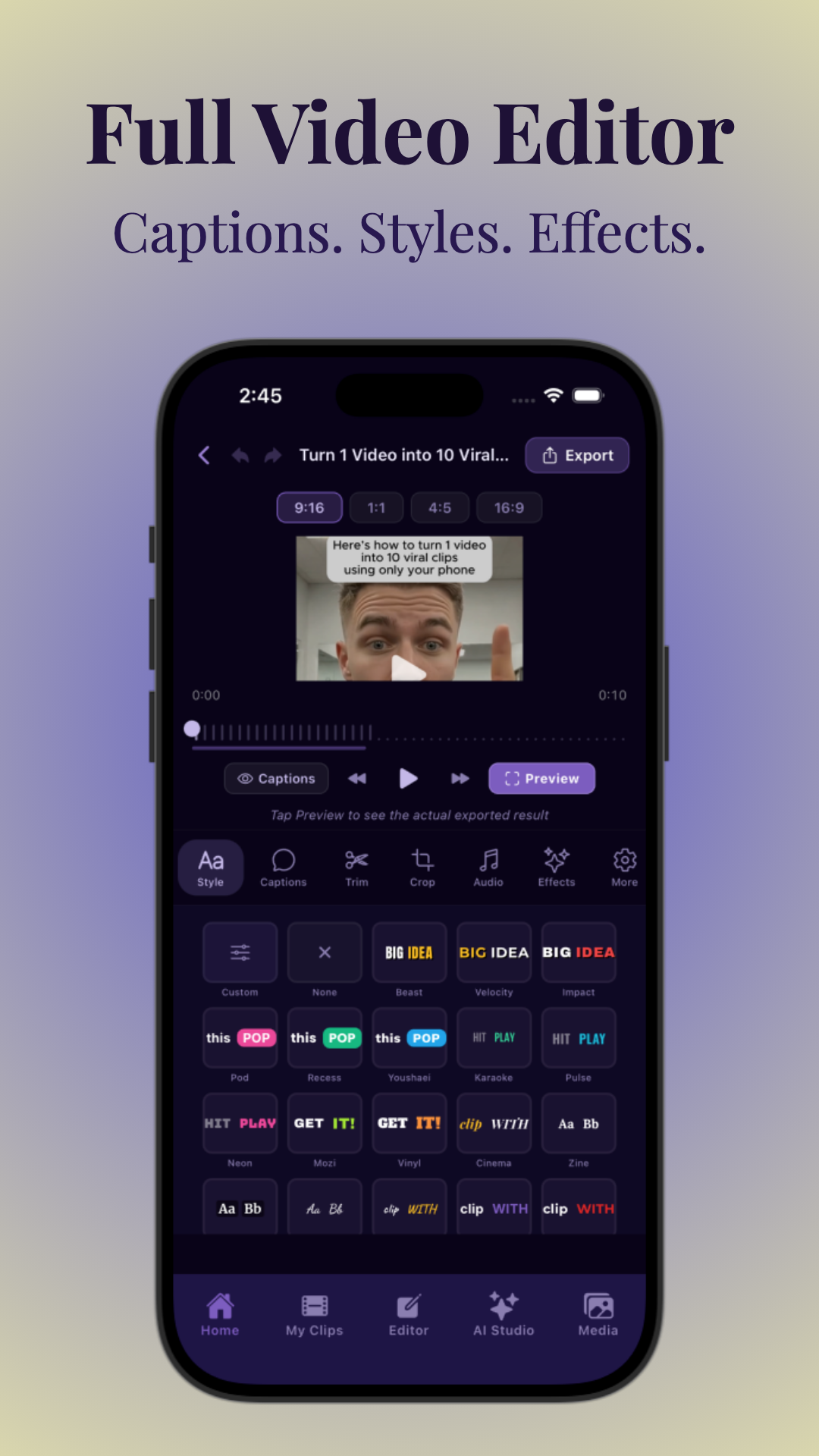
Vidulk is a leading mobile app designed specifically for content creators looking to transform long podcasts, interviews, or lectures into viral short clips. Its AI automatically detects engaging moments and creates captioned, vertical videos optimized for social media sharing.
Beyond clipping, Vidulk offers an AI Studio for image generation and enhancement right on your device, making it a versatile content creation companion.
- Auto-splits long videos into shorts ready for TikTok, Reels, and YouTube Shorts.
- Generates accurate captions and subtitles automatically, improving accessibility.
- Supports batch clipping and bulk export to save creators hours of manual work.
- Includes aspect-ratio reformatting for vertical video conversion.
Vidulk’s privacy-conscious local processing ensures your content stays secure without cloud uploads, a significant plus for sensitive interviews or webinars.
2. Descript: Transcript-Based Editing and Text-to-Clip Workflows
Descript revolutionizes video editing by turning transcripts into editable text. Content creators can highlight key phrases and instantly generate clips from long videos or audio files.
This AI tool excels at adding subtitles and captions automatically, making it easier than ever to prepare content for platforms where silent autoplay is common.
- Uses transcript-based editing to speed up clip creation.
- Auto-generates subtitles and captions with high accuracy.
- Works great for podcasts, webinars, and interviews.
3. Kapwing: Auto Caption Video and Subtitle Generator
Kapwing offers an intuitive browser-based video editor with strong AI captioning features. It automatically adds subtitles to videos, ideal for creators repurposing long content across multiple social channels.
The platform supports aspect-ratio reformatting, letting you convert horizontal videos into vertical formats suitable for Reels or Shorts.
- Auto caption video feature for quick subtitle generation.
- Vertical video cropping and resizing options.
- Simple batch export for multiple clips.
4. Clipchamp: AI Tools for Content Creators with Bulk Export
Clipchamp empowers creators with AI-driven video editing tools, including highlight detection and bulk export capabilities. It’s perfect for those producing numerous clips from webinars or long interviews.
The platform supports adding animated text overlays and subtitles automatically, enhancing viewer engagement on social media.
- AI-powered highlight detection for fast clip selection.
- Batch clipping and bulk export to streamline workflows.
- Animated captions and subtitle overlays.
5. Veed.io: Virality Scoring and Engagement-Based Clip Suggestions
Veed.io uses AI to analyze video content and score clips based on potential virality. This helps creators prioritize the moments most likely to engage audiences.
Its auto-captioning and subtitle tools are robust, and it supports aspect-ratio reformatting for vertical video conversion.
- AI-driven virality scoring to select best clips.
- Automatic captions and subtitles generation.
- Supports TikTok, Reels, and YouTube Shorts formats.
6. Adobe Premiere Pro with AI Plugins: Professional Video Editing Tools
While Adobe Premiere Pro is a traditional desktop video editor, several AI-powered plugins now enable auto clipping, captioning, and aspect-ratio conversion. This is ideal for creators who want fine control over editing alongside AI assistance.
Adobe’s powerful batch export and video cropping tools help repurpose content efficiently.
- AI clip generators via third-party plugins.
- Manual and automatic captioning options.
- Supports various export formats and batch processing.
7. InVideo: Auto-Splitting Into Shorts with Captioning
InVideo leverages AI to auto-split long videos into short clips optimized for social platforms. It automatically adds captions and animated text overlays, making videos more engaging.
Creators can quickly reformat their content for vertical viewing and export multiple clips at once.
- Auto-splits videos into TikTok/Reels/Shorts-friendly clips.
- Caption and subtitle generation included.
- Batch export and vertical video conversion.
Conclusion
Choosing the right AI tools for splitting long form videos depends on your content type, desired output, and workflow preferences. Mobile-first apps like Vidulk offer an excellent balance of AI-powered clipping, auto-caption video features, and vertical video formatting tailored for busy creators on the go. Browser-based editors like Kapwing and Veed.io are great for quick edits, while desktop solutions with AI plugins offer advanced controls.
Regardless of your choice, these AI video editing tools empower creators to produce more content faster, add subtitles automatically, and reformat videos for maximum reach. Explore the tutorials on how to make AI video clips and discover tips for the best clipping app for mobile to elevate your content game.
Ready to start clipping viral shorts from your long videos? Try Vidulk today and see how AI can simplify your video content creation workflow.
FAQ
Q: What is the best AI tool for splitting long-form videos into shorts?
A: For mobile creators, Vidulk stands out as the best AI clip generator because it auto-detects highlights, adds captions, and formats vertical clips optimized for TikTok, Reels, and YouTube Shorts.
Q: How do AI video splitters choose the best moments to cut?
A: They use machine learning models trained to identify engaging moments based on factors like speaker tone, audience reactions, and scene changes, often combined with virality scoring algorithms.
Q: Can AI tools automatically add captions when splitting long videos?
A: Yes, most advanced AI tools like Vidulk, Descript, and Kapwing include auto caption video features, generating accurate subtitles during the clipping process.
Q: What’s the difference between a video splitter and a video clipper?
A: A video splitter generally divides videos into fixed segments, while a video clipper uses AI to select and extract the most engaging highlights automatically.
Q: Are there free AI tools for turning long videos into short clips?
A: Yes, some platforms offer free plans with limited exports, such as Vidulk’s free tier, allowing creators to test AI clipping and auto-captioning features.
Q: Can I split podcasts, webinars, or interviews into clips with AI?
A: Absolutely. AI tools like Vidulk and Descript specialize in processing long-form spoken content, making them ideal for clipping podcasts, webinars, and interviews.



