
AI Interactive Hotspots Generator for Video Clips: Transforming Viewer Engagement
Explore how an AI interactive hotspots generator for video clips can transform passive videos into engaging experiences with clickable hotspots and personalized journeys.

Approx. 10 min read
Key Takeaways
- Interactive hotspots embed clickable areas in videos to drive engagement and participation.
- AI-powered generation uses computer vision, NLP and recommendation models to auto-place hotspots at scale.
- Core technologies include object detection, audio transcription, intent analysis and interactive video engines.
- Benefits span marketing, e-learning, interactive storytelling and support with higher clicks and conversions.
- Best practices cover hotspot timing, density, placement and integration with existing workflows.
Table of Contents
- Introduction
- 1. How AI Is Transforming Video Content
- 2. Technical Overview of the AI Interactive Hotspots Generator
- 3. Benefits and Use Cases
- 4. Practical Implementation and Best Practices
- 5. Future Trends and Innovations
- Conclusion & Call to Action
Introduction
Imagine watching a product demo or training video and pausing every few seconds to click links, answer questions, or choose your path. Traditional videos are passive: you play, you watch, then move on. With interactive hotspots, every click turns a viewer into a participant.
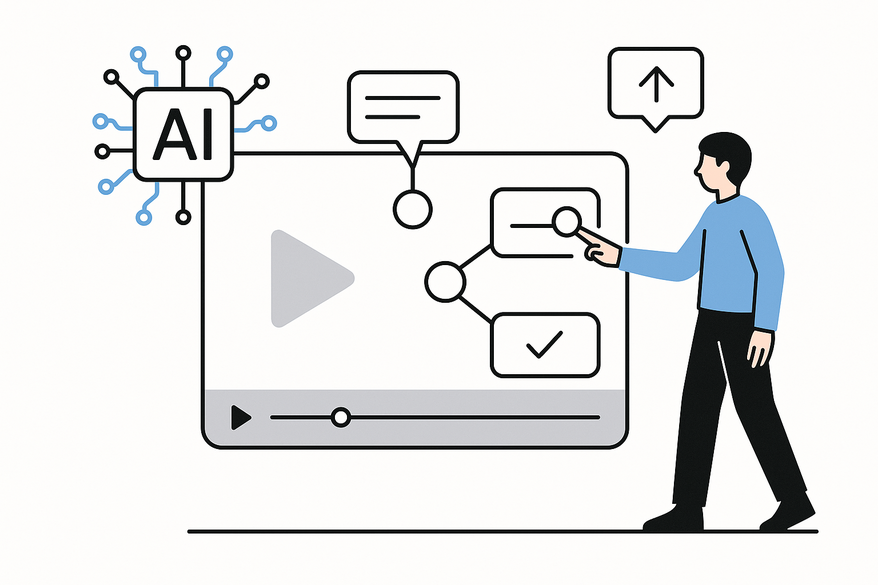
Interactive hotspots are clickable areas embedded directly into video frames that trigger actions—links, pop-ups, branching paths. An AI interactive hotspots generator analyzes video content with computer vision and machine learning to automatically overlay hotspots without manual frame-by-frame edits.
AI tools can also auto-generate chapters, as shown by the AI video chapter generator. By auto-adding interactive elements at scale, you create personalized, immersive journeys—boosting conversions for marketers, real-time learning analytics for educators and massive time savings for creators. Discover how AI video clipping works and explore on-device options like Vidulk - AI Video Clipping App for seamless hotspot integration.
1. How AI Is Transforming Video Content
1.1 Role of AI in Video Enhancement
- Shot detection splits footage at scene changes automatically.
- Object recognition tags products, people or logos for indexing.
- Audio transcription converts speech to text for captions or search.
These capabilities underpin hotspot generation—if AI sees a product in frame, it knows where to link.
1.2 Auto-Adding Interactive Elements
- Transcript analysis: NLP spots keywords like “buy now” or “sign up.”
- Computer vision: Detects objects and faces, tracking overlays as they move.
This approach cuts manual tagging and keeps interactions precise and timely.
1.3 Engagement Drivers
- Contextual timing—hotspots appear exactly when relevant.
- Dynamic adaptation—overlays change based on viewer profiles or actions.
- Action-oriented design—buttons and quizzes drive clicks, not just passive viewing.
Industry data shows interactive videos can double or triple click-through and retention vs. static clips.
2. Technical Overview of the AI Interactive Hotspots Generator
2.1 Core Technologies
- Computer vision: object detection, scene boundary detection, motion tracking.
- NLP: speech recognition, topic extraction, intent detection.
- Recommendation models: predict optimal hotspot types and timings.
- Interactive video engine: renders clickable layers and branching logic.
2.2 Generation Pipeline
- Ingest video: extract audio, frames and metadata.
- Analyze content: run vision and NLP models for detection and transcription.
- Identify candidate hotspots: detect clear product views or script cues.
- Generate overlays: choose button, tooltip or quiz and apply saliency maps.
- Optimize & test: cap hotspots per minute and run A/B tests.
- Publish & track: host on an interactive platform and capture analytics.
3. Benefits and Use Cases
3.1 Use Case Categories
- Marketing & e-commerce: shoppable videos, “Book a demo” CTAs.
- E-learning & training: auto-generated quizzes, branching modules.
- Interactive storytelling: choose-your-own-adventure paths.
- Onboarding & support: clickable tips, FAQs and live chat triggers.
3.2 Business Advantages
- Up to 4× more clicks compared to static videos.
- Higher conversions with direct click-throughs.
- Granular data reveals viewer interests and drop-off points.
- Time and cost savings by eliminating manual hotspot placement.
4. Practical Implementation and Best Practices
4.1 Integration Steps
- Define goals: sales, sign-ups, learning outcomes or retention.
- Connect to CRM, LMS or e-commerce platforms.
- Use AI as a draft and refine design with human review.
4.2 Placement Guidelines
- Timing: natural pauses, 1–3 hotspots per segment.
- Frame location: avoid faces, use corners or edges.
- Labeling: concise, action-oriented text matching dialogue.
4.3 Common Challenges & AI Solutions
- Overload: apply density caps and priority ranking.
- Mistimed hotspots: refine models with engagement data and quick reviews.
- Cross-device issues: responsive placement respects safe tap zones.
- Legacy platforms: use an overlay player atop YouTube or Vimeo.
5. Future Trends and Innovations
5.1 Emerging Capabilities
- Adaptive real-time branching based on viewer behavior.
- In-video AI assistants answering questions without leaving the player.
- Hyper-personalized hotspots tailored to individual profiles.
- Generative video pipelines that auto-insert hotspots from scripts.
- Predictive models forecasting ROI before publication.
5.2 Impact on Media & Marketing
- Success metrics shift to interactions and conversion paths over raw views.
- Viewers navigate self-guided journeys like websites.
- Democratization of interactive experiences for small teams without heavy dev.
Conclusion & Call to Action
An AI interactive hotspots generator transforms passive videos into engaging, data-rich experiences. By combining computer vision, NLP and recommendation engines, you can embed quizzes, buttons, links and branching paths—driving engagement, conversions and viewer insights at scale.
Pilot a hotspot tool on a high-value video—product demo, onboarding lesson or marketing clip. Refine placement, A/B test designs and compare interaction metrics to your baseline. Then build a repeatable interactive video workflow as your new standard.
Explore tools like Cinema8 blog, WeVideo, Clixie blog, Adobe Express blog or Snapbar blog to get started today.
FAQ
- What are interactive hotspots? Interactive hotspots are clickable overlays in video frames that trigger actions like links, quizzes or branching paths.
- How does AI auto-generate hotspots? AI combines computer vision (object and scene detection) with NLP (keyword and intent analysis) to identify where and when to place interactive elements.
- Which industries benefit most? Marketing, e-commerce, e-learning, onboarding and interactive storytelling see the biggest gains in engagement and conversions.
- What are common implementation challenges? Overloading viewers, mistimed overlays and cross-device placement are typical; density caps, model refinement and responsive design address these issues.
- How do I start? Define clear goals, choose an AI-enabled platform, auto-generate hotspots, refine with human review and measure interactions against your baseline.



