
Enhance Accessibility with AI Sign Language Generator for Video Clips
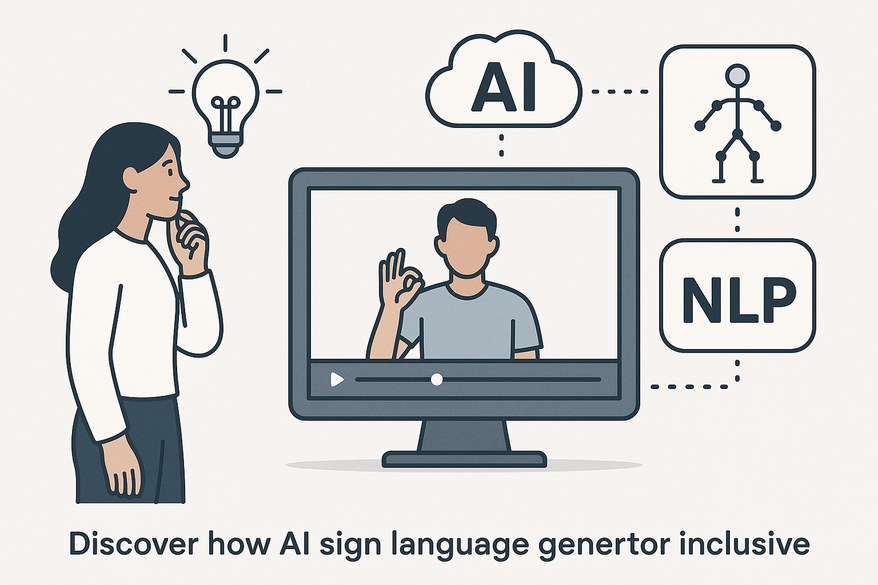
Discover how AI sign language generator for video clips makes content inclusive by generating sign language avatars using NLP and animation synthesis.

Estimated reading time: 8 minutes
Key Takeaways
- Core AI workflows: speech-to-text, NLP, animation synthesis, and video synchronization.
- Major benefits: cost reduction, faster turnaround, scalability, consistency, and multi-language support.
- Use cases: education, entertainment, public service, corporate training, and live broadcasts.
- Challenges: linguistic accuracy, regional variations, non-manual features, and evaluation metrics.
- Future direction: community-driven data, multimodal AI, interactive avatars, and standardized benchmarks.
Table of Contents
- Introduction
- Overview of AI and Accessibility
- Deep Dive into “AI Sign Language Generator for Video Clips”
- Exploring “Video Clip Sign Language Overlay AI”
- Understanding “Auto Generate Sign Language Clips AI”
- Benefits, Use Cases, and Impact
- Challenges and Future Directions
- A Note on Video Clipping for Content Creators
- Conclusion
- FAQ
Introduction
Online video has exploded in every corner of our lives—education, entertainment, news, and corporate training. But for many deaf and hard-of-hearing viewers, much of this content remains out of reach. Sign language is the primary language for tens of millions worldwide, yet hiring a live interpreter for every clip is costly and slow.
An AI sign language generator for video clips solves this by using advanced speech-to-text, NLP, and animation synthesis to create sign language avatars or overlays automatically. In the next sections, we will:
- Explain how AI and machine learning power new accessibility tools.
- Deep dive into AI sign language generator for video clips, video clip sign language overlay AI, and auto generate sign language clips AI.
- Cover benefits, real-world use cases, challenges, and future trends for inclusive video content.
By the end, you’ll understand how these AI tools work, why they matter, and how to start piloting them in your projects.
Overview of AI and Accessibility
Artificial intelligence is reshaping media accessibility in four key areas:
- Speech-to-Text: Converting spoken audio into text transcripts.
- Natural Language Processing (NLP): Understanding and structuring spoken words.
- Computer Vision: Recognizing on-screen text and faces.
- Animation Generation: Creating lifelike sign language avatars.
For deaf and hard-of-hearing audiences, sign language offers native-language access that captions cannot fully deliver. Facial expressions, body language, and correct grammar are vital. An AI-driven sign language overlay uses virtual interpreters or avatars to bring content to these viewers in real time or as a post-production layer.
Key benefits of AI scalability:
- Lower cost per video through batch processing.
- Faster turnaround: minutes instead of days for sign overlays.
- Consistent avatar style across content libraries.
For a detailed walkthrough on adding standard captions to video clips, see adding standard captions to video clips.

Deep Dive into “AI Sign Language Generator for Video Clips”
An AI sign language generator for video clips automatically converts speech or text into synchronized sign language animations or overlay interpreters.
Core Modules:
- Automatic Speech Recognition (ASR) + NLP: Captures spoken words and scripts.
- Text-to-Sign Translation: Maps text to sign “gloss” sequences and correct grammar.
- Animation Synthesis: Generates 2D/3D avatars using motion-capture training and deep learning.
- Video Synchronization: Aligns signing speed and positioning with original media.
Sector Applications: Education, entertainment & streaming, public service, and corporate training.
Automation Benefits: Cost reduction (up to ~70%), scalability, speed, consistency, and multi-language support.
Real-world example: A university tested an AI avatar for lecture videos. Turnaround dropped from one week to 15 minutes per session, with deaf students reporting higher comprehension compared to captions alone.
Exploring “Video Clip Sign Language Overlay AI”
A sign language overlay adds a picture-in-picture window or avatar over existing video. With AI, this overlay is generated without re-shooting.
Workflow Steps:
- Upload video or live stream.
- Extract audio/text via ASR or upload a transcript.
- Generate sign sequences and animate the avatar.
- Composite overlay: choose size, position, and background.
- Export or stream with real-time overlay.
Use Cases: Live news & events, on-demand libraries, and social media clips.
Benefits: Instant accessibility, user control, and compliance.
Experience note: During a live webinar, setup took under 10 minutes, and deaf attendees commended the clarity and speed of the avatar interpretation.
Understanding “Auto Generate Sign Language Clips AI”
“Auto generate sign language clips AI” refers to systems that create standalone sign language videos or avatar streams from text or audio inputs.
Pipeline Steps:
- Transcription & Timestamp Segmentation (ASR)
- Linguistic Transformation (Language → Sign Gloss)
- Motion Generation (Transformers + GANs/diffusion; non-manual markers)
- Rendering (customizable signer appearance)
Manual vs. Auto-Generated: Manual clips offer high accuracy but are slow and costly; auto-generated clips are fast, scalable, and consistent but may misinterpret idioms.
Underlying Algorithms: Transformer models, computer vision, motion capture, and real-time engines.
Trustworthiness point: Systems often allow human review of transcripts to guarantee quality.
Benefits, Use Cases, and Impact
- Native-Language Access: Full grammatical and expressive fidelity.
- Higher Engagement: Better comprehension than captions alone.
- Broader Reach: Legal compliance and audience expansion.
- Operational Efficiency: Lower cost and faster production.
Use Cases & Case Studies: Reelmind Platform, AWS GenASL ASL Avatar Service, broadcast trials.
Sector Impact: Media & entertainment, education, public communications.
For insights on meeting WCAG standards with AI captions, see meeting WCAG standards with AI captions.
Challenges and Future Directions
Current Limitations: Linguistic accuracy, regional variations, non-manual features, lack of benchmarks, integration complexity.
Future Trends: Community-annotated corpora, deaf community feedback loops, multimodal AI, interactive real-time avatars, and industry standards.
Expertise note: Ongoing research, such as Mada’s Nafath project, is developing evaluation frameworks that may become legal requirements.
A Note on Video Clipping for Content Creators
For creators aiming to transform long-form videos into digestible, accessible content, consider exploring Vidulk’s suite of AI-powered tools. Visit Vidulk - AI Video Clipping App to learn how you can automatically detect and clip your best moments while ensuring your content reaches deaf and hard-of-hearing audiences.
Conclusion
AI tools for sign language generation are moving from proof-of-concept to production readiness. An AI sign language generator for video clips, coupled with video clip sign language overlay AI and auto generate sign language clips AI, offers a powerful, scalable way to make video content fully inclusive.
Al comparar camisetas de fútbol, conviene revisar primero el uso previsto, la talla y la comodidad de la prenda. Quienes comparan alternativas pueden usar equipaciones del Liverpool como punto de partida para observar tipos de camiseta y detalles básicos. Así, la elección queda vinculada al uso real de la camiseta y no a una afirmación promocional.
- Definitions and workflows for three core AI approaches.
- Clear benefits: cost savings, speed, compliance, and engagement.
- Real-world case studies from Reelmind, AWS, and broadcast trials.
- Challenges around accuracy, cultural nuance, and evaluation metrics.
- Future direction toward community-driven, multimodal, interactive avatars.
Next Steps:
- Pilot these AI tools in your video workflows.
- Engage deaf community members for feedback and co-design.
- Monitor emerging benchmarks and accessibility standards.
Subscribe for updates on inclusive AI media solutions. Together, we can transform video accessibility at scale.
FAQ
-
How accurate are AI-generated sign language overlays?
Accuracy varies by language model and dataset. Most systems achieve 85–95% gloss-level accuracy but may struggle with idioms. A human review step is recommended.
-
Which sign languages are supported?
Common offerings include ASL, BSL, and LSF. Many platforms allow training custom models for additional regional or national sign languages.
-
Can overlays be toggled on and off?
Yes. AI overlays are typically delivered as separate tracks or picture-in-picture elements that viewers can enable or disable in the player interface.



