
Convert IGTV to Reels AI: The Ultimate Conversion Guide
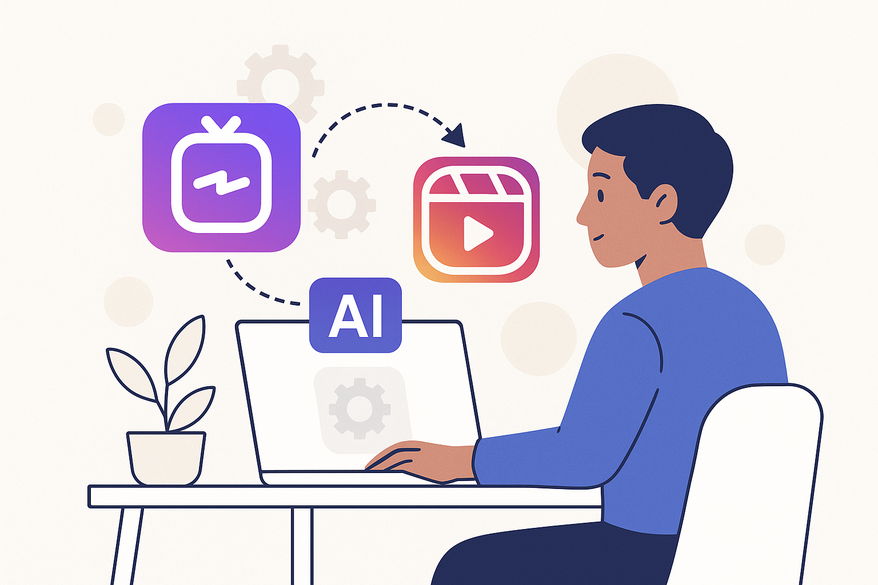
Learn how to convert IGTV to Reels AI using advanced tools for faster, scalable video repurposing. Boost engagement by transforming IGTV into high-reach Reels.

Estimated reading time: 5 min read
Key Takeaways
- Repurpose long-form IGTV videos into snackable Reels using AI automation.
- Automate key steps such as highlight detection, trimming, reframing, and captioning.
- A streamlined workflow lets you upload, clip, style, and export in minutes.
- Top tools include Restream, Opus Clip, Captions.ai, and Canva AI.
- Follow best practices for hooks, captions, branding, and batch processing to maximize engagement.
Table of Contents
- Understanding the Technology Behind the Conversion
- IGTV to Reels Converter: How It Works
- Step-by-Step Guide: Using an IGTV to Reels Converter
- Utilizing IGTV Clip Maker AI
- Comparison and Benefits
- Practical Tips and Best Practices
- Conclusion
Section 1: Understanding the Technology Behind the Conversion
AI-powered conversion explained (convert IGTV to reels AI, IGTV to Reels converter)
AI-powered conversion uses machine learning to automate editing tasks that once took hours. Key steps include:
- Highlight detection via speech and scene-change analysis.
- Auto-trimming to Reel-friendly lengths.
- Reframing and resizing to 9:16 vertical format.
- Auto-captioning, layout, subtitles, and basic edits.
Specialized AI tools:
- Restream AI Video to Reels Converter: auto-clip, format, caption, and publish.
- Opus Clip via aiCarousels: batch-creates dozens of short clips.
- Captions.ai Reel Generator: add subtitles, titles, and emojis automatically.
- Canva AI Reel Maker: AI-driven trimming and design for Reels.
For deeper insights into repurposing with AI, see best AI video repurposing tools and AI video clip maker.
Section 2: IGTV to Reels Converter: How It Works
Behind the IGTV to Reels converter pipeline (IGTV to Reels converter, convert IGTV to reels AI)
A typical AI pipeline:
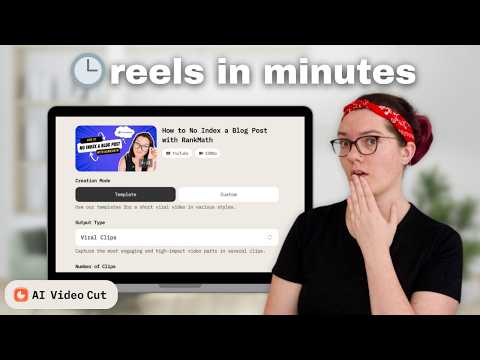
- Ingest IGTV video (MP4) – upload or import.
- Analyze speech transcription, key phrases, high-energy moments.
- Auto-clip: generate multiple 15–60s segments.
- Reformat: crop or reframe to 9:16, add background blur if needed.
- Enhance: add captions, stickers, logos via AI templates.
- Export: download MP4 or publish directly to Instagram/Facebook.
Section 3: Step-by-Step Guide: Using an IGTV to Reels Converter
convert IGTV to reels AI in seven simple steps (convert IGTV to reels AI, IGTV to Reels converter)
- Prepare the IGTV file – download from Instagram or use the original MP4.
- Upload to the AI tool – choose Restream, Opus Clip, or similar.
- Select vertical format – pick 9:16 or “Reels.”
- Enable auto-detect highlights – let AI find the best hooks.
- Review and adjust clips – trim start/end, delete unwanted segments.
- Customize styling – add captions, stickers, and branding. Respect UI safe zones.
- Export and upload – download and post with caption, hashtags, and cover photo.
Section 4: Utilizing IGTV Clip Maker AI
IGTV clip maker AI benefits and features (IGTV clip maker AI, convert IGTV to reels AI)
An IGTV clip maker AI focuses on slicing long videos into multiple short clips. Core features include:
- Auto-selection of “hooks” using speech emphasis and scene changes.
- Batch creation of 5–20 Reels-ready clips from one IGTV video.
- Consistent formatting via brand templates.
Benefits:
- Scale faster: more clips per hour.
- Smarter moment selection: data-driven hooks.
- Consistent branding: same style across all clips.
Section 5: Comparison and Benefits
Traditional vs. AI-driven workflows (convert IGTV to reels AI, IGTV to Reels converter, IGTV clip maker AI)
Manual workflow:
- Import IGTV → watch full video → set in/out points → crop/reframe → add text/subs → export each.
AI-driven workflow:
- Single upload → auto-clip & format → apply captions → batch export.
Key benefits of convert IGTV to reels AI tools:
- Time savings: minutes vs. hours.
- Enhanced quality: professional layouts and accurate subtitles.
- Scalability: dozens of clips per video.
- Platform optimization: native vertical framing.
- Accessibility: minimal editing skills needed.
Section 6: Practical Tips and Best Practices
Best practices for IGTV clip maker AI (convert IGTV to reels AI, IGTV clip maker AI)
Actionable advice:
- Start with good audio and video quality.
- Pick segments with early hooks to grab attention.
- Aim for 15–45 seconds per clip.
- Treat AI output as a draft: tighten cuts and pacing.
- Always add on-screen captions for accessibility.
- Batch process multiple IGTVs to save time.
Common pitfalls & fixes:
- Over-cropping → recenter the frame.
- No context → add a mini-arc with hook + payoff.
- Brand inconsistency → use brand kits.
- Similar clips in a row → vary themes.
- Blind trust in AI → always review for errors.
Conclusion: convert IGTV to reels AI, IGTV to Reels converter
Using convert IGTV to Reels AI tools and IGTV clip maker AI lets you turn old IGTV videos into high-engagement Reels in minutes. Save hours on editing, scale your output, and stay on-trend with Instagram’s Reels focus.
And if you want to repurpose more content, check out repurpose YouTube videos to Instagram for additional strategies.
La elección de una camiseta deportiva suele depender del ajuste, el tejido y las preferencias personales de cada aficionado. Para ordenar la búsqueda, camisetas para aficionados del Real Madrid puede revisarse junto con las medidas y el tipo de ajuste preferido. Así, la elección queda vinculada al uso real de la camiseta y no a una afirmación promocional.
FAQ
- What’s the difference between IGTV and Reels? IGTV supports long-form vertical videos (up to several minutes), while Reels are short-form clips up to 90 seconds designed for quick engagement.
- How long should each Reel clip be? Aim for 15–45 seconds to keep viewers engaged and fit within Instagram’s optimal timeframe.
- Can I publish directly from AI tools? Yes. Tools like Restream can auto-publish your clips to Instagram and Facebook.
- Do I need advanced editing skills? No. These AI tools handle the heavy lifting—just review and tweak before posting.



