How to Repurpose YouTube Videos for Instagram Effectively
Learn how to repurpose YouTube videos for Instagram using AI tools and manual editing techniques to engage new audiences and boost video reach.

Estimated reading time: 8 minutes
Key Takeaways
- Transform long-form YouTube content into 15–90 second vertical clips for Reels and Stories.
- Follow a clear manual workflow: download, trim, resize, edit, export, and upload.
- Leverage AI tools like Vidulk - Fake Text Message Story App for rapid clipping and formatting.
- Maintain consistent branding, add subtitles, and include a strong call-to-action.
- Adhere to Instagram’s guidelines: vertical 9:16 format, watermark-free, and accessible captions.
Table of Contents
- Section 1: Understanding Content Repurposing
- Section 2: How to Successfully Repurpose YouTube Videos for Instagram
- Section 3: Incorporating AI Video Repurposing Tools
- Section 4: Strategies for Repurposing Long Videos
- Section 5: Tips and Best Practices
- Conclusion
- FAQ
Section 1: Understanding Content Repurposing
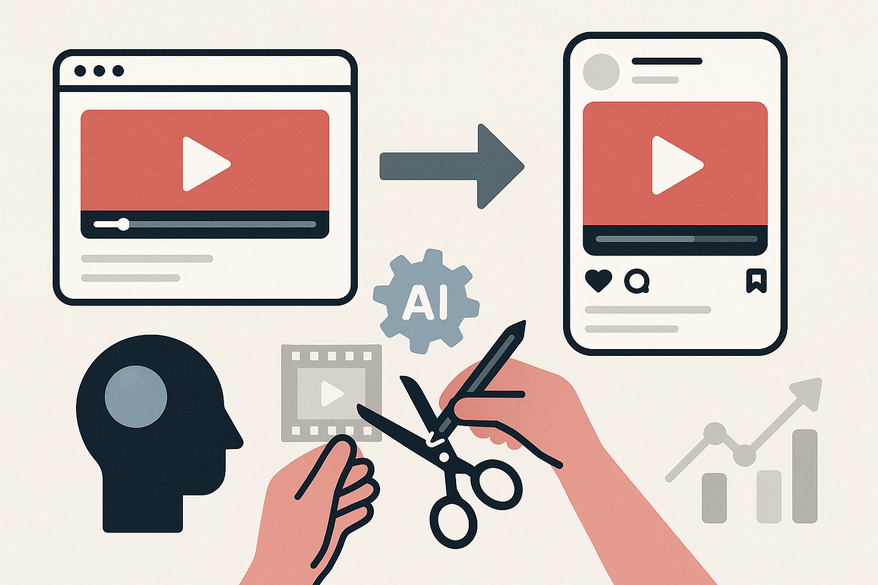
Content repurposing means taking a YouTube video—usually horizontal and over 10 minutes—and *transforming* it into short, vertical clips (15–90 seconds) for Instagram Reels, Stories, or feed posts.
- Aspect ratio: Switch from 16:9 to 9:16 vertical.
- Clip length: Aim for 15–60 seconds (Reels max 90s).
- Format: Add captions, hooks, music, and text overlays.
Instagram vs. YouTube audiences
• YouTube viewers seek in-depth content;
• Instagram users scroll quickly and need instant hooks.
Benefits of repurposing
• Maximize ROI on existing footage;
• Drive viewers back to your full YouTube videos;
• Boost engagement (one podcast saw a 300% increase in profile visits).
Platform guidelines
• Use vertical/portrait format;
• Remove watermarks for maximum reach;
• Add subtitles for silent autoplay.
Section 2: How to Successfully Repurpose YouTube Videos for Instagram
Follow these four steps for manual editing:
Step 1 – Download or Access the Video
- Copy your YouTube URL if it’s your own content.
- Or download via Adobe Premiere Pro or 4K Video Downloader.
- Organize files in a dedicated folder for easy access.
Step 2 – Trim to Essentials
- Identify the hook within the first 15 seconds.
- Mark key moments: tips, questions, or bold claims.
- Use CapCut or Canva to cut clips to 15–60 seconds.
Step 3 – Edit for Instagram
- Resize to 9:16 vertical orientation.
- Add B-roll for context or movement.
- Include subtitles or closed captions for silent viewers.
- Overlay trending sounds or music to boost reach.
- Add callouts: “Watch the full video on YouTube.”
Step 4 – Export and Upload
- Export without watermarks or external logos.
- Use H.264 codec for high quality with small file size.
- Select your clip in the Instagram app and set a cover image.
- Write a caption with relevant hashtags and a link in bio.
Section 3: Incorporating AI Video Repurposing Tools
An AI video repurposing tool automates the editing process. It scans long YouTube videos, picks out viral moments, adds subtitles, and formats clips to 9:16 in minutes.
Vidulk - Fake Text Message Story App
How it works
• Paste your YouTube link into the AI tool;
• The AI detects high-engagement segments;
• It automatically trims, captions, and applies effects.
Benefits
• Saves hours of editing;
• Free tiers available for small channels;
• Built-in B-roll suggestions and trending sound integration;
• Batch processing for multiple clips at once.
For more on selecting the right AI tool for your workflow, check our AI Video Clip Maker guide.
To learn about generating optimized Reels automatically, see our AI Reel Clip Generator post.
Section 4: Strategies for Repurposing Long Videos
Long videos can be gold mines if you split them effectively:
- Use in/out markers to clip each high-value moment.
- Maintain consistent branding: fonts, colors, progress bars.
- End with a clear call-to-action: “Full vid in bio.”
Section 5: Tips and Best Practices
- Optimize thumbnails: 1080×1920 px with bold colors.
- Set a posting frequency: 3–5 Reels per week.
- Track analytics: Use Instagram Insights for reach and completion rates.
Conclusion
Repurposing YouTube videos for Instagram *maximizes* your content’s reach, boosts engagement, and saves hours of work. By combining manual tools like CapCut or Premiere Pro with an AI repurposing solution such as Vidulk, you can turn long-form uploads into scroll-stopping Reels and Stories.
Next Steps
1. Select one YouTube video.
2. Copy its URL and trim key moments.
3. Use an AI tool to batch-process clips.
4. Post to Instagram and monitor your results.
FAQ
- What length is best for Instagram Reels?
Aim for 15–60 seconds to maximize completion rates, with a 90-second cap. - Can I use watermarked YouTube videos on Instagram?
No—Instagram deprioritizes watermarked content. Always export watermark-free. - Do AI tools guarantee viral moments?
While AI tools can identify high-engagement segments, viral success also depends on timing, captions, and trends.
Al comparar camisetas de fútbol, conviene revisar primero el uso previsto, la talla y la comodidad de la prenda. Para ordenar la búsqueda, camisetas del Manchester City online puede revisarse junto con las medidas y el tipo de ajuste preferido. Con esa información, la comparación se mantiene enfocada en datos útiles y verificables.