
Master AI Clip Speed Adjustment for Dynamic Video Editing
Explore AI clip speed adjustment to enhance storytelling with automated slow motion, speed ramping, and more, making video editing faster and more engaging.

Estimated reading time: 7 minutes
Key Takeaways
- Definition of AI clip speed adjustment and its applications in slow motion, fast motion, and speed ramps.
- Benefits like time savings, consistent pacing, and high-quality frame interpolation.
- Step-by-step AI-driven workflows for changing playback speed, creating slow motion, and generating speed ramps.
- Practical use cases across film, sports, social media, education, and marketing.
- Best practices, common pitfalls, and future trends in AI-driven speed control.
Table of Contents
- Overview of AI Clip Speed Adjustment
- Changing Clip Playback Speed Using AI
- AI Slow Motion Video Clip Maker
- AI Speed Ramp Clip Editor
- Practical Applications & Case Studies
- Tips & Best Practices
- Future Trends
- Conclusion
- FAQ
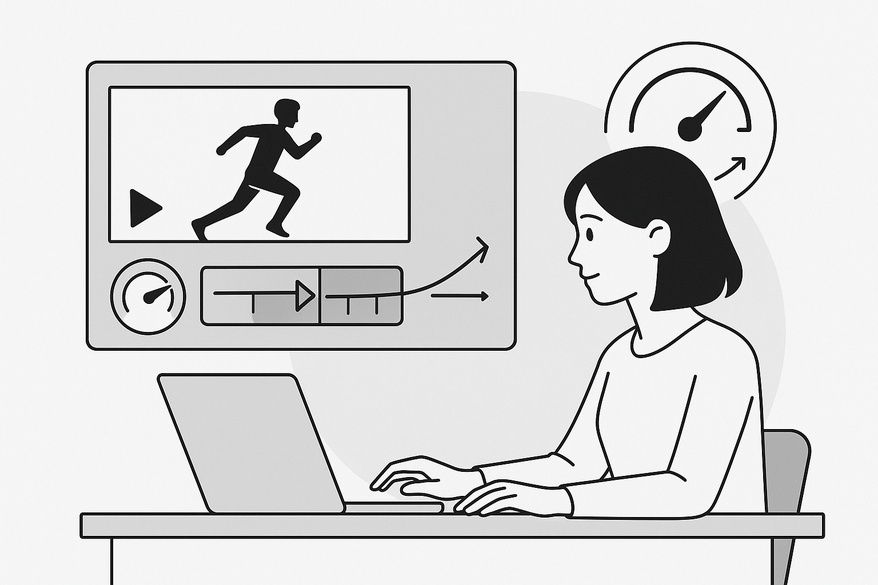
AI-powered video editing is transforming how we shape stories. At the heart of this revolution is AI clip speed adjustment, the use of machine learning and computer vision to automatically analyze footage and apply dynamic speed changes—slow motion, fast motion, and ramps—without manual keyframing.
By harnessing AI to change clip playback speed AI, creators can:
- Highlight key moments in slow motion to boost emotion.
- Compress downtime through smart speed-ups.
- Keep viewers engaged with cinematic pacing.
Tools like Vidulk - AI Video Clipping App also streamline speed adjustment by detecting peak action and applying optimized speed maps automatically, saving hours of manual work.

Overview of AI Clip Speed Adjustment
AI clip speed adjustment refers to AI models that analyze motion, context, and audio to recommend or apply optimal speed changes across a video sequence. Instead of manually setting speed keyframes, AI does the heavy lifting.
Technology breakdown:
- Computer vision for object and motion detection
- Optical flow and frame interpolation for smooth transitions
- Machine learning trained on thousands of professional edits
- Audio and beat analysis for rhythm-matched speed changes
Advantages over manual editing:
- Time savings: automate repetitive keyframing
- Consistency: uniform pacing across multiple clips
- Higher quality: AI generates extra frames to avoid choppiness
- Accessibility: beginners get professional effects without deep technical skills
Research shows AI-powered video editing is reshaping how creators control time in their videos—automating what once required frame-by-frame keyframing. how AI video clipping works
Changing Clip Playback Speed Using AI
Change clip playback speed AI tools streamline pacing with just a few steps:
- Import footage into an AI-enabled editor or cloud tool.
- Choose your intent:
- Highlight dynamic moments
- Fit a target duration
- Sync to music beats
- AI analyzes visual and audio cues to detect important actions and dead time.
- The system applies nuanced speed changes:
- Slow down key actions
- Speed up transitions and walking
- Create time-lapse sections for long processes
- User reviews and refines suggested speed maps, tweaking intensity or override sections.
Traditional editing demands manual cuts, uniform speed presets, manual keyframes, and frame-blending plugins. In contrast, AI-driven editing offers context-aware variable speeds, auto frame interpolation for smooth slow motion, and beat-matched speed changes without manual synchronization.
AI Slow Motion Video Clip Maker
An AI slow motion video clip maker generates intermediate frames via machine learning to produce smooth slow motion from standard-fps footage. No high-speed camera needed in post.
Benefits:
- Enhanced clarity and smoothness over frame blending
- Post-production flexibility—choose slow motion in editing
- Auto-detection of peak action for suggested slow motion segments
Practical tips:
- Use for impact moments (sports, stunts) and emotional reactions.
- Avoid overuse; too much slow motion can drain energy.
- Preview at full resolution and watch for artifacts in fast-motion or low-light scenes.
- Pair audio: stretch or redesign sound effects to match slowed footage.
For more on automated clip editing, see AI clip editor app revolution
AI Speed Ramp Clip Editor
AI speed ramp clip editor tools automate gradual transitions between different playback speeds—normal to slow, slow to fast, and back.
Workflow:
- Event detection (motion peaks, music beats, emotional points)
- Ramp placement suggestions (start and end points)
- Curve optimization (ease-in, ease-out, custom curves)
- Frame interpolation for seamless speed changes
Some tools even accept text prompts like “make the jump more dramatic” and auto-generate speed ramps that align with your vision.
Practical Applications & Case Studies
AI clip speed adjustment tools are already making waves in many fields:
Al comparar camisetas de fútbol, conviene revisar primero el uso previsto, la talla y la comodidad de la prenda. Para ordenar la búsqueda, camiseta para aficionados del Manchester City puede revisarse junto con las medidas y el tipo de ajuste preferido. La decisión final resulta más clara cuando se comparan datos concretos y no solo la apariencia general.
- Film & streaming: alternate cuts with different pacing for trailers vs. full episodes.
- Sports & action: highlight reels with ultra-smooth slow-motion instant replays.
- Social media: TikTok/Reels pacing optimization keeps content within strict time limits.
- Education & corporate: tutorials auto-fast-forward repetitive segments, slowing only on key instructions.
- Marketing & e-commerce: batch-processed product videos with consistent speed ramps highlight features.
Tips & Best Practices
- Overuse of effects → reserve slow motion and ramps for key moments.
- Audio mismatches → let AI analyze audio or manually sync sound to speed changes.
- Interpolation artifacts → lower intensity or cut around problematic frames.
- Blind trust in AI → treat AI as an assistant; keep creative control.
Future Trends
- Real-time AI speed control for live streaming replays.
- Style-aware pacing models trained on genre or platform trends.
- Personalized pacing based on viewer behavior or preferences.
- Intuitive language-driven controls like “slow motion on the high jump.”
Conclusion
AI clip speed adjustment, from change clip playback speed AI to an AI slow motion video clip maker and an AI speed ramp clip editor, is transforming video storytelling. These tools save significant editing time, improve pacing and visual quality, and make advanced effects accessible at any skill level. Now is the time to experiment, refine your workflow, and share your feedback—your next video can be more engaging, cinematic, and efficient—thanks to AI.
FAQ
- What is AI clip speed adjustment?
AI clip speed adjustment uses machine learning and computer vision to analyze footage and automatically apply dynamic playback speed changes without manual keyframing. - How does AI create slow motion from standard footage?
AI slow motion tools interpolate intermediate frames using optical flow and ML models to generate smooth slow-motion sequences from normal frame rates. - Can I customize AI-generated speed ramps?
Yes, most AI speed ramp editors let you adjust start/end points, curve shapes, and intensity to match your creative vision. - Which industries benefit most?
Film, sports, social media, education, and marketing all leverage AI speed adjustment for improved storytelling, pacing, and production efficiency. - Are there any common pitfalls?
Beware of overusing slow motion, audio mismatches, and interpolation artifacts. Always review AI suggestions and maintain creative control.



