
Mobile AI Video Editor: The Ultimate Guide
Discover how mobile AI video editors revolutionize video creation with automated editing, boosting productivity and creativity on the go.

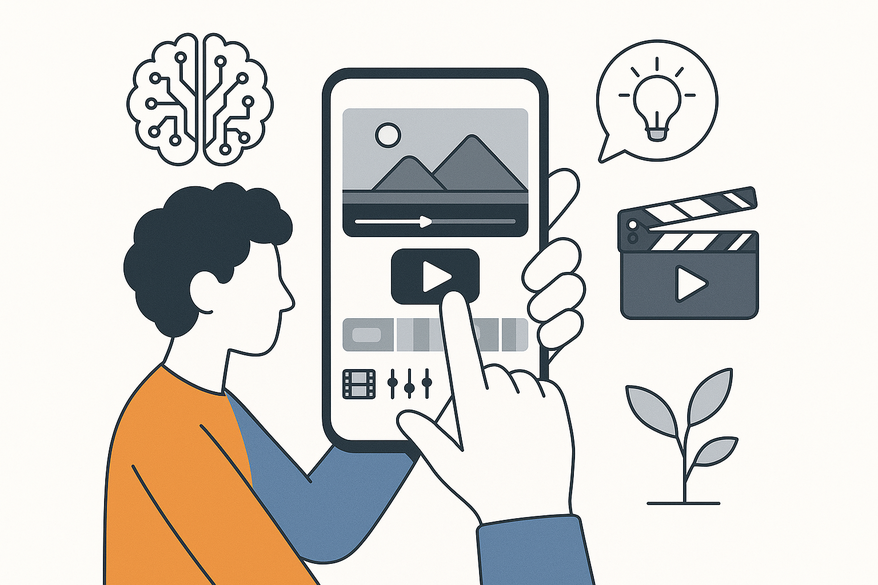
Estimated reading time: 5 min
Key Takeaways
- AI-driven automation accelerates editing by handling trimming, color correction, and audio fixes.
- Intuitive, touch-friendly interfaces enable on-the-go creativity without a desktop.
- Choose tools based on interface, pricing, performance, and platform compatibility.
- Tailored benefits for content creators, influencers, marketers, and casual users.
- Simple step-by-step setup gets you editing in minutes, complete with direct sharing options.
Table of Contents
- Introduction: Mobile AI Video Editor Defined
- What is a Mobile AI Video Editor?
- Key Features and Advantages
- Benefits for Different User Types
- How to Choose the Right Mobile AI Video Editor
- Step-by-Step Guide to Getting Started
- Embed: Auto-Edit Demo
- Conclusion
- FAQ
Introduction: Mobile AI Video Editor Defined
A mobile AI video editor is a smartphone or tablet app that leverages artificial intelligence to simplify video creation on the go. Rather than relying on desktop software, you can trim, enhance, and polish footage directly from your device.
For example, Vidulk - AI Video Clipping App brings powerful on-device AI for automatic highlight detection. Its streamlined interface ensures creators can turn long-form content into polished clips in seconds.
These editors harness cutting-edge AI features such as:
- Auto-clipping for best moments
- Scene detection to split footage into segments
- Auto color correction and style balancing
- AI audio enhancements like noise reduction
By automating complex tasks, a mobile AI video editor transforms hours of work into minutes of quick edits, boosting productivity and freeing you to focus on creativity instead of manual trimming.
What is a Mobile AI Video Editor?
A mobile AI video editor is a portable application that applies advanced AI algorithms to automate editing tasks on your phone or tablet. It analyzes video clips to make smart cuts, apply effects, and fix audio issues—all without manual effort.
Key Features and Advantages of a Mobile AI Video Editor
- AI-powered automated editing
- Trimming unwanted footage automatically
- Object removal or background blur based on scene analysis
- Intuitive touch interface
- Real-time adjustments via taps and swipes
- Visual sliders for color, contrast, and speed
- Cloud integration
- Sync projects across devices
- Share drafts for collaboration
Additional benefits include a minimal learning curve, significant efficiency gains, and data-driven personalization for style presets that adapt to your brand or mood.
Benefits for Different User Types
A mobile AI video editor serves diverse users with tailored advantages:
- Content Creators: Faster production and polished videos with professional transitions
- Social Media Influencers: Platform-optimized clips and auto-cropped formats
- Marketers: AI-driven audio fixes and color balancing for brand consistency
- Casual Users: Pro-quality videos without technical skills, anytime, anywhere
How to Choose the Right Mobile AI Video Editor
When selecting a mobile AI video editor, use this checklist:
- Interface: Touch-friendly with clear AI feature icons
- Pricing: Cost-effective plans, free trials or freemium tiers available
- Performance: Fast auto-edit processing, quick HD or 4K export
- Compatibility: Support for iOS and Android, cloud sync
Compare popular tools and read user reviews to assess speed, quality, and support with best AI video repurposing tools.
Step-by-Step Guide to Getting Started
- Download: Search your app store for “mobile AI video editor” or specific names like Filmora or Riverside.
- Install: Grant camera and storage permissions, and allow auto-updates for improved AI models.
- Import Footage: Tap “Import” and select clips from your gallery; let the AI scan and segment scenes.
- Edit: Use the “Auto-edit” button for quick cuts and transitions via AI clip editor app revolution. Apply AI enhancements like stabilization and noise reduction.
- Export/Share: Preview your video, export as MP4 or MOV, and share directly to social media or cloud storage.
Embed: Auto-Edit Demo
Conclusion
Mobile AI video editors bring professional results to your fingertips, automating tedious tasks and accelerating post-production. Test one today to elevate your workflow and start creating stunning videos wherever you are.
FAQ
What is a mobile AI video editor? A smartphone or tablet application that uses AI to automate editing tasks like trimming, color correction, and audio enhancement.
How do mobile AI video editors work? They analyze your footage using machine learning models to detect highlights, adjust settings, and apply effects without manual input.
Are there free mobile AI video editors? Yes, many apps offer freemium tiers or free trials, letting you test core AI features before upgrading.
Can I export videos in 4K? Most high-end mobile AI editors support HD and 4K exports, though performance may vary by device.
Which mobile AI editor is best for beginners? Look for apps with intuitive touch controls, clear AI icons, and guided tutorials—Vidulk and Filmora Go are great starting points.



