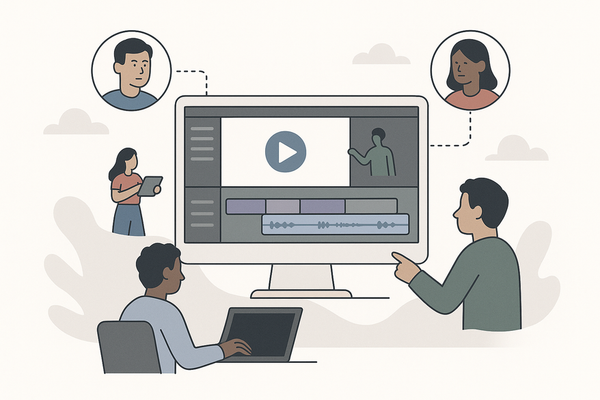
Online Video Room API: Powering Next-Gen Video Collaboration
Discover how online video room APIs enable seamless video collaboration. Learn key features, integration tips, and use cases for content creators.


Estimated reading time: 7 min
Key Takeaways
- Online video room APIs enable real-time, collaborative video experiences in web and mobile apps.
- Key features include video streaming, chat, recording, and screen sharing.
- Choosing the right API boosts engagement for content creators, educators, and teams.
- Integration best practices ensure smooth user experience and performance.
- Apps like Vidulk leverage video APIs to simplify content creation and sharing.
Table of Contents
- Section 1: What is an Online Video Room API?
- Section 2: Key Features of Online Video Room APIs
- Section 3: Use Cases for Content Creators and Teams
- Section 4: How to Integrate an Online Video Room API
- Section 5: Choosing the Right Online Video Room API
- Conclusion
- FAQ
Section 1: What is an Online Video Room API?
Understanding the Basics
An online video room API is a set of tools that lets developers add real-time video conferencing, virtual rooms, and video chat features directly into their apps or websites. These APIs handle the complex backend work: from video streaming and synchronization to bandwidth adaptation and user control.
- APIs abstract away the technical challenges of video streaming.
- Allow for scalable, low-latency communication between multiple participants.
- Enable features like video chat, screen sharing, and interactive whiteboards.
Why APIs Matter for Modern Apps
In today’s digital environment, users expect seamless, real-time video experiences. Online video room APIs make it possible for creators, educators, and businesses to deliver these interactive experiences without building from scratch.
Section 2: Key Features of Online Video Room APIs
Core Capabilities
The best online video room APIs provide robust features that boost engagement and productivity:
- Video and audio streaming — High-quality, real-time communication.
- Screen sharing — Present slides, tutorials, or collaborate on documents.
- Recording — Save sessions for replays, content repurposing, or compliance.
- Text chat and reactions — Foster interaction and feedback.
- Breakout rooms — Divide participants into smaller groups for focused discussions.
Advanced Features for Content Creation
Some APIs also support:
- AI-powered background removal
- Real-time transcription and captioning
- Integration with streaming platforms or social media
For content creators using apps like Vidulk, these features can streamline the workflow—from recording collaborative sessions to instantly repurposing them into shareable, short clips.
Section 3: Use Cases for Content Creators and Teams
Empowering Creators and Educators
Online video room APIs are transforming how people connect and create. Here’s how:
- Podcasting and Interviews: Record multi-guest sessions, then use AI tools to generate highlight reels. Vidulk, for example, turns long recordings into viral, vertical clips in minutes.
- Remote Education: Enable real-time lectures, Q&A, and group activities for online classrooms.
- Team Collaboration: Host brainstorming sessions, workshops, and project meetings with integrated video and chat.
For more on how AI streamlines this process, see our guide on AI video clip generation.
Boosting Engagement and Reach
By recording and clipping key moments from video rooms, creators can repurpose content across platforms—growing their audience and boosting engagement.
Section 4: How to Integrate an Online Video Room API
Integration Steps
Integrating a video room API can be straightforward if you follow best practices:
- Choose your API: Options include Twilio, Agora, Daily, and others. Evaluate their documentation and pricing.
- Sign up and get API keys: Secure authentication is essential for privacy and scalability.
- Install SDKs: Most APIs offer client libraries for JavaScript, iOS, and Android.
- Set up video rooms: Use API calls to create and manage rooms dynamically.
- Customize UI: Tailor the experience to your brand and user needs.
For a deep dive into practical integration tips, check out our post on integrating video chat APIs.
Optimizing Performance
Consider:
- Adaptive bitrate streaming for varying network conditions
- Backend scaling to support peak user loads
- Compliance with privacy and security standards
Section 5: Choosing the Right Online Video Room API
Factors to Evaluate
Before committing to a solution, assess:
- Reliability and uptime — Does the provider offer high availability?
- Latency — Essential for real-time collaboration.
- Feature set — Does it support recording, screen sharing, and chat?
- Pricing model — Are costs predictable as you scale?
- Support and documentation — Good docs speed up your development.
When to Use Vidulk and Related Tools
If your workflow involves clipping, enhancing, and sharing video room content, consider using Vidulk. Its AI-powered tools are purpose-built for creators who want to turn long-form video sessions into viral short clips, complete with captions and custom visuals—all from your mobile device.
To learn more about turning long recordings into viral content, read our guide on AI clip generation.
Conclusion
Online video room APIs are the backbone of modern, interactive video experiences. By choosing the right API and integrating it seamlessly, creators and teams unlock new ways to collaborate, engage audiences, and repurpose content. For those looking to take their content further, Vidulk offers AI-driven tools that transform lengthy video rooms into shareable, eye-catching clips—empowering you to reach more viewers, faster.
FAQ
Q: What is an online video room API?
A: It’s a programming interface that lets developers embed real-time video rooms, conferencing, and chat features into web or mobile apps.
Q: How do I choose the best online video room API?
A: Assess reliability, latency, feature set, pricing, and documentation. Match these to your app’s requirements.
Q: Can I record video rooms for later use?
A: Yes, most APIs support recording. You can then use tools like Vidulk to turn those recordings into clips for social media or training.
Q: Is it hard to integrate a video room API?
A: Integration is straightforward with good documentation. Many providers offer SDKs and sample projects to speed up development.
Q: How can I repurpose video room content?
A: Use AI-powered apps like Vidulk to automatically generate short, captioned clips from your recorded sessions.