
How to Optimize Video Clips for Instagram Reels
Learn how to optimize video clips for Instagram Reels to increase visibility, engagement, and brand growth. Master technical specs, editing, and analytics.

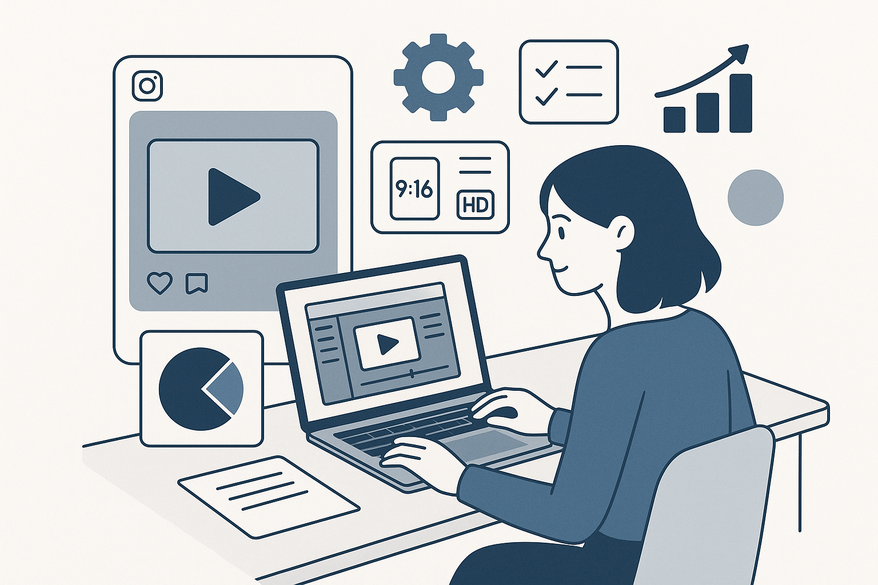
Estimated reading time: 10 minutes
Key Takeaways
- Vertical 9:16 Format: Use 1080 × 1920 px resolution to fill the screen and avoid black bars.
- Efficient Encoding: Export as MP4 (H.264/AAC) at 8–12 Mbps, 30 fps for fast load times and crisp visuals.
- Ruthless Editing: Hook viewers in the first 1–3 seconds, maintain a clear narrative flow, and use jump cuts or brand transitions.
- Accessible Content: Add captions and leverage trending, licensed audio to boost retention and discoverability.
- Data-Driven Iteration: Track plays, watch time, and engagement to refine future Reels.
Table of Contents
- Section 1: Understanding Instagram Reels
- Section 2: What It Means to Optimize Video Clips for Instagram Reels
- Section 3: Best Practices for Optimizing Video Clips for Instagram Reels
- Section 4: Tools & Software for Video Editing
- Section 5: Tips for Maximizing Engagement & Instagram Analytics
- Conclusion: Continuous Optimization and Experiment & Iterate
- FAQ
Section 1: Understanding Instagram Reels
What Are Instagram Reels?
- Short-form, vertical videos up to 90 seconds for full-screen mobile viewing.
- Designed for quick consumption and discovery beyond your followers.
- Integrated tools: audio library, effects, text overlays, and stickers.
Reels vs. Other Formats
- Stories: ephemeral 15-second segments visible for 24 hours, seen mainly by current followers.
- Feed Videos: standard posts (up to 60 seconds or longer with IGTV), reach limited to followers unless shared in Explore.
- TikTok/YouTube Shorts: similar formats but different audiences and algorithms; Reels benefit from Instagram’s massive active user base.
Why Optimization Matters
- Faster load times reduce viewer drop-offs and improve completion rates.
- Crisp, high-quality visuals boost watch-through and shares.
- Properly optimized clips signal Instagram’s algorithm to promote content on Explore and Reels tabs.
Section 2: What It Means to Optimize Video Clips for Instagram Reels
Optimizing video clips means more than just shooting and uploading. It covers aligning with Instagram’s specs, maintaining visual/audio quality, and structuring content for maximum engagement.
Subsection A: Aspect Ratio & Orientation
- Frame: Vertical 9:16.
- Ideal resolution: 1080 × 1920 px for edge-to-edge full-screen.
- Avoid horizontal footage – it adds black bars or forces rotation, hurting viewer experience.
Subsection B: Resolution & Frame Rate
- Minimum: 720p.
- Recommended: 1080 × 1920 px for sharp, detailed visuals.
- Frame rate: At least 30 fps for smooth motion.
Subsection C: File Types & Size
- Format: MP4 container with H.264 video codec and AAC audio codec.
- Bitrate: Target 8–12 Mbps for a balance of quality and file size.
- Use single-pass or two-pass encoding to optimize compression.
Subsection D: Maintaining Quality While Reducing Size
- Export settings: H.264 “High” profile, appropriate bitrate.
- Avoid multiple recompressions by editing once and exporting final file only.
- Shoot with good lighting and minimal noise to reduce compression artifacts.

Section 3: Best Practices for Optimizing Video Clips for Instagram Reels
Subsection 3.1: Video Editing Techniques
- Trim ruthlessly: hook viewers in the first 1–3 seconds with bold text or visuals.
- Narrative flow: setup → tension → payoff. Front-load your most interesting moments.
- Jump cuts: speed up tutorials or demonstrations to maintain momentum.
- Brand transitions: whip pans, hand covers, or match cuts that fit your brand style.
- Color continuity: match exposure and white balance across cuts to avoid jarring shifts.
Subsection 3.2: Visual & Audio Enhancements
Visuals- Brightness and contrast: ensure visibility on dim mobile screens.
- Color correction: apply cohesive filters without over-processing.
- Avoid important elements near UI overlays (comments, buttons).
- Use an external mic or noise-reduction tools for clear voiceovers.
- Balance voice and music levels; raise dialogue over background tracks.
- Leverage trending, licensed in-app music for discoverability.
Learn more about adding captions to video clips.
Subsection 3.3: Captions & Text Overlays
Why Captions Matter- Many watch Reels muted; on-screen text boosts comprehension and retention.
- Improves accessibility for deaf or hard-of-hearing viewers.
- Use Instagram’s auto-caption tool, then proofread.
- Keep text large, high-contrast, and away from UI elements.
- Highlight hooks (“3 Quick Edits That Explode Engagement”).
- Drive CTAs: “Save this Reel,” “Follow for more tips,” “Comment below.”
Section 4: Tools & Software for Video Editing
For quick AI clipping and formatting, try Vidulk - AI Video Clipping App to detect and export top moments for your Reels. Its on-device AI Studio can auto-clip interviews, tutorials, or any long-form footage into ready-to-post 9:16 segments.
1. Instagram’s Built-in Editor
- Pros: Free, native effects, stickers, music library, auto-captions.
- Cons: Limited export settings and advanced color/audio controls.
2. Mobile Apps (Free / Freemium)
- CapCut: Templates, speed ramps, advanced keyframing in a simple UI.
- InShot: Quick trims, filters, text overlays, and export presets.
- VN Video Editor: Multitrack timeline, color filters, and comprehensive audio editing.
- Capabilities: Vertical 9:16 templates, direct export to 1080 × 1920 px.
3. Desktop Software (Premium / Pro)
- Adobe Premiere Pro: Advanced color grading (Lumetri), multi-cam editing, customizable export presets.
- Final Cut Pro: Magnetic timeline, real-time rendering, Motion integration for graphics.
- DaVinci Resolve: Industry-leading color tools, Fairlight audio suite, free version available.
For an in-depth comparison of top AI repurposing tools, see best AI video repurposing tools.
Section 5: Tips for Maximizing Engagement & Instagram Analytics
Subsection 5.1: Optimize Video Length
- Aim for 7–30 seconds to maximize completion rates.
- Prioritize value over length; shorter, focused Reels often perform best.
- For complex topics, split into a multi-part series.
Subsection 5.2: Hashtags, Descriptions & CTAs
Hashtags & Keywords- Use 5–10 highly relevant hashtags; avoid generic clutter.
- Place primary keyword (“optimize video clips for Instagram Reels”) in the first line.
- Write 2–3 sentences summarizing the Reel’s value.
- Include a question to prompt comments.
- “Save this for your next edit.”
- “Comment ‘GUIDE’ for the full checklist.”
- “Follow for daily Reels hacks.”
Subsection 5.3: Analyze Performance & Iterate
Key Metrics- Plays and reach – audience exposure.
- Watch time & retention – completion rate.
- Engagement – likes, comments, shares, saves.
- Profile actions – follows, website clicks, messages.
Iterate by testing different hooks, lengths, posting times, and cover images. Double down on formats with high retention and saves to refine future Reels for continuous optimization.
Conclusion: Continuous Optimization and Experiment & Iterate
Optimizing video clips for Instagram Reels combines precise technical setup and creative best practices. Recap:
- Technical Specs: Vertical 9:16, MP4 (H.264/AAC), 720p–1080p, 30 fps.
- Creative Editing: Tight cuts, narrative flow, brand transitions.
- Visuals & Audio: Color correction, clear voiceovers, licensed music.
- Captions & CTAs: Accessible text, strong calls-to-action, relevant hashtags.
- Tools: Native editor, CapCut/InShot for mobile, Premiere Pro/Resolve for pros.
- Engagement: Short lengths, strategic hashtags, data-driven iteration.
Action Steps:
- Set up export presets for 1080×1920 px, H.264, 30 fps.
- Apply ruthless editing techniques and add captions.
- Choose tools that match your skill level and workflow.
- Optimize hashtags, descriptions, and CTAs.
- Track analytics, experiment, and refine.
Continuous optimization through experimentation and measurement will make each Reel more engaging and effective. Start applying these steps today and watch your Instagram Reels performance soar.
FAQ
What is the ideal length for an Instagram Reel?
The sweet spot is 7–30 seconds. Shorter Reels maintain high completion rates, while complex topics can be split into a series.
How do I add captions to my Reels?
Use Instagram’s auto-caption feature and proofread. Position text away from UI overlays and keep it large and high-contrast.
Which file format and settings work best?
Export as MP4 with H.264 video and AAC audio, 1080 × 1920 px at 30 fps, and a bitrate of 8–12 Mbps.



