
Strategies for Consistent Video Content Growth
Discover proven strategies for consistent video content growth with batching, repurposing, and viral clip creation to expand your audience and stay consistent.

Estimated reading time: 19 min
Key Takeaways
- Consistency in posting drives steady audience growth and engagement by building viewer expectations and trust.
- Batch filming and content planning maximize output while reducing burnout through efficient use of time and resources.
- Repurposing long videos into multiple short clips increases content reach across platforms and caters to varied audience preferences.
- Balancing evergreen and trending content helps sustain growth and timely relevance, ensuring both longevity and momentum.
- Using analytics and workflows ensures continuous improvement, scalability, and sustainability of content production.
Table of Contents
- Section 1: Establishing a Realistic Posting Schedule for Consistency
- Section 2: Leveraging Content Batching and Planning Systems
- Section 3: Building and Using Content Calendars and Idea Banks
- Section 4: Crafting Repeatable Content Pillars and Formats
- Section 5: Balancing Evergreen and Trend-Driven Videos for Growth
- Section 6: Optimizing Production Workflows and Repurposing Strategies
Conclusion
FAQ
Section 1: Establishing a Realistic Posting Schedule for Consistency
Why Consistent Posting Matters
Consistent video content growth hinges on regular posting. Platforms like YouTube, TikTok, and Instagram reward creators who maintain a steady cadence with better reach and algorithmic preference. When audiences know when to expect new videos, engagement rates improve, building momentum over time. For example, YouTube’s algorithm favors channels that upload frequently and consistently, which can increase impressions and subscriber growth. TikTok’s For You Page often boosts creators who post regularly, as it signals active engagement and fresh content.
Determining Your Ideal Posting Frequency
Not everyone can post daily or multiple times per day without compromising quality or personal wellbeing. The key is choosing a schedule you can sustainably maintain long term. For many creators, posting 2-3 videos per week strikes a balance between visibility and quality, allowing time for scripting, filming, and editing. Micro-influencers and niche channels might start with weekly posts and scale up as they get more comfortable and efficient.
- Analyze your time availability realistically: Track how many hours you can dedicate weekly to content creation, including pre-production, filming, editing, and promotion.
- Consider your production complexity and editing time: High-production videos with complex editing may require less frequent posting, whereas casual or vlog-style content may allow for more frequent uploads.
- Align your schedule with audience activity peaks: Use platform analytics to identify when your target audience is most active (e.g., evenings or weekends) and schedule posts accordingly for maximum engagement.
For instance, a tech reviewer might find posting on Monday, Wednesday, and Friday evenings yields the highest engagement, while a fitness coach might see better results posting weekend morning workouts.
Setting Milestones and Adjusting Over Time
Start with a manageable schedule and track audience response and your own capacity. Use analytics tools such as YouTube Studio, TikTok Analytics, or Instagram Insights to monitor views, watch time, and engagement metrics relative to posting frequency. Over time, you can increase frequency or adjust based on performance and personal bandwidth.
Tools like Vidulk can help automate clipping and speed up workflow, making higher-volume posting more feasible by reducing manual editing time and enabling fast repurposing of content.
Set milestones such as:
- Posting consistently for one month at your chosen frequency.
- Increasing posting frequency after mastering batching and editing workflows.
- Experimenting with posting times and days to optimize reach.
Regularly revisit your schedule every 6-8 weeks to ensure it still aligns with your goals, audience behavior, and life circumstances.
Section 2: Leveraging Content Batching and Planning Systems
What is Content Batching?
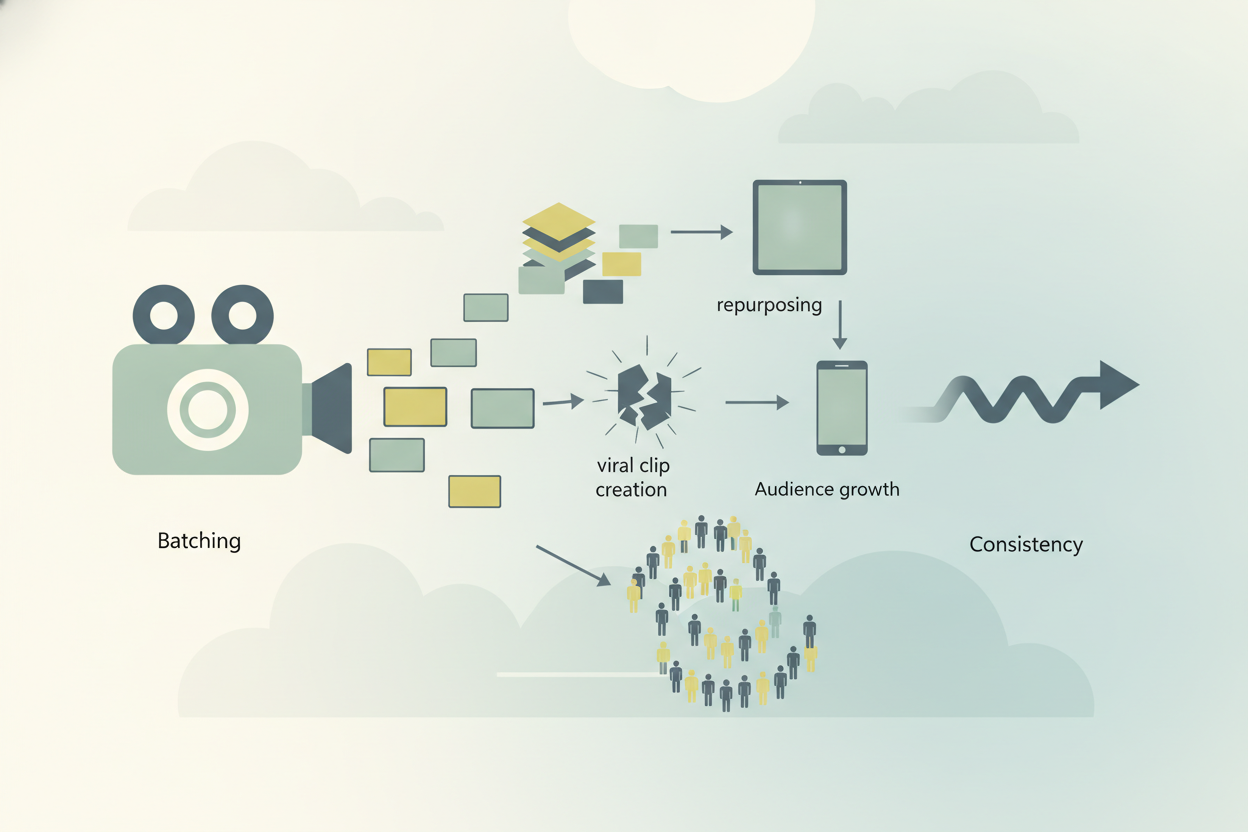
Content batching is the practice of creating multiple videos or clips in a single dedicated session. Instead of producing one video at a time, batching allows creators to streamline setup, filming, and editing, maximizing productivity and minimizing context switching. For example, a creator might spend one afternoon filming 5-7 videos back-to-back, then dedicate separate days to editing and scheduling them.
Benefits of Batching for Consistency
- Efficiency: By consolidating filming days, you reduce time spent on setup like lighting and camera positioning, which can otherwise take up to 30% of your content creation time.
- Reduced Stress: Avoid last-minute content crunches that often lead to rushed videos or skipped posts.
- Higher Quality: More focused time allows for better scripting, multiple takes, and thoughtful editing, leading to polished finished products.
Studies of creator workflows show batching can increase output by 30-50%, while reducing burnout and improving content quality.
Implementing a Content Batching Workflow
Start by outlining video topics that fit your content pillars and current trends. For example, a food vlogger might batch shoot three recipe tutorials, two kitchen hacks, and a Q&A session in one filming day.
Schedule dedicated filming days, ideally blocking 4-6 hours uninterrupted time. Organize scripts or bullet points beforehand to avoid downtime during shooting. For complex videos, prepare props, outfits, or locations in advance.
Use apps like Vidulk to automatically clip and edit long-form content into viral-ready short clips, accelerating post-production. For example, after filming a 30-minute tutorial, Vidulk can generate multiple 15-60 second highlight clips with captions, perfect for Instagram Reels or TikTok.
Additionally, batch editing sessions can be scheduled after filming days, focusing on similar tasks like color correction or captioning in one go for efficiency.

Section 3: Building and Using Content Calendars and Idea Banks
Why Use a Content Calendar?
A content calendar is essential for organizing your posting schedule and tracking planned videos. It helps prevent gaps, ensures topic variety, and coordinates trend-driven content with evergreen posts. Calendars also allow you to plan around holidays, product launches, or collaborations.
For example, a fashion creator might plan summer lookbook videos ahead of the season, while a gaming channel schedules content around new game releases.
Creating an Idea/Story Bank
Collecting video ideas systematically ensures you never run out of content. Maintain a digital or physical idea bank where you store topics, questions from your audience, trending hashtags, or inspiration from competitor channels. This can be as simple as a Google Doc, Trello board, or Notion database.
- Use audience research tools and comment mining for topic ideas; for instance, analyze frequently asked questions in your video comments or social media DMs.
- Save ideas alongside notes on format (tutorial, review, storytime) and potential clips or hooks.
- Review and update your idea bank regularly, pruning ideas that no longer fit your brand or updating them with fresh angles.
Example: A travel vlogger might tag ideas by location, season, or video type (e.g., packing tips, budget guides), making it easier to select appropriate topics during planning.
Integrating Calendars with Production
Link your calendar to your batching days and editing workflow. For instance, use calendar reminders for script deadlines, filming sessions, and upload dates. Plan ahead for seasonal or event-based videos, such as holiday gift guides or back-to-school content.
Vidulk can assist by simplifying the clipping process once your long-form content is uploaded, making scheduling easier. For example, after uploading a webinar recording, Vidulk can generate a batch of short clips scheduled for release over several weeks.
Consider using integrations between calendar tools and social media schedulers (e.g., Later, Buffer) to automate posting and keep your workflow streamlined.
Section 4: Crafting Repeatable Content Pillars and Formats
Defining Your Content Pillars
Content pillars are broad themes around which you create most of your videos. They provide consistency while allowing creativity within a niche. For example, a tech reviewer might have pillars like gadget reviews, how-tos, and industry news. These pillars guide content ideation and help establish your channel’s identity.
Examples of content pillars across niches:
- Fitness: Workouts, nutrition tips, motivation stories.
- Education: Tutorials, case studies, interviews.
- Lifestyle: Daily vlogs, product reviews, travel diaries.
Developing Repeatable Formats
Formats are the structure or style of your videos, such as Q&A clips, tutorials, or reaction videos. Having repeatable formats speeds up production because you know the flow and requirements in advance.
- Example formats: Quick tips (60-second hacks), myth busting (debunking common misconceptions), interviews, or challenge videos.
- Templates for intros, transitions, and calls to action increase consistency and brand recognition.
For example, a cooking channel might produce a weekly "5-Minute Recipe" series with a consistent intro, outro, and on-screen text style, making it easy to batch film and edit.
Using Vidulk to Streamline Formats
Vidulk’s AI Studio and clip generation tools support creating consistent formats. For instance, you can generate image assets or captions automatically, maintaining a uniform style across videos. This is especially helpful for creators repurposing long content into short clips with branded overlays and subtitles.
Vidulk’s AI can detect speaker changes, key phrases, and moments of high engagement to help craft clips that fit your format templates without manual scrubbing.
Section 5: Balancing Evergreen and Trend-Driven Videos for Growth
Understanding Evergreen Content
Evergreen videos cover topics that remain relevant over time, such as tutorials, foundational knowledge, or timeless tips. They accumulate views steadily and provide lasting value. Examples include "How to Edit Videos for Beginners," "10 Tips for Healthy Skin," or "Basic Guitar Chords Tutorial."
Evergreen content helps build a strong channel foundation, as it continuously attracts new viewers long after the initial upload. It also stabilizes your channel’s performance against algorithm fluctuations.
Incorporating Trending Content
Trend-driven videos capitalize on current popular topics, memes, or challenges. They provide spikes in visibility and can accelerate follower growth if timed well. Examples include reacting to viral TikTok dances, unboxing trending products, or creating videos around new algorithm updates.
However, trending content often has a short shelf life, so it’s important to produce it quickly to ride the wave of popularity.
Finding the Right Mix
- Allocate about 70% of content to evergreen topics for steady growth and long-term channel health.
- Reserve 30% for trending or viral clips to capture short-term momentum and attract new audiences.
- Use analytics to adjust the balance based on engagement; for instance, if trending videos drive significant subscriber increases, consider increasing their share temporarily.
Platforms like TikTok reward trend participation but also value consistent evergreen content, so a hybrid approach is best for sustainable growth. For example, a beauty influencer might post weekly evergreen tutorials while also reacting to trending makeup challenges as they arise.
Section 6: Optimizing Production Workflows and Repurposing Strategies
Streamlining Production Workflows
Efficient workflows reduce the time from filming to publishing. Key steps include scripting or outlining, batch filming, editing, captioning, and scheduling. Automating repetitive tasks is critical for scalability and maintaining posting frequency.
Example workflow:
- Idea generation: Use your idea bank to select topics aligned with content pillars.
- Scripting/outlining: Prepare bullet points or full scripts to guide filming.
- Batch filming: Record multiple videos in one session to maximize setup efficiency.
- Editing: Use templates and AI-assisted editing tools for faster turnaround.
- Captioning: Add subtitles automatically via tools like Vidulk to improve accessibility and engagement.
- Scheduling: Use calendar integrations to queue posts for optimal times.
Repurposing One Video into Many
Repurposing is a powerful strategy to maximize content output and reach diverse audiences. From a single long video—such as a podcast or interview—you can create multiple short clips optimized for platforms like TikTok, Instagram Reels, or YouTube Shorts.
- Clip key moments that answer audience questions or showcase highlights, such as a funny exchange, insightful tip, or controversial opinion.
- Add catchy captions and hooks (e.g., "Watch till the end!" or "Did you know?") to improve engagement.
- Reformat clips vertically for mobile-first platforms, ensuring they meet platform specifications (e.g., 9:16 aspect ratio, under 60 seconds).
For example, a 60-minute interview can yield 10-15 digestible clips focusing on different topics discussed, which can be posted over weeks to keep your channel active with minimal extra filming.
Using AI Tools Like Vidulk for Repurposing
Vidulk’s AI video clipping app automatically detects the best moments from long videos and generates captioned, vertical clips ready to post. This reduces manual editing time drastically and helps creators maintain a consistent posting cadence with less effort.
Vidulk’s AI analyzes speech patterns, engagement markers (pauses, emphasis), and scene changes to identify viral-worthy segments. It then auto-generates captions, applies branding overlays, and formats the clips for different platforms.
Learn more about how to transform long videos into viral shorts with Vidulk’s AI-powered tools, which can save creators 50-70% of editing time compared to manual workflows.
Conclusion
Strategies for consistent video content growth revolve around planning, batching, and repurposing. By establishing a realistic posting schedule grounded in your capacity and audience behavior, leveraging content batching, and maintaining an organized content calendar, creators can stay consistent without burning out.
Defining clear content pillars and balancing evergreen with trending videos builds a loyal audience while capturing viral moments. This balance ensures your channel has both steady long-term growth and the ability to capitalize on short-term trends.
Optimizing production workflows and repurposing long videos into multiple short clips unlocks scalability and maximizes content reach across platforms. Tools like Vidulk provide AI-powered assistance to clip, caption, and format videos effortlessly, enabling creators to focus on storytelling and engagement rather than technical tasks.
By combining these strategies into a cohesive workflow, video creators can sustainably grow their channels, increase engagement, and maintain consistency over the long term, building not only an audience but a resilient personal brand.
FAQ
Q: How often should I post videos to grow consistently?
A: Posting 2-3 times per week is a great starting point for consistent growth. This frequency balances maintaining visibility with ensuring quality. Adjust based on your capacity, content complexity, and audience response. Consistency is more important than sheer volume; regular posting schedules help build audience expectations and algorithm favor.
Q: How do I come up with video ideas consistently?
A: Maintain an idea bank by collecting audience questions, researching competitors, and tracking trends. Use comment mining, social listening tools, and trend reports. Regularly update your idea bank and integrate it with your content calendar to ensure a steady flow of relevant topics. Tag ideas by pillar, format, and priority to streamline planning.
Q: What is the best content calendar system for YouTube or short-form video?
A: Use a digital calendar tool like Google Calendar, Trello, or Notion to plan posting dates, batch filming sessions, and track topics. These tools enable flexibility and collaboration if you work with a team. Link your calendar to your production workflow for efficiency, setting reminders for scripting, filming, editing, and publishing milestones.
Q: Should I focus on evergreen videos or trending videos for growth?
A: A balanced approach works best—roughly 70% evergreen content for lasting value and 30% trend-driven videos to capture viral opportunities. Evergreen videos build a solid foundation and steady traffic, while trending videos can provide spikes in views and followers. Adjust this ratio based on analytics and niche dynamics.
Q: How do I stay consistent with video content without burning out?
A: Use batching and planning to reduce last-minute pressure. Automate repetitive tasks with AI tools like Vidulk, and set realistic, sustainable posting goals aligned with your lifestyle. Prioritize quality over quantity, and regularly evaluate your workflow to identify bottlenecks or stress points.
Q: How can I repurpose one video into multiple pieces of content?
A: Extract key moments and create short clips with captions tailored for different platforms. Focus on engaging highlights, tips, or emotional moments. AI-powered apps like Vidulk simplify this by automatically clipping and formatting viral-ready content, reducing manual editing time and helping maintain a steady posting schedule.



