
How to Turn Podcast into Clips: A Complete AI-Powered Guide
Learn to turn podcast into clips using AI tools for efficient content creation, maximizing reach, and driving social media engagement.

Estimated reading time: 8 minutes
Key Takeaways
- AI-driven clipping can reduce editing time by up to 90%, turning hours of work into minutes.
- Short clips boost engagement by serving as previews that drive listeners to full episodes.
- Effective workflows involve choosing impactful segments, setting parameters, and platform-specific optimization.
- Tools like StreamYard, OpusClip, Async, and Vidulk offer varied features for seamless clip creation.
Table of Contents
- Introduction
- 1. Understanding the Benefits
- 2. Exploring AI Solutions
- 3. Step-by-Step Conversion Process
- 4. Tool Recommendations and Use Cases
- 5. Best Practices for Maximizing Engagement
- Conclusion
- Calls-to-Action
- FAQ
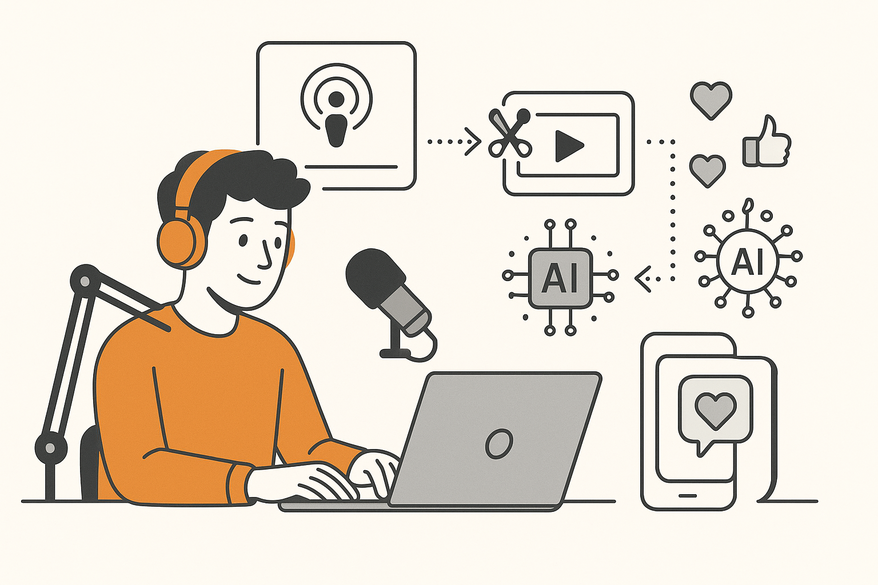
Turning a podcast into clips means extracting the most engaging 15–90-second segments from long-form podcast episodes and reformatting them into shareable social media assets. This process of content repurposing maximizes ROI—one 60–90-minute episode can yield 3–6 clips, extending reach and lifespan. By using podcast to clips AI and tools that convert podcast to short videos, podcasters can automate highlight selection, captioning, and formatting in minutes instead of hours.
For creators looking for a mobile-first AI solution, the Vidulk app offers an intuitive workflow that detects highlights and exports ready-to-publish clips in minutes.
1. Understanding the Benefits
1.1 Reach and Engagement
Short-form clips boost social-media algorithm favorability and drive discovery:
- Clips act as preview tools that convert scrollers into subscribers (Async AI podcast clips guide).
- Bite-sized content encourages shares, comments, and engagement loops that funnel listeners back to full episodes (SwellAI blog on AI podcast clip).
1.2 Time and Cost Efficiency
- Traditional manual editing can take 2–4 hours per episode; AI tools cut this to 10–30 minutes (Recast Studio guide to podcast clips).
- Independent creators access studio-level technology without large budgets, democratizing professional clip production (Async AI podcast clips guide, SwellAI blog on AI podcast clip).
1.3 Revenue and Scalability
- Each episode can power weeks of social posts for ads and sponsorships, creating a scalable content engine (Podcast Videos AI tools for clip editing).
- Consistent short video outputs unlock new revenue streams on TikTok, YouTube, Instagram, and LinkedIn (Podcast Videos AI tools for clip editing).
2. Exploring AI Solutions
2.1 How AI Identifies Key Moments
AI-powered clipping relies on four core steps:
- Speech-to-text transcription converts audio into searchable text (Podcast Videos AI tools for clip editing).
- Speaker diarization distinguishes voices and segments conversation (Async AI podcast clips guide).
- Moment scoring ranks segments by engagement cues, emotional intensity, and topic relevance (Opus Pro podcast clipping mainstream).
- Viral potential analysis evaluates narrative arcs and hook strength for social sharing (Opus Pro podcast clipping mainstream).
See our in-depth AI Podcast Clip Generator guide.
2.2 Manual vs. AI-Driven Processes
Manual:
- Endless listening to find highlights.
- Manual cutting and syncing.
- Handcrafted captions.
- Manual resizing per platform.
AI-Powered:
- Auto-analysis for highlight selection.
- Auto-clipping with precise start/end points.
- Auto-captioning synced to speech rhythm.
- Multi-platform export in correct aspect ratios (vertical, square, etc.).
Time advantage: manual editing can take hours; AI-driven clipping takes minutes (Nearstream AI podcast clips guide, StreamYard AI clip generator blog).
3. Step-by-Step Conversion Process
3.1 Upload and Processing
- Log into your AI-powered platform or connect via podcast host integration (StreamYard AI clip generator blog).
- Upload your raw audio or video file.
3.2 Set Parameters
- Clip lengths (15, 30, 60, 90 seconds).
- Number of clips per episode.
- Topic or keyword focus.
- Target platforms (TikTok, Instagram Reels, YouTube Shorts, LinkedIn).
3.3 AI Analysis and Generation
- AI processes transcripts, scores moments for emotional engagement, and outputs clip options with virality scores (Async AI podcast clips guide, Opus Pro podcast clipping mainstream).
- Preview generated clips and virality metrics to prioritize releases.
3.4 Review and Refinement
- Adjust start/end points, tweak captions, or swap visuals for brand alignment.
- Use built-in editors to refine hooks, increase pacing, or swap speaker focus (StreamYard AI clip generator blog).
3.5 Optimization and Publishing
- Auto-audio leveling, noise reduction, and speech clarity enhancements ensure professional quality (Podcast Videos AI tools for clip editing).
- Export presets cover aspect ratios and caption styling for each social platform (Async AI podcast clips guide).
4. Tool Recommendations and Use Cases
4.1 StreamYard AI Clips
- Automatic reframing and speaker tracking for multi-person conversations.
- Multi-language caption generation.
- Vertical and square export presets for TikTok, Reels, Shorts.
Ideal for live or remote-recorded video podcasts.
4.2 OpusClip
- Intelligent moment detection with engagement scoring.
- Brand customization options for fonts, colors, logos.
- A/B testing on hook lines and captions.
Perfect for creators focusing on short-form platforms.
4.3 Async AI Clips
- Context-aware boundary detection to avoid cutting mid-thought.
- A/B testing capabilities for hooks and captions.
- Real-time preview of clip variations.
Great for experimental strategies and iterative optimization.
4.4 Real-World Case Study
- Workflow: 60-minute video podcast → 4 clips in 20 minutes → 30% surge in social engagement.
- Result: Streamlined production freed time to focus on guest outreach and show promotion.
Discover our AI Video Clip Maker guide.
5. Best Practices for Maximizing Engagement
5.1 Selecting Impactful Segments
- Choose clips with complete thoughts and strong emotional hooks (Opus Pro podcast clipping mainstream).
- Ensure natural narrative arcs or clear calls-to-action to drive listeners to full episodes.
5.2 Platform-Specific Optimization
- TikTok: quick hook in first 3 seconds; leverage trending sounds.
- Instagram Reels: bold captions and balanced visuals.
- YouTube Shorts: up to 60s with clear title overlays.
- LinkedIn: professional insights with subtitles.
5.3 Strategic Distribution
- Stagger clip releases over weeks to maintain momentum (SwellAI blog on AI podcast clip).
- Use engagement metrics—likes, comments, shares—to refine future clip selection.
5.4 Consistency Strategy
- Align clip releases with full-episode launches to build anticipation (Async AI podcast clips guide).
- Maintain a regular posting schedule to reinforce brand presence.
Conclusion
Turning podcasts into short videos multiplies content touchpoints, boosts reach, and streamlines production. AI-powered solutions cut editing time by up to 90%, democratize professional content repurposing, and optimize clips for social platforms. With the right tools—StreamYard, OpusClip, Async, and Vidulk—you can transform a single episode into a content engine that drives growth, engagement, and revenue.
Calls-to-Action
- Share your favorite AI clipping experiences or ask questions in the comments.
- Access deep-dive guides, tool-comparison spreadsheets, and demo sign-ups for StreamYard, OpusClip, and Async.
- Sign up for our newsletter for advanced AI repurposing tips and exclusive tool discounts.
FAQ
- How long should my podcast clips be?
Aim for 15 to 90 seconds, balancing brevity with enough context to engage viewers. - Which AI tool is best for beginners?
Vidulk offers an intuitive mobile-first interface, while StreamYard works well for video podcasts. - Can I customize captions and branding?
Yes—tools like OpusClip and Async allow font, color, and logo integration, as well as A/B testing. - How often should I post clips?
Stagger releases to maintain momentum; a clip schedule that syncs with episode drops works best. - Do I need separate files for each platform?
Most AI platforms export multi-format presets, so you can generate vertical, square, and more without manual resizing.



