How Video Highlight Generators Use AI to Create Automatic Video Highlights
Discover how video highlight generators use AI to automatically identify and create captivating video highlights, saving time and enhancing engagement.


Estimated reading time: 6 minutes
Key Takeaways
- AI-driven automation cuts editing time from hours to seconds by detecting key moments.
- Multimodal analysis combines computer vision, NLP, and audio processing for precise clip selection.
- Customizable workflows allow users to set clip length, add branding, and choose music automatically.
- Scalable solutions support bulk processing and real-time highlight generation across platforms.
Table of Contents
- Understanding Video Highlight Generators
- How AI Highlight Generators Work
- Benefits & Use Cases
- Evaluating and Choosing the Right Tool
- Future Trends in Video Highlight Generation
- Conclusion
- FAQ
Understanding Video Highlight Generators
What Is a Video Highlight Generator?
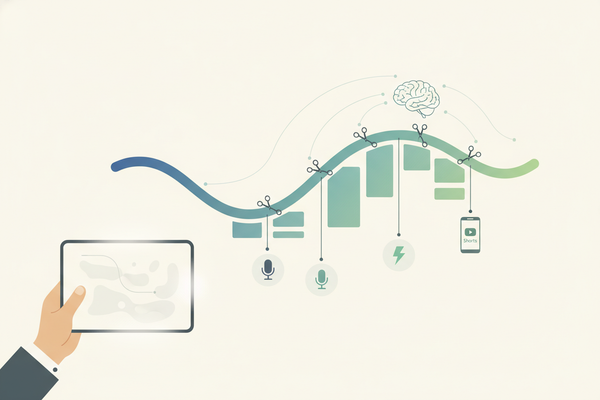
A video highlight generator is software that automates the selection of key video segments. Instead of spending hours reviewing, cutting, and polishing footage, AI-driven analysis does the heavy lifting—ensuring consistency and producing polished clips ready for social sharing.
Underlying AI Technology
- Visual cues – scene changes, rapid motion, camera zooms (computer vision)
- Audio signals – spikes in voice energy, laughter, applause (audio processing)
- Textual markers – topic shifts, questions, list indicators (natural language processing)
Benefits of Automatic Video Highlights
- Time savings – generate clips in seconds instead of hours
- Consistent quality – auto-music selection, smooth transitions, branded overlays
- Easy customization – set clip length, choose music tracks, add logos
- Scalability – process bulk content with the same high standard
For a deeper dive into AI Video Clip Maker: Transform Long Videos to Short Clips Automatically
How AI Highlight Generators Work
Core Components and Algorithms
- Multimodal analysis engines
- Combine computer vision, NLP, and audio processing
- Detect scene cuts, face and object movements, speech patterns
- Scene recognition
- Identify action peaks such as fast motion or visual effects
- Tag frames where intensity increases
- Emotion detection
- Use audio energy spikes and facial expression analysis
- Score segments by excitement or laughter
- Engagement metrics
- Track live reactions, view-through rates, and click data
- Prioritize moments with highest audience interest
Key Features
- Scene recognition – auto-identifies critical moments
- Emotion detection – isolates high-energy interactions
- Audience engagement scoring – ranks clips by viewer response
See our deep dive on AI clip detection
Watch this quick tutorial on generating highlights with AI:
Creators on the go can also leverage mobile-first applications. For instance, Vidulk - Fake Text Message Story App streamlines highlight creation directly on your phone while offering chat-video features—making it easy to clip and share your best moments.
Benefits & Use Cases
Organizations adopt AI highlight generators to:
- Boost engagement – transform long videos into viral shorts
- Save time – cut editing hours and redirect resources
- Maintain brand consistency – auto-apply logos, color schemes, intros
Use Cases
- Dreamina Gaming Streams – automatically clip gameplay for YouTube Shorts and TikTok
- Vmaker Film Trailers – shorten trailers into 5–10 second reels with branded transitions
- StreamYard Live Q&A – clip audience questions and expert answers into bite-sized clips
Discover how AI reel clip generators simplify social media workflows
Evaluating and Choosing the Right Tool
Key selection criteria include:
- Accuracy of highlight detection (precision and recall metrics)
- Customization options (clip length control, music library, transitions, branding)
- Integration capabilities (API access, platform plugins)
Compare tools like Vmaker, Chopcast, StreamYard, and ContentGroove based on your production scale and branding needs.
Future Trends in Video Highlight Generation
- Real-time emotion AI – live sentiment scoring via facial and voice cues
- Predictive engagement scoring – forecast trending clips before analysis finishes
- Generative enhancements – AI-driven frame interpolation and style transfer for cinematic effects
Conclusion
AI-powered highlight generators automate the tedious parts of video editing, delivering consistent, high-engagement clips in seconds. By integrating these tools into your workflow, you’ll publish content faster, scale effortlessly, and keep audiences hooked across platforms.
FAQ
What factors does AI consider when selecting highlights?
AI highlight generators analyze visual cues (scene changes, motion), audio signals (energy spikes, applause), and textual markers (topic shifts) to score and extract the most engaging moments.
Can I customize the generated highlights?
Yes. Most tools let you specify clip length, choose background music, apply branded overlays, and adjust transition styles.
Which industries benefit most from automatic highlights?
Gaming streamers, marketers, broadcasters, educators, and social media managers all use AI highlight tools to produce shareable clips that drive engagement.
How do I choose the right video highlight generator?
Evaluate based on accuracy (precision/recall), customization features, processing speed, pricing, and integration options like APIs or platform plugins.