
AI Batch Clip Generator: Automate Your Video Content in Minutes
Discover how an AI batch clip generator automates video editing, saving you hours and optimizing clips for virality with unmatched speed and scalability.

Estimated reading time: 8 minutes
Key Takeaways
- Massive time savings by processing long-form videos into dozens of clips in under 10 minutes.
- Advanced AI pipeline leverages NLP, speech recognition, and computer vision for accurate transcript, scene detection, and auto-reframing.
- Scalable workflows support batch uploads, virality scoring, and multi-format exports to fuel your social strategy.
- Wide applications for marketing teams, social media managers, podcasters, and production houses.
- Easy integration with API, branded templates, and platform-specific outputs.
Table of Contents
- Understanding the Technology of AI Batch Clip Generator
- Key Features and Benefits
- Use Cases and Applications
- How It Works: Step-by-Step Guide
- Comparison and Value Proposition
- Customer Testimonials and Case Studies
- Pricing, Plans and Call-to-Action
- Conclusion
- FAQ
Understanding the Technology of AI Batch Clip Generator
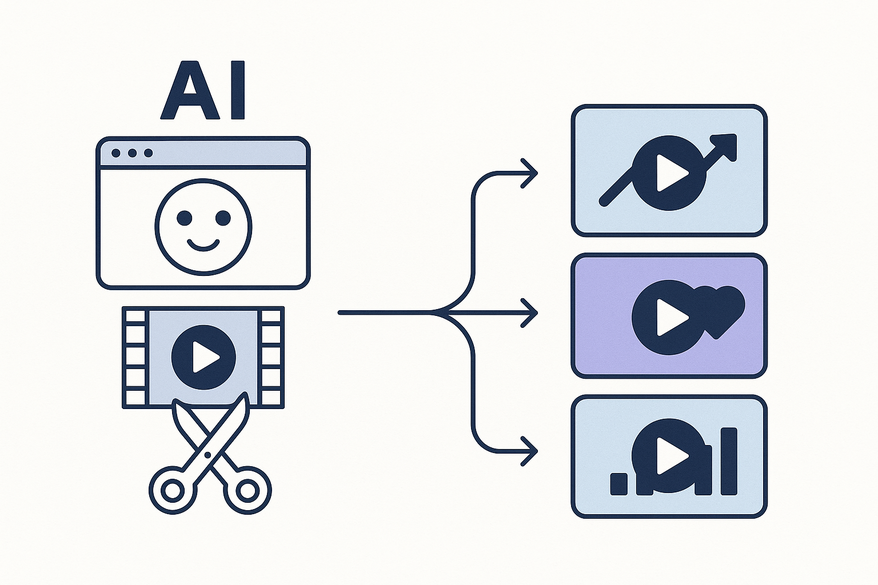
An AI batch clip generator combines multiple AI domains to automate video clip creation at scale.
Core Components
- Natural Language Processing (NLP): Reads transcripts to find key phrases and topic shifts.
- Speech Recognition: Converts audio to text, powering auto-captioning and transcript creation.
- Computer Vision: Detects scene changes and tracks speakers for visual hooks.
Transcript Generation
AI transcribes audio into text, enabling accurate captions and searchable text for high-value segments.
Source: Opus.Pro blog post
Scene-Change Detection & Speaker Tracking
The system tags cuts between slides, camera angles, or speakers to isolate powerful hooks and standalone clips.
Source: Klap blog post
Auto-Reframing & Captioning
- Reframes 16:9 content into vertical 9:16 for TikTok and Instagram Reels.
- Inserts titles, transitions, and on-screen captions.
Refer to Vidulk AI video clip maker guide for more.
Batch Capacity
Top tools process up to 6 hours of video per batch—far faster than minute-based credit services.
For podcast-specific workflows, see Vidulk podcast clip generator blog.
Key Features and Benefits
AI batch clip generators deliver speed, scale, and consistency.
Batch Processing at Scale
- Upload multiple 30–60 minute videos.
- Generate 30–50 clips automatically.
- Clips ranked by AI-computed virality scores.
Source: StreamYard blog
Speed and Efficiency
- AI analysis takes minutes.
- Saves 10–15 hours per month compared to manual edits.
Source: Opus.Pro blog post
Accuracy Enhancements
- Automated on-screen captions.
- Speaker tracking for reliable branding.
- Auto-reframing ensures platform compliance.
- Branded templates maintain visual consistency.
Advanced Options
- Customizable virality scoring.
- Multi-format exports (MP4, MOV, GIF).
- API integrations for scheduling or MarTech platforms.
Time Savings
Front-load editing: Batch a month’s content in 2–4 hour sessions.
Scalable Production
Generate hundreds of clips from a single source video.
Enhanced Creativity
Free up time for strategy, scripting, and concept planning instead of manual scrubbing.
Use Cases and Applications
AI batch clip generators fit a wide range of content roles.
For turning webinars into clips automatically, read Vidulk webinar clip generator blog.
Marketing Teams
- Turn hour-long webinars into engaging Reels and YouTube Shorts.
- Hyper-personalize clips for different buyer personas.
Social Media Managers
- Transform weekly podcasts into 30–50 TikToks.
- Use AI virality predictions to schedule top clips at peak times.
Multimedia Production Houses
- Bulk-process conference recordings.
- Auto-detect key soundbites and actionable insights.
Real-World Examples
- StreamYard users batch six-hour recordings into dozens of business show clips.
- OpusClip creators produce a month’s worth of social content in one afternoon.
How It Works: Step-by-Step Guide to AI Batch Clip Generator
Follow these steps to transform long videos into share-ready clips.
- Upload Videos
- Batch-upload podcasts, webinars, or streams.
- AI Analysis (2–5 Minutes)
- Transcription of audio.
- Engagement scoring and clip suggestions.
- Preview clips ranked by virality.
- Review & Customize (20–30 Minutes)
- Select top-ranked clips.
- Edit captions and tweak timing.
- Apply branding templates and watermarks.
- Ensure variety of topics and hooks.
- Export & Schedule
- Choose multi-format exports (MP4, MOV).
- Download files or push via API to scheduling tools.

Comparison and Value Proposition of AI Batch Clip Generator
A comparison of AI batch tools versus manual editing and credit-based services.
Efficiency
- AI Batch: Processes 12+ hours in 2–4 hours, yielding 30–50 clips.
- Manual Editing: 10–15 hours per video.
- Credit-Based Tools: Burn credits fast on long videos.
Cost
- AI Batch Models: Subscription covers bulk hours at fixed rates.
- Manual Labor: High hourly costs for editors.
- Per-Minute Credits: Unpredictable bills on long-form content.
Output Quality
- AI: Auto-captions, auto-reframing, virality scoring.
- Manual: Varies by editor skill, prone to inconsistent branding.
- Credits: Limited bulk features, manual oversight still needed.
Data Point: Businesses report up to 70% reduction in time and cost using AI batch clip generators.
Customer Testimonials and Case Studies for AI Batch Clip Generator
Case Study 1: The Solo Creator
- Batched 10 podcasts in one afternoon.
- Generated 30–40 high-quality social clips.
- Achieved 3× faster pre-production.
Case Study 2: StreamYard Enterprise
- Processed full conference sessions in single batches.
- Outpaced competitors on cost and speed.
- Saw ROI from higher viewer engagement and shares.
Testimonial Highlights
- “Our pre-production time dropped by 70%.”
- “AI recommendations boosted click-through rates by 25%.”
- “Hyper-personalized clips increased conversions across segments.”
Pricing, Plans and Call-to-Action for AI Batch Clip Generator
Tiered plans suit different creator needs and budgets.
StreamYard Plans
- Free: Up to 12 hours/month of batch processing.
- Pro: Unlimited batches and priority support.
Source: StreamYard pricing
OpusClip & Competitors
- Starter: Affordable for individual creators.
- Enterprise: Bulk hours and dedicated success managers.
Start your free trial today—upload your first video and generate clips in minutes.
Conclusion
AI batch clip generators automate the transformation of long-form videos into optimized short clips, delivering unmatched speed, scalability, and consistency. Replace manual editing workflows and free up more time for high-impact strategy. Sign up for a free trial to revolutionize your content production.
FAQ
-
What is an AI batch clip generator?
An AI batch clip generator is a tool that leverages NLP, speech recognition, and computer vision to automatically extract and produce multiple short clips from long-form videos in a single process.
-
How long does batch processing take?
Most tools process 2–6 hours of video in 2–5 minutes of AI analysis, plus a brief review period for customization.
-
Which platforms can I export to?
You can export in formats like MP4, MOV, and GIF, sized for platforms such as TikTok, Instagram Reels, YouTube Shorts, and more.
-
How do I get started?
Choose a tool that fits your needs, sign up for a free trial, upload your long-form videos, and let the AI generate share-ready clips in minutes.



